⏰ Last 7 Days • $29 Lifetime Deal Ends In: 00d 00h 00m 00s • Buy Before the Price Increases
Last 7 Days
|
$29 Lifetime Deal Ends In:
00d
00h
00m
00s
| Buy Before the Price Increases → Buy Now
Table of Contents

    11 Best Lead Generation Plugins for WordPress

    WordPress LeadGeneration Plugin
    Table of Contents

      [article_summary]

      This guide reviews the top WordPress plugins for capturing leads, emphasizing that modern plugins can automate lead capture, grow email lists, and integrate seamlessly with marketing tools and CRMs.

      Top 11 Plugins Reviewed:

      1. OptinMonster ($9+/mo) – Best for popups and conversion optimization with Exit-Intent® technology
      2. HubSpot (Free-$20+/mo) – Best all-in-one CRM and lead generation tool with built-in email marketing
      3. Elementor Pro ($59/yr) – Best for drag-and-drop lead forms with visual editor integration
      4. Thrive Leads ($97/yr) – Best for A/B testing and advanced targeting based on user behavior
      5. WPForms ($49.50/yr) – Best for simple, user-friendly forms with beginner-friendly interface
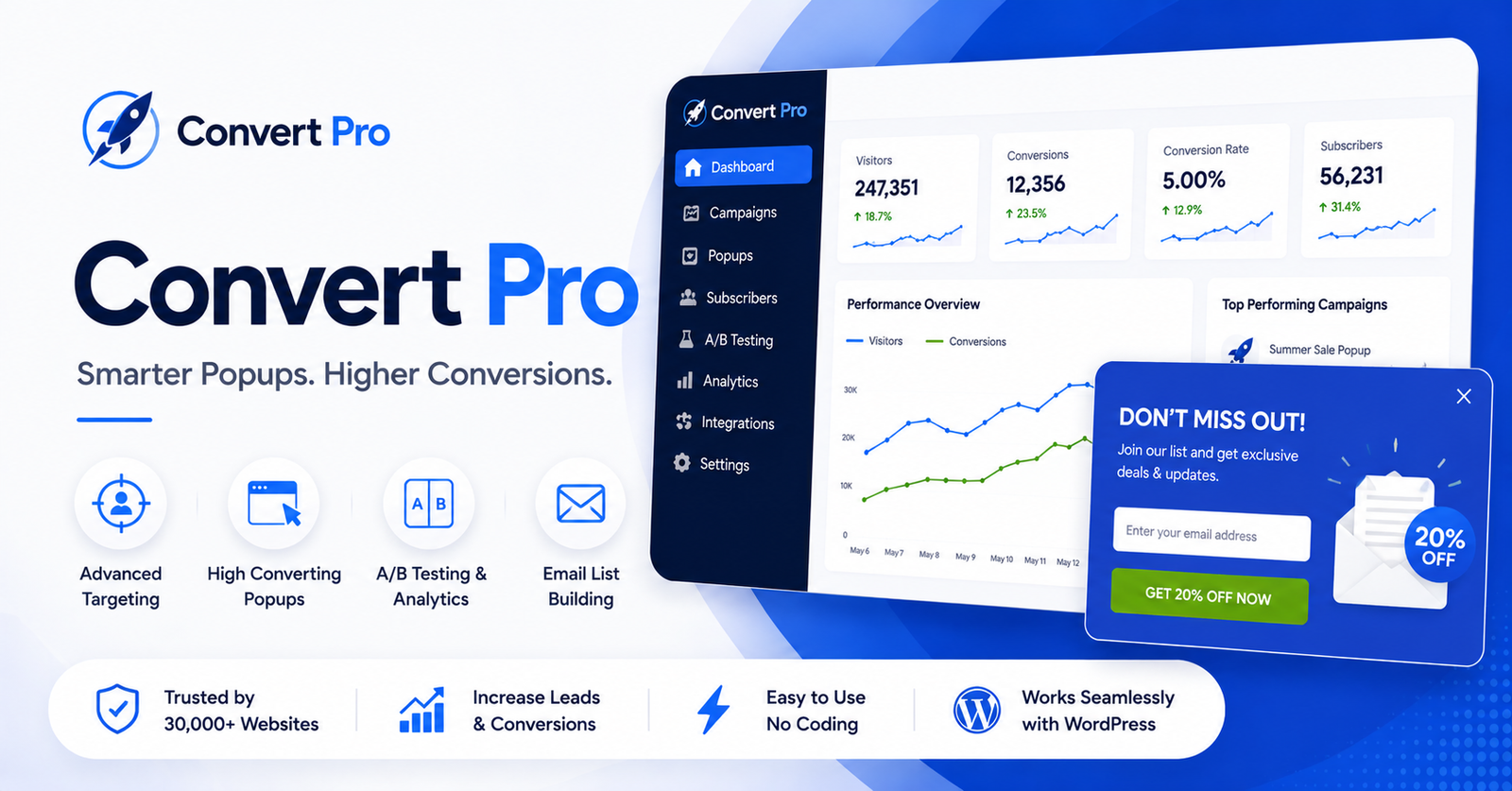
      6. Convert Pro ($99/yr) – Best for high-converting designs with stunning templates
      7. Sumo (Free-$99/mo) – Best for list building and social sharing on tight budgets
      8. Bloom ($89/yr) – Best for email opt-ins, designed for Elegant Themes/Divi users
      9. ConvertForce (Free) – Best for lightweight, non-intrusive CTAs like notification bars and floating buttons
      10. Contact Form 7 (Free) – Best free option with extensible add-ons for customization
      11. Mailchimp for WordPress (Free-$50+/mo) – Best for seamless Mailchimp integration

      Quick Selection Guide:

      • Highest conversions: OptinMonster
      • CRM integration: HubSpot
      • Elementor users: Elementor Pro
      • Non-intrusive CTAs: ConvertForce
      • Tight budget: Sumo or Contact Form 7
      • Mailchimp users: Mailchimp for WordPress

      Key Features to Look For:

      • Ease of use (drag-and-drop builders)
      • Multiple form types (popups, slide-ins, floating bars)
      • Advanced targeting and triggers
      • A/B testing capabilities
      • Email marketing/CRM integrations
      • Analytics and conversion tracking

      Best Practices:

      • Use exit-intent popups to capture leaving visitors
      • Offer lead magnets (eBooks, discounts, checklists)
      • A/B test forms, CTAs, and placements
      • Integrate with CRM for automated follow-ups
      • Combine lightweight CTAs with high-intent popups

      The article emphasizes choosing plugins based on goals, budget, and technical needs rather than one-size-fits-all solutions.

      [/article_summary]

      Getting people to visit your website is only half the battle. The real challenge begins after they arrive.

      Every day, thousands of visitors browse WordPress websites, read blog posts, compare products, and explore services. But most of them leave without subscribing to a newsletter, filling out a contact form, requesting a quote, or making a purchase. Once they’re gone, there’s a good chance they won’t come back.

      That’s why lead generation is so important.

      A good lead generation strategy helps you turn casual visitors into potential customers. Instead of hoping someone remembers your business, you encourage them to take the next step—whether that’s joining your email list, booking a demo, downloading a free resource, or simply getting in touch.

      The good news is that you don’t need to build a complex marketing system from scratch.

      WordPress offers a wide range of lead generation plugins that can help you capture more leads, grow your email list, increase enquiries, and improve conversions. Some plugins focus on creating beautiful forms, while others specialize in popups, landing pages, live chat, CRM integration, email marketing, or marketing automation. There are even all-in-one solutions that combine several of these features into a single plugin.

      The challenge is choosing the right one.

      At first glance, many lead generation plugins look similar. They all promise more leads, higher conversion rates, and better marketing results. However, once you start using them, you’ll quickly notice that each plugin is designed for a different type of website and business. Some are perfect for bloggers and content creators, while others are better suited for WooCommerce stores, agencies, SaaS businesses, or service providers.

      That’s why we created this guide.

      Instead of simply listing popular plugins, we compared them based on the features that actually matter—ease of use, lead capture options, integrations, automation, performance, pricing, and overall value. We also looked at who each plugin is best suited for, so you can choose a solution that matches your business goals instead of paying for features you may never use.

      Whether you’re starting a new WordPress website or looking to improve your existing marketing strategy, this guide will help you find the best lead generation plugin for your needs.

      Let’s get started.

      What Is a Lead Generation Plugin?

      A lead generation plugin helps you turn website visitors into potential customers.

      Instead of letting people visit your website and leave without taking any action, these plugins encourage them to interact with your business. That interaction could be subscribing to your newsletter, filling out a contact form, requesting a quote, booking a demo, downloading a free resource, or even starting a live chat conversation.

      Think of it this way.

      Imagine someone visits your website after searching on Google. They spend a few minutes reading your content and then leave. If they don’t take any action before leaving, you’ve lost a potential customer.

      A lead generation plugin gives you another opportunity to connect with that visitor.

      For example, it can display a newsletter signup form after someone finishes reading a blog post, show a discount offer before a visitor leaves your online store, or add a contact form to your service page so potential customers can easily get in touch.

      These small interactions can make a big difference in turning casual visitors into qualified leads.

      How Does a Lead Generation Plugin Work?

      Although every plugin works differently, the goal is always the same—capture visitor information and help you continue the conversation after they leave your website.

      Most lead generation plugins allow you to:

      • Collect email subscribers
      • Create contact and enquiry forms
      • Display popup campaigns and promotional offers
      • Build landing pages for marketing campaigns
      • Connect with email marketing services
      • Integrate with CRM platforms
      • Automate follow-up emails
      • Track conversions and campaign performance

      Instead of manually managing every enquiry, you can automate much of the process and focus on converting more leads into customers.

      Why Do You Need a Lead Generation Plugin?

      Without a lead generation strategy, most visitors will simply browse your website and leave.

      A lead generation plugin helps you make the most of the traffic you’ve already worked hard to earn.

      Whether you’re investing in SEO, Google Ads, social media marketing, or content creation, every visitor has value. The right plugin helps you capture that value by encouraging visitors to take the next step before they leave your website.

      For example:

      • Bloggers can grow their email newsletter and build a loyal audience.
      • WooCommerce stores can collect more email subscribers, recover abandoned carts, and promote special offers.
      • Service businesses can generate more enquiries through contact forms and consultation requests.
      • SaaS companies can capture demo requests, free trial signups, and product enquiries.
      • Agencies and freelancers can collect project enquiries and qualify potential clients more effectively.

      No matter what type of website you run, generating leads creates more opportunities to build relationships, increase conversions, and grow your business.

      Different Plugins Solve Different Problems

      One of the biggest mistakes people make is assuming every lead generation plugin does the same job.

      In reality, they’re built for different purposes.

      Some plugins are designed to create beautiful contact forms, while others focus on popup campaigns, email marketing, landing pages, CRM integration, or live chat. There are also all-in-one solutions that combine several lead generation tools into a single plugin.

      That’s why choosing the right plugin isn’t about finding the one with the most features—it’s about finding the one that fits your website and your business goals.

      In the next section, we’ll explain how we tested these WordPress lead generation plugins and the criteria we used to compare them, so you can understand exactly why each plugin earned its place on our list.

      How We Tested These WordPress Lead Generation Plugins

      There are hundreds of lead generation plugins available for WordPress, and almost every one claims to help you capture more leads and increase conversions.

      So, how do you know which one is actually worth your time and money?

      Rather than relying on download numbers, user ratings, or feature lists, we compared each plugin using the same evaluation process. Our goal wasn’t to find the plugin with the most features—it was to find the plugins that provide the best experience for different types of WordPress users.

      After all, the best plugin for a blogger may not be the right choice for an online store. Likewise, a small business collecting contact enquiries has very different needs from a SaaS company managing thousands of leads every month.

      To make this comparison as fair as possible, we looked at the areas that matter most when choosing a lead generation plugin.

      Ease of Use

      A lead generation plugin should make your work easier, not more complicated.

      We looked at how easy each plugin is to install, set up, and use on a day-to-day basis. Plugins with a clean interface, beginner-friendly setup, and intuitive builders scored higher than those that required a steep learning curve.

      Lead Capture Features

      Every business captures leads in different ways.

      Some websites rely on contact forms, while others use popups, landing pages, live chat, newsletter signup forms, or multi-step forms.

      We compared the different lead capture methods each plugin offers and how flexible those tools are for different types of websites.

      Integrations

      Your lead generation plugin shouldn’t work in isolation.

      We checked how well each plugin connects with popular email marketing services, CRM platforms, automation tools, and WooCommerce. Good integrations help automate follow-ups and reduce manual work.

      Customization and Flexibility

      Every website has its own branding and marketing strategy.

      We evaluated how much control each plugin gives you over layouts, colours, templates, display rules, targeting options, and campaign customization.

      Plugins that offered more flexibility without making the setup complicated performed better in our comparison.

      Performance

      Lead generation should never slow down your website.

      We considered whether plugins are lightweight, regularly updated, and designed to work efficiently alongside modern WordPress themes and plugins.

      A fast website provides a better user experience and can also improve search rankings.

      Pricing and Value

      The most expensive plugin isn’t always the best.

      Some free plugins include everything a small website needs, while premium plugins often justify their price with advanced automation, integrations, and marketing features.

      Instead of comparing prices alone, we looked at the overall value each plugin delivers.

      Support and Documentation

      Even the best plugins occasionally need troubleshooting.

      That’s why we also reviewed the quality of documentation, tutorials, update frequency, and customer support. A plugin backed by an active development team is usually a better long-term investment than one that rarely receives updates.

      Our Goal

      This guide isn’t about declaring one plugin the winner.

      Instead, it’s about helping you find the right plugin for your website.

      Some plugins are ideal for growing an email list. Others are better suited for collecting enquiries, generating sales leads, building landing pages, or automating follow-up emails.

      By comparing every plugin using the same criteria, you can make a more informed decision based on your business goals rather than marketing promises.

      Now that you know how we evaluated these plugins, let’s take a quick look at our top recommendations before diving into the detailed reviews.

      Quick Comparison: Best WordPress Lead Generation Plugins

      If you’re short on time, here’s a quick overview of our top recommendations. Every plugin in this guide has its own strengths, but the right choice depends on your website, your goals, and the type of leads you want to generate.

      If You’re Looking For…Our RecommendationWhy We Recommend It
      Best Overall Lead Generation PluginYS LeadGenA complete lead generation solution with popups, forms, AI tools, WooCommerce features, and marketing automation.
      Best Premium Lead Generation PluginOptinMonsterExcellent for advanced targeting, personalization, and improving conversion rates.
      Best Form BuilderWPFormsBeginner-friendly drag-and-drop form builder with powerful lead capture features.
      Best CRM & Marketing Automation PluginHubSpotCombines lead capture, CRM, email marketing, live chat, and automation in one platform.
      Best Landing Page BuilderElementor ProGreat for creating custom landing pages, lead forms, and marketing pages without coding.
      Best for Growing Your Email ListThrive LeadsBuilt specifically to help bloggers and marketers grow their email subscribers.
      Best Advanced Form BuilderFluent FormsFast, flexible, and packed with advanced features for businesses and agencies.
      Best Free Lead Generation PluginPopup MakerA feature-rich free plugin with flexible popup campaigns and targeting options.
      Best Live Chat & Chatbot PluginTidioHelps convert visitors into leads through live chat, AI chatbots, and automated conversations.
      Best Email Marketing PluginMailPoetLets you grow and manage your email list directly from your WordPress dashboard.

      These recommendations provide a quick starting point, but they don’t tell the whole story.

      Some plugins are designed to solve a specific problem, while others combine multiple lead generation tools into a single platform. For example, if your goal is simply to create contact forms, a dedicated form builder may be all you need. On the other hand, if you’re looking for an all-in-one solution that includes popups, forms, automation, and WooCommerce marketing, you’ll need a more comprehensive plugin.

      That’s why it’s important to look beyond the comparison table.

      In the next section, we’ll review each plugin in detail, covering its key features, strengths, limitations, pricing, and the type of website it’s best suited for. This will help you choose a plugin based on your business needs rather than simply picking the most popular option.

      In-Depth Reviews of the Best WordPress Lead Generation Plugins

      Choosing the right lead generation plugin isn’t just about comparing features or pricing. The best plugin should fit naturally into your marketing strategy and make it easier to convert visitors into leads.

      Some plugins are designed for bloggers who want to grow an email list. Others are built for WooCommerce stores that need to capture more sales, while some focus on helping agencies, SaaS businesses, or service providers generate qualified enquiries.

      To make your decision easier, we’ve reviewed each plugin individually using the same evaluation criteria. For every plugin, we’ll look at:

      • What the plugin does best
      • Its standout features
      • Pros and cons
      • Pricing
      • Who it’s best suited for
      • Our final recommendation

      Let’s start with our top overall recommendation.

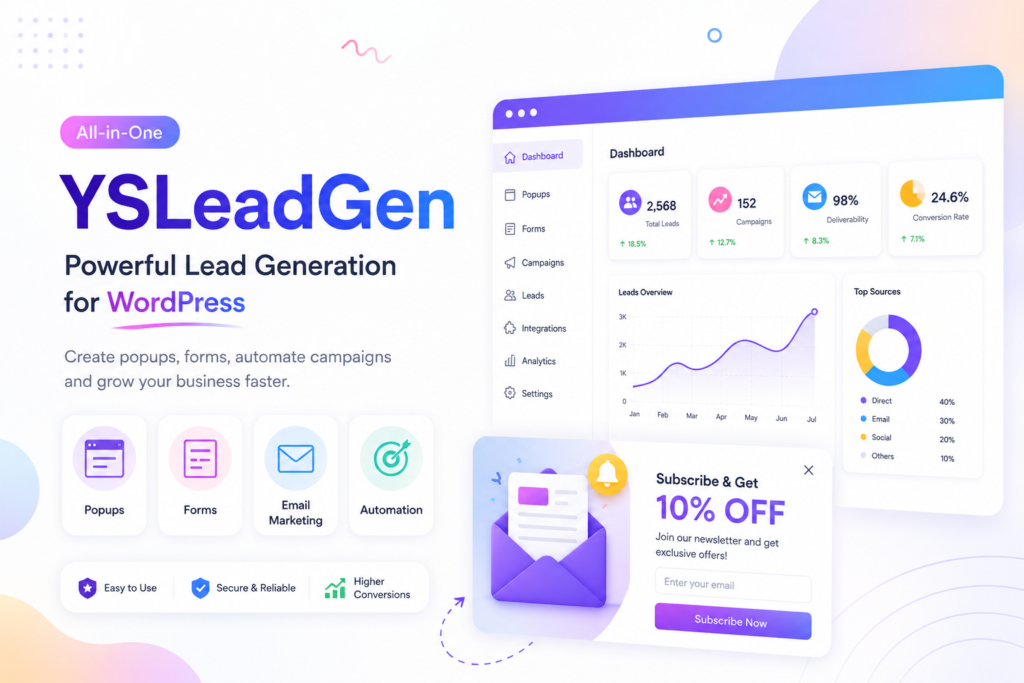
      YS LeadGen Review: Best All-in-One WordPress Lead Generation Plugin

      YS LeadGen is a WordPress lead generation plugin that helps businesses capture more leads through popups, forms, and conversion-focused marketing campaigns. Instead of focusing on a single lead capture method, it combines multiple tools into one plugin, making it a practical choice for businesses that want to manage their lead generation strategy from a single dashboard.

      The plugin supports a variety of campaign types, including popups, slide-ins, floating bars, countdown timers, spin-to-win campaigns, and embedded forms. It also includes WooCommerce-specific features such as product recommendations, promotional campaigns, and cart recovery tools, making it suitable for both business websites and online stores.

      Another area where YS LeadGen stands out is its AI-powered features. Users can generate popup headlines, call-to-action text, and campaign suggestions with AI, helping reduce the time needed to create new marketing campaigns.

      What We Like

      One of the biggest advantages of YS LeadGen is that it combines several lead generation tools into one plugin. Instead of installing separate plugins for popups, forms, countdown timers, and WooCommerce campaigns, you can manage everything from a single interface.

      The plugin is also easy to use. The drag-and-drop campaign builder, ready-made templates, and flexible display rules make it simple to create targeted campaigns without coding. For WooCommerce store owners, the built-in promotional tools add extra value by helping increase conversions without relying on additional plugins.

      YS LeadGen Lead Generation Plugin
      YS LeadGen Lead Generation Plugin

      Key Features

      • Drag-and-drop popup builder
      • Lead capture forms
      • Exit-intent, scroll, click, and time-based triggers
      • Floating bars and slide-in campaigns
      • Countdown timers and coupon popups
      • Spin-to-win campaigns
      • WooCommerce product recommendation campaigns
      • AI-generated headlines and call-to-action suggestions
      • Advanced targeting and display rules
      • Email marketing integrations
      • Campaign analytics and reporting
      • Mobile-responsive templates

      Pros

      • Combines multiple lead generation tools in one plugin.
      • Easy to set up and manage.
      • Includes WooCommerce marketing features.
      • Built-in AI tools help create campaigns more quickly.
      • Suitable for blogs, business websites, and online stores.

      Cons

      • Some advanced features are available only in the Pro version.
      • Fewer third-party integrations than some enterprise-focused platforms.
      • Businesses that only need a simple contact form may find a dedicated form plugin sufficient.

      Pricing

      YS LeadGen offers a free version with the essential features needed to start collecting leads.

      Premium plans start at $29 per year, adding advanced targeting, AI-powered tools, WooCommerce campaigns, premium templates, analytics, and additional integrations.

      Is YS LeadGen the Right Plugin for You?

      If you’re looking for an all-in-one WordPress lead generation plugin, YS LeadGen is worth considering. It brings together popup campaigns, lead capture forms, WooCommerce marketing tools, and AI-powered features in a single plugin, reducing the need to install multiple solutions for different marketing tasks.

      However, if your requirements are limited to creating basic contact forms or simple popup campaigns, you may not need all of its features. Businesses looking for a complete lead generation platform with room to grow will benefit the most from what YS LeadGen offers.

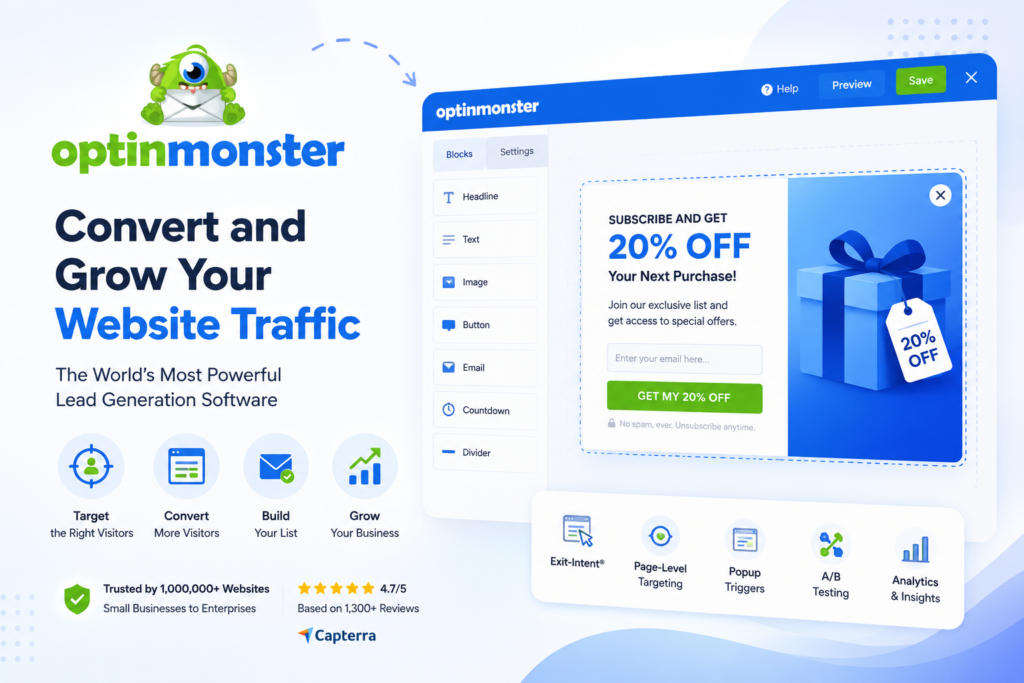
      OptinMonster Review: Best WordPress Plugin for Conversion Optimization

      OptinMonster is one of the most popular lead generation tools for WordPress, helping businesses convert website visitors into subscribers and customers through targeted popup campaigns and personalized marketing. It’s widely used by bloggers, eCommerce stores, agencies, and growing businesses that want more control over how and when lead capture campaigns are displayed.

      Unlike traditional popup plugins, OptinMonster focuses heavily on conversion optimization. It includes advanced targeting rules that let you display campaigns based on visitor behavior, referral source, location, device type, pages viewed, and many other conditions. This makes it a good choice for businesses that want to deliver personalized offers instead of showing the same popup to every visitor.

      The platform also includes a drag-and-drop campaign builder, ready-made templates, A/B testing, and detailed analytics, making it easier to build, test, and improve lead generation campaigns over time.

      Optinmonster - LeadGeneration Plugin
      Optinmonster – LeadGeneration Plugin

      What We Like

      OptinMonster offers some of the most advanced targeting and personalization features available. Whether you want to show an exit-intent popup, display different offers to returning visitors, or create campaigns based on browsing behavior, the platform gives you plenty of flexibility.

      The campaign builder is easy to use, and the large collection of professionally designed templates helps you launch campaigns quickly without starting from scratch.

      For businesses focused on improving conversion rates, the built-in analytics and A/B testing tools make it easier to measure performance and optimize campaigns based on real data.

      Key Features

      • Drag-and-drop campaign builder
      • Exit-intent technology
      • Page-level and visitor behavior targeting
      • Scroll, click, and time-based triggers
      • Floating bars, slide-ins, and fullscreen campaigns
      • A/B testing
      • Campaign scheduling
      • Email marketing and CRM integrations
      • WooCommerce targeting
      • Conversion analytics and reporting
      • Mobile-responsive templates

      Pros

      • Advanced targeting and personalization features.
      • Easy-to-use visual campaign builder.
      • Excellent template library for different campaign types.
      • Built-in A/B testing and conversion analytics.
      • Integrates with most popular email marketing platforms.

      Cons

      • Requires a separate OptinMonster account.
      • Pricing is higher than many WordPress plugins.
      • Some advanced targeting features are available only on higher-tier plans.
      • Not ideal if you’re looking for an entirely self-hosted WordPress solution.

      Pricing

      OptinMonster is a premium SaaS platform with plans starting at $9 per month (billed annually). Higher-tier plans unlock advanced targeting rules, A/B testing, additional campaigns, and more integrations.

      Is OptinMonster the Right Plugin for You?

      If your primary goal is improving conversion rates through highly targeted popup campaigns, OptinMonster is one of the best options available. Its advanced targeting engine, campaign optimization tools, and wide range of integrations make it a strong choice for businesses that rely heavily on lead generation and email marketing.

      However, if you’re looking for a plugin that also includes built-in forms, WooCommerce marketing tools, and multiple lead generation features within a single WordPress plugin, you may want to compare it with more comprehensive all-in-one solutions before making your decision.

      WPForms Review: Best WordPress Form Builder for Lead Generation

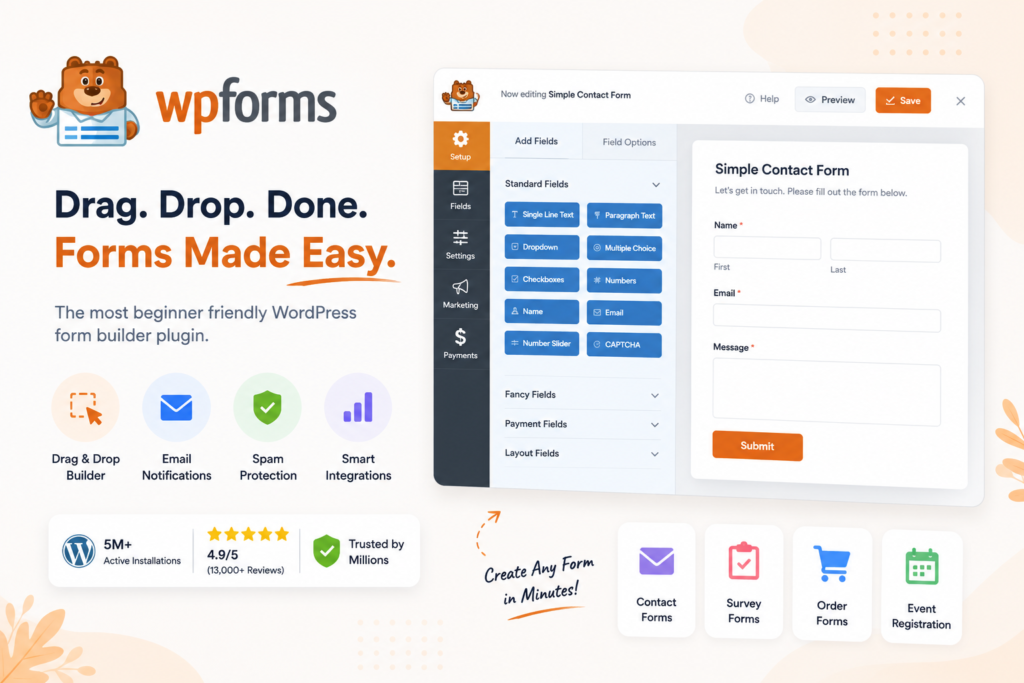
      WPForms is one of the most popular WordPress form builder plugins, making it easy to create contact forms, enquiry forms, newsletter signup forms, survey forms, and other lead capture forms without writing code. It’s a great option for beginners and small businesses that want a reliable way to collect leads directly from their website.

      The plugin includes a drag-and-drop builder, pre-built templates, and integrations with many popular email marketing services. Whether you’re adding a simple contact form to your website or building a multi-step lead generation form, WPForms makes the process straightforward.

      While WPForms doesn’t include advanced popup campaigns or visitor targeting like some dedicated lead generation plugins, it excels at creating forms that are easy to build, customize, and manage.

      WPForms - Lead Generation Plugin
      WPForms – Lead Generation Plugin

      What We Like

      WPForms is one of the easiest form builders to use. The drag-and-drop interface is clean and beginner-friendly, allowing you to create professional forms in just a few minutes.

      It also offers a large collection of ready-made templates, helping you launch contact forms, quotation requests, newsletter signups, event registrations, and feedback forms without starting from scratch.

      For businesses that primarily collect leads through website forms, WPForms provides an excellent balance of simplicity and functionality.

      Key Features

      • Drag-and-drop form builder
      • Pre-built form templates
      • Contact, enquiry, and newsletter forms
      • Multi-step forms
      • Conditional logic
      • File upload fields
      • Spam protection
      • Email marketing integrations
      • Payment integrations
      • Mobile-friendly forms

      Pros

      • Beginner-friendly interface.
      • Large collection of ready-made templates.
      • Easy to customize forms without coding.
      • Supports conditional logic and multi-step forms.
      • Integrates with popular email marketing services.

      Cons

      • Doesn’t include popup campaigns or advanced visitor targeting.
      • Many advanced features require the Pro version.
      • Marketing automation features are more limited than dedicated lead generation platforms.

      Pricing

      WPForms offers a free version called WPForms Lite with basic form-building features.

      Premium plans start at $49.50 per year, unlocking advanced fields, payment integrations, conditional logic, marketing integrations, and additional templates.

      Is WPForms the Right Plugin for You?

      If your website mainly generates leads through contact forms, enquiry forms, or newsletter signups, WPForms is one of the best choices available. Its ease of use, flexibility, and wide range of templates make it suitable for beginners and growing businesses alike.

      However, if you’re looking for advanced popup campaigns, behavioral targeting, or conversion optimization tools, you’ll likely need to combine WPForms with another lead generation plugin.

      HubSpot Review: Best WordPress CRM & Marketing Automation Plugin

      HubSpot is more than just a WordPress lead generation plugin. It combines lead capture forms, live chat, CRM, email marketing, and marketing automation into a single platform, making it a good choice for businesses that want to manage their entire customer journey from one place.

      Unlike plugins that focus only on collecting leads, HubSpot helps you organize, nurture, and follow up with those leads using its built-in CRM and automation tools. This makes it particularly useful for businesses that receive a high volume of enquiries and want to manage customer relationships more efficiently.

      The WordPress plugin integrates directly with your website, allowing you to create forms, chat widgets, popups, and email campaigns while automatically storing lead information inside the HubSpot CRM.

      HubSpot - LeadGeneration Plugin
      HubSpot – LeadGeneration Plugin

      What We Like

      HubSpot stands out because it combines lead generation with customer relationship management. Instead of exporting leads to another system, every new contact is automatically added to your CRM, making it easier to track conversations and manage follow-ups.

      The plugin also includes live chat, chatbot automation, email marketing, and reporting tools, reducing the need to install several separate marketing plugins.

      For businesses looking to build long-term relationships with their customers, HubSpot provides much more than basic lead capture.

      Key Features

      • Built-in CRM
      • Contact and lead capture forms
      • Live chat and chatbots
      • Popup forms
      • Email marketing tools
      • Marketing automation
      • Contact management
      • Lead tracking
      • Analytics and reporting
      • WooCommerce integration

      Pros

      • Combines lead generation and CRM in one platform.
      • Automatic contact management.
      • Built-in email marketing and automation tools.
      • Live chat and chatbot support.
      • Free plan available for small businesses.

      Cons

      • Advanced automation requires premium plans.
      • Can feel overwhelming for beginners.
      • Pricing increases as your contact list grows.
      • Some businesses may not need the full CRM platform.

      Pricing

      HubSpot offers a generous free plan that includes basic CRM, forms, live chat, and contact management.

      Paid Marketing Hub plans start at around $20 per month (Starter), with more advanced automation, reporting, and marketing features available in higher-tier plans.

      Is HubSpot the Right Plugin for You?

      If you’re looking for more than just lead capture, HubSpot is an excellent option. It helps you collect leads, organize customer information, automate follow-ups, and manage your marketing from one platform.

      However, if you only need popups or simple lead capture forms, HubSpot may offer more functionality than you actually need. It’s best suited for businesses that want to combine lead generation with CRM and ongoing customer relationship management.

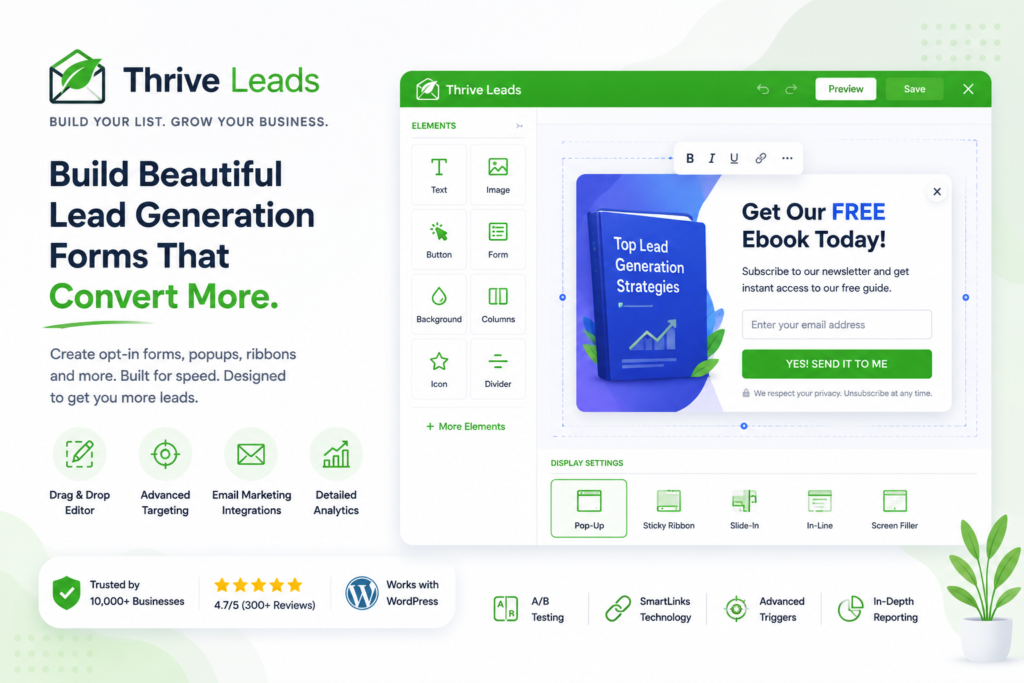
      Thrive Leads Review: Best WordPress Plugin for Growing Your Email List

      Thrive Leads is a popular WordPress lead generation plugin built specifically for growing email subscribers. If your main goal is to build an email list, promote lead magnets, or improve opt-in conversions, it’s one of the most feature-rich plugins available.

      The plugin includes multiple opt-in form types, including popups, slide-ins, sticky ribbons, inline forms, and content lockers. It also provides advanced targeting rules, A/B testing, and detailed reporting, making it easier to optimize campaigns over time.

      Unlike general-purpose lead generation plugins, Thrive Leads focuses almost entirely on email list growth. This makes it a great choice for bloggers, publishers, course creators, and businesses that rely heavily on email marketing.

      ThriveLeads - LeadGeneration Plugin
      ThriveLeads – LeadGeneration Plugin

      What We Like

      Thrive Leads gives you plenty of flexibility when creating opt-in campaigns. You can display different offers based on categories, tags, posts, pages, or visitor behavior, helping you deliver more relevant campaigns.

      The built-in A/B testing tools are another highlight. Instead of guessing which design or message works best, you can test different variations and use real data to improve conversions.

      If growing your email list is your highest priority, Thrive Leads offers almost everything you need without relying on additional plugins.

      Key Features

      • Drag-and-drop opt-in form builder
      • Popups, slide-ins, ribbons, and inline forms
      • Exit-intent technology
      • Advanced targeting rules
      • A/B testing
      • SmartLinks for existing subscribers
      • Asset delivery for lead magnets
      • Email marketing integrations
      • Conversion reporting
      • Mobile responsive designs

      Pros

      • Designed specifically for email list growth.
      • Multiple opt-in form types.
      • Built-in A/B testing and reporting.
      • Advanced targeting and display options.
      • Works with most major email marketing platforms.

      Cons

      • Doesn’t include CRM or live chat features.
      • Can take some time to learn all available options.
      • No free version available.
      • Best suited for email marketing rather than broader lead generation.

      Pricing

      Thrive Leads is available as part of the Thrive Suite, with plans starting at $299 per year for access to all Thrive products.

      Is Thrive Leads the Right Plugin for You?

      If your primary goal is growing an email list, Thrive Leads is one of the strongest options available for WordPress. It combines flexible opt-in forms, detailed targeting, and built-in testing tools that help improve conversions over time.

      However, if you’re looking for a broader lead generation platform with forms, WooCommerce campaigns, CRM integration, or AI features, you’ll probably benefit more from an all-in-one solution.

      Poptin Review: Best WordPress Popup Plugin for Lead Generation & Visitor Targeting

      Poptin is a WordPress popup plugin designed to help businesses generate more leads through personalized popup campaigns and smart visitor targeting. Whether you’re collecting newsletter subscribers, promoting a discount, or encouraging visitors to request a quote, Poptin makes it easy to create targeted campaigns without writing code.

      One of Poptin’s biggest strengths is its visitor targeting system. Instead of displaying the same popup to every visitor, you can trigger campaigns based on exit intent, scroll depth, time spent on a page, device type, traffic source, and other conditions. This allows you to show more relevant offers at the right moment.

      The plugin also includes a drag-and-drop editor, built-in templates, and integrations with popular email marketing services, making it suitable for businesses of all sizes.

      Poptin - LeadGeneration Plugin
      Poptin – LeadGeneration Plugin

      What We Like

      Poptin strikes a good balance between ease of use and advanced targeting. The visual builder is simple enough for beginners, while the targeting options provide enough flexibility for marketers looking to improve conversion rates.

      The plugin also includes A/B testing, allowing you to compare different popup designs and messages to see which campaigns perform better.

      For businesses focused on lead capture through popup campaigns, Poptin provides most of the tools needed without becoming overly complicated.

      Key Features

      • Drag-and-drop popup builder
      • Exit-intent technology
      • Scroll, click, and time-based triggers
      • Visitor targeting and segmentation
      • Built-in lead capture forms
      • A/B testing
      • WooCommerce support
      • Email marketing integrations
      • Campaign analytics
      • Mobile-responsive templates

      Pros

      • Easy to create and manage popup campaigns.
      • Advanced visitor targeting options.
      • Includes A/B testing and campaign analytics.
      • Integrates with many popular email marketing services.
      • Suitable for blogs, business websites, and online stores.

      Cons

      • Advanced features are available only in premium plans.
      • Free version has visitor and feature limitations.
      • AI-powered features are limited.
      • Some integrations require higher-tier plans.

      Pricing

      Poptin offers a free plan with basic popup and lead capture features.

      Premium plans start at $25 per month, adding advanced targeting, increased visitor limits, premium integrations, and additional automation features.

      Is Poptin the Right Plugin for You?

      If your main focus is creating targeted popup campaigns to grow your email list or generate more enquiries, Poptin is a solid choice. Its visitor targeting, A/B testing, and easy-to-use builder make it suitable for businesses that want to improve conversions without investing in a complex marketing platform.

      However, if you’re looking for a complete lead generation solution that also includes built-in forms, WooCommerce marketing features, and AI-powered campaign creation, you may want to compare it with more comprehensive all-in-one plugins before making your final decision.

      Fluent Forms Review: Best Advanced WordPress Form Builder for Lead Generation

      Fluent Forms is a feature-rich WordPress form builder that helps businesses create contact forms, enquiry forms, surveys, quizzes, and lead capture forms. It’s known for its fast performance, flexible form builder, and wide range of integrations, making it a popular choice for freelancers, agencies, and growing businesses.

      Unlike basic form plugins, Fluent Forms includes advanced features such as conditional logic, conversational forms, multi-step forms, and automation tools. This allows you to create more interactive forms and collect detailed information from potential customers.

      The plugin also integrates with popular email marketing platforms, CRMs, payment gateways, and automation tools, making it suitable for businesses that want to streamline their lead generation workflow.

      Fluent Forms - Lead generation plugin
      Fluent Forms – Lead generation plugin

      What We Like

      Fluent Forms offers an impressive combination of features while remaining lightweight and easy to use. The drag-and-drop builder is responsive, and the large collection of templates helps you create professional forms without much effort.

      We also like its built-in automation features, which allow you to automatically send leads to your email marketing platform or CRM after a form submission.

      For businesses that depend heavily on online forms, Fluent Forms provides a flexible solution without sacrificing performance.

      Key Features

      • Drag-and-drop form builder
      • Contact, enquiry, and lead generation forms
      • Multi-step forms
      • Conversational forms
      • Conditional logic
      • File uploads
      • Payment integrations
      • Email marketing integrations
      • CRM and automation integrations
      • Spam protection
      • Mobile-responsive forms

      Pros

      • Fast and lightweight.
      • Easy-to-use form builder.
      • Advanced conditional logic and automation.
      • Large collection of templates.
      • Integrates with many third-party services.

      Cons

      • Doesn’t include popup campaigns.
      • Advanced features require the Pro version.
      • Beginners may not need every available feature.

      Pricing

      Fluent Forms offers a free version with essential form-building features.

      Premium plans start at $79 per year, adding advanced fields, automation, payment integrations, conversational forms, and additional marketing integrations.

      Is Fluent Forms the Right Plugin for You?

      If your business relies on contact forms, enquiry forms, or lead capture forms, Fluent Forms is an excellent choice. It combines ease of use with advanced functionality, making it suitable for both beginners and experienced WordPress users.

      However, if you’re looking for popup campaigns, exit-intent offers, or complete lead generation features beyond forms, you’ll need to pair it with another plugin.

      MailPoet Review: Best WordPress Email Marketing Plugin

      MailPoet is a WordPress email marketing plugin that allows you to build your email list, send newsletters, and automate email campaigns directly from your WordPress dashboard. It’s a great option for businesses that want to manage email marketing without relying on a separate platform.

      Unlike most lead generation plugins, MailPoet focuses on what happens after you’ve collected a lead. It helps you nurture subscribers with newsletters, welcome emails, product updates, and automated email sequences, making it a useful addition to any lead generation strategy.

      The plugin works particularly well for bloggers, publishers, and WooCommerce stores that want to stay connected with their audience through regular email communication.

      Mailpoet - Lead Generation plugin
      Mailpoet – Lead Generation plugin

      What We Like

      MailPoet makes email marketing simple by allowing you to manage subscribers and campaigns without leaving WordPress. The interface is clean, beginner-friendly, and includes professionally designed email templates that are easy to customize.

      WooCommerce users will also appreciate the built-in support for automated emails, including product updates and customer communication.

      For small businesses and content creators, keeping everything inside WordPress can simplify day-to-day marketing tasks.

      Key Features

      • Newsletter builder
      • Subscriber management
      • Email signup forms
      • Automated welcome emails
      • WooCommerce email automation
      • Email scheduling
      • Ready-made email templates
      • Audience segmentation
      • Email analytics
      • WordPress dashboard integration

      Pros

      • Manage email marketing directly from WordPress.
      • Beginner-friendly interface.
      • Built-in automation features.
      • WooCommerce email support.
      • Free plan available for smaller email lists.

      Cons

      • Primarily focused on email marketing rather than complete lead generation.
      • Advanced features require paid plans.
      • Large email lists can increase monthly costs.
      • Fewer CRM features than dedicated marketing platforms.

      Pricing

      MailPoet offers a free plan that supports up to 500 subscribers.

      Paid plans start at $10 per month, with pricing based on the number of subscribers and additional email marketing features.

      Is MailPoet the Right Plugin for You?

      If you’ve already started generating leads and want an easy way to communicate with your subscribers, MailPoet is one of the best email marketing plugins available for WordPress. It keeps your email marketing inside your WordPress dashboard and removes the need to switch between multiple platforms.

      However, if your primary goal is capturing new leads through popups, forms, or conversion campaigns, you’ll still need a dedicated lead generation plugin alongside MailPoet. It works best as part of a complete lead generation and email marketing strategy rather than as a standalone lead capture solution.

      Elementor Pro Review: Best WordPress Landing Page Builder for Lead Generation

      Elementor Pro is one of the most popular WordPress page builders, but it’s also a capable lead generation tool. In addition to designing landing pages, it includes a built-in form builder, popup builder, and marketing integrations, allowing you to create complete lead capture pages without installing multiple plugins.

      For businesses running advertising campaigns or promoting specific products and services, Elementor Pro makes it easy to build dedicated landing pages that encourage visitors to take action. You can also create popups, newsletter signup forms, contact forms, and promotional banners using the same visual editor.

      Since everything is managed from a drag-and-drop interface, it’s a good choice for users who want complete design control without writing code.

      Elementor PRO - Lead Generation Plugin
      Elementor PRO – Lead Generation Plugin

      What We Like

      Elementor Pro brings website design and lead generation together in one plugin. Instead of switching between a page builder and a separate popup or form plugin, you can create complete marketing pages using a single interface.

      The visual editor is easy to use, and the large collection of widgets and templates helps speed up the design process. It also integrates with many popular email marketing platforms, making it easy to collect and manage leads.

      Key Features

      • Drag-and-drop page builder
      • Built-in popup builder
      • Contact and lead capture forms
      • Landing page templates
      • Marketing widgets
      • Email marketing integrations
      • WooCommerce builder
      • Responsive editing
      • Dynamic content support
      • Display conditions for popups

      Pros

      • Combines page building and lead generation tools.
      • Easy visual editor with no coding required.
      • Large library of templates and widgets.
      • Built-in popup and form builder.
      • Excellent for creating landing pages.

      Cons

      • Not a dedicated lead generation plugin.
      • Advanced marketing automation features are limited.
      • Can become resource-intensive on larger websites.
      • Requires Elementor Pro for popup and form features.

      Pricing

      Elementor Pro plans start at $59 per year for a single website, with higher plans available for multiple websites and additional features.

      Is Elementor Pro the Right Plugin for You?

      If you already use Elementor to build your website, upgrading to Elementor Pro gives you a simple way to add forms, popups, and landing pages without installing separate plugins.

      However, if your primary goal is advanced lead generation, visitor targeting, or marketing automation, you’ll likely need a dedicated lead generation plugin alongside Elementor.

      Popup Maker Review: Best Free WordPress Popup Plugin

      Popup Maker is one of the most widely used free WordPress popup plugins for creating popup campaigns, opt-in forms, announcements, and promotional messages. It’s a popular choice for users who want a flexible popup solution without committing to a premium subscription.

      The plugin supports different popup triggers, including click, time delay, scroll, and exit intent (available through premium extensions). It also works with many popular form plugins, allowing you to display contact forms, newsletter signup forms, or lead magnets inside your popups.

      While Popup Maker focuses mainly on popup campaigns rather than complete lead generation, it offers enough flexibility for many small business websites.

      PopupMaker - Lead Generation Plugin
      PopupMaker – Lead Generation Plugin

      What We Like

      Popup Maker’s biggest advantage is flexibility. You can create different popup campaigns and use them with popular form builders like WPForms, Fluent Forms, Contact Form 7, and Gravity Forms.

      The free version includes many useful features, making it a practical choice for bloggers, small businesses, and website owners with a limited budget.

      Because it integrates with existing form plugins, you can continue using your preferred lead capture solution while adding popup functionality.

      Key Features

      • Popup builder
      • Time, click, and scroll triggers
      • Exit-intent support (premium)
      • Popup scheduling
      • Targeting rules
      • Integration with popular form plugins
      • WooCommerce compatibility
      • Cookie controls
      • Mobile-friendly popups
      • Customizable popup themes

      Pros

      • Generous free version.
      • Works with popular WordPress form plugins.
      • Easy to create and customize popup campaigns.
      • Flexible targeting options.
      • Suitable for blogs, business websites, and online stores.

      Cons

      • Advanced targeting features require premium extensions.
      • Interface feels less modern than some competitors.
      • No built-in CRM or email marketing tools.
      • Some useful features are sold as separate add-ons.

      Pricing

      Popup Maker offers a free version through the WordPress Plugin Directory.

      Premium extensions and bundles start at around $87 per year, depending on the features you need.

      Is Popup Maker the Right Plugin for You?

      If you’re looking for a reliable free WordPress popup plugin, Popup Maker is one of the best options available. It integrates well with existing form plugins and gives you enough flexibility to create effective lead capture campaigns without a large investment.

      However, if you’re looking for an all-in-one lead generation solution with built-in forms, automation, AI features, and advanced marketing tools, you’ll likely outgrow Popup Maker as your business expands.

      You’re right—we’re missing Tidio. It completes the list by covering live chat and AI chatbots, which are increasingly important for lead generation.

      Tidio Review: Best WordPress Live Chat Plugin for Lead Generation

      Tidio is a WordPress live chat plugin that helps businesses capture leads by engaging visitors in real time. Instead of waiting for someone to fill out a contact form or send an email, Tidio allows you to answer questions instantly through live chat and AI-powered chatbots.

      It’s a popular choice for online stores, SaaS companies, and service businesses that want to improve customer engagement while generating more qualified leads. The plugin combines live chat, chatbot automation, and visitor tracking in a single platform, making it easier to support customers and collect enquiries.

      One of Tidio’s biggest advantages is its AI chatbot. It can answer common questions, qualify leads, collect contact information, and route conversations to your team when needed. This allows businesses to continue engaging visitors even when no one is available to respond.

      Tidio - LeadGeneration Plugin
      Tidio – LeadGeneration Plugin

      What We Like

      Tidio is easy to set up and doesn’t require any technical experience. Within a few minutes, you can add a live chat widget to your WordPress website and start chatting with visitors.

      The chatbot automation is another standout feature. You can create automated conversation flows to welcome visitors, answer frequently asked questions, collect email addresses, or guide users to the right products and services.

      For businesses that receive a large number of enquiries, this can reduce response times while improving the overall customer experience.

      Key Features

      • Live chat widget
      • AI-powered chatbot
      • Automated conversation flows
      • Visitor tracking
      • Lead qualification
      • Email capture through chat
      • Mobile app for live conversations
      • Canned responses
      • Email marketing integrations
      • WooCommerce integration
      • Chat analytics and reporting

      Pros

      • Easy to install and configure.
      • Live chat and chatbot in one platform.
      • Helps engage visitors in real time.
      • AI chatbot can answer common questions automatically.
      • Mobile app lets you respond to customers from anywhere.

      Cons

      • Advanced AI features require a premium plan.
      • Free plan has conversation and feature limitations.
      • Focuses on chat-based lead generation rather than forms or popup campaigns.
      • Some integrations are available only on higher-tier plans.

      Pricing

      Tidio offers a free plan with basic live chat functionality for small websites.

      Premium plans start at around $29 per month, with higher plans unlocking advanced chatbot automation, AI features, additional conversations, and more integrations.

      Is Tidio the Right Plugin for You?

      If your business relies on customer conversations to generate leads, Tidio is an excellent choice. It helps you engage visitors at the right moment, answer their questions quickly, and capture enquiries before they leave your website.

      However, if your primary focus is collecting leads through popups, forms, or landing pages, a dedicated lead generation plugin may be a better fit. Tidio works best as part of a broader lead generation strategy, especially for businesses that want to combine live chat with automated customer support.

      Compare the Best WordPress Lead Generation Plugins

      After reviewing each plugin individually, let’s compare them side by side. While all of these plugins can help you generate more leads, they focus on different areas such as popup campaigns, forms, email marketing, CRM, or live chat.

      Use the table below to quickly compare their core features and find the plugin that best matches your requirements.

      PluginFree VersionPopupsFormsAI FeaturesWooCommerceEmail MarketingCRMLive ChatBest For
      YS LeadGenYesYesYesYesYesYesNoNoAll-in-one lead generation
      OptinMonsterNoYesLimitedNoYesYesNoNoConversion optimization
      WPFormsYesNoYesNoLimitedYesNoNoContact & enquiry forms
      HubSpotYesLimitedYesLimitedYesYesYesYesCRM & marketing automation
      Thrive LeadsNoYesLimitedNoNoYesNoNoEmail list building
      PoptinYesYesYesLimitedYesYesNoNoSmart popup campaigns
      Fluent FormsYesNoYesNoLimitedYesLimitedNoAdvanced forms
      MailPoetYesNoSignup FormsNoYesYesNoNoEmail marketing
      Elementor ProNoYesYesNoYesYesNoNoLanding pages
      TidioYesNoNoYesYesLimitedYesYesLive chat & AI chatbot

      Feature availability may vary depending on the plugin version or pricing plan.

      Which Plugin Offers the Most Complete Feature Set?

      If you’re looking for a single plugin that covers multiple aspects of lead generation, YS LeadGen offers one of the broadest feature sets. It combines popups, lead capture forms, WooCommerce campaigns, AI-powered tools, and marketing automation, making it suitable for businesses that prefer an all-in-one solution.

      If your priority is improving conversion rates with highly targeted popup campaigns, OptinMonster remains one of the strongest choices thanks to its advanced targeting rules and campaign optimization features.

      For websites that mainly collect enquiries through forms, WPForms and Fluent Forms are both excellent options. WPForms focuses on simplicity, while Fluent Forms offers more advanced customization and automation features.

      Businesses that need a built-in CRM, email marketing, and customer management platform should consider HubSpot. It goes beyond lead capture by helping you organize and nurture leads throughout the sales process.

      If your strategy relies heavily on email marketing, MailPoet and Thrive Leads are both worth considering. Thrive Leads focuses on growing your subscriber list, while MailPoet helps you communicate with those subscribers through newsletters and automated email campaigns.

      Finally, if real-time customer engagement is important, Tidio stands out with its combination of live chat and AI-powered chatbots, making it easier to answer questions and capture leads while visitors are still on your website.

      The best plugin ultimately depends on your business goals. Rather than choosing the plugin with the longest feature list, focus on the one that solves your biggest lead generation challenge.

      Which Type of Lead Generation Plugin Do You Need?

      Not every WordPress website generates leads in the same way.

      A blogger trying to grow an email newsletter has very different goals from an online store promoting discounts or a business collecting contact enquiries. That’s why there’s no single plugin that’s perfect for every website.

      Before choosing a plugin, it’s worth understanding the different types of lead generation tools available and where they work best.

      Popup Lead Generation Plugins

      Popup plugins are one of the most popular ways to capture leads. They display targeted offers at the right time, encouraging visitors to subscribe, claim a discount, or contact your business before leaving your website.

      They’re especially useful for:

      • Growing your email list
      • Promoting limited-time offers
      • Offering lead magnets
      • Reducing cart abandonment
      • Announcing special promotions

      Recommended Plugins:

      • YS LeadGen
      • OptinMonster
      • Poptin
      • Popup Maker

      Form Builder Plugins

      If your business mainly receives enquiries through your website, a form builder may be all you need.

      These plugins help you create contact forms, quotation requests, appointment forms, registration forms, and other lead capture forms without writing code.

      They’re ideal for:

      • Business websites
      • Agencies
      • Freelancers
      • Consultants
      • Local service providers

      Recommended Plugins:

      • WPForms
      • Fluent Forms
      • HubSpot
      • Elementor Pro

      Email Marketing Plugins

      Capturing leads is only the beginning. Email marketing plugins help you stay connected with subscribers by sending newsletters, welcome emails, product updates, and promotional campaigns.

      They’re best suited for:

      • Bloggers
      • Publishers
      • Membership websites
      • Online stores
      • Content creators

      Recommended Plugins:

      • MailPoet
      • HubSpot
      • Thrive Leads

      CRM & Marketing Automation Plugins

      As your business grows, manually managing leads becomes difficult.

      CRM and marketing automation tools help organize contacts, automate follow-ups, track customer interactions, and improve your sales process.

      They’re commonly used by:

      • SaaS businesses
      • Sales teams
      • Agencies
      • Growing businesses
      • B2B companies

      Recommended Plugins:

      • HubSpot
      • YS LeadGen

      WooCommerce Lead Generation Plugins

      Online stores often have different lead generation goals than business websites.

      Instead of collecting contact enquiries, they focus on recovering abandoned carts, promoting discounts, recommending products, and increasing conversions.

      These plugins are designed specifically for WooCommerce stores.

      Recommended Plugins:

      • YS LeadGen
      • OptinMonster
      • Poptin

      Live Chat & Chatbot Plugins

      Some visitors have questions before they’re ready to contact your business or make a purchase.

      Live chat plugins allow you to answer those questions instantly, while AI chatbots can automatically respond to common enquiries even when your team is offline.

      They’re a good fit for:

      • SaaS companies
      • Customer support teams
      • Service businesses
      • Online stores

      Recommended Plugin:

      • Tidio

      Do You Need More Than One Plugin?

      Not always.

      Many website owners install multiple plugins because each one solves a different problem. For example, you might use WPForms for contact forms, MailPoet for email marketing, and Tidio for live chat.

      However, using too many plugins can increase maintenance, create compatibility issues, and make your marketing workflow harder to manage.

      If you prefer to keep everything in one place, an all-in-one lead generation plugin can be a better option. It allows you to manage popups, forms, campaigns, and other lead generation activities from a single dashboard, reducing the need for multiple plugins.

      Ultimately, the right choice depends on how you generate leads and the tools you already use. Before installing a plugin, think about your primary goal—whether that’s collecting email subscribers, generating enquiries, growing an online store, or automating your marketing. Choosing a plugin that matches those goals will usually deliver better results than simply selecting the one with the longest feature list.

      How to Choose the Right Lead Generation Plugin for Your WordPress Website

      With so many lead generation plugins available, it’s easy to get distracted by long feature lists and marketing claims. However, the plugin with the most features isn’t always the right choice for your website.

      Before making a decision, think about how you currently generate leads and where you want to improve your marketing efforts.

      Here are a few things to consider before choosing a plugin.

      Start With Your Main Goal

      The first question to ask yourself is:

      What do I want visitors to do on my website?

      Your answer will help narrow down the right plugin much faster.

      For example:

      • If you want to grow your email list, choose a plugin that focuses on popups and email opt-in forms.
      • If you run a service business, look for a plugin that makes it easy to create contact and enquiry forms.
      • If you own a WooCommerce store, choose a plugin that supports product promotions, discount campaigns, and cart recovery.
      • If you manage a sales team, consider a plugin that integrates with your CRM and marketing automation tools.

      Choosing a plugin based on your business goals is far more effective than simply picking the most popular option.

      Look for the Features You’ll Actually Use

      It’s tempting to choose a plugin because it offers dozens of advanced features. In reality, many website owners only use a small percentage of them.

      Instead, focus on the features that will have the biggest impact on your business.

      Some useful features to look for include:

      • Drag-and-drop builders
      • Popup campaigns
      • Contact and lead capture forms
      • Exit-intent technology
      • Email marketing integrations
      • WooCommerce support
      • Mobile-friendly templates
      • Analytics and conversion tracking
      • AI-powered content generation
      • Marketing automation

      A plugin that’s easy to use with the features you need is often a better investment than one packed with tools you’ll never use.

      Make Sure It Integrates With Your Existing Tools

      A lead generation plugin shouldn’t create extra work.

      Before choosing a plugin, check whether it integrates with the tools you already use, such as:

      • Mailchimp
      • HubSpot
      • Brevo
      • ActiveCampaign
      • ConvertKit
      • Zapier
      • WooCommerce

      Good integrations allow new leads to flow directly into your email marketing platform or CRM, helping you automate follow-ups and reduce manual work.

      Don’t Ignore Performance

      Lead generation plugins add extra functionality to your website, but they shouldn’t slow it down.

      A slow website can increase bounce rates and reduce conversions, especially on mobile devices.

      When comparing plugins, look for solutions that are actively maintained, regularly updated, and optimized for performance. Lightweight plugins generally provide a better experience for both visitors and search engines.

      Think About Future Growth

      The plugin you choose today should still meet your needs as your business grows.

      For example, you may only need a contact form today, but in the future you might want to add popup campaigns, email automation, WooCommerce promotions, or AI-powered marketing tools.

      Choosing a plugin that can grow with your business can save you from migrating to another solution later.

      Free vs Premium Plugins

      Many WordPress lead generation plugins offer a free version, which is often enough for personal websites and small businesses.

      However, premium versions usually include features such as:

      • Advanced targeting
      • Marketing automation
      • A/B testing
      • Premium templates
      • CRM integrations
      • WooCommerce campaigns
      • Detailed analytics
      • Priority support

      If lead generation plays an important role in your business, upgrading to a premium plan can be a worthwhile investment.

      Our Recommendation

      Every plugin in this guide has its own strengths, and there’s no single solution that’s perfect for every website.

      If you’re looking for a complete lead generation platform that combines popups, forms, WooCommerce campaigns, AI tools, and automation, an all-in-one solution will usually provide the most flexibility.

      If you only need contact forms, a dedicated form builder is often the better choice. Likewise, businesses focused on email marketing, CRM management, or live chat may benefit more from plugins built specifically for those tasks.

      The best plugin is the one that fits your workflow, supports your marketing goals, and helps you generate more leads without making your website harder to manage.

      Our Recommendations: Which WordPress Lead Generation Plugin Should You Choose?

      By now, you’ve seen that every plugin in this guide has its own strengths. The best choice depends on your website, your marketing strategy, and the type of leads you want to generate.

      If you’re still unsure which plugin to choose, here are our recommendations for some of the most common use cases.

      Best Overall WordPress Lead Generation Plugin

      Recommendation: YS LeadGen

      If you’re looking for a plugin that combines popups, lead capture forms, WooCommerce campaigns, AI-powered tools, and marketing features in one place, YS LeadGen is a solid choice.

      It’s suitable for businesses that want to manage their lead generation strategy without installing multiple plugins for different tasks.

      Best Plugin for Beginners

      Recommendation: WPForms

      If you’re new to WordPress, WPForms is one of the easiest plugins to get started with.

      Its drag-and-drop builder, ready-made templates, and simple interface make it easy to create contact forms, enquiry forms, and newsletter signup forms without any technical knowledge.

      Best Popup Plugin

      Recommendation: OptinMonster

      If your main goal is improving conversions with targeted popup campaigns, OptinMonster is one of the strongest options available.

      Its advanced targeting, personalization features, and campaign optimization tools make it a great choice for businesses that want more control over when and how popups are displayed.

      Best Free Lead Generation Plugin

      Recommendation: Popup Maker

      If you’re working with a limited budget, Popup Maker offers a generous free version that includes many of the features needed to create effective popup campaigns.

      You can always upgrade later if you need more advanced targeting or additional functionality.

      Best Form Builder

      Recommendation: Fluent Forms

      If your website depends on contact forms, quotation requests, or enquiry forms, Fluent Forms offers an excellent balance of flexibility, performance, and ease of use.

      It’s a good option for businesses that need more advanced form-building features while still keeping the interface easy to manage.

      Best Plugin for Email Marketing

      Recommendation: MailPoet

      If email marketing is a key part of your business, MailPoet makes it easy to collect subscribers and send newsletters directly from your WordPress dashboard.

      It’s especially useful for bloggers, publishers, and WooCommerce stores that want to manage email campaigns without relying on a separate platform.

      Best CRM & Marketing Automation Plugin

      Recommendation: HubSpot

      Businesses that need more than just lead capture should consider HubSpot.

      Its built-in CRM, email marketing, automation, and customer management tools make it a good choice for businesses that want to organize and nurture leads throughout the sales process.

      Best Plugin for WooCommerce Stores

      Recommendation: YS LeadGen

      WooCommerce stores often need more than a simple popup plugin.

      YS LeadGen includes features such as promotional popups, lead capture forms, countdown campaigns, product recommendations, and other WooCommerce-focused tools that help store owners engage shoppers and improve conversions.

      If your primary goal is increasing sales while also growing your customer list, it offers a well-rounded solution.

      Best Live Chat Plugin

      Recommendation: Tidio

      If your business generates leads through customer conversations, Tidio is worth considering.

      Its live chat and AI chatbot features help answer visitor questions, collect contact information, and engage potential customers before they leave your website.

      Which Plugin Would We Choose?

      If we had to choose just one plugin for different situations, here’s what we’d recommend:

      Use CaseRecommended Plugin
      Overall Lead GenerationYS LeadGen
      Contact FormsWPForms
      Advanced FormsFluent Forms
      Popup CampaignsOptinMonster
      Free Popup PluginPopup Maker
      Email MarketingMailPoet
      CRM & AutomationHubSpot
      WooCommerce MarketingYS LeadGen
      Live ChatTidio
      Email List GrowthThrive Leads

      There isn’t a single plugin that’s perfect for every website.

      Some businesses only need a simple contact form, while others require advanced popup campaigns, CRM integration, email automation, or WooCommerce marketing features.

      The key is to choose a plugin that solves your current needs while giving you room to grow as your business evolves.

      Best Practices for Generating More Leads with WordPress

      Installing a lead generation plugin is only the first step. To get the best results, you also need the right strategy. Even the most feature-rich plugin won’t improve conversions if your offers, forms, or campaigns aren’t relevant to your visitors.

      Here are a few proven practices that can help you generate more leads from your WordPress website.

      Give Visitors a Reason to Take Action

      People are more likely to share their contact information when they receive something valuable in return.

      Instead of simply asking visitors to “Subscribe,” offer something that solves a problem or provides immediate value.

      Some popular lead magnets include:

      • Free eBooks or guides
      • Discount coupons
      • Checklists
      • Templates
      • Free consultations
      • Product demos
      • Free trials
      • Exclusive content

      A clear value proposition usually performs better than a generic signup form.

      Keep Your Forms Simple

      Long forms often reduce conversions.

      Only ask for the information you actually need. In many cases, a name and email address are enough to start building a relationship.

      If your business requires additional details, consider collecting them later rather than during the first interaction.

      The easier it is to complete a form, the more likely visitors are to submit it.

      Show the Right Offer at the Right Time

      Timing plays a big role in lead generation.

      Instead of displaying the same campaign on every page, use targeting rules to show relevant offers based on visitor behavior.

      For example:

      • Show a newsletter signup after someone finishes reading a blog post.
      • Display a discount popup when a shopper is about to leave your online store.
      • Add a contact form to your service pages.
      • Promote a free consultation on your pricing page.

      Relevant offers generally perform better than generic popups.

      Don’t Overuse Popups

      Popups can be effective, but showing too many can have the opposite effect.

      Avoid displaying multiple popups on the same page or interrupting visitors as soon as they arrive.

      A better approach is to use triggers such as:

      • Exit intent
      • Scroll percentage
      • Time delay
      • Button clicks
      • Inactive visitors

      This creates a less intrusive experience while still giving visitors an opportunity to engage.

      Test Different Campaigns

      What works for one website may not work for another.

      Experiment with different:

      • Headlines
      • Call-to-action buttons
      • Popup designs
      • Images
      • Colors
      • Form lengths
      • Display timings

      Many lead generation plugins include A/B testing features that allow you to compare different versions of a campaign and see which one generates better results.

      Small improvements can make a noticeable difference over time.

      Connect Your Plugin with Email Marketing Tools

      Generating a lead is only the beginning.

      Following up quickly is just as important.

      Connect your lead generation plugin with your preferred email marketing platform or CRM so new leads are automatically added to your mailing list or sales pipeline.

      This helps you:

      • Send welcome emails automatically
      • Deliver lead magnets instantly
      • Nurture leads through email campaigns
      • Reduce manual work
      • Improve response times

      Automation ensures that every new lead receives timely follow-up.

      Optimize for Mobile Users

      More than half of website traffic now comes from mobile devices.

      Before publishing any campaign, check how it appears on smartphones and tablets.

      Pay attention to:

      • Popup size
      • Form fields
      • Button placement
      • Readability
      • Loading speed

      A campaign that looks great on a desktop may not provide the same experience on a smaller screen.

      Review Your Results Regularly

      Lead generation isn’t something you set up once and forget.

      Review your campaign performance regularly to understand what’s working and what needs improvement.

      Keep an eye on metrics such as:

      • Form submissions
      • Popup conversion rates
      • Email signups
      • Click-through rates
      • Landing page conversions
      • Cart recovery rates
      • Overall lead growth

      Making small adjustments based on real data will usually produce better long-term results than constantly creating new campaigns.

      Focus on the User Experience

      It’s easy to get caught up in trying to collect as many leads as possible.

      However, the best-performing websites focus on creating a positive user experience first.

      Make your forms easy to complete, keep your campaigns relevant, avoid interrupting visitors too often, and provide genuine value at every step.

      When visitors enjoy using your website, they’re much more likely to trust your business and become customers.

      Final Verdict

      Choosing the best WordPress lead generation plugin isn’t about finding the plugin with the longest feature list—it’s about finding the one that matches your business goals.

      If you need a complete lead generation solution that combines popups, forms, WooCommerce campaigns, and AI-powered tools, YS LeadGen is a strong all-in-one option.

      If conversion optimization is your main priority, OptinMonster offers some of the most advanced targeting and personalization features available.

      For businesses that rely on contact forms, WPForms and Fluent Forms are reliable choices. If email marketing is your primary focus, MailPoet and Thrive Leads are worth considering. Businesses that need customer relationship management and marketing automation will benefit from HubSpot, while Tidio is an excellent choice for engaging visitors through live chat and AI-powered conversations.

      The good news is that there’s no wrong choice among the plugins featured in this guide. Each one serves a different purpose and is designed for a different type of website.

      Before making your decision, think about how you generate leads today, the tools you already use, and the features you’ll need as your business grows. Choosing a plugin that fits your workflow will save time, reduce complexity, and help you build a more effective lead generation strategy.

      We hope this guide has helped you narrow down your options and find the right WordPress lead generation plugin for your website.

      Frequently Asked Questions

      Yes. Many free WordPress plugins offer enough features for small websites and personal blogs.
      Plugins like Popup Maker, WPForms Lite, Fluent Forms, MailPoet, HubSpot, and YS LeadGen provide free versions that let you start generating leads without any upfront cost.
      As your business grows, you can upgrade to a premium plan if you need advanced targeting, automation, analytics, or additional integrations.

      A popup plugin focuses on displaying promotional messages or opt-in forms through popups.
      A lead generation plugin is broader. It may include popups, contact forms, landing pages, email marketing integrations, automation, CRM connectivity, live chat, analytics, and other tools designed to capture and manage leads.
      Some plugins only create popups, while others provide a complete lead generation platform.

      Yes.
      Many websites use multiple plugins because each one serves a different purpose. For example, you might use:

      • WPForms for contact forms
      • MailPoet for email marketing
      • Tidio for live chat

      However, installing too many plugins can make your website harder to manage and may create compatibility issues.
      If you prefer to manage everything from one place, an all-in-one solution may be a better option.

      WooCommerce stores usually need features beyond simple contact forms.
      Look for plugins that support:

      • Product promotions
      • Discount campaigns
      • Exit-intent popups
      • Cart recovery
      • Email capture
      • Product recommendations

      Plugins such as YS LeadGen, OptinMonster, and Poptin offer features designed specifically for WooCommerce websites.

      They can, but the impact depends on the plugin and how it's configured.
      Well-maintained plugins are designed to minimize performance issues. To keep your website fast:

      • Install only the plugins you actually need.
      • Keep plugins updated.
      • Remove unused plugins.
      • Optimize images and caching.
      • Choose lightweight themes and quality hosting.

      A properly optimized website should be able to use lead generation plugins without noticeable performance issues.

      No.
      Most modern WordPress lead generation plugins include drag-and-drop builders, ready-made templates, and visual editors. This allows beginners to create forms, popups, and landing pages without writing any code.
      Advanced users can still customize campaigns further using CSS or custom code if needed.

      If your primary goal is building an email list, Thrive Leads, MailPoet, OptinMonster, and YS LeadGen are all strong choices.
      Each plugin approaches email list building differently, so your choice should depend on whether you need popup campaigns, email marketing, or an all-in-one lead generation solution.

      Yes.
      Most of the plugins covered in this guide integrate with popular email marketing platforms, including:

      • Mailchimp
      • Brevo
      • ActiveCampaign
      • ConvertKit
      • HubSpot
      • Constant Contact
      • Campaign Monitor

      Some plugins also support Zapier, allowing you to connect with hundreds of additional applications.

      If you're just getting started with WordPress, WPForms is one of the easiest plugins to use.
      If you're looking for an all-in-one lead generation plugin that combines forms, popups, and marketing tools, YS LeadGen is also beginner-friendly while offering room to grow as your business expands.

      About the author

      Yuvaraj Venkatachalam

      Yuvaraj Venkatachalam is the Founder of YS Innovations, specializing in SEO, lead generation, WordPress development, and SaaS products. He helps businesses grow through conversion-focused marketing strategies, website optimization, and innovative software solutions. He regularly writes about digital marketing, WordPress, popups, forms, and online business growth.

      Share this

      YSLeadGen Pro - Lifetime Deal

      Access to unlimited popups, advanced targeting, event triggers, and premium templates.

      14-Days Risk Free Money Back Guarantee

      Leave a Reply

      Your email address will not be published. Required fields are marked *