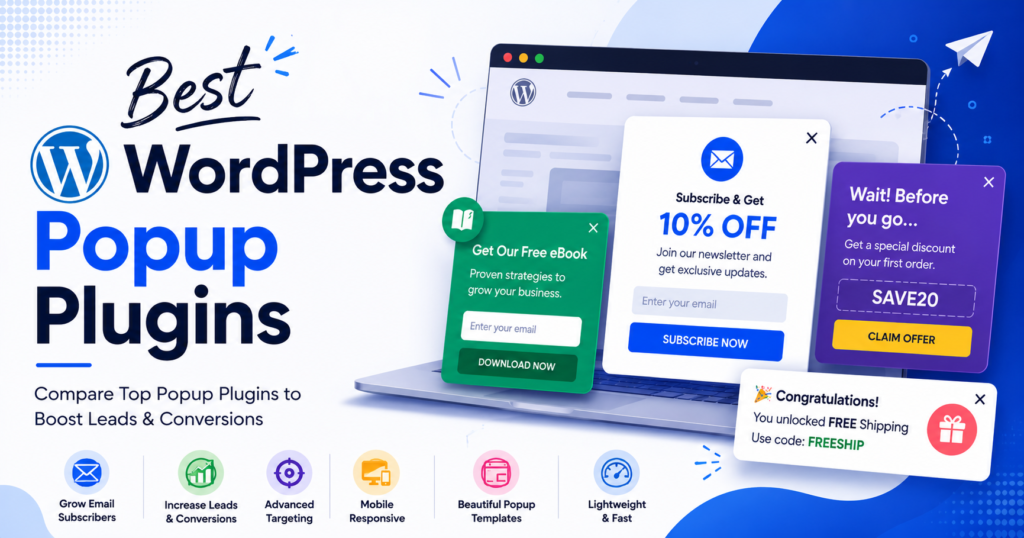
A popup can be one of the simplest ways to turn a website visitor into an email subscriber, lead, or customer. But the popup itself is rarely the difficult part. The real challenge is deciding when it should appear, who should see it, what it should offer, and how it should fit into the rest of your website.
WordPress has no shortage of popup plugins. Some are built for simple newsletter forms and announcements, while others offer exit-intent popups, behavioural targeting, A/B testing, analytics, WooCommerce campaigns, and integrations with email marketing platforms and CRMs.
That difference matters because a plugin that works well for a small blog may not be the right fit for an online store. A WooCommerce website might need product recommendations or coupon campaigns, while a service business may care more about lead forms and CRM integrations. If you’re already using Elementor or the WordPress Block Editor, the editing experience can also influence which popup plugin makes sense.
The price can be confusing too. Many popup plugins have a free version, but important features may be limited to paid plans. Some restrict advanced targeting or integrations, while others limit the number of campaigns, views, or websites you can use.
So instead of looking only at feature lists, this guide compares 10 popular WordPress popup plugins across the areas that matter when you’re actually running campaigns: features, targeting and triggers, integrations, ease of use, pricing, performance considerations, and the types of websites each plugin is best suited for.
The goal is simple: help you find a WordPress popup plugin that fits your website and your conversion goals, whether you’re looking for a free option or a more advanced paid solution.
WordPress Popup Plugins Compared
There is no single popup plugin that works equally well for every WordPress website. The right choice depends on what you want your popups to do and how much control you need over targeting, integrations, design, and reporting.
Here are the 10 plugins covered in this comparison:
| Plugin | Best suited for | Free version |
|---|---|---|
| YS LeadGen | Lead generation, targeted campaigns and WooCommerce | Yes |
| OptinMonster | Advanced targeting and conversion campaigns | Yes |
| Popup Maker | Creating WordPress-native popups | Yes |
| Popup Builder | Different popup formats and promotional campaigns | Yes |
| Hustle | Email opt-ins and marketing campaigns | Yes |
| PopupKit | WordPress Block Editor websites | Yes |
| Popup Box | Simple promotional and announcement popups | Yes |
| Poptin | Conversion optimization and A/B testing | Yes |
| Elementor Popup Builder | Websites built with Elementor | No |
| HubSpot | Lead capture with CRM and marketing tools | Yes |
The table gives you a quick starting point, but the differences become clearer when you look at how each plugin handles triggers, targeting, integrations, pricing, and everyday campaign management.
Some plugins are deliberately simple. Others are designed for marketers who need detailed visitor targeting and conversion data. There are also important differences between plugins that run primarily within WordPress and services that rely more heavily on an external platform.
We’ll look at those differences throughout the guide rather than judging each plugin only by the number of features it offers.
How We Evaluated These WordPress Popup Plugins
Choosing a popup plugin based only on its feature list can be misleading. Two plugins may both offer exit-intent popups, for example, but the way those triggers work, how much control you get over them, and which plan includes the feature can be very different.
For this comparison, we looked at the features that are most useful when creating and managing popup campaigns on a real WordPress website.
Popup Features
We looked at the different types of campaigns each plugin can create, including traditional popups, slide-ins, floating bars, full-screen campaigns, forms, countdowns, and promotional popups.
The aim was not to count how many popup types a plugin offers, but to understand whether those options are useful for different marketing situations.
Triggers and Targeting
When a popup appears can be just as important as what it contains.
We considered common triggers such as time delay, scroll depth, clicks, exit intent, and page-based targeting. Where available, we also looked at options for targeting visitors based on devices, behaviour, URLs, referrers, or other conditions.
These controls can make the difference between a popup that feels relevant and one that simply interrupts the visitor.
Integrations
Popup campaigns rarely work in isolation. A lead captured through a popup may need to be sent to an email marketing platform, CRM, marketing automation system, or another service.
We therefore considered the integrations available with each plugin, including email marketing services, CRMs, WooCommerce, webhooks, and other marketing tools.
Ease of Use
A popup plugin can have an impressive feature list and still be frustrating to use.
We considered how straightforward it is to create a campaign, design the popup, configure its display rules, connect integrations, and publish it. For WordPress users, the editing experience and how well the plugin fits into the existing site setup also matter.
Performance
Popup plugins add functionality to the front end of a website, so performance is another factor worth considering.
Rather than assuming that one type of plugin is automatically faster than another, we looked at how the plugins handle their frontend assets and what could affect page performance when additional popup features and integrations are enabled.
Actual results can vary depending on the website, hosting environment, theme, other plugins, and the campaigns being used.
Pricing
Free doesn’t always mean that a plugin provides everything you need.
We compared the free and paid versions, looking at feature restrictions, premium functionality, campaign or traffic limits, integrations, and licensing options. Pricing and plan features can change, so the individual plugin’s current pricing page should always be checked before making a purchase.
Who the Plugin Is For
Finally, we considered the type of website each plugin is likely to suit.
A blogger looking for a simple newsletter popup has different requirements from a WooCommerce store running promotional campaigns. Likewise, an agency managing multiple client websites may need features that a small business website does not.
That context is important throughout the comparison, so each plugin is evaluated not only by what it can do, but also by where it makes the most sense to use it.
What Makes a Good WordPress Popup Plugin?
A good WordPress popup plugin is not simply one that gives you a lot of design options. What matters more is how much control you have over when a popup appears, who sees it, and what happens after someone interacts with it.
For a blog, that might mean showing a newsletter signup after someone has read part of an article. A service business may want a lead form to appear when a visitor is about to leave the page. An online store might use a popup to offer a discount, promote a product, or encourage customers to complete a purchase.
The popup also needs to be easy to manage. You should be able to change its content, adjust the display rules, connect it to the tools you already use, and turn a campaign on or off without having to modify your website code every time.
Targeting becomes particularly important as a website grows. Showing the same popup to every visitor can quickly become repetitive. A plugin that lets you target specific pages, devices, traffic sources, or visitor behaviour gives you more flexibility to create campaigns that are relevant to the situation.
Performance is another consideration. A popup should support the website rather than get in the way of it. Poorly configured campaigns, unnecessary scripts, or intrusive popups can affect the visitor experience, particularly on mobile devices.
There is also a difference between what a plugin can do and what you will actually use. A small business may never need advanced experimentation or dozens of targeting conditions, while an eCommerce store or marketing team may depend on them every day.
For that reason, the best popup plugin for one website may not be the best choice for another. The important question is not “Which plugin has the most features?” but rather:
Does this plugin give me the features and control I actually need without making my website harder to manage?
What Is the Best Free WordPress Popup Plugin?
If you are looking for a free WordPress popup plugin, there are several options worth considering. The important thing is to look beyond the word “free” and check exactly what is included in the free version.
A basic popup may be enough if you only want to display an announcement, collect email addresses, or promote a simple offer. But once you need features such as exit intent, advanced targeting, analytics, integrations, or A/B testing, you may find that some of those features are available only in a paid plan.
This is why the free version matters just as much as the plugin’s overall feature list.
Before installing a free popup plugin, check whether it allows you to create the type of campaign you need, how many campaigns you can run, which triggers are available, and whether the integrations you use are included.
It is also worth checking whether the plugin adds limitations to impressions, visitors, websites, or premium extensions. A plugin can be completely usable for a small website but become restrictive as traffic and campaign requirements increase.
For example, a blogger may only need a simple newsletter popup. A local business may need a contact form connected to an email service. A WooCommerce store may need targeted offers, coupon campaigns, or product-related popups.
So, rather than choosing a plugin simply because it has a free version, compare what you can actually do without upgrading.
In the detailed reviews below, we look at both the free and paid options so you can see where each plugin fits and when an upgrade may become necessary.
Do WordPress Popup Plugins Hurt SEO?
Using a popup on your WordPress website does not automatically hurt your SEO.
The bigger concern is how the popup is implemented and how it affects the visitor experience. A popup that appears at the wrong time, covers the main content, is difficult to close, or creates a poor experience on mobile can become a usability problem.
This is particularly important on pages where visitors come from Google and expect to access the content they searched for. If a popup immediately covers the page before the visitor can read anything, it can be frustrating and may make the page feel less useful.
The same applies to performance. Some popup campaigns can load additional JavaScript, stylesheets, images, tracking scripts, or third-party services. The impact depends on the plugin, the campaign configuration, and the rest of the website, so it is better to look at the actual implementation rather than assume that every popup plugin has the same effect.
A few simple practices can help:
- Give visitors enough time to interact with the page before displaying a popup.
- Make sure the popup works properly on mobile devices.
- Keep the close button obvious and easy to use.
- Avoid covering the main content as soon as the page loads.
- Load only the popup features and integrations you actually need.
- Check your website’s performance after adding popup campaigns.
- Use different targeting rules instead of showing the same popup to every visitor.
There is also a difference between using a popup for a genuine conversion opportunity and interrupting visitors repeatedly. A newsletter signup, useful offer, or relevant product promotion can make sense when it appears in the right context. Showing the same message on every page can have the opposite effect.
So the question is not whether you should avoid popup plugins for SEO. Instead, choose a plugin that gives you enough control to create useful campaigns without compromising the visitor experience.
With that in mind, let’s look at the 10 WordPress popup plugins included in this comparison.
1. YS LeadGen
YS LeadGen is a WordPress popup and lead-generation plugin built around creating targeted campaigns directly from the WordPress dashboard. It is designed for websites that want to use popups not only for simple announcements, but also for lead capture, offers, promotions, and other conversion-focused campaigns.
The plugin includes several common popup formats, including standard popups, slide-ins, full-screen campaigns, countdown timers, coupon popups, and multi-step popup flows. This gives website owners different ways to present an offer without having to use the same popup format on every page.
One of the more useful parts of YS LeadGen is its targeting system. Campaigns can be configured around conditions such as time delay, scroll behaviour, exit intent, page targeting, and visitor actions. This is useful when you want a popup to appear in a particular situation rather than immediately displaying the same message to everyone.
For lead-generation campaigns, the plugin can also be connected with external marketing services and webhooks. This makes it possible to move captured leads into an existing marketing workflow instead of keeping them only inside WordPress.
Key Features
- Popup and lead-generation campaigns
- Exit-intent targeting
- Scroll and time-based triggers
- Slide-ins and full-screen campaigns
- Countdown timers
- Coupon popups
- Multi-step popup flows
- WooCommerce-focused campaigns
- Marketing integrations
- Webhooks
- AI-assisted headline and CTA generation
YS LeadGen also includes features aimed at WooCommerce websites. These can be useful for stores that want to combine popup campaigns with product promotions, recommendations, coupons, or other conversion activities.
Another consideration is the plugin’s approach to campaign creation. Since the campaigns are managed within WordPress, it can be a practical option for website owners who prefer keeping their popup tools alongside the rest of their WordPress setup rather than managing campaigns through a separate marketing platform.
Who Is YS LeadGen For?
YS LeadGen is worth considering if you run a WordPress website and need more than a basic announcement popup.
It can be particularly relevant for:
- Businesses collecting enquiries and leads
- WooCommerce stores running promotional campaigns
- Websites building email lists
- Marketers using behavioural targeting
- Agencies managing conversion campaigns for WordPress websites
For a small website that only needs one simple newsletter popup, many of its additional features may not be necessary. But for websites running several campaigns with different targeting rules, integrations, or conversion goals, the broader feature set can be more useful.
YS LeadGen: Pros and Cons
Pros
- Wide range of popup campaign types
- Behaviour-based targeting options
- Useful features for lead generation
- WooCommerce-focused functionality
- Supports marketing integrations and webhooks
- Campaigns can be managed from WordPress
Cons
- The number of available features may be more than a small website needs
- Advanced campaign functionality may require time to configure properly
- Users looking only for a basic popup may prefer a simpler plugin
Our Take
YS LeadGen is positioned more as a lead-generation and conversion campaign tool than a basic popup creator. Its strongest use case is a WordPress website where popups are part of a broader marketing strategy rather than an occasional announcement.
If you need simple popups with minimal configuration, there are lighter options in this list. If you want to build different campaigns around visitor behaviour, lead capture, promotions, and WooCommerce, YS LeadGen offers a wider set of tools to work with.
2. OptinMonster
OptinMonster is a conversion optimization platform that focuses heavily on lead generation, visitor targeting, and campaign personalization. It has been around for many years and is commonly used by websites that want more control over when and where an opt-in campaign appears.
Rather than focusing only on creating a popup, OptinMonster provides a broader set of campaign types and targeting rules. You can create popups, floating bars, slide-ins, fullscreen campaigns, and other opt-in experiences depending on the campaign you are building.
One of its main strengths is its targeting system. Campaigns can be shown based on factors such as exit intent, time spent on a page, scrolling behaviour, device type, page-level conditions, and visitor interactions. This gives marketers more control than simply displaying the same popup to every visitor.
OptinMonster also puts considerable emphasis on conversion optimization. Its platform includes tools for testing and improving campaigns, along with analytics that help marketers understand how visitors are responding to different campaigns.
Key Features
- Popup campaigns
- Exit-intent targeting
- Scroll and time-based triggers
- Page-level targeting
- Device-based targeting
- Floating bars and slide-ins
- Fullscreen campaigns
- Lead-generation forms
- A/B testing
- Campaign analytics
- Marketing and CRM integrations
- eCommerce targeting options
The targeting options can be particularly useful for larger websites where different visitors need to see different offers. For example, an online store could show a promotional campaign to visitors who are leaving a product page, while a content website could display an email signup after someone has spent time reading an article.
Another important difference is that OptinMonster operates as a hosted platform rather than being entirely dependent on the WordPress dashboard. The WordPress integration connects the service to your site, while campaign management is handled through the OptinMonster platform.
Who Is OptinMonster For?
OptinMonster is mainly suited to businesses, publishers, marketers, and eCommerce websites that need advanced campaign targeting and conversion optimization features.
It can be useful for:
- Websites focused on growing email lists
- Businesses running multiple lead-generation campaigns
- eCommerce stores using targeted offers
- Publishers promoting newsletter subscriptions
- Marketing teams testing different campaigns
- Websites that need detailed visitor targeting
For someone who only wants a simple popup for a small WordPress website, the platform’s broader marketing features may be more than necessary. Its value becomes more apparent when you need multiple campaigns and detailed targeting rules.
OptinMonster: Pros and Cons
Pros
- Extensive targeting options
- Multiple campaign formats
- Strong focus on conversion optimization
- A/B testing and campaign analytics
- Large number of integrations
- Useful for complex marketing campaigns
Cons
- More complex than a basic popup plugin
- Campaign management relies on an external platform
- Advanced functionality is generally aimed at paid users
- May be more than a small website needs
Our Take
OptinMonster is best understood as a conversion optimization platform with popup and opt-in campaigns, rather than simply a WordPress popup plugin.
Its targeting and testing capabilities make it suitable for websites where campaign optimization is an important part of the marketing process. For users who only need a straightforward WordPress popup, a simpler plugin may be easier to manage.
3. Popup Maker
Popup Maker is a WordPress-focused popup plugin designed for creating and managing popups directly from the WordPress dashboard. It is a popular option for website owners who want a native WordPress solution without moving their campaign management to a separate platform.
The plugin supports different types of popup campaigns and gives users control over how and when they are displayed. It can be used for newsletter forms, announcements, promotional offers, contact forms, and other content that needs to appear on top of a page.
One of the useful aspects of Popup Maker is its integration with the WordPress environment. Popups can be created and managed in much the same way as other WordPress content, which can make the setup familiar for users who already work regularly inside the WordPress dashboard.
Key Features
- WordPress-native popup creation
- Multiple popup display options
- Click-based triggers
- Time-based triggers
- Scroll-based triggers
- Cookie-based controls
- Page and content targeting
- Form integrations
- Extension-based functionality
- WooCommerce-related options
Popup Maker also has an extension-based approach to some advanced functionality. This means the basic plugin can handle straightforward popup requirements, while additional features can be added when they are needed.
This can be useful for websites that want to start with a simple popup and add functionality later. At the same time, it is important to check which features are included in the free plugin and which require premium extensions.
Who Is Popup Maker For?
Popup Maker can be a practical choice for WordPress users who want to create popups without introducing a separate hosted marketing platform.
It can work well for:
- Blogs and content websites
- Small business websites
- Newsletter signup campaigns
- Announcement popups
- WordPress sites using different form plugins
- Website owners who prefer managing everything from WordPress
It is also worth considering if you want a plugin that can start with basic popup functionality and be expanded through additional extensions as your requirements grow.
Popup Maker: Pros and Cons
Pros
- Built specifically for WordPress
- Free version available
- Familiar WordPress dashboard experience
- Supports different popup triggers
- Additional functionality available through extensions
- Suitable for basic and intermediate popup campaigns
Cons
- Some advanced features require paid extensions
- The extension model can make the overall cost harder to estimate
- Users looking for advanced marketing analytics may need additional tools
- Some campaign requirements may involve more configuration than simpler popup solutions
Our Take
Popup Maker is a good fit for users who want a WordPress-native popup solution and prefer managing campaigns from their existing WordPress dashboard.
Its free version can cover many basic popup requirements, while the extension system provides a way to add more functionality when needed. Before choosing it for a more advanced campaign, however, it is worth checking the specific extensions required and their associated cost.
For a straightforward WordPress popup, it can be a practical option. For more complex conversion campaigns, the requirements should be compared with the plugin’s available extensions and other tools in this list.
4. Popup Builder
Popup Builder is a WordPress plugin for creating different types of popups and promotional messages without having to build them from scratch with code. It supports several popup formats, making it useful for websites that need more than a basic newsletter or contact form popup.
The plugin can be used for common marketing tasks such as displaying announcements, collecting email addresses, promoting offers, and showing media-based content. Its range of popup types gives website owners some flexibility in choosing how information is presented to visitors.
One of the things to consider with Popup Builder is that its functionality is divided between the core plugin and additional extensions. The free version can be used for basic popup requirements, while more advanced campaign features may require premium functionality.
Key Features
- Multiple popup types
- Image and media popups
- HTML and content popups
- Subscription and form popups
- Click and time-based triggers
- Scroll-based display options
- Page and content targeting
- Cookie-based display controls
- WooCommerce-related functionality
- Additional extensions for advanced features
The variety of popup formats can be useful when a website needs different types of campaigns. For example, a business website might use a standard subscription popup for lead collection and a separate promotional popup for an important offer.
The targeting options are also important because they allow website owners to control when a campaign is displayed rather than showing it immediately to every visitor.
As with other plugins that use extensions, however, it is worth checking the specific feature you need before choosing a plan. A feature being available within the overall Popup Builder ecosystem does not necessarily mean it is included in the free version.
Who Is Popup Builder For?
Popup Builder can suit WordPress websites that need a variety of popup formats and want to manage those campaigns from within WordPress.
It may be useful for:
- Business websites
- Blogs and content websites
- Promotional campaigns
- Newsletter and subscription campaigns
- Websites using image or media-based popups
- WooCommerce websites with promotional requirements
For a website that only needs one simple popup, some of its additional options may not be necessary. Its broader range of popup formats becomes more useful when you are running different types of campaigns.
Popup Builder: Pros and Cons
Pros
- Supports several popup formats
- Can be managed from WordPress
- Free version available
- Useful for promotional and media-based campaigns
- Provides different targeting and trigger options
- Additional functionality can be added when required
Cons
- Some advanced features require premium extensions
- The number of available options can make setup more involved
- The total cost depends on the features and extensions required
- Some users may prefer a simpler popup interface
Our Take
Popup Builder is a flexible option for WordPress users who want to create different types of popup campaigns from the WordPress dashboard.
Its range of formats makes it more versatile than a plugin focused only on a single type of opt-in popup. However, if you need advanced functionality, check the individual extensions and plan requirements carefully rather than assuming that every feature is included with the free version.
For websites running several promotional or content-based popup campaigns, Popup Builder is worth considering alongside the other WordPress popup plugins in this list.
5. Hustle
Hustle is a WordPress marketing plugin focused on growing email lists, collecting leads, and displaying promotional messages through popups and other on-site campaigns. It is designed for users who want to manage these campaigns directly from WordPress.
The plugin supports several campaign formats, including popups, slide-ins, and social or promotional displays. This makes it useful for websites that want to use different types of opt-in campaigns without installing a separate plugin for every format.
Hustle also provides targeting and display controls that can be used to decide when a campaign should appear. Depending on the campaign, you can use conditions such as time delays, visitor behaviour, device type, and specific pages or content.
Key Features
- Popup and opt-in campaigns
- Slide-ins
- Email subscription forms
- Social sharing and follow modules
- Time-based triggers
- Scroll-based display options
- Page and content targeting
- Device-based targeting
- Cookie controls
- Marketing integrations
- Analytics and campaign reporting
One of Hustle’s strengths is that it combines lead-generation campaigns with other marketing elements. For example, a website can use an email opt-in popup alongside social follow or sharing modules.
The plugin is also designed with WordPress users in mind, so campaigns can be created and managed from the WordPress dashboard rather than requiring a separate campaign management platform.
As with most popup plugins, the features available can vary between the free and premium versions. If you need advanced targeting, additional integrations, or more detailed campaign controls, it is worth checking the current plan limitations before deciding which version you need.
Who Is Hustle For?
Hustle can be a useful option for websites that primarily want to grow an email list or promote content and offers through on-site campaigns.
It may suit:
- Blogs and publishers
- Small business websites
- Newsletter campaigns
- Content marketing websites
- Websites building social audiences
- WordPress users who prefer an all-in-one marketing plugin
It can also make sense for users who want more than a single popup type but still prefer to keep campaign management inside WordPress.
Hustle: Pros and Cons
Pros
- Built specifically for WordPress
- Free version available
- Supports popups and slide-ins
- Useful for email list building
- Includes targeting and display controls
- Provides additional social marketing features
- Campaigns can be managed from the WordPress dashboard
Cons
- Some advanced functionality is limited to premium plans
- The additional marketing modules may not be necessary for every website
- More campaign options can mean more configuration
- Users looking for highly advanced conversion experimentation may need a more specialized platform
Our Take
Hustle is primarily suited to websites that want a WordPress-based solution for email opt-ins and on-site marketing campaigns.
It offers more than a basic popup creator while keeping campaign management within WordPress. For a blog, publisher, or small business focused on building an email audience, that combination can be useful.
If your requirements extend into complex visitor segmentation, extensive experimentation, or advanced conversion analytics, it is worth comparing Hustle with the more specialized platforms covered later in this guide.
6. PopupKit
PopupKit is a WordPress popup plugin aimed at websites that use the WordPress Block Editor and want to create popup campaigns within their existing WordPress workflow.
For users who are comfortable working with blocks, the main attraction is the editing experience. Rather than introducing a completely separate page-building environment, PopupKit fits into the WordPress ecosystem and can be considered alongside other block-based tools already being used on the website.
The plugin can be used for common popup requirements such as displaying promotional messages, collecting leads, and presenting targeted content to visitors. Its targeting options also allow campaigns to be configured around different visitor and page conditions.
Key Features
- Popup campaigns
- WordPress Block Editor compatibility
- Block-based popup creation
- Time-based triggers
- Scroll-based triggers
- Exit-intent campaigns
- Page and content targeting
- WooCommerce-related campaigns
- Lead-generation use cases
The Block Editor approach can be particularly useful if your website already uses Gutenberg for creating pages and content. Keeping the editing experience familiar can reduce the need to learn another visual builder just to create a popup.
At the same time, the most important consideration is whether the plugin provides the specific targeting and marketing features your campaigns require. A block-based editing experience can make content creation easier, but it does not necessarily replace dedicated conversion optimization features.
Who Is PopupKit For?
PopupKit may be worth considering for WordPress websites that rely heavily on the Block Editor and want their popup creation process to fit naturally into that environment.
It can be relevant for:
- Gutenberg-based websites
- Blogs and content websites
- Small business websites
- Promotional campaigns
- Lead-generation campaigns
- WooCommerce websites using the WordPress Block Editor
If your website is already built primarily with Gutenberg, the familiar editing approach may be more important than having a large collection of advanced marketing features.
PopupKit: Pros and Cons
Pros
- Designed for WordPress websites
- Fits into a block-based workflow
- Suitable for common popup campaigns
- Supports different targeting options
- Can be used for lead-generation and promotional campaigns
- Free version available
Cons
- May not provide the same depth of conversion optimization features as dedicated marketing platforms
- Advanced requirements should be checked against the available plan and features
- Users working primarily with another page builder may not benefit as much from its Block Editor focus
Our Take
PopupKit is most relevant when the WordPress Block Editor is already an important part of your website workflow.
For a Gutenberg-based site that needs popups without introducing a completely different editing environment, it can be a practical option. However, if your priority is advanced experimentation, detailed conversion analytics, or extensive marketing automation, compare those requirements carefully with the capabilities of the other plugins in this list.
7. Popup Box
Popup Box is a WordPress popup plugin aimed at websites that need a straightforward way to display promotional messages, announcements, offers, or other content in a popup.
Compared with platforms built around broader conversion optimization, Popup Box is more focused on the popup itself. This can be useful when your requirements are relatively simple and you do not need a large marketing platform behind your campaigns.
The plugin can be used to create different popup campaigns and control when they are displayed. Depending on the campaign, website owners can use triggers and display conditions to decide how visitors encounter the popup.
Key Features
- WordPress popup campaigns
- Promotional and announcement popups
- Time-based triggers
- Click-based triggers
- Scroll-based display options
- Exit-intent campaigns
- Page and content targeting
- Basic campaign controls
- WooCommerce-related use cases
For a small business website, for example, a popup could be used to announce an offer or encourage visitors to contact the business. A content website could use a popup to promote a newsletter or another piece of content.
The main consideration is whether the available controls are sufficient for your campaign strategy. Simple campaigns do not necessarily require a large number of targeting conditions, but websites running several campaigns may eventually need more detailed segmentation and reporting.
Who Is Popup Box For?
Popup Box may be suitable for website owners who want to create simple promotional and informational popup campaigns without needing a full conversion optimization platform.
It can be considered for:
- Small business websites
- Blogs and content websites
- Promotional announcements
- Simple lead-generation campaigns
- Offer and coupon promotions
- Websites that need basic popup functionality
If your website requires advanced experimentation, detailed analytics, or complex visitor segmentation, you may need to look at plugins with a stronger focus on conversion optimization.
Popup Box: Pros and Cons
Pros
- Suitable for straightforward popup campaigns
- Useful for announcements and promotions
- Supports common popup triggers
- Can be used for different website types
- Free version available
Cons
- Advanced marketing requirements may need additional functionality
- Campaign management can become more involved as the number of campaigns grows
- May not be the right fit for users looking for extensive analytics or experimentation features
Our Take
Popup Box is best suited to websites looking for a straightforward way to add promotional or informational popups.
It can make sense when your requirements are relatively simple and you want to avoid using a larger marketing platform for a basic campaign. If your popup strategy involves detailed targeting, testing, analytics, or multiple marketing integrations, compare those requirements with the more advanced options in this list.
8. Poptin
Poptin is a conversion optimization platform that provides popups, forms, and other on-site campaigns designed to help websites capture leads and improve conversions.
It is particularly relevant for marketers who want to do more than simply display a popup. Along with creating campaigns, Poptin provides targeting and testing features that can be used to understand how visitors respond to different offers and messages.
The platform supports common popup formats and display triggers, including exit intent, time-based triggers, scroll behaviour, and page-level targeting. This makes it possible to create campaigns for different stages of the visitor journey rather than showing the same message to everyone.
Key Features
- Popup campaigns
- Lead capture forms
- Exit-intent targeting
- Time and scroll triggers
- Page-level targeting
- Visitor targeting
- A/B testing
- Conversion analytics
- Email marketing integrations
- CRM integrations
- eCommerce integrations
A/B testing is one of the more important features for websites that actively optimize their campaigns. Instead of relying on assumptions about which headline, offer, design, or call to action will perform better, marketers can test different versions and compare the results.
Poptin also provides integrations with marketing and CRM tools, which can be useful when captured leads need to move into an existing sales or email workflow.
Because Poptin operates as a hosted conversion platform, the campaign management experience is different from a WordPress-only popup plugin. This can be useful for marketers who want campaign tools beyond what is normally available inside the WordPress dashboard.
Who Is Poptin For?
Poptin is mainly suited to businesses and marketers who want to combine popup campaigns with conversion optimization and testing.
It can be useful for:
- Lead-generation websites
- Small and medium-sized businesses
- eCommerce stores
- Agencies and marketers
- Websites focused on conversion optimization
- Businesses running multiple lead-generation campaigns
For a website that only needs a simple announcement or newsletter popup, many of Poptin’s marketing features may not be necessary. Its broader functionality becomes more relevant when you are actively testing campaigns and measuring their results.
Poptin: Pros and Cons
Pros
- Strong focus on conversion optimization
- Supports A/B testing
- Multiple targeting options
- Lead-generation and form campaigns
- Marketing and CRM integrations
- Useful analytics for campaign performance
- Suitable for eCommerce campaigns
Cons
- More marketing-focused than a basic WordPress popup plugin
- Campaign management uses an external platform
- Some advanced functionality may require a paid plan
- May offer more functionality than a small website needs
Our Take
Poptin is a good option to consider if your priority is not just creating popups, but testing and optimizing how those campaigns perform.
Its combination of targeting, A/B testing, analytics, and integrations makes it more relevant to marketers who regularly measure conversion performance. For a simple WordPress popup, however, a lighter plugin may be easier to manage.
9. Elementor Popup Builder
Elementor Popup Builder is built into Elementor’s website-building ecosystem and is intended for users who already use Elementor to design their WordPress websites.
Instead of installing a separate popup plugin and learning another interface, Elementor users can create popup designs using the same visual editing environment they use for pages and other website content. This makes the workflow relatively straightforward if Elementor is already part of the site’s setup.
The popup builder can be used for a range of purposes, including newsletter forms, announcements, promotional offers, login forms, lead-generation campaigns, and other content that needs to appear over a page.
One of its main advantages is the design flexibility that comes from the Elementor editor. Users can build the popup using familiar widgets and styling controls rather than working with a separate popup-specific builder.
Key Features
- Visual popup builder
- Elementor-based design controls
- Custom layouts and styling
- Forms and lead-generation campaigns
- Display conditions
- Time-based triggers
- Scroll-based triggers
- Click-based triggers
- Exit-intent options
- Responsive controls
- WooCommerce-related use cases
- Integration with the wider Elementor ecosystem
Display conditions are particularly useful when a website contains different types of content. For example, a website could create one popup for blog posts and another for product or service pages rather than displaying the same campaign across the entire site.
The responsive controls are also important because a popup that looks good on a desktop screen may not work as well on a mobile device. Elementor’s editing environment allows users to adjust the design for different screen sizes.
However, Elementor Popup Builder makes the most sense when Elementor is already being used. Installing or choosing a popup solution based only on its relationship with Elementor may not be necessary if your website uses Gutenberg or another page builder.
Who Is Elementor Popup Builder For?
Elementor Popup Builder is primarily suited to WordPress websites already built with Elementor.
It can be useful for:
- Elementor websites
- Business websites
- Landing pages
- Lead-generation campaigns
- Newsletter forms
- Promotional campaigns
- WooCommerce websites using Elementor
For an Elementor user, keeping popup creation inside the same visual builder can simplify the workflow. You can design the popup using the same interface and styling system used elsewhere on the website.
On the other hand, users who do not use Elementor may find that a dedicated popup plugin offers a more appropriate workflow for their needs.
Elementor Popup Builder: Pros and Cons
Pros
- Familiar Elementor editing experience
- Strong design flexibility
- Useful display conditions
- Responsive design controls
- Suitable for lead-generation and promotional campaigns
- Works naturally with Elementor-based websites
Cons
- Most useful when the website already uses Elementor
- Not designed as a standalone popup marketing platform
- Some advanced functionality depends on the wider Elementor ecosystem
- May be unnecessary if you use Gutenberg or another page builder
Our Take
Elementor Popup Builder is a natural choice for websites that already rely on Elementor for page design.
Its biggest advantage is convenience: you can create and style popups using an editor you are already familiar with instead of adding another popup-building system to the website.
If Elementor is not part of your current WordPress setup, however, there is little reason to choose a popup solution solely for its Elementor integration. In that situation, a dedicated popup plugin may provide a more suitable set of campaign and targeting features.
10. HubSpot
HubSpot is better known as a CRM and marketing platform than as a dedicated WordPress popup plugin. Its WordPress integration allows websites to connect HubSpot’s lead-capture and marketing tools with their WordPress site, including forms and other conversion elements.
This makes HubSpot particularly relevant for businesses that want the information collected through a website popup or form to become part of a larger sales and marketing workflow.
Instead of treating a popup as an isolated element, you can connect captured visitor information with HubSpot’s CRM. This can be useful when leads need to be followed up by a sales team, segmented for marketing campaigns, or tracked through a customer journey.
Key Features
- Lead capture forms
- Popup and conversion elements
- CRM integration
- Contact management
- Marketing automation
- Email marketing
- Visitor and lead tracking
- WordPress integration
- Marketing and sales tools
- Reporting and analytics
The main difference between HubSpot and a dedicated popup plugin is the broader ecosystem around it. If your only requirement is to display a popup and collect an email address, a specialized WordPress popup plugin may provide a simpler setup.
HubSpot becomes more relevant when the captured lead needs to go somewhere after the form is submitted.
For example, a service business could collect an enquiry through its website and have that contact added to the CRM. A marketing team could then use the contact information for follow-up campaigns and lead nurturing.
Who Is HubSpot For?
HubSpot is particularly suited to businesses that want their website lead capture connected to a CRM and wider marketing workflow.
It can be useful for:
- Service businesses
- B2B websites
- Sales teams
- Marketing teams
- Businesses already using HubSpot CRM
- Websites that need structured lead management
If you are already using HubSpot, using its website tools can reduce the need to connect a separate popup plugin to another CRM.
For a small website that only needs a simple popup, however, the broader HubSpot ecosystem may be more than you need.
HubSpot: Pros and Cons
Pros
- Strong CRM integration
- Lead information can become part of a wider sales workflow
- Useful marketing and automation tools
- Suitable for businesses managing larger numbers of leads
- WordPress integration
- Broader reporting and customer management capabilities
Cons
- More than a popup plugin
- Can be unnecessary for simple popup requirements
- The overall HubSpot ecosystem can require more setup than a standalone WordPress plugin
- Some functionality depends on the HubSpot products and plans being used
Our Take
HubSpot makes the most sense when lead capture is part of a larger CRM and marketing process.
If your business already uses HubSpot, connecting your WordPress website to the same ecosystem can make lead management more straightforward. If you simply want to create a few popups, however, a dedicated WordPress popup plugin will generally be a more focused solution.
That distinction is important when comparing HubSpot with the other plugins in this list: you are not just choosing a popup builder, but considering whether you need a broader CRM and marketing platform behind your website’s lead-capture process.
How to Choose the Right WordPress Popup Plugin
Choosing a popup plugin becomes much easier when you start with what you actually need from it.
A blog collecting newsletter subscribers does not need the same tools as a WooCommerce store running discount campaigns. Likewise, a business already using HubSpot or Elementor may have a different reason for choosing a popup solution than someone building a small WordPress website from scratch.
Before installing a plugin, consider the following.
Start With Your Main Goal
First, decide what you want the popup to accomplish.
If the main goal is collecting email addresses, look for a plugin with reliable forms and integrations with your email marketing service.
If you want to generate enquiries, focus on lead forms, targeting, and the ability to connect submissions with your CRM or other sales tools.
For an online store, features such as coupons, product promotions, WooCommerce integration, and behavioural targeting may be more important.
Knowing the primary goal will immediately remove many unnecessary features from your shortlist.
Check the Triggers and Targeting
A popup that appears at the wrong time can be more annoying than useful.
Look for the triggers you are actually likely to use, such as:
- Time delay
- Scroll percentage
- Exit intent
- Click triggers
- Page-specific targeting
- Device targeting
- Visitor behaviour
- URL or referral conditions
You do not necessarily need every targeting option. What matters is having enough control to display the right campaign in the right situation.
Look at the Integrations
If you collect leads through a popup, think about what happens after the visitor submits the form.
Do you need the contact added to Mailchimp? Should it go into a CRM? Do you need a webhook or marketing automation connection?
Choosing a plugin that already integrates with the tools you use can save considerable setup work later.
Consider How You Build Your Website
Your existing WordPress setup can also influence the decision.
If you use Gutenberg extensively, a block-focused solution may fit naturally into your workflow. If your website is built with Elementor, using its popup builder can avoid introducing another visual editor.
Similarly, users who prefer managing everything inside WordPress may want a WordPress-native plugin, while marketing teams may prefer a hosted platform with separate campaign management and analytics.
Check the Free Version Carefully
If you are choosing a free popup plugin, don’t stop at the word “free.”
Check which triggers, integrations, targeting options, and analytics are actually included. Some plugins offer a capable free version for basic campaigns, while others reserve important marketing features for paid plans or extensions.
Also consider whether the free version will still meet your requirements if your website grows.
Think About Performance and User Experience
Your popup should not make the website harder to use.
Before launching a campaign, check how it behaves on both desktop and mobile devices. Make sure visitors can close it easily and that it does not unnecessarily cover important content.
It is also worth checking the page after enabling the plugin to see whether the additional scripts, integrations, or assets have affected loading performance.
Match the Plugin to Your Budget
The cheapest option is not always the least expensive over time.
A free plugin may be perfectly adequate for a small campaign. But if you later need premium extensions, additional integrations, multiple websites, advanced targeting, or higher usage limits, the total cost can change.
Compare the features you actually need with the plan that provides them rather than comparing headline prices alone.
Don’t Choose Based Only on the Feature Count
A long feature list can make a plugin look impressive, but many of those features may never be used.
A better approach is to make a short list of your requirements and compare each plugin against them.
For example, if you need only:
- A newsletter popup
- Exit intent
- Mobile targeting
- Mailchimp integration
then a plugin that provides those four things reliably may be a better fit than a much larger platform containing dozens of features you will never use.
The right choice is ultimately the plugin that fits your website, your campaign requirements, your existing tools, and your budget.
Which WordPress Popup Plugin Should You Choose?
The best choice depends on what you are trying to achieve with your popup campaigns. A plugin that works well for a blog may not be the right option for an online store or a business website.
Here are some common situations and the types of plugins that fit them.
For Lead Generation
If your main goal is to collect enquiries, email addresses, or other visitor information, look for a plugin with flexible forms, targeting options, and integrations.
YS LeadGen, OptinMonster, Poptin, and HubSpot are relevant options to consider, although they approach lead generation differently.
HubSpot makes more sense when the leads need to flow into a CRM and sales process. OptinMonster and Poptin put more emphasis on campaign targeting and conversion optimization, while YS LeadGen focuses on lead-generation campaigns within WordPress.
For a WooCommerce Store
An online store usually needs more than a basic newsletter popup.
You may want to promote a discount, recommend products, capture visitors before they leave, or display a campaign based on what someone is doing on the site.
For these situations, look for features such as WooCommerce integration, behavioural targeting, coupon campaigns, product-related promotions, and flexible display rules.
YS LeadGen, OptinMonster, Popup Maker, Popup Builder, Poptin, and Elementor Popup Builder can be considered depending on the specific WooCommerce setup and features required.
For a Blog or Content Website
A blog usually has simpler popup requirements.
You might want to encourage readers to subscribe to a newsletter, promote a related resource, or display an announcement without interrupting the reading experience.
Popup Maker, Hustle, PopupKit, and YS LeadGen can all be considered for this type of website.
The important thing is to use sensible triggers. A popup that appears immediately after a visitor lands on an article may be less useful than one displayed after the reader has had an opportunity to engage with the content.
For an Elementor Website
If your website is already built with Elementor, using Elementor Popup Builder can keep your popup design workflow inside the same visual editor.
This can be convenient if you want to use the same widgets, styling controls, and responsive settings that you already use for your pages.
However, if your campaign requires advanced marketing features beyond design and display conditions, compare Elementor’s capabilities with dedicated popup and conversion platforms.
For a Gutenberg Website
If you primarily use the WordPress Block Editor, PopupKit may be worth considering because its workflow is designed around the WordPress block environment.
A WordPress-native solution such as Popup Maker can also be considered if your priority is managing popup campaigns directly from the WordPress dashboard.
For Simple Popups
Not every website needs advanced targeting, A/B testing, analytics, or marketing automation.
If you simply need to display an announcement, offer, newsletter form, or basic promotional message, a simpler plugin may be easier to manage.
Popup Maker, Popup Builder, Popup Box, and Hustle are options to consider depending on the exact campaign you want to create.
For A/B Testing and Conversion Optimization
If testing different versions of a campaign is an important part of your marketing process, look for a platform that provides A/B testing and meaningful conversion data.
OptinMonster and Poptin are particularly relevant to this use case because their platforms put more emphasis on testing, targeting, and conversion optimization.
Before choosing one, consider what you actually want to test—such as headlines, offers, designs, triggers, or calls to action—and whether the reporting provided is sufficient for your needs.
For CRM-Based Lead Management
If your popup is only the first step in a larger sales process, the CRM integration may matter more than the popup design itself.
HubSpot is the most relevant option in this list for businesses that want website lead capture connected directly with a CRM and broader marketing tools.
Other plugins can also connect to CRMs through integrations, webhooks, or marketing platforms, so check the specific integration you need before making a decision.
For a Small Business Website
A small business website often does not need a complicated popup system.
A simple lead form, contact offer, newsletter signup, or promotional campaign may be enough. In this situation, focus on ease of use, the integrations you actually need, mobile behaviour, and the total cost rather than choosing a plugin simply because it has the largest feature list.
The important thing is to match the plugin to the job. Start with your campaign requirement, then choose the features you need—not the other way around.
WordPress Popup Plugin Feature Comparison
The individual reviews explain what each plugin is designed to do, but a side-by-side comparison makes the differences easier to see.
The table below focuses on features that are commonly important when choosing a popup plugin. Availability can depend on the plugin version, plan, extension, or integration, so it is worth checking the current documentation before making a final decision.
| Plugin | Lead Forms | Exit Intent | Targeting | A/B Testing | WooCommerce | Analytics |
|---|---|---|---|---|---|---|
| YS LeadGen | Yes | Yes | Yes | Varies | Yes | Yes |
| OptinMonster | Yes | Yes | Advanced | Yes | Yes | Yes |
| Popup Maker | Yes | Paid | Yes | Add-ons | Add-ons | Varies |
| Popup Builder | Yes | Paid | Yes | Varies | Yes | Varies |
| Hustle | Yes | Yes | Yes | Varies | Limited | Yes |
| PopupKit | Yes | Yes | Yes | Varies | Yes | Varies |
| Popup Box | Yes | Yes | Basic | Limited | Basic | Limited |
| Poptin | Yes | Yes | Advanced | Yes | Yes | Yes |
| Elementor Popup Builder | Yes | Yes | Yes | Varies | Yes | Varies |
| HubSpot | Yes | Varies | Yes | Varies | Yes | Yes |
The comparison shows why there is no single feature that determines which plugin is right for everyone.
For example, a business primarily interested in lead generation may place more importance on forms and integrations, while an eCommerce store may care more about WooCommerce support and behavioural targeting. A marketing team may give greater importance to A/B testing and analytics.
Also keep in mind that a “Yes” in a comparison table does not necessarily mean the feature works in exactly the same way across every plugin. One plugin may provide a feature in its core product, another may require a paid extension, and another may provide it through a connected service.
For that reason, use this table as a shortlist rather than as the final deciding factor.
What to Check Before Installing a WordPress Popup Plugin
A popup plugin can look excellent on its feature page and still be a poor fit for your website. Before installing one, it is worth checking a few practical details that are easy to overlook when comparing feature lists.
Check What Is Included in the Free Version
If you are starting with a free plugin, look at the actual features available without upgrading.
Check whether the free version includes the triggers, targeting rules, form integrations, and campaign types you need. Some plugins keep advanced functionality behind paid plans or separate extensions.
This is particularly important if you are choosing a plugin for a long-term project. A free version that works today may become restrictive once your campaigns become more advanced.
Check Mobile Behaviour
A popup that works well on a desktop screen may not work well on a phone.
Test the popup on different screen sizes and make sure the content fits properly, the form can be completed easily, and the close button is accessible.
Pay particular attention to full-screen campaigns and popups that contain large images, long forms, or multiple fields.
Check the Trigger Controls
Before choosing a plugin, think about how you want visitors to encounter your campaigns.
If you need an exit-intent campaign, make sure the feature is available on the plan you are considering. If you want to display a popup after someone has read part of an article, check whether scroll-based triggers are supported.
The more specific your campaign requirements are, the more important these controls become.
Check Your Existing Integrations
If you already use an email marketing service, CRM, WooCommerce, analytics platform, or automation tool, check whether the popup plugin works with it.
A direct integration is generally easier to manage than creating a separate workaround for every campaign.
If a direct integration is not available, check whether the plugin supports webhooks or another method that can connect it to your existing workflow.
Check How the Plugin Handles Performance
After installing a popup plugin, don’t assume that everything will remain exactly the same from a performance perspective.
Test important pages before and after installation. If the plugin allows you to load campaigns only where they are needed, use those controls rather than loading unnecessary functionality across the entire website.
Also review any third-party services connected to the popup, since those can introduce additional scripts or network requests.
Check How Easy It Is to Disable Campaigns
This sounds minor, but it becomes useful when you are managing several campaigns.
You should be able to quickly pause a campaign, change its display conditions, or remove it without having to edit multiple parts of the website.
A straightforward campaign management interface becomes increasingly valuable as the number of popups on a website grows.
Check Documentation and Support
Popup plugins can involve more than simply creating a design. You may eventually need help with integrations, targeting rules, cookies, forms, or compatibility with another WordPress plugin.
Before committing to a paid plan, look at the available documentation and support options. Good documentation can save considerable time when you are setting up more complicated campaigns.
Check Pricing for Your Actual Requirement
Finally, compare the price of the plan you would actually need—not just the cheapest advertised plan.
If you need three specific features, make sure all three are included in the same plan. If you manage multiple websites, check the licence limits. If advanced features require separate extensions, include those costs when comparing options.
A realistic comparison of total cost is much more useful than comparing the starting price of each plugin.
Final Verdict
There is no single WordPress popup plugin that will be the right choice for every website.
The better choice depends on what you want your popup campaigns to accomplish, how much control you need over targeting, which tools you already use, and how much complexity you are comfortable managing.
For a simple announcement or newsletter form, you may not need a feature-heavy platform. A lightweight WordPress popup plugin can be enough.
If you are running more sophisticated campaigns, features such as exit-intent targeting, behavioural rules, A/B testing, analytics, marketing integrations, and WooCommerce support become more important.
Here is how the plugins in this comparison fit into different requirements:
- YS LeadGen — Suitable for WordPress websites focused on lead generation, targeted campaigns, and WooCommerce-related use cases.
- OptinMonster — A broader conversion optimization platform with advanced targeting and campaign tools.
- Popup Maker — A WordPress-native option for users who want to manage popup campaigns directly from the dashboard.
- Popup Builder — Useful for websites that need different popup formats and promotional campaigns.
- Hustle — Focused on email opt-ins, lead generation, and on-site marketing campaigns.
- PopupKit — Particularly relevant to websites using the WordPress Block Editor.
- Popup Box — A straightforward option for basic promotional and informational campaigns.
- Poptin — Focused on conversion optimization, targeting, testing, and campaign analytics.
- Elementor Popup Builder — A natural fit for websites already built with Elementor.
- HubSpot — More appropriate when popup or form submissions need to become part of a broader CRM and marketing workflow.
The important thing is to avoid choosing a plugin simply because it has the longest feature list or the lowest starting price.
Start with your website and campaign requirements. Decide which triggers, integrations, targeting options, and reporting features you actually need. Then compare the plugins against those requirements.
A popup should ultimately make your website’s marketing more useful—not make the website more complicated than it needs to be.