
Built for WordPress Lead Generation & Conversions
The WordPress Popup Plugin & Form Builder That Converts
Add popups, floating bars, lead forms and WooCommerce offers to your WordPress site – just click, customize, and publish. No code, no monthly fee.
Jump to Features
POPUP BUILDER
Design High-Converting Popups Without Writing Code
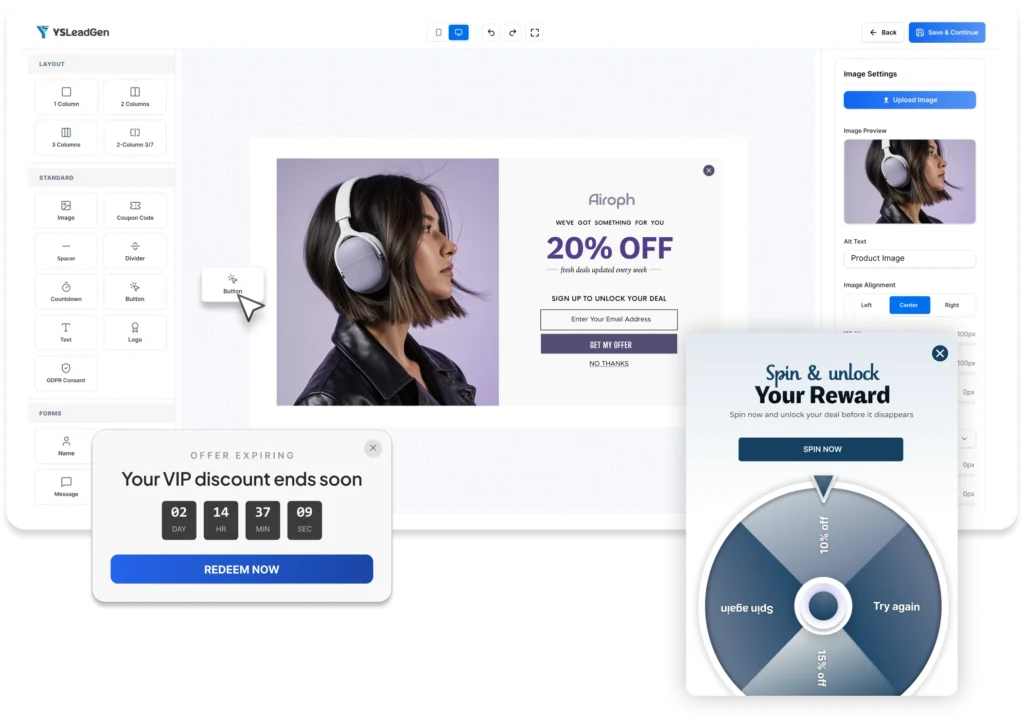
Create, customize, and launch professional popups directly inside WordPress with a visual drag-and-drop builder. No coding, no external editors, and no complicated setup required.
- Drag-and-drop visual builder — Move, resize, and customize any element with complete design freedom.
- Real-time live preview — See exactly how your popup will appear before publishing.
- 100+ ready-to-use templates — Launch campaigns quickly using professionally designed popup and form templates.
- Advanced form builder — Add name, email, phone, dropdowns, checkboxes, and custom fields without coding.
- One-click actions — Redirect visitors, close popups, trigger campaigns, or send users to specific landing pages.
- Full design control — Customize typography, colors, spacing, borders, shadows, and animations to match your brand.
- Save reusable designs — Create brand presets and reuse styles across future campaigns.
Built 100% Inside WordPress
Unlike many popup platforms that rely on external dashboards or cloud-based editors, YS LeadGen works entirely inside your WordPress admin area. Your campaigns, templates, and settings stay on your website, giving you complete control over your data and workflow.
Customize Every Element of Your Campaign
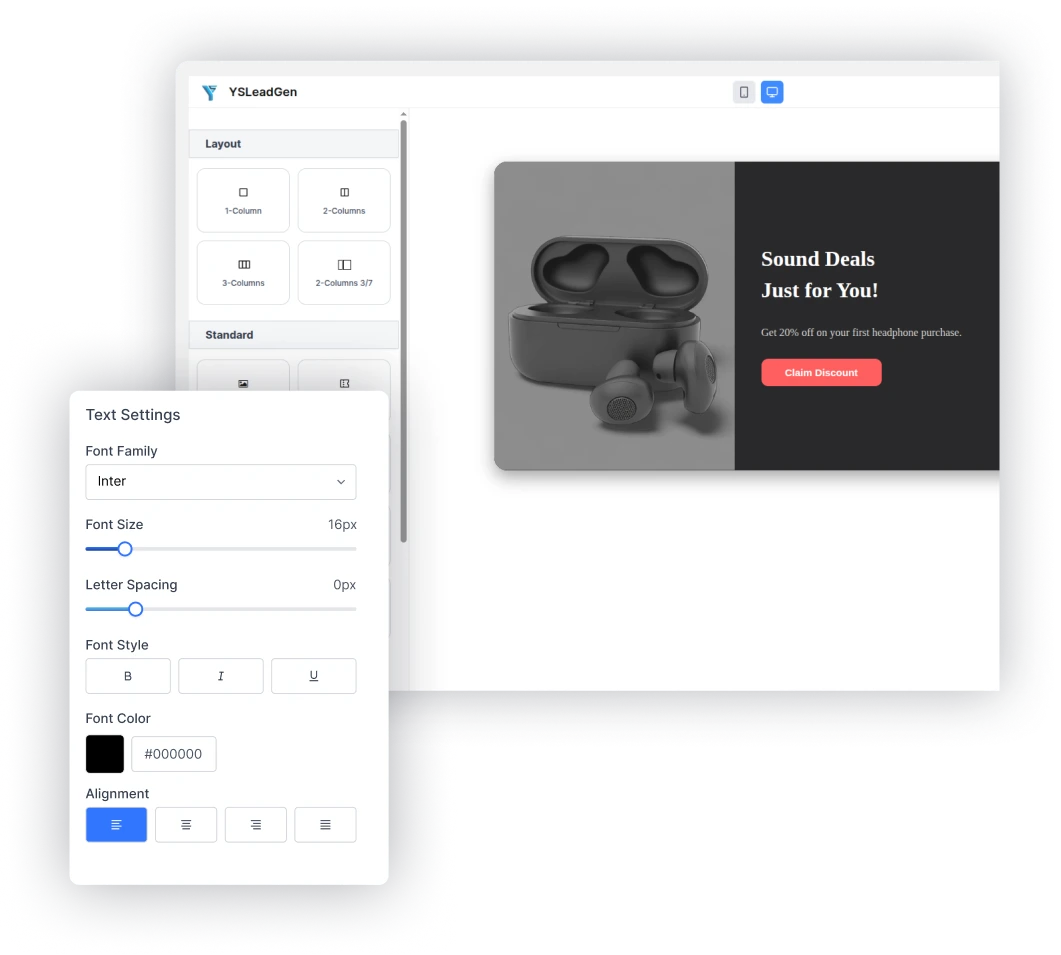
Text & Typography
Control fonts, headings, sizes, spacing, weights, colors, and alignment to match your brand identity.
Colors & Backgrounds
Use solid colors, gradients, images, overlays, and custom branding across every section.
Animations & Effects
Increase engagement with entrance animations, transitions, hover effects, and attention-grabbing interactions.
Images & Media
Add product images, promotional banners, logos, icons, and custom graphics directly inside your campaigns.
Forms & Fields
Create lead capture forms with custom fields, validation, placeholders, GDPR consent, and multi-step workflows.
Buttons & CTAs
Design high-converting call-to-action buttons with complete control over colors, shapes, spacing, and actions.
POPUP TYPES
Choose the Right Popup for Every Conversion Goal
Not every visitor behaves the same way. Some are ready to subscribe. Some need a discount before purchasing. Others are about to leave your website. YS LeadGen includes 11 conversion-focused popup formats, helping you engage visitors at the right moment with the right message. Whether you’re growing an email list, recovering abandoned carts, promoting offers, or generating leads, there’s a popup type designed for the job.
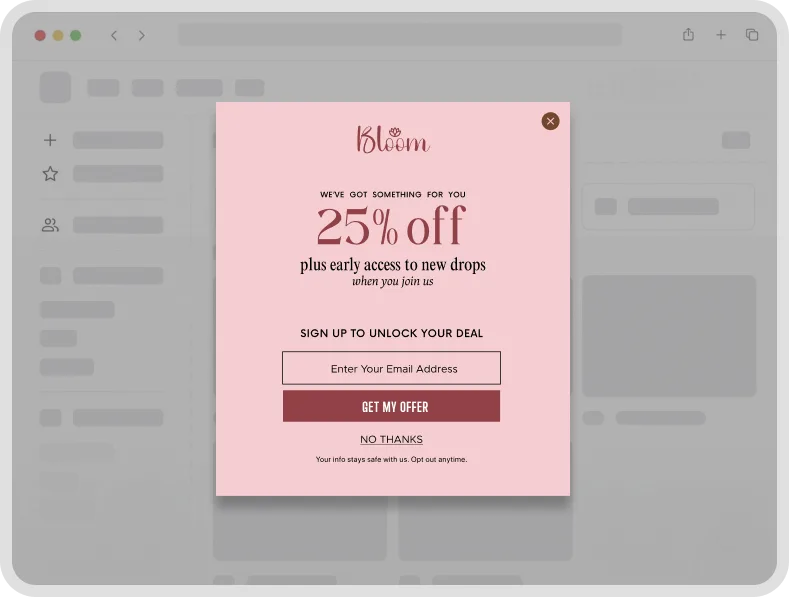
Lightbox Modal Popup
The classic popup format that places your message front and center. Perfect for collecting email subscribers, promoting special offers, launching products, and generating leads.
Because it appears above page content, lightbox popups consistently deliver some of the highest conversion rates when paired with a compelling offer.
Best for: Newsletter signups, Lead generation, Product launches, Promotional campaigns
Exit-Intent Popup
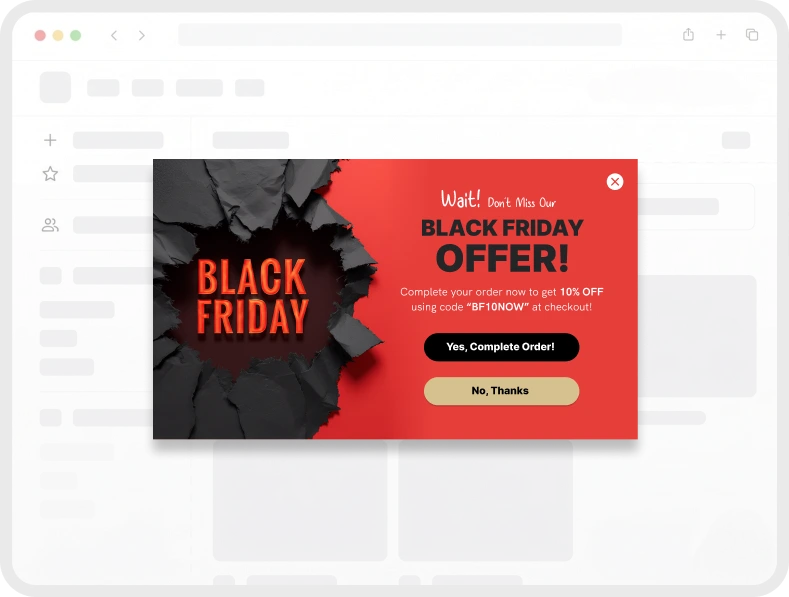
Don’t let potential customers leave without taking action.
YS LeadGen detects when visitors are about to exit your website and displays a targeted offer at the perfect moment. Use discounts, lead magnets, or free shipping offers to recover otherwise lost opportunities.
Best for: Cart recovery, Coupon offers, Lead magnets, Abandoned visitors
Floating Bar (Sticky Bar)
Keep important messages visible at all times.
Floating bars remain fixed at the top or bottom of the screen, allowing you to promote discounts, announcements, free shipping offers, and countdown campaigns without disrupting the browsing experience.
Best for: Flash sales, Free shipping offers, Announcement campaigns, Seasonal promotions
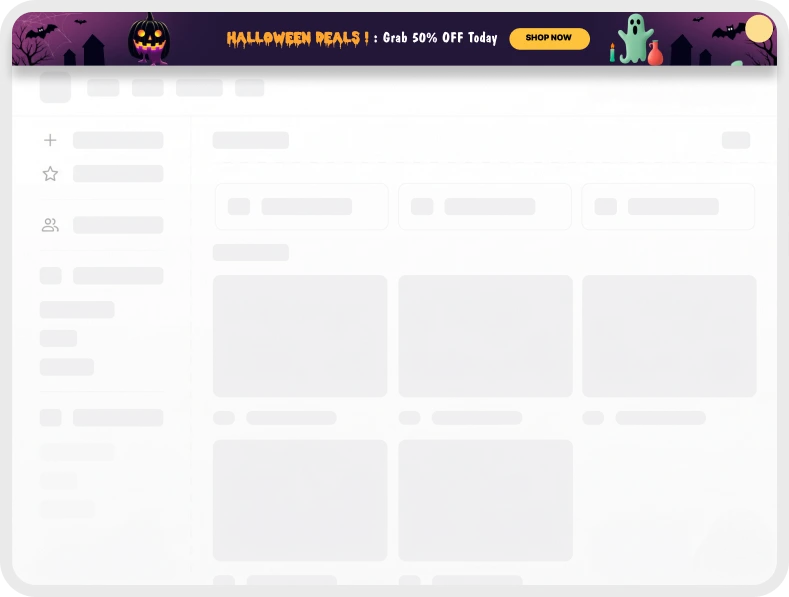
Slide-In Popup
Slide-in popups appear smoothly from the corner of the screen while visitors continue browsing.
This format feels less aggressive than traditional popups while still attracting attention, making it ideal for blogs and content-heavy websites.
Best for: Blog subscriptions, Content upgrades, Related offers, Secondary CTAs
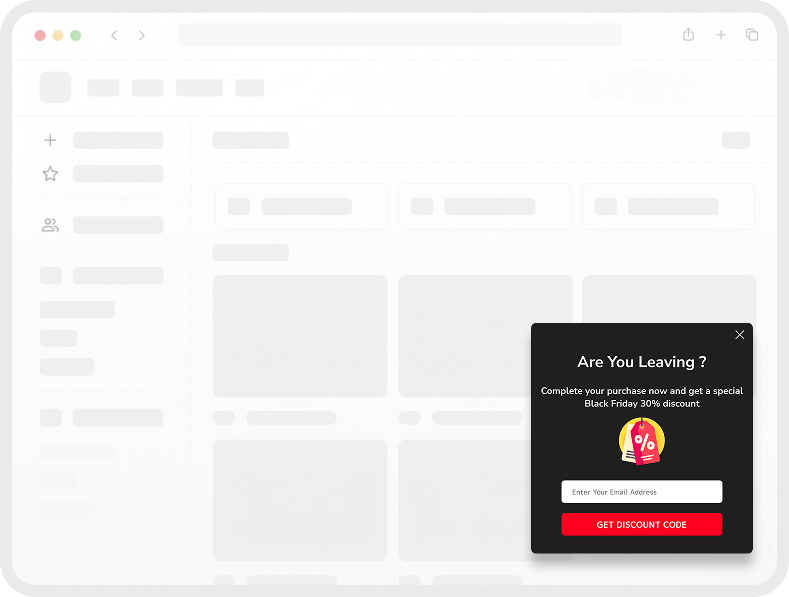
Spin-to-Win Popup
Make lead generation more engaging.
Spin-to-win popups allow visitors to unlock discounts, coupons, free shipping, and exclusive offers through an interactive prize wheel.
This gamified approach often increases engagement and email signup rates compared to traditional popup forms.
Best for: Ecommerce stores, Coupon campaigns, Email list growth, Holiday promotions
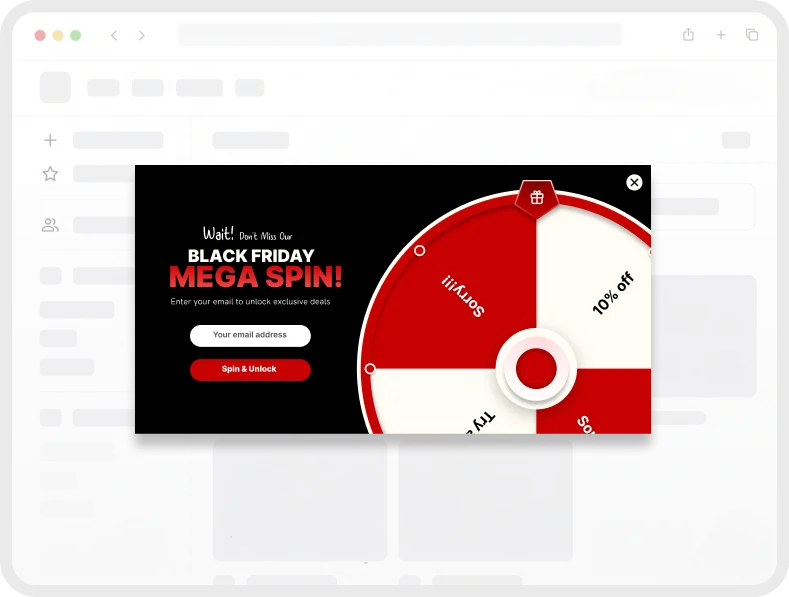
Countdown Timer Popup
Urgency remains one of the most effective conversion triggers.
Countdown popups display real-time timers that encourage visitors to act before an offer expires. Perfect for limited-time promotions, seasonal sales, and webinar registrations.
Best for: Flash sales, Product launches, Limited-time offers, Webinar registrations
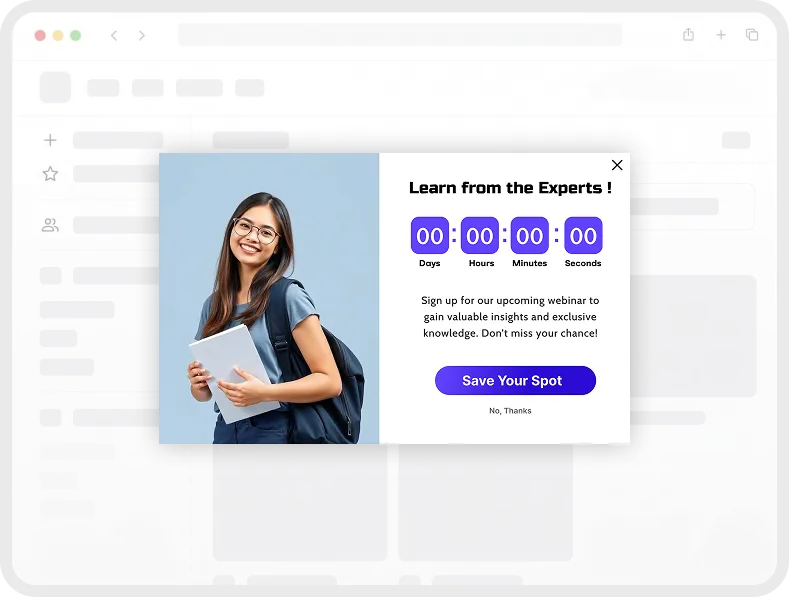
Multi-Step Popup
Instead of immediately asking visitors for their details, start with a simple yes/no question.
This micro-commitment strategy often improves engagement by encouraging visitors to take a small action before completing a form.
Best for: Lead qualification, Consultation requests, Surveys, High-intent lead capture

Fullscreen Welcome Popup
Need maximum visibility?
Fullscreen popups command attention by covering the entire screen and focusing visitors on a single message, offer, or call-to-action.
Best for: Product launches, Welcome campaigns, Major announcements, First-time visitors
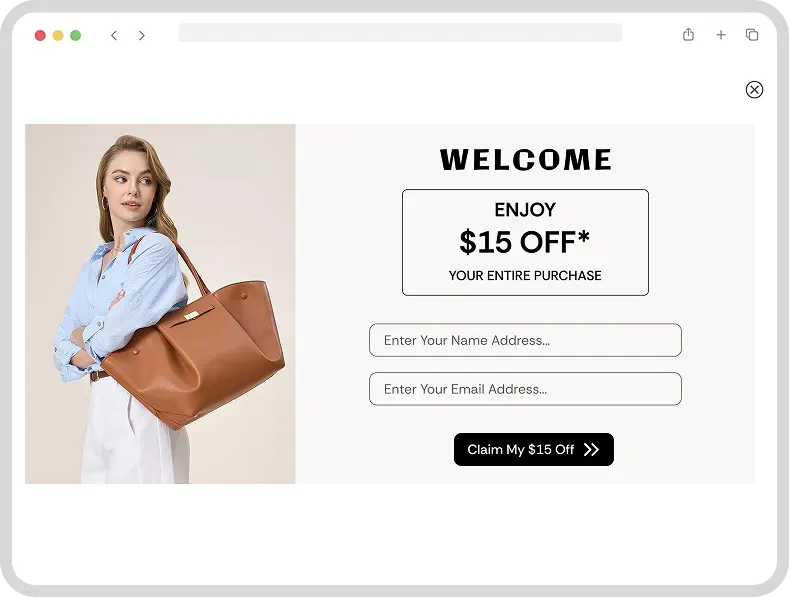
Cart Abandonment Popup
Visitors often add products to their cart and leave before completing checkout.
Cart abandonment popups help recover lost revenue by displaying personalized incentives such as discounts, free shipping offers, or limited-time promotions.
Best for: WooCommerce stores, Cart recovery, Revenue growth, Checkout optimization
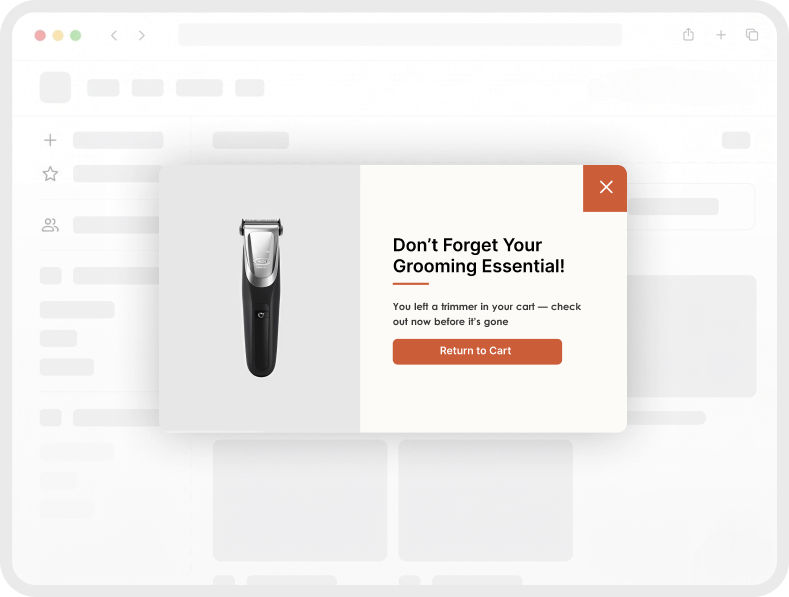
Coupon Popup
Deliver the right offer at the right time.
Display coupon codes, special promotions, and personalized discounts that encourage visitors to take action and complete purchases.
Best for: First-order discounts, Seasonal sales, Coupon campaigns, Ecommerce promotions
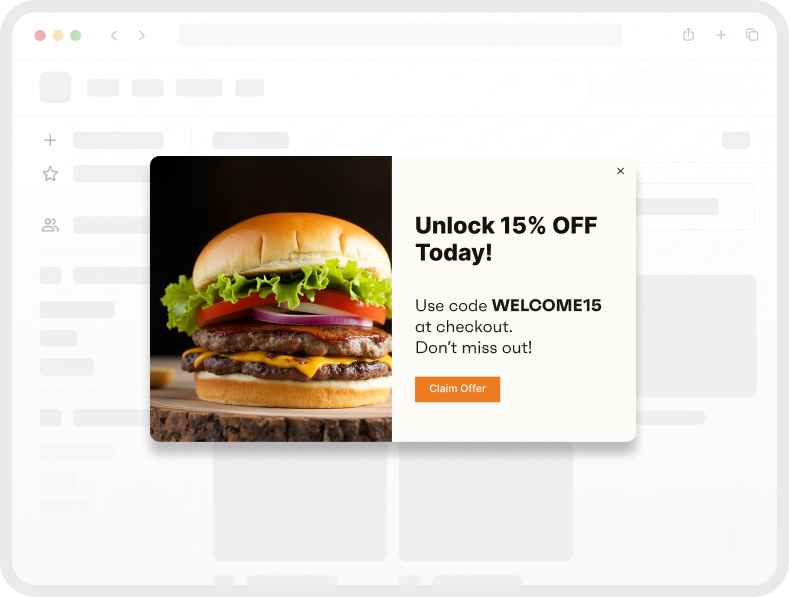
Time-Delay Popup
Not every popup should appear immediately.
Time-delay campaigns allow you to display offers after visitors have spent enough time engaging with your content, increasing relevance and reducing interruptions.
Best for: Blog readers, Service websites, Lead magnets, Newsletter signups
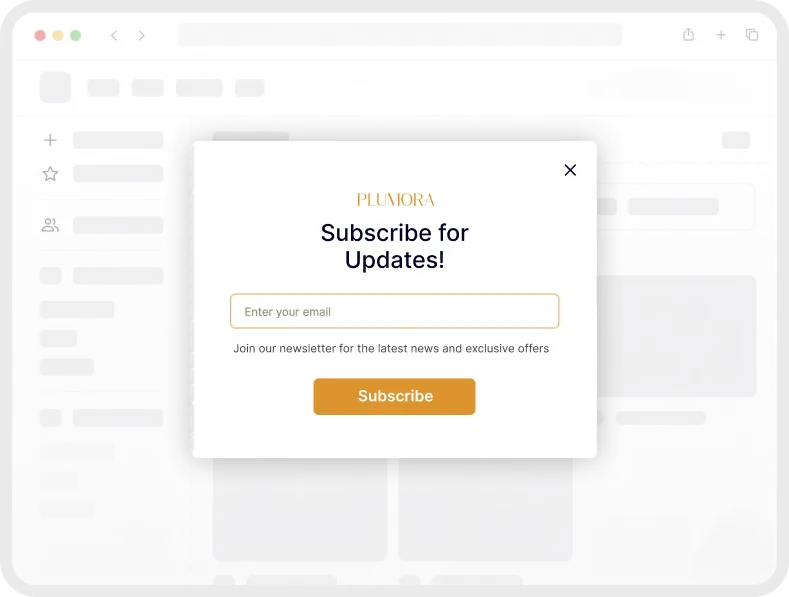
Smart Trigger System
Show the Right Popup at the Right Moment
Timing can make or break a popup campaign. Showing an offer too early can frustrate visitors. Showing it too late can mean missing valuable conversion opportunities. YS LeadGen includes advanced behavioral triggers that help you display popups based on real visitor actions and engagement signals, ensuring your campaigns appear when visitors are most likely to respond.
Exit Intent
Detects when visitors are about to leave your website and displays a targeted popup at the perfect moment. Use discounts, lead magnets, free shipping offers, or signup forms to recover visitors who might otherwise leave without taking action.
Best for: Cart recovery, lead generation, coupon offers, newsletter signups.
Scroll Depth
Shows popups after visitors scroll to a specific percentage of the page. Since users have already engaged with your content, scroll-triggered campaigns often generate higher conversion rates than immediate page-load popups.
Best for: Blog subscriptions, lead magnets, webinar registrations, content upgrades.
Time on Page
Display campaigns after visitors spend a set amount of time on a page. This helps ensure users have enough context before seeing an offer, creating a more natural and less disruptive experience.
Best for: Service pages, product pages, newsletter signups, consultation requests.
Inactivity / Idle
Detect when visitors stop interacting with your website and display a targeted reminder, offer, or call-to-action. A simple re-engagement message can help recover attention before visitors leave.
Best for: Bounce reduction, promotions, lead generation, checkout reminders.
Click Trigger
Launch popups when visitors click a button, image, link, or call-to-action. Because the interaction is user-initiated, click-triggered campaigns often feel more natural and generate stronger engagement.
Best for: Contact forms, demo requests, pricing inquiries, gated content.
Page Load
Display important announcements, promotions, or welcome offers as soon as a page loads. Ideal when immediate visibility is more important than delayed engagement.
Best for: Flash sales, welcome offers, product launches, major announcements.
Build Smarter Campaigns with Combined Triggers
Create highly targeted experiences by combining popup formats with behavioral triggers.
For example:
✅ Exit-intent + Coupon Popup = Recover abandoning shoppers
✅ Scroll Depth + Lead Magnet Popup = Grow your email list
✅ Time Delay + Announcement Bar = Promote offers naturally
✅ Click Trigger + Contact Form = Generate qualified leads
With YS LeadGen, every popup type can work with every trigger, giving you complete flexibility to create campaigns that match your audience and goals.
Targeting & Display Rules
Show the Right Popup to the Right Visitor
Displaying the same popup to every visitor is one of the fastest ways to reduce conversions.
YS LeadGen includes 30+ advanced targeting rules that help you display campaigns based on visitor behavior, page context, device type, traffic source, WooCommerce activity, and more. Instead of showing generic offers, you can create highly relevant campaigns that match what visitors are doing and what they are most likely to respond to.
The result is a better user experience, higher engagement, and more conversions from every campaign.
| Rule Category | Available Conditions | Plan |
|---|---|---|
| Page & Post Targeting | Specific page, post, custom post type, category, tag, archive, homepage, 404 page | Free |
| Visitor Type | New vs. returning visitor, first-time session, repeat visitor | Free |
| Device Type | Desktop, tablet, mobile targeting | Free |
| User Login Status | Logged-in, logged-out users, roles | Free |
| Traffic Source | Referrer, direct, search, social | Free |
| UTM Parameters | UTM source, medium, campaign | Free |
| Date & Time | Start date, end date, schedule | Free |
| Frequency | Session/day/week limits | Free |
| WooCommerce Cart | Cart total, product, category | Free |
| WooCommerce Customer | Purchase history, spend | Free |
| Geolocation | Country, region targeting | Pro |
WooCommerce Integration
Built for WooCommerce Conversions — Not Just Popup Display
Most popup plugins treat WooCommerce pages the same way they treat blog posts. YS LeadGen takes a smarter approach by understanding shopping behavior, cart activity, purchase intent, and checkout progress. This allows you to display highly relevant campaigns throughout the customer journey and turn more visitors into paying customers.
From product discovery to checkout completion, YS LeadGen helps you engage shoppers at key moments with targeted offers, upsells, free shipping promotions, and cart recovery campaigns. Every popup can be tailored to what customers are viewing, adding, or purchasing.
Funnel Steps
Product Page Engagement
Capture attention while shoppers are actively exploring products. Display stock alerts, limited-time offers, related product recommendations, or first-purchase discounts to encourage visitors to take the next step.
Trigger: Time on page, Scroll depth, Page load
Add-to-Cart Event
The moment a customer adds an item to their cart is one of the strongest buying signals. Trigger personalized upsell offers, bundle recommendations, or free shipping incentives to increase average order value.
Trigger: Add-to-cart event
Cart Page - Exit Intent
Prevent potential customers from abandoning their cart. When a shopper attempts to leave, display a targeted offer such as a discount, free shipping incentive, or reminder based on their actual cart contents.
Trigger: Exit intent on cart page
Checkout Recovery Campaign
Recover high-intent buyers before they abandon checkout. Present trust-building messages, limited-time incentives, or last-minute offers that help reduce checkout abandonment and improve order completion rates.
Trigger: Exit intent on checkout page
Cart Value Optimization
Encourage customers to spend more by displaying dynamic offers based on cart value. Promote free shipping thresholds, product bundles, or exclusive rewards designed to increase average order value.
Trigger: Time on cart page
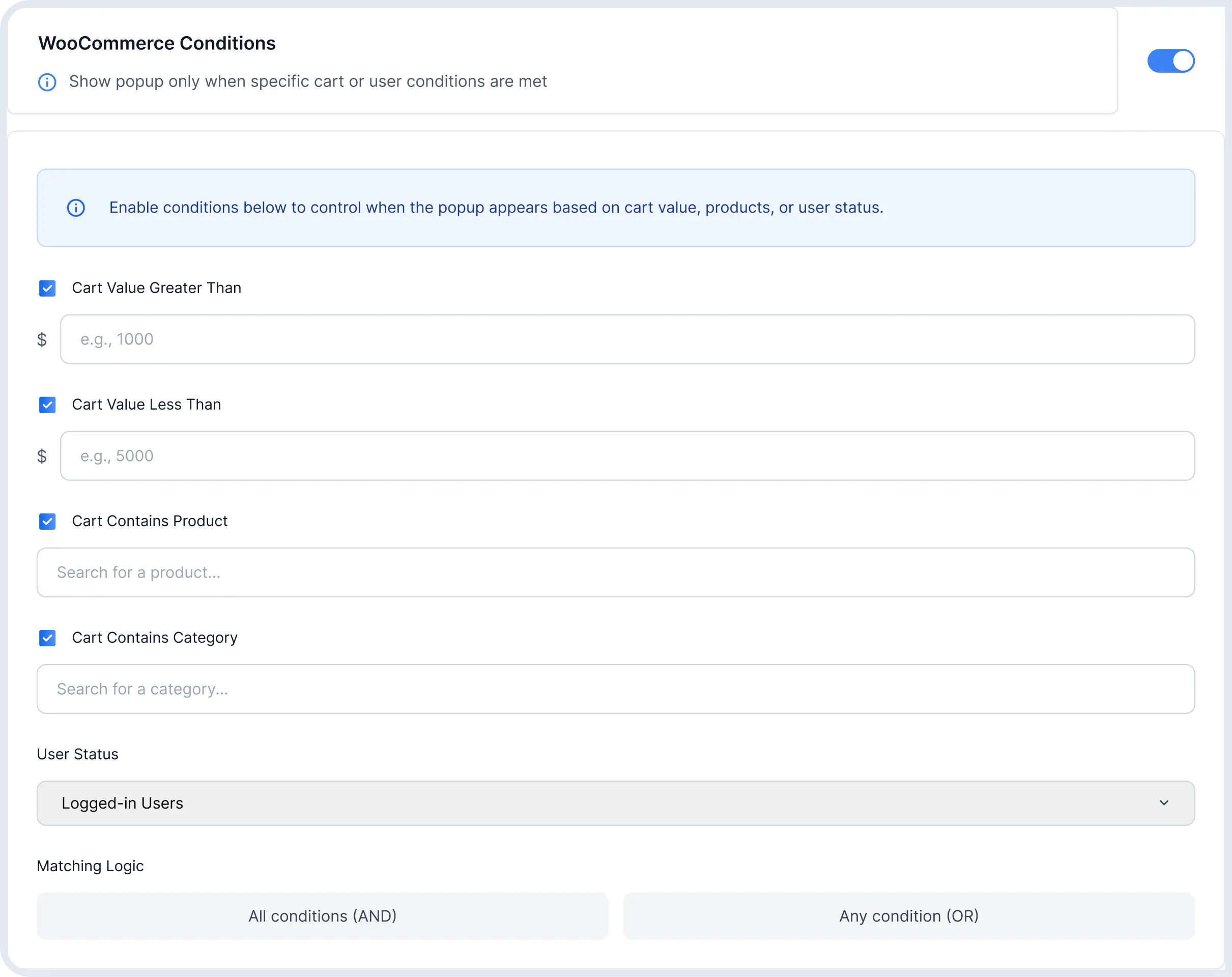
Product-Specific Rules
Show popups based on the exact products, categories, or items a shopper is viewing or purchasing. Deliver highly relevant offers that match customer intent and improve conversion rates.
Cart Value Conditions
Create campaigns based on cart totals and spending thresholds. Encourage larger purchases with free shipping offers, discounts, or bonus rewards designed to increase revenue.
Analytics & Reporting
Measure What Converts and Optimize What Doesn't
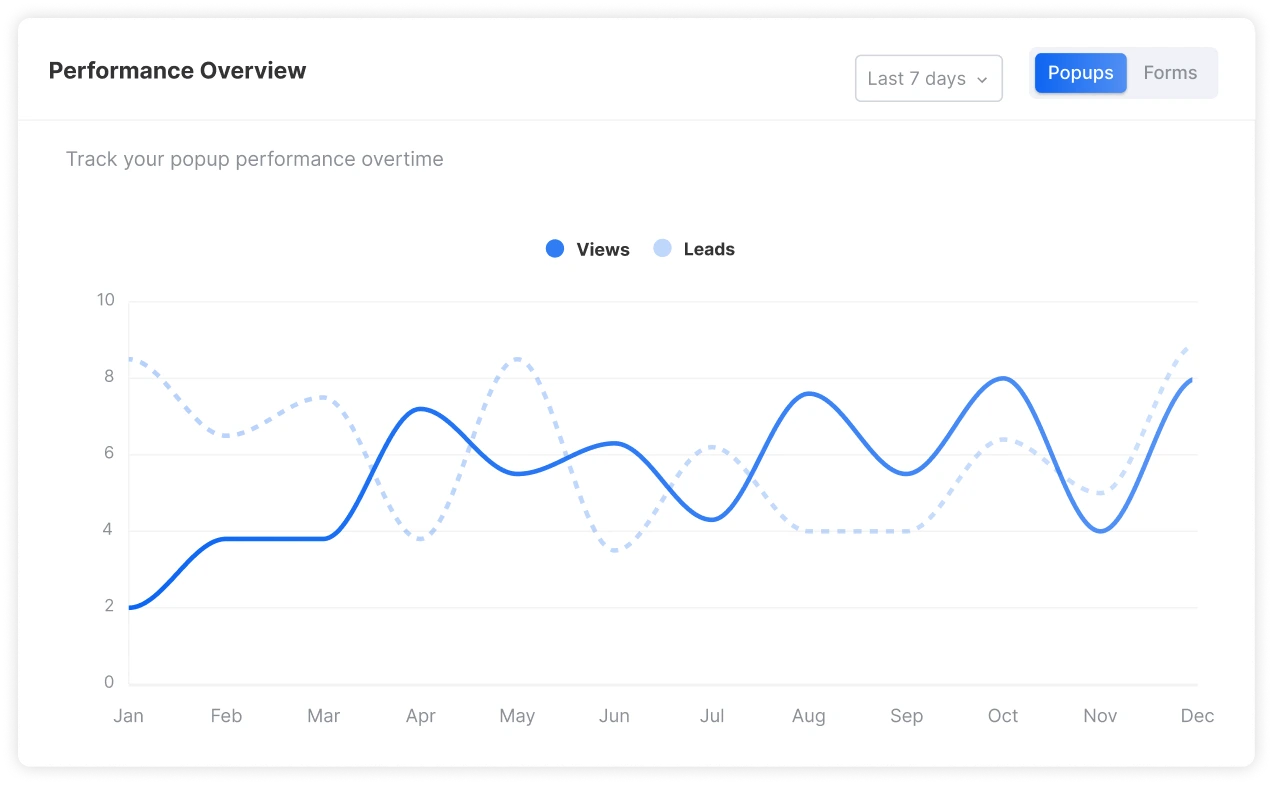
Understanding performance is the key to improving conversions. YS LeadGen provides built-in analytics that help you track popup views, form submissions, conversion rates, device performance, and campaign effectiveness directly from your WordPress dashboard.
Instead of guessing which campaigns work, use real data to identify your highest-performing popups, uncover optimization opportunities, and make smarter marketing decisions that drive more leads and sales.
Views & Leads
Understand Campaign Performance
Track impressions, views, and lead generation metrics to see exactly how visitors interact with your campaigns and where improvements can be made.
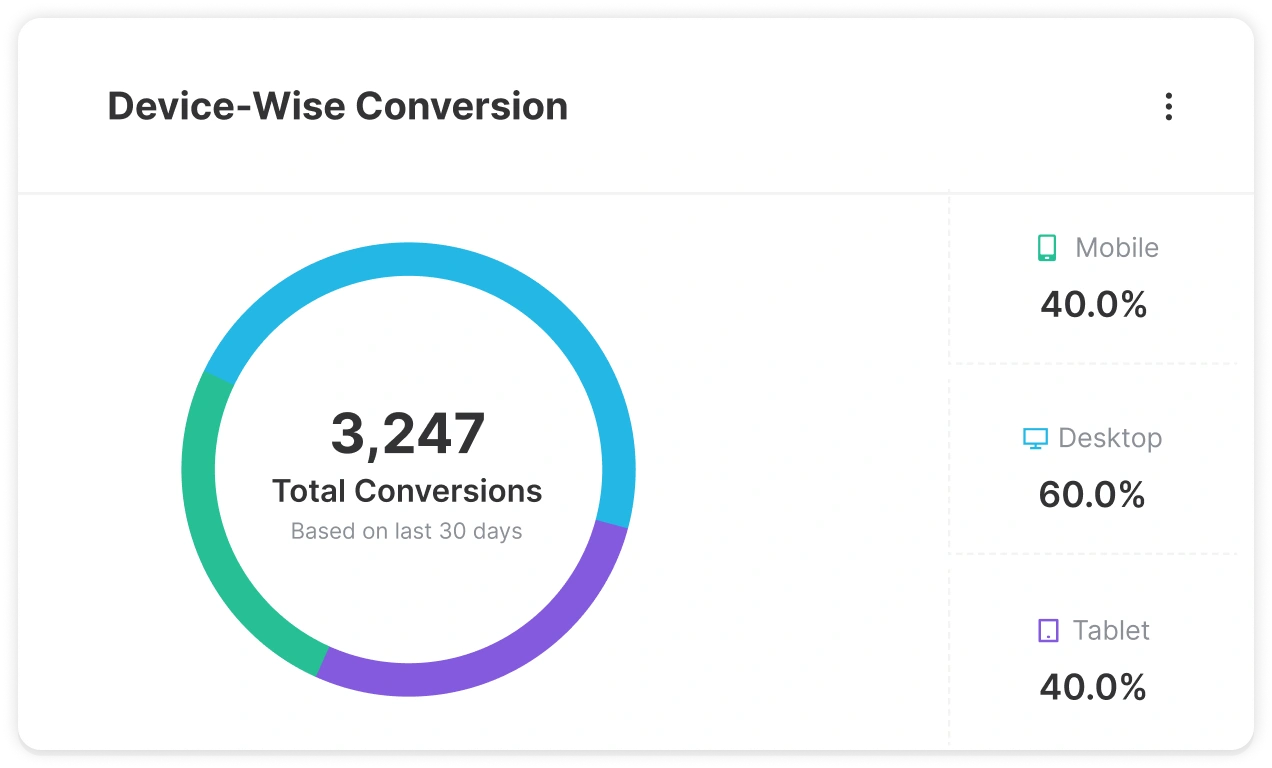
Device Analytics
Optimize for Every Screen Size
Compare conversion performance across desktop, tablet, and mobile devices to ensure your campaigns deliver the best experience for every visitor.
CVR %
Conversion Rate Tracking
Monitor how effectively your campaigns turn visitors into subscribers, leads, and customers. Track conversion rates across every popup and form to quickly identify your top-performing campaigns.
What the Analytics Dashboard Shows You
- Campaign-level stats - impressions, conversions, and CVR per popup
- Device breakdown - separate performance data for desktop, tablet, and mobile
- Date range filtering - view performance over any custom date window
- Conversion source tracking — which page each lead came from
- Lead capture log — timestamped record of every form submission
- Popup dismissal rate — how often visitors close without acting
- Google Analytics 4 (GA4) event sync — popup events sent to GA4 automatically
- CSV data export — download full lead and performance data anytime
Your Data Stays Inside WordPress
Unlike cloud-based platforms, YS LeadGen stores your campaign data directly inside WordPress. There are no external dashboards, no third-party reporting tools, and no risk of losing access to your analytics if you pause a subscription.
Lead Management
A Self-Hosted Lead Database Inside Your WordPress Admin
Every form submission captured through a YS LeadGen popup is stored locally in a structured lead database inside your WordPress install. No external CRM account is required to view, manage, or export your leads. The leads table is searchable, filterable, and paginated – accessible any time from your WordPress admin.
| Name | Campaign | Source Page | Date Captured | Status | |
|---|---|---|---|---|---|
| Arjun Mehta | arjun@example.com | Exit Offer — Blog | /blog/seo-tips | 27 Apr 2026, 10:14 AM |
Synced |
| Priya Nair | priya@example.com | Coupon Popup — WooCommerce | /shop/t-shirts | 27 Apr 2026, 09:52 AM |
Synced |
| Guest Visitor | guest@example.com | Cart Email Capture | /cart | 26 Apr 2026, 04:33 PM |
Pending |
Search & Filter
Search leads by name, email, or campaign. Filter by date range, popup source, or conversion type to find exactly what you need.
CSV Export
Download all leads or a filtered subset as a CSV file at any time - for use in email platforms, CRMs, or spreadsheet analysis.
Bulk Actions
Select and delete leads in bulk, manage duplicate entries, and keep your lead database clean directly from the admin screen.
A/B Testing
Run Controlled Split Tests on Any Popup- No Guesswork
YS LeadGen Pro includes a built-in A/B testing engine that lets you run two variants of any popup simultaneously, split traffic evenly between them, and identify the statistically stronger performer. No external testing tool, no third-party integration, and no manual traffic splitting required.
Variant A
3.2%
“Download Your Free Guide”
VS
Variant B - Winner
7.1%
“Get the Free 10-Point Checklist”
- 121% higher CVR
What You Can Test
Headline copy, button text and colour, popup design layout, image vs. no image, offer type (discount vs. freebie), trigger timing, form field count.
How Winner Is Determined
YS LeadGen tracks impressions and conversions per variant in real time. The dashboard shows CVR for each, and you manually promote the winner - no premature automated switching.
Run Duration Control
Set campaign start and end dates per variant. Stop the losing version at any time and direct 100% of traffic to the winner with a single toggle.
Pro Feature
A/B testing is available in the YS LeadGen Pro plan. All other features - triggers, popup types, targeting - remain available in the free version.
Email & CRM Integrations
Automatic Lead Sync to Your Entire Marketing Stack
YS LeadGen Pro sends captured popup leads directly to your email marketing platform or CRM on submission – no manual export, no Zapier middleman, no delay. Each integration is configured once per campaign and runs automatically from that point forward.
Mailchimp
Email Marketing Automation
Subscribers captured through any YS LeadGen popup form are added to a specified Mailchimp audience list immediately on form submission. Tags, groups, and double opt-in settings are fully configurable per campaign directly from the WordPress admin.
- Select target audience / list per popup campaign
- Apply tags and groups on signup
- Optional double opt-in confirmation flow
- Custom field mapping (name, phone, custom fields)
HubSpot
CRM & Sales Pipeline
Creates a new HubSpot contact on every popup form submission and routes them into a specified pipeline stage. Allows sales teams to follow up on captured leads within minutes of submission without any manual data entry or CSV import workflow.
- Select target audience / list per popup campaign
- Apply tags and groups on signup
- Optional double opt-in confirmation flow
- Custom field mapping (name, phone, custom fields)
Omnisend
Email, SMS & Push Automation
Feeds new subscribers into Omnisend contact lists and triggers multi-channel automation workflows – email, SMS, and push notifications – based on popup conversion events. Particularly powerful when used alongside WooCommerce cart abandonment popups.
- Add subscribers to Omnisend lists in real time
- Trigger Omnisend email & SMS automation flows
- Tag subscribers based on popup campaign source
- Supports WooCommerce cart recovery sequences
WooCommerce
Native Store Data Integration
Reads live WooCommerce cart, order, product, and customer data to power contextual popup targeting. Popup display rules can reference any WooCommerce data point – cart total, specific products, past purchase history, customer lifetime value, and product categories.
- Cart and order data access for targeting rules
- Customer purchase history conditions
- Product and category-level popup rules
- Cart abandonment trigger access on cart & checkout
Google Analytics 4
Event Tracking & Attribution
Every popup impression, conversion, and dismissal is fired as a structured GA4 event. This allows conversion attribution in Google Analytics reports – connecting popup performance to traffic sources, landing pages, and campaign data already tracked in GA4.
- Custom GA4 events on impression, conversion, and close
- Event parameters include campaign name and popup type
- Compatible with GA4 conversion goals and funnel reports
- Works alongside GA4's native Enhanced Measurement
Webhooks
Universal API Connection
For any platform not listed above – ActiveCampaign, Klaviyo, ConvertKit, Drip, Brevo, custom CRMs, or internal APIs – YS LeadGen sends a POST request to any configured webhook URL on form submission. The payload includes all captured form fields and campaign metadata.
- POST request fired on every popup form submission
- Payload includes form fields, campaign name, source URL
- Connect to Zapier, Make, n8n, or any HTTP endpoint
- Multiple webhooks per campaign supported
All Integrations Are Pro Features - Starting at $29 Lifetime
The free version stores all leads inside your WordPress database and integrates with Google Analytics 4. All third-party email platform integrations (Mailchimp, HubSpot, Omnisend) and custom webhooks require the Pro plan - available as a one-time lifetime purchase with no recurring fees.
GDPR & Privacy Compliance
Built for Privacy - Conscious Data Collection from Day One
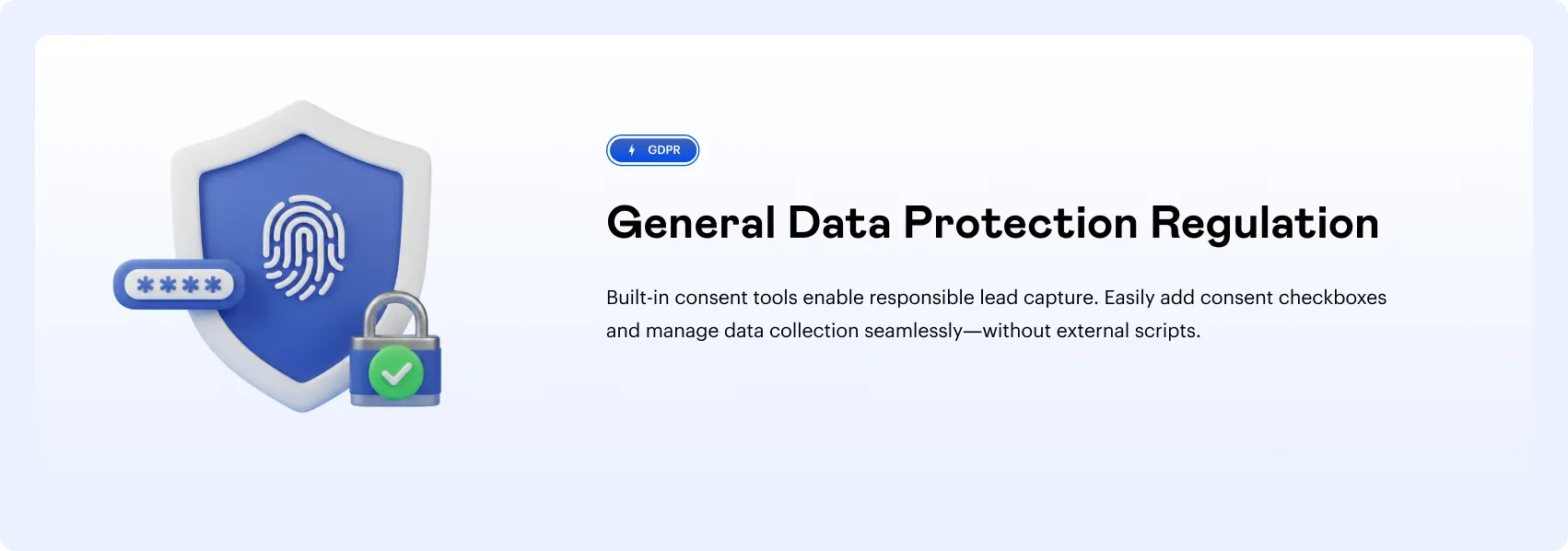
Data protection compliance is not an add-on in YS LeadGen – it is a core part of how the form builder and lead storage system work. Every mechanism needed to collect email addresses lawfully and responsibly under GDPR, PECR, and similar regulations is included in the free version.
Consent in Checkbox
Add a mandatory or optional GDPR consent checkbox to any popup form. Custom label text, link to privacy policy, and required-field validation included.
Double Opt-In Support
Enable double opt-in confirmation for Mailchimp integrations - subscribers receive a confirmation email before being added to the list.
Data Deletion on Request
Delete individual lead records from the WordPress admin at any time. Supports the GDPR right to erasure without requiring external tools.
reCAPTCHA v3 Support
Invisible reCAPTCHA v3 integration prevents spam bot submissions on popup forms without adding friction to the user experience.
No Third-Party Scripts on Load
YS LeadGen does not inject third-party tracking scripts at page load. Data collection only occurs when a visitor actively submits a popup form.
Self-Hosted Data Storage
All lead data is stored in your WordPress database under your own hosting infrastructure - not transmitted to or stored on Anthropic, YS LeadGen, or any SaaS server by default.
Performance & Technical Architecture
Zero Performance Overhead - Built to Protect Core Web Vitals
YS LeadGen is engineered specifically to avoid the page speed penalties that commonly disqualify popup plugins from production use on performance-sensitive WordPress sites. The plugin follows a conditional asset loading model – no global JavaScript, no inline styles, and no external requests are added to pages that have no active popup campaigns.
0ms
Added to Critical Path
Popup scripts are deferred and loaded asynchronously – they never block HTML parsing,CSS rendering, or first contentful paint (FCP). The plugin has no measurable effect on your Largest Contentful Paint score.
Asset Loading
Form Submissions
CSS and JavaScript files are only enqueued on pages that have at least one active popup campaign
assigned. Pages with no active popups receive zero additional assets from the plugin.
WordPress-Native
No External API Calls
The popup rendering engine makes no external HTTP requests on page load. All popup configuration, targeting logic, and display rules are resolved server-side at the WordPress level before output.
Works with Any Theme
Tested with Astra, GeneratePress, Divi, Elementor, Bricks, Kadence, OceanWP, and every major WordPress page builder. No CSS conflicts, no JS collisions.
Plugin Compatibility
Compatible with WooCommerce, WPML, Polylang, Yoast SEO, Rank Math, Gravity Forms, Contact Form 7, and major caching plugins (WP Rocket, LiteSpeed, W3 Total Cache).
WordPress Multisite
YS LeadGen supports WordPress Multisite installations - campaigns and leads are managed independently per subsite, with network-wide settings available at the network admin level.
Performance & Technical Architecture
Zero Performance Overhead - Built to Protect Core Web Vitals
YS LeadGen is engineered specifically to avoid the page speed penalties that commonly disqualify popup plugins from production use on performance-sensitive WordPress sites. The plugin follows a conditional asset loading model – no global JavaScript, no inline styles, and no external requests are added to pages that have no active popup campaigns.
| Feature | Free | Pro – $29 Lifetime | Competitors (Monthly SaaS) |
|---|---|---|---|
| All 18+ Popup Types |  | | Partial (gated) |
| Exit Intent Trigger | | | Pro plans only |
| All 6 Behavioral Triggers | | | Partial |
| 30+ Targeting & Display Rules | | | Basic only |
| Drag-and-Drop Builder + Templates | | | |
| WooCommerce Cart & Exit Triggers | | | Add-on required |
| Built-in Analytics (WordPress-native) | | | External tool needed |
| Local Lead Storage & CSV Export | | |  |
| GDPR Consent Checkbox & reCAPTCHA | | | Partial |
| GA4 Event Integration | | | Manual setup needed |
| Mailchimp Integration | | | |
| Webhook (connect any tool) | | | Higher tier only |
| Recurring Fee | $0/mo | $0/mo – One-time $29 | $20–$50/mo |
| Data Ownership | ✔ Your WordPress DB | ✔ Your WordPress DB | ✗ Vendor’s servers |
FAQ
Frequently Asked Questions
Lorem Ipsum Dolor Sit Amet Consectetur Adipiscing
Praesent vestibulum molestie lacus nonummy lectus nec aliquam auctor
Is YS LeadGen available for free?
Yes. YS LeadGen offers a free version that you can install from the WordPress plugin repository. You can start capturing leads and upgrade later as your needs grow.
Does YS LeadGen work with WooCommerce?
Yes. YS LeadGen offers a free version that you can install from the WordPress plugin repository. You can start capturing leads and upgrade later as your needs grow.
Can I control when and where popups appear?
Yes. YS LeadGen offers a free version that you can install from the WordPress plugin repository. You can start capturing leads and upgrade later as your needs grow.
Do I need coding skills to use YS LeadGen?
Yes. YS LeadGen offers a free version that you can install from the WordPress plugin repository. You can start capturing leads and upgrade later as your needs grow.
Will YS LeadGen slow down my website?
Yes. YS LeadGen offers a free version that you can install from the WordPress plugin repository. You can start capturing leads and upgrade later as your needs grow.