Every WordPress site eventually runs into the same small decision that turns out to matter more than expected: which WordPress form plugin to install.
It seems like a minor choice. A contact form is just a box where someone types their name and email, right? Except the form plugin behind that box quietly shapes a lot more than people assume, how fast your pages load, whether your forms get flooded with spam, whether you can actually follow up with the people who fill them out, and whether a developer six months from now curses your name when they try to add a new field.
There are over a thousand form-related plugins listed in the WordPress plugin directory, which makes finding the best WordPress form plugin for your specific site harder than it should be. Most people never look past the first three names that show up in a Google search. That’s usually fine, honestly, those names are popular for good reason, but “popular” and “right for your site” aren’t always the same thing.
This guide walks through ten of the best WordPress form plugins worth knowing about in 2026, including free WordPress form plugins and premium WordPress form builder tools, what each one is actually built for, what it costs once you look past the homepage, and which type of site each one fits. Rather than ranking them 1 through 10 on a single scale, we’ve grouped the comparison around real decisions: speed versus features, free versus paid, simple contact forms versus lead generation forms, and so on, because that’s genuinely how most people end up choosing a WordPress contact form plugin.
One disclosure before we start: YS LeadGen is a plugin developed by our own team. It’s included here because it holds up against the same criteria as everything else on this list, and we’ve tried to be just as specific about its limitations as we are about anyone else’s.
Why the Form Plugin You Pick Actually Matters
It’s tempting to treat WordPress form plugins as interchangeable, install whichever one has the most stars, drag a few fields onto a page, done. In practice, the form builder plugin you choose has downstream effects that don’t show up until later.
Page speed. A WordPress form plugin that loads its CSS and JavaScript on every page of your site, not just the page with the form, adds weight your visitors pay for on every single visit. This matters more than it used to, since page experience factors into how Google ranks your site, and a slow-loading page loses visitors before they ever see your contact form.
What happens after someone submits. A basic plugin drops the submission in an email and calls it done. A more capable one can add that person to your email list automatically, trigger a Slack notification, kick off a CRM record, or store the entry somewhere you can search later. If lead follow-up matters to your business, this difference is the whole ballgame.
What you’re locked into. Migrating a form plugin later, once you have live forms, saved entries, and integrations built on top of it, is more work than most people expect. Picking with some foresight now saves a migration headache in a year.
Spam and data handling. A form with no real spam protection becomes a problem within weeks, not months. And if your form collects any personal information from visitors in a regulated region, the plugin’s approach to consent and data storage isn’t optional homework, it’s part of the compliance chain.
How This Comparison Was Built
Instead of relying on marketing copy, each plugin below was evaluated against five practical questions:
- What does the free version genuinely include, not what the pricing page implies is included?
- What’s the real cost at renewal, since a lot of “introductory” pricing in this category roughly doubles after the first year?
- How much does it add to page load time, and does it load assets only on pages that need them?
- What does it connect to out of the box, meaning direct integrations rather than third-party workarounds?
- How current is it? Recent updates, active support, and a plugin that isn’t quietly abandoned.
The Two Questions to Ask Before You Pick a WordPress Form Plugin
Most “which WordPress form builder should I use” confusion comes down to skipping two questions that would otherwise narrow the field immediately.
Question one: is this form meant to just receive messages, or is it meant to generate leads?
A simple contact form that gets a handful of submissions a month has very different requirements than a lead generation form feeding a sales pipeline or an email list you’re actively growing. The first just needs to work reliably. The second benefits from a WordPress lead generation plugin that can pair the form with targeted popups, connect to your CRM, and track which pages are actually converting.
Question two: who is going to maintain this form after it’s built?
If it’s you, and you’re not a developer, prioritize ease of use over raw feature count, a plugin that’s technically more powerful but takes an hour to configure a single conditional field isn’t actually more useful to you. If a developer is involved, or will be later, a plugin with deeper hooks and an API is worth the steeper learning curve.
Everything below is organized to help answer those two questions for your specific situation.
WordPress Form Plugin Comparison at a Glance
| Plugin | Starting Price | Free Version | Strongest Fit |
|---|---|---|---|
| YS LeadGen | Contact for pricing | No | Forms paired with popups for lead generation |
| WPForms | $49.50/year (1 site) | Yes | General-purpose sites, beginners |
| Gravity Forms | $59/year (1 site) | No | Complex, multi-step, developer-built forms |
| Forminator | Free | Yes | Most generous free feature set |
| Fluent Forms | $79/year (1 site) | Yes | Site speed and Core Web Vitals |
| Formidable Forms | $79/year (1 site) | Yes | Publishing form data as directories/listings |
| Ninja Forms | $99/year (1 site) | Yes | Paying only for specific add-ons |
| JetFormBuilder | $39/year (1 site) | Yes | Gutenberg block editor workflows |
| Everest Forms | $49/year (1 site) | Yes | Budget-conscious general use |
| Contact Form 7 | Free | Yes (no paid tier) | Developers who want zero cost, zero upsells |
The Plugins, Reviewed One by One
YS LeadGen: When the Form Is Part of a Bigger Lead Generation Strategy
Most WordPress form plugins treat the form as the entire product. YS LeadGen, a WordPress lead generation plugin, treats the form as one half of a pair, the other half being the popup that can capture a visitor who never would have scrolled down to find your contact form in the first place.
That distinction is worth sitting with for a second. A traditional embedded form is passive. It waits. Someone has to notice it, decide it’s worth their time, and fill it out. A popup, by contrast, can act, appearing based on exit intent, scroll depth, or time on page, prompting an action the visitor might not have taken on their own. YS LeadGen builds both the form and the popup from the same WordPress plugin, which means the same targeting rules and the same analytics dashboard cover forms and popups together, rather than requiring two separate WordPress plugins that don’t talk to each other.

In practice, this shows up as things like: a lead capture form embedded on a pricing page, paired with an exit-intent popup offering a demo call to anyone who scrolls down and then moves to leave without submitting. Or a signup form on a blog post, backed by a scroll-triggered popup offering a related download. The two work as a system rather than as one form plugin doing one job.
Strengths: exit-intent detection tied directly to lead capture forms, targeting based on page, device, or visitor behavior, and a single dashboard for both form and popup performance.
Trade-offs: it’s a newer WordPress form plugin than most names on this list, so its third-party add-on ecosystem and volume of community tutorials are still catching up to plugins that have had the better part of a decade’s head start.
Pricing: no public free tier; current plan pricing is available on the official site.
Choose this if: your form’s real job is generating leads or growing a list, not just fielding the occasional inquiry, and you’d rather not run a separate popup plugin alongside your WordPress form builder.
WPForms: The Default Choice for General-Purpose Sites
WPForms has become the WordPress contact form plugin most users end up on by default, and it’s worth understanding why that happened rather than just accepting it as a given. Launched in 2016, it now holds more than 6 million active installations, the highest of any WordPress form plugin in the category, alongside a 4.8-star average from over 14,000 WordPress.org reviews.
The core appeal is that the drag and drop form builder gets out of your way. Rather than starting from an empty canvas, you choose from a library of over 2,100 pre-built form templates and adjust from there. For someone who’s never built a WordPress contact form before, that template-first approach removes most of the decision fatigue that trips people up.
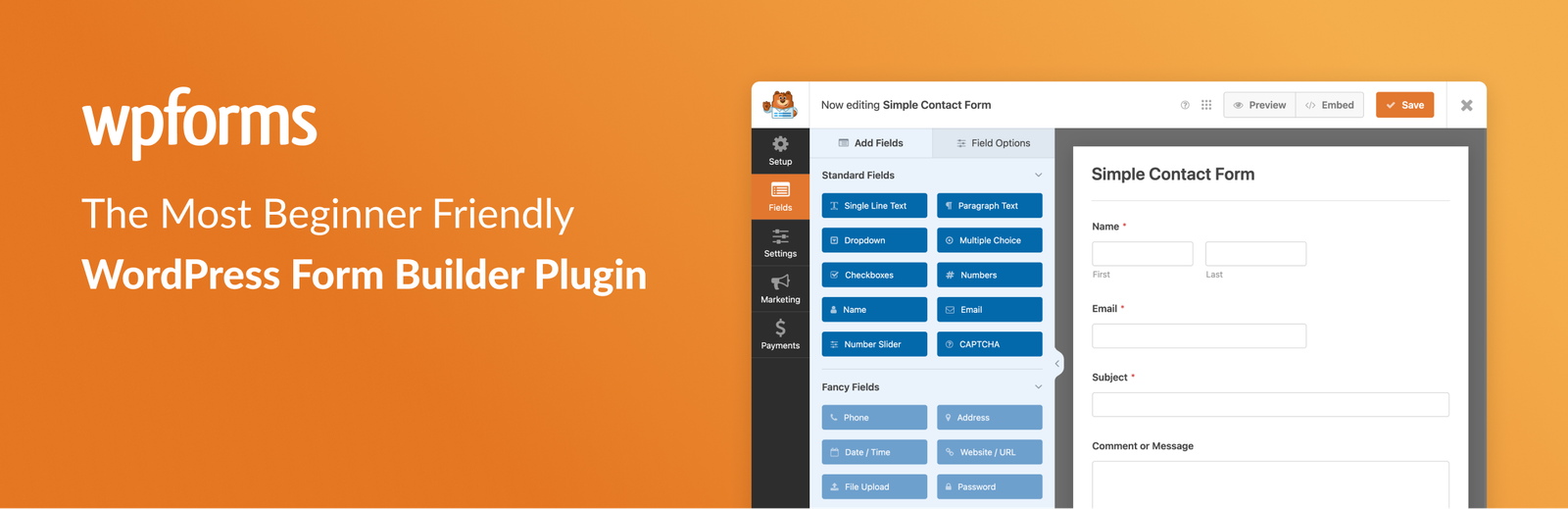
Strengths: the free version, WPForms Lite, is a genuinely usable WordPress form plugin on its own, covering basic contact forms, spam protection, and instant email notifications. The paid tiers layer in conditional logic, Stripe payments, and integrations with tools like Mailchimp and ActiveCampaign.
Trade-offs: current 2026 pricing runs Basic at $49.50/year for one site, renewing at $99/year, Plus at $99.50/year for three sites, Pro at $199.50/year for five sites, and Elite at $299.50/year for unlimited sites, and those introductory prices step up meaningfully at renewal. This WordPress form plugin isn’t built with developers in mind either; custom code hooks exist but aren’t the focus.
Choose this if: you want a WordPress contact form plugin that works reliably without a learning curve, and your forms don’t need to do anything especially complex.
Gravity Forms: Built for Forms That Function Like Applications
Gravity Forms occupies a different niche entirely among WordPress form plugins. Where WPForms optimizes for “get a working form published fast,” Gravity Forms optimizes for “handle a form so complex that a simpler form builder would fall over trying.” It’s been around since 2009, offers no free tier at all, and still holds more than 5 million active installations, a track record built entirely on reputation rather than a free-to-paid funnel.
This WordPress form plugin’s conditional logic is more granular than nearly anything else in this category. Where most competitors let you show or hide individual fields based on earlier answers, Gravity Forms extends that logic to entire sections and pages, which matters enormously once you’re building something like a multi-page vendor application or an intake form with real branching paths. Pair that with a REST API for headless setups and more than 40 official add-ons, and you have a WordPress form builder that functions closer to a lightweight application builder than a basic contact form tool.
Strengths: deep conditional logic, a genuinely developer-friendly architecture, and an add-on ecosystem that covers most integration needs without third-party workarounds.
Trade-offs: pricing runs Basic at $59/year for one site, Pro at $159/year for three sites (adding Stripe, PayPal, and Zapier), and Elite at $259/year for unlimited sites (unlocking the remaining add-ons, including Conversational Forms and Surveys). There’s no way to try this WordPress form plugin for free first, and even payment collection sits behind the Pro tier at minimum.
Choose this if: you’re building something closer to a small internal tool than a simple contact form, multi-step intake, approval workflows, complex branching logic, and either you or someone on your team is comfortable with a steeper setup process.
Forminator: The Best Free WordPress Form Plugin
Forminator, built by WPMU DEV, solves a specific problem: most free WordPress form plugins are free in name only, with anything genuinely useful gated behind a paid tier. As a free WordPress form builder, Forminator bucks that pattern more than almost anything else in this category, which is why it’s the plugin worth trying first if “free” is a hard requirement, not just a nice-to-have.
Stripe and PayPal payment processing, live polls with real-time results, scored quizzes, and a calculator field that resolves an actual formula against other field values, all of that ships in the free tier, no upgrade required. There’s also no artificial ceiling on the number of fields or submissions you can collect for free, which some competitors quietly impose.

Strengths: the sheer amount included at no cost is the standout feature here, not any single capability. For a site with a genuinely tight budget, this closes most of the gap you’d otherwise need a paid plugin to fill.
Trade-offs: it tends to be heavier on your site’s database than a leaner plugin like Fluent Forms, and support on the free tier is limited if something goes sideways.
Choose this if: budget is the primary constraint, and you want quizzes, polls, or payment collection without paying to unlock them.
Fluent Forms: Built Around Not Slowing You Down
Fluent Forms exists because of a specific complaint that kept coming up about older, more established form plugins: they’re heavier than they need to be. Fluent Forms was built from the ground up to minimize its footprint, and in practical testing, it does noticeably less damage to page load time than most of its competitors.
Beyond speed, its most distinctive feature is conversational forms, a Pro-tier option available on the paid plan that presents one question at a time in a chat-style interface rather than a fully stacked form. For longer forms especially, this format tends to feel less like a wall of fields and more like a conversation, which can meaningfully affect how many people actually finish filling it out.

Strengths: genuinely lightweight, with submission data visualized automatically as charts inside the dashboard, no separate reporting tool needed.
Trade-offs: its integration list, while covering the essentials, is smaller than Gravity Forms’, and it doesn’t offer the front-end data display that Formidable Forms specializes in.
Choose this if: page speed is a real priority, whether because you’re on shared hosting, running a high-traffic site, or simply tired of watching your Core Web Vitals scores dip after installing a heavier plugin.
Formidable Forms: What Happens After the Submit Button
Nearly every plugin on this list treats form submission as the finish line. Formidable Forms treats it as the starting point. Its signature feature, Formidable Views, takes submitted entries and republishes them on the front end of your site as a searchable directory, a job board, a listing page, or a calendar.
This effectively turns a form plugin into a lightweight application builder. Picture a real estate site collecting property listings through a submission form, then displaying those listings publicly as a searchable, filterable directory, all without a developer writing a single database query. Repeater fields extend this further, letting a single submission contain multiple entries, useful for things like an event registration form collecting details for several attendees at once.

Strengths: genuinely unique in this category, no other plugin here treats “publish the submitted data” as a core workflow rather than an afterthought.
Trade-offs: there’s a real learning curve, particularly around Views, and the plugin can feel disproportionately complex if all you actually need is a basic contact form.
Choose this if: the form’s output needs a public home, directories, listings, job boards, anything where the submitted data becomes content rather than just an internal record.
Ninja Forms: Pay Only for What You Actually Use
Ninja Forms takes a fundamentally different pricing philosophy than most of this list. Instead of bundling features into fixed tiers, you start with a free core plugin and then purchase specific add-ons individually, multi-step forms, conditional logic, file uploads, only for the capabilities you actually need.
This modular approach is particularly well-suited to agencies managing several client sites with genuinely different requirements. Rather than paying for a bundled Pro tier where half the features go unused on any given site, you assemble exactly what each project calls for.
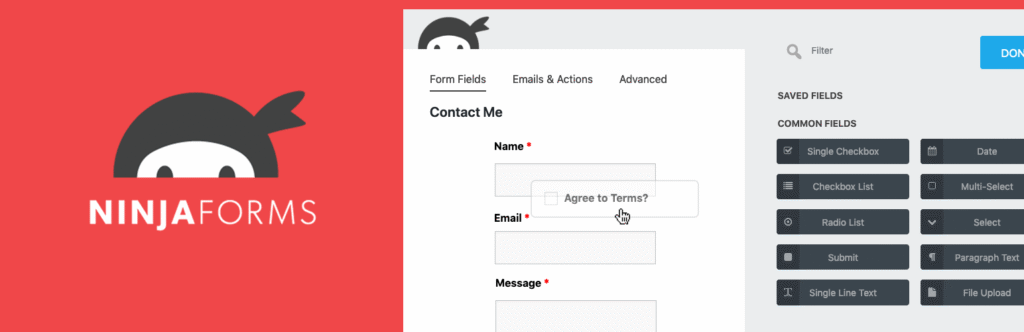
Strengths: real flexibility for anyone who already knows precisely which features matter, plus smooth, well-handled multi-step form transitions.
Trade-offs: costs can climb faster than expected if a project ends up needing several add-ons, sometimes surpassing what a bundled competitor would have charged for the equivalent feature set. The interface is also a step behind more polished, template-first builders.
Choose this if: you know your requirements precisely and would rather buy features individually than pay for a bundle you’ll only partially use.
JetFormBuilder: Forms That Feel Native to the Block Editor
JetFormBuilder made a specific bet: build the form plugin around WordPress’s native block editor rather than bolting a separate interface on top of it. For a site already built entirely with Gutenberg blocks, this means building a form uses the exact same mental model as building the rest of the page, arranging blocks, not learning a parallel system.
Strengths: the native block-editor workflow is the whole point, and it delivers on it, alongside solid multi-step form support with a visual progress bar and Stripe/PayPal payment handling, all while staying reasonably lightweight.
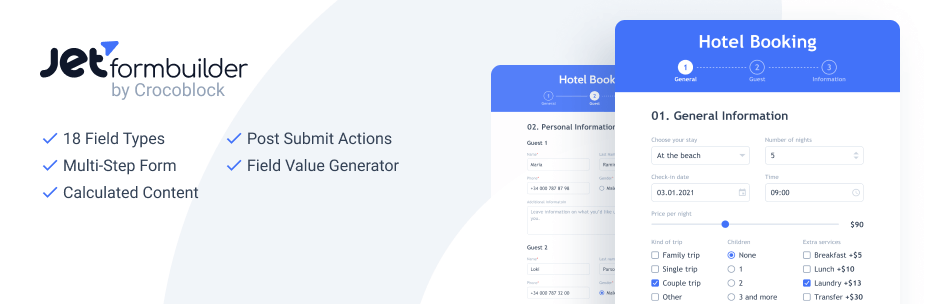
Trade-offs: the moment your site uses a different builder, Elementor or Divi, this core advantage disappears entirely. Its template library and integration list also trail the more established names here.
Choose this if: your site is already committed to the block editor and you want your forms to feel like a natural extension of that workflow rather than a bolted-on tool.
Everest Forms: A Lower-Cost Path to a Similar Experience
Everest Forms sits in roughly the same lane as WPForms, drag-and-drop builder, template library, familiar feature set, but generally arrives at a lower price point. For site owners who like what WPForms offers conceptually but want to spend less to get there, it’s a reasonable middle ground.
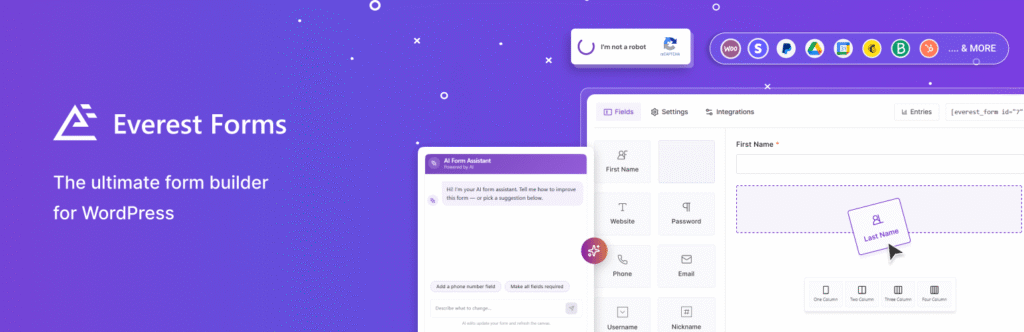
Strengths: entry management built directly into the WordPress dashboard, decent spam protection without extra configuration, and a free tier that’s genuinely usable for basic contact forms rather than a stripped-down demo.
Trade-offs: conditional logic requires the paid tier, and the plugin doesn’t reach the depth that Gravity Forms or Formidable Forms offer for more advanced, data-heavy builds.
Choose this if: you want a straightforward, affordable form plugin and don’t need every advanced feature a pricier competitor offers.
Contact Form 7: The Free Plugin That’s Stayed Free Since 2007
Contact Form 7 predates nearly everything else on this list by close to a decade. Launched in 2007, it remains one of the most installed plugins in the category, and unlike most “free” competitors, it has never introduced a paid tier at all. There’s no drag-and-drop builder here; forms are assembled with shortcodes and basic HTML, a design choice that either rules it out immediately or makes it exactly what you’re looking for, depending entirely on your comfort with code.

Strengths: genuinely free with zero upsell pressure, lightweight by design, and stable enough that most hosting environments and other plugins already work with it smoothly, simply because it’s been around long enough for that compatibility to be tested exhaustively.
Trade-offs: no visual builder means no live preview while you work, and anything beyond a basic form typically requires editing HTML directly and configuring mail tags by hand, a process that tends to frustrate non-technical users fairly quickly.
Choose this if: you’re comfortable with code, want a plugin with genuinely no cost and no upgrade prompts ever, and don’t need a visual interface to feel productive.
Forms and Accessibility: What Gets Overlooked
This gets skipped in most form plugin comparisons, which is a real gap, since an inaccessible form directly reduces how many visitors can complete it, not just whether your site technically meets a compliance standard.
A 2026 analysis of WordPress sites found an average of over 50 detectable accessibility errors per site, and missing form labels are consistently among the most common issues found. A form field with only placeholder text, no actual label, is a frequent culprit: placeholder text often disappears the moment a screen reader user focuses the field, leaving them with no indication of what they’re being asked to enter.
A few concrete things worth checking on any form, regardless of which plugin built it:
- Real, persistent field labels, not placeholder text standing in for a label.
- Full keyboard navigation, so a visitor can tab through every field and submit the form without ever touching a mouse.
- Error messages that describe the actual problem (“Please enter a valid email address,” rather than a generic “Invalid input”).
- Color contrast on error states and required-field markers that doesn’t rely on color alone to convey meaning.
Most major plugins in this comparison, WPForms, Gravity Forms, and Fluent Forms among them, handle baseline labeling and keyboard access reasonably well by default. It’s still worth spot-checking after any heavy visual customization, since dragging fields around in a builder can occasionally break the underlying label association without any visible sign that it happened.
Spam, Security, and Data Handling
An unprotected form becomes a spam magnet faster than most site owners expect, and once it starts, it tends to escalate rather than plateau. A few things worth confirming before a form goes live, independent of which plugin you’re using:
Spam protection. Look for native support for Google reCAPTCHA or hCaptcha at minimum. A handful of plugins, Fluent Forms among them, also support Cloudflare Turnstile, a more privacy-conscious alternative that doesn’t rely on tracking. Honeypot fields, a field invisible to human visitors but automatically filled in by bots, are a quieter, lower-friction layer worth having in addition to a visible CAPTCHA.
Server-side validation. This is invisible in a feature comparison but matters enormously in practice. Validation that happens only in the visitor’s browser can be bypassed entirely by anyone who wants to; validation that also runs on your server cannot.
Consent and data retention. If your form collects personal information, name, email, phone number, from visitors in the EU, UK, or another regulated region, confirm the plugin supports an unchecked (not pre-ticked) consent checkbox tied to your privacy policy. It’s also worth deciding upfront how long you’ll retain submitted entries, particularly for anything collecting sensitive information, and clearing old entries on a schedule rather than letting them accumulate indefinitely.
Common Mistakes When Choosing a Form Plugin
A few patterns show up repeatedly, worth flagging before you commit to one:
Picking based on install count alone. A plugin with 6 million installs isn’t automatically the right fit for your specific situation; it’s the right fit for the largest common denominator of WordPress sites, which may or may not describe yours.
Ignoring renewal pricing. Several plugins in this category advertise an attractive first-year price that increases substantially on renewal. Budget for the second year, not just the first.
Running two form plugins at once. This happens more often than you’d expect, usually when someone installs a second plugin to test it and forgets to remove the first. Both plugins will enqueue their own scripts and spam protection, which can conflict in ways that are genuinely difficult to debug later.
Treating a contact form and a lead generation tool as the same thing. A basic contact form plugin will technically work for lead capture, but it won’t do anything to actively recruit leads the way a plugin built for that purpose will.
Skipping the mobile test. A form that looks fine on desktop can be genuinely broken on a phone, awkward field spacing, a submit button that’s hard to tap, a CAPTCHA that doesn’t render properly. Always test on an actual mobile device before publishing, not just a resized browser window.
Frequently Asked Questions
There’s no single universal answer, since the right plugin depends on what the form needs to do. WPForms is the strongest general-purpose choice for most sites. Gravity Forms suits developers building complex, multi-step forms. YS LeadGen fits best when the form is part of a broader lead generation strategy involving popups. Forminator remains the strongest free option by a clear margin.
Forminator is generally considered the best free WordPress form plugin, since its free version includes payments, quizzes, and conditional logic, features most competitors reserve for a paid upgrade. Contact Form 7 is the most genuinely free option, with no paid tier at all. WPForms Lite and Everest Forms both offer usable free WordPress form plugin tiers for basic contact forms, though more advanced features still sit behind a paid plan.
WPForms pricing for 2026 starts at $49.50/year for the Basic plan (one site, renewing at $99/year), with Plus at $99.50/year (three sites), Pro at $199.50/year (five sites), and Elite at $299.50/year (unlimited sites). These are introductory first-year prices; renewals are higher.
Gravity Forms starts at $59/year for the Basic plan (one site), $159/year for Pro (three sites, adding Stripe, PayPal, and Zapier), and $259/year for Elite (unlimited sites, all add-ons included). There is no free version.
Neither is objectively better; they’re built for different situations. WPForms prioritizes ease of use with a genuinely usable free tier, making it the better fit for beginners and general-purpose sites. Gravity Forms prioritizes depth and flexibility, with more advanced conditional logic and a larger add-on ecosystem, making it the better fit for developers and complex, multi-step forms.
They can, depending on how well the plugin is built. A well-coded plugin only loads its scripts on pages that actually contain a form rather than sitewide. Fluent Forms is specifically built to minimize this impact, and JetFormBuilder follows a similar philosophy for block-editor sites.
Yes. WPForms, Gravity Forms, Forminator, Fluent Forms, and Formidable Forms all support Stripe and/or PayPal payment processing. This is typically a paid-tier feature, with Forminator being the notable exception, since it includes payment processing in its free version.
A form plugin builds an embedded element that lives permanently on a page, waiting for a visitor to engage with it. A popup is a triggered overlay that appears based on visitor behavior, like exit intent or scroll depth, to prompt an action the visitor might not have taken otherwise. Most plugins in this category, including WPForms and Gravity Forms, handle forms only. YS LeadGen is a notable exception, building both from a single plugin.
It depends on the plugin and how the form is customized. Major plugins like WPForms, Gravity Forms, and Fluent Forms handle baseline accessibility, proper field labels and keyboard navigation, reasonably well by default. Heavy visual customization inside a builder can occasionally break label associations, so it’s worth testing with a screen reader or keyboard-only navigation after significant changes.
WPForms holds more than 6 million active installations, the highest of any WordPress form plugin, with a 4.8-star average across over 14,000 WordPress.org reviews. Gravity Forms, despite having no free tier, still holds more than 5 million active installations.
Beyond basic features, check what the free tier genuinely includes versus what’s paywalled, the real renewal price rather than the introductory offer, whether the plugin loads assets only on pages with a form, native spam protection support, and whether it integrates directly with the email marketing or CRM tools you already use.
Final Recommendation
If you take one idea away from this guide, it’s that “best WordPress form plugin” isn’t a question with a single answer, it’s a question with a different answer depending on what the form is actually supposed to accomplish.
For a form that just needs to reliably receive a message, without any added complexity, WPForms Lite or Contact Form 7 will do the job completely, and either one costs nothing to start. For a form that needs to hold up under real complexity, multi-step logic, conditional branching, integration with other business systems, Gravity Forms remains the standard developers reach for. And if the form’s actual purpose is growing your business, capturing leads that convert rather than just messages that sit in an inbox, a plugin built specifically for that job, like YS LeadGen, will outperform a general-purpose form builder every time.
Whichever plugin you land on, remember that the plugin is the starting point, not the finish line. A technically excellent form that loads slowly, sits buried at the bottom of a page nobody scrolls to, or has no spam protection in place will underperform regardless of how capable the underlying plugin is. Choose the tool that fits your actual situation, then invest real attention in where the form lives on the page, how clearly it’s worded, and what happens in the moments right after someone hits submit.