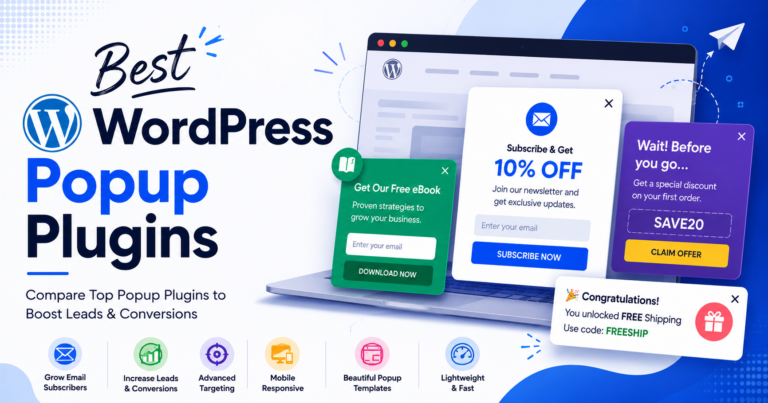
Why Visitors Leave — and Why Exit-Intent Popups Still Work in 2026
Have you ever checked your website analytics and wondered why so many visitors leave without taking action?
They browse a few pages, read your content, maybe even add a product to their cart — and then they’re gone. For most websites this isn’t unusual: only a small percentage of visitors convert on their first visit. Studies consistently show that 70–96% of first-time visitors never return to a site once they leave it.
That’s an enormous number of potential subscribers, leads, and customers slipping away every single day — but not every one of them is truly lost.
That’s exactly what a WordPress exit-intent popup plugin is built to fix. Instead of interrupting visitors while they browse, exit-intent technology waits until it detects signs someone is about to leave — then presents one final, relevant offer at the moment they’ve already decided to go.
Some site owners worry popups don’t work anymore, or that visitors reflexively close them. The reality is more nuanced: people don’t dislike every popup — they dislike irrelevant or badly-timed ones. A popup that fires the instant someone lands on your homepage feels disruptive. A popup that only appears after a visitor has explored your content and is actively leaving is a different experience entirely — and it’s why exit-intent popups can recover up to 15% of visitors who would otherwise leave a WordPress site without converting.
When paired with a genuinely useful offer, exit-intent popups help you:
- Recover visitors who would otherwise leave your website for good
- Grow your email list through targeted lead magnets
- Reduce WooCommerce cart abandonment
- Promote seasonal discounts and limited-time offers
- Generate more inquiries for service-based businesses
- Collect exit feedback before visitors go
In this guide, we’ve tested and reviewed the 7 best WordPress exit-intent popup plugins in 2026 — what each does well, where it falls short, and which one fits your site and marketing goals.
What Is an Exit-Intent Popup?
An exit-intent popup is a type of website overlay that appears when a visitor is about to leave a page. Its purpose is simple: give visitors one final opportunity to take action before they go.
Instead of firing the moment someone lands on a page, exit-intent technology waits until it detects signals that a visitor is about to leave. On desktop, this is usually identified by mouse movement toward the browser’s close button or address bar. On mobile — where there’s no cursor to track — modern popup plugins rely on signals like rapid scrolling, inactivity, back-button behavior, or other engagement drop-off patterns.
Depending on your site, an exit-intent popup might be used to:
- Offer a discount before a shopper abandons their cart
- Invite visitors to join your email newsletter
- Promote a free ebook, checklist, or downloadable guide
- Encourage a demo request or consultation booking
- Collect quick feedback about why someone is leaving
- Highlight a limited-time promotion
In short: an exit-intent popup detects when a visitor is about to leave and presents a relevant, timely offer — turning what would be a lost visit into a subscriber, lead, or customer.
How We Tested These Plugins
Rather than just comparing feature lists, we installed each plugin into a clean WordPress sandbox, built real campaigns, and evaluated real-world performance.
| Criteria | What I Evaluated |
|---|---|
| Exit-Intent Accuracy | Does it reliably detect when visitors are about to leave? |
| Mobile Support | How well does it handle exit detection without a cursor? |
| Ease of Use | Can beginners build campaigns without coding? |
| Targeting Options | Can you show different popups to different visitor segments? |
| WooCommerce Compatibility | Does it handle cart recovery and product-level promotions? |
| Performance | Does it measurably slow down the site? |
| Pricing & Value | What do you actually get for the money — one-time vs. recurring? |
Quick Comparison Table
| Plugin | Best For | Free Version | Starting Price | Active Installs | Key Weakness |
|---|---|---|---|---|---|
| YS LeadGen | All-in-one WordPress solution | Yes | Free / $39 Yearly Access | 1,000+ | Newer plugin, smaller user base |
| OptinMonster | Advanced targeting & personalization | No | $29/month (Pro, exit-intent tier) | 1,000,000+ | Ongoing subscription cost |
| Popup Maker | Best free option | Yes | $59.40/year (Pro, launch price) | 780,000+ | Exit-intent needs a premium extension |
| Thrive Leads | A/B testing & email list building | No | $99/year | Not public | Steep learning curve |
| Hustle | Beginners & small businesses | Yes | Free / $15/month | 80,000+ | Module cap in free version |
| Icegram | Budget-friendly lead generation | Yes | $129/year | 100,000+ | Basic targeting capabilities |
| Convert Pro | Agencies & freelancers | No | $99/year | Not public | Limited WooCommerce features |
Quick recommendation: If you want an all-in-one WordPress exit-intent popup plugin with full data ownership, YS LeadGen is our Best Overall pick. If you need enterprise-level personalization and have the budget for a monthly subscription, OptinMonster is the strongest premium choice. If you want to start free, Popup Maker offers the most generous free tier — just budget for the Pro add-on once you’re ready for exit-intent specifically.
Plugin Reviews
1. YS LeadGen — Best Overall WordPress Exit-Intent Popup Plugin
Best for: All-in-one popups, lead generation, and WooCommerce · Active installs: 1,000+ · Rating: 5/5
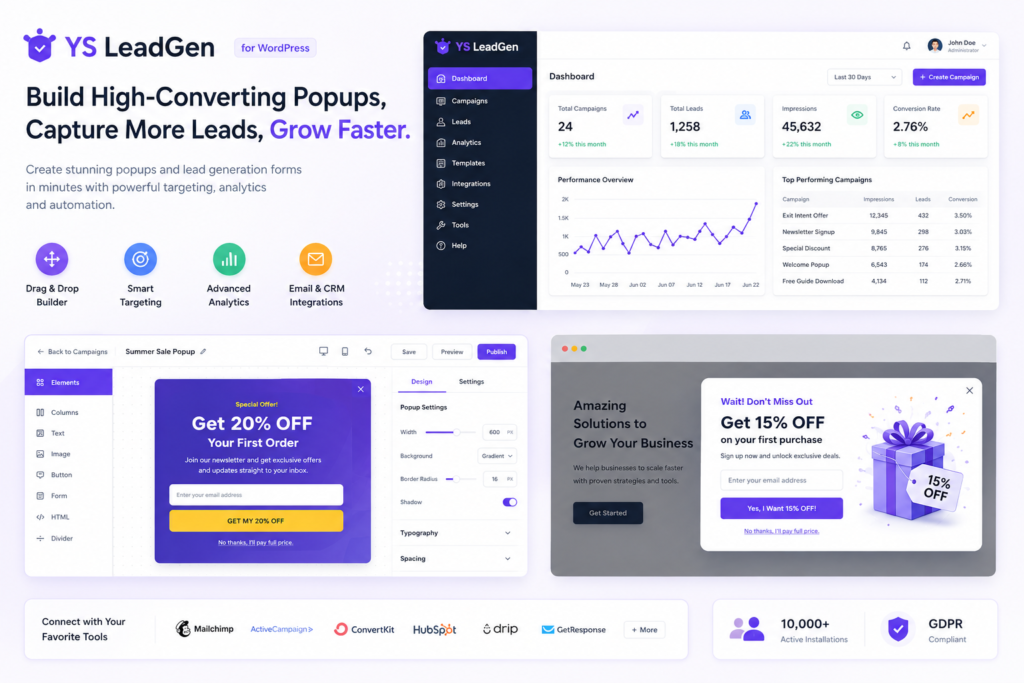
YS LeadGen is a WordPress popup plugin built to turn leaving visitors into leads, subscribers, and customers — entirely inside WordPress, with no external accounts, no separate dashboards, and no monthly SaaS fee required to get real functionality.
Why it’s our top pick: YS LeadGen earns Best Overall because it combines 13 popup types, WooCommerce-specific cart-recovery targeting, and built-in analytics into one plugin — while keeping every captured lead stored locally in your own WordPress database.
Key features:
- 13 popup types, including exit-intent, cart abandonment, spin-to-win, multi-step, and countdown timers
- Exit-intent detection plus scroll, time-on-site, inactivity, and click triggers
- WooCommerce cart-value, product, and category targeting (Pro)
- Drag-and-drop builder with 100+ templates and real-time preview
- Central lead dashboard with CSV export and GA4 integration
- GDPR-compliant forms with local-only data storage
Pros:
- All-in-one: popups, lead generation, and WooCommerce marketing in one plugin
- Leads stored locally — full data ownership, even if you deactivate the plugin
- Free version includes exit-intent technology
- Lightweight, with minimal measurable performance impact
Cons:
- Newer plugin with a smaller user base than OptinMonster
- Some advanced targeting (WooCommerce cart value, geolocation) requires Pro
- Smaller template library than larger, longer-established competitors
Pricing: Free, with yearly plans from $39 (Starter) to $129 (Pro).
Choose YS LeadGen if you: want an all-in-one exit-intent and lead-generation plugin, prefer a one-time payment over a monthly subscription, and want to keep full ownership of your captured leads.
Consider another option if you: need an established plugin with a very large existing user base and third-party ecosystem, or manage a very high-traffic enterprise site that needs OptinMonster-level behavioral automation.
2. OptinMonster — Best for Advanced Targeting & Personalization
Best for: Advanced targeting, personalization, conversion optimization · Active installs: 1,000,000+ · Rating: 4.9/5
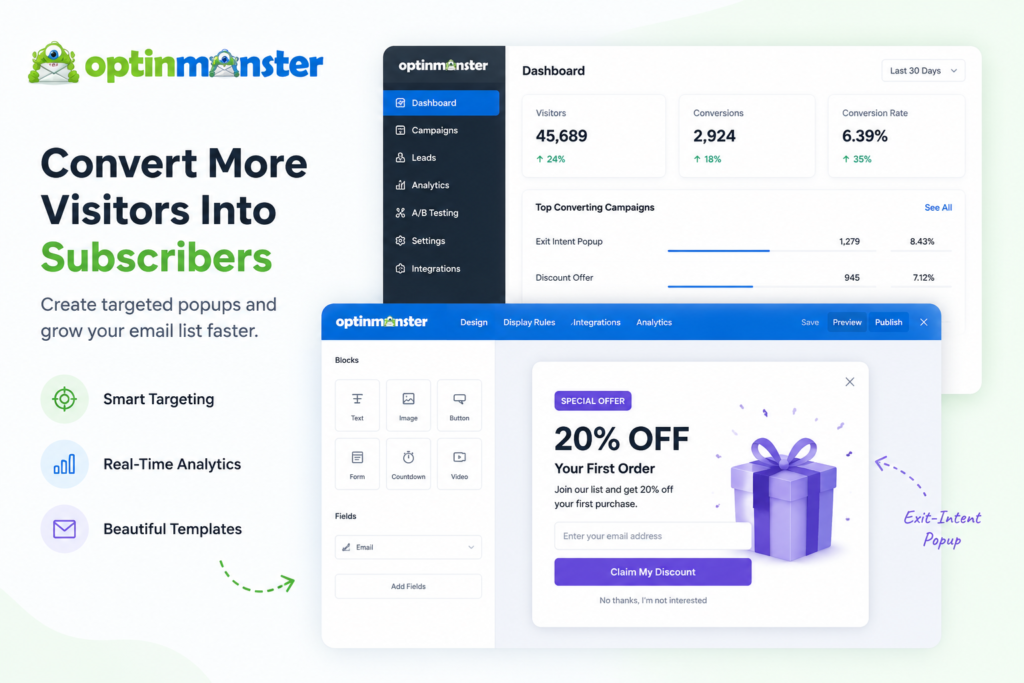
OptinMonster is the plugin that popularized exit-intent technology on WordPress, and remains one of the most widely trusted tools among high-traffic blogs and eCommerce brands.
Why it’s our top pick: OptinMonster earns this category because its Exit-Intent® Technology and behavioral targeting — segmenting by referral source, cart behavior, location, and visitor history — are still among the most accurate and comprehensive available.
Key features:
- Exit-Intent® detection (desktop cursor tracking, mobile scroll-based detection)
- 700+ templates with a drag-and-drop builder
- Cart abandonment, checkout-exit, and upsell/cross-sell WooCommerce popups
- A/B testing, conversion tracking, and on-site heatmaps
- 50+ third-party integrations
Pros:
- Highly accurate, industry-leading exit-intent detection
- Advanced targeting and visitor segmentation
- Largest template library on this list (700+)
- Extensive third-party integrations
Cons:
- Exit-intent specifically requires the Pro plan ($29/month)
- Ongoing subscription cost adds up for smaller sites
- Can be expensive relative
Pricing: Plans from $7/month (Basic, no exit-intent) up to $49/month (Growth); exit-intent requires Pro at $29/month or higher.
Choose OptinMonster if you: run a high-traffic site and need enterprise-grade behavioral targeting and A/B testing, and the subscription cost fits your budget.
Consider another option if you: want exit-intent included without needing to jump to a $29+/month tier — YS LeadGen or Popup Maker’s free tier are more budget-friendly starting points.
3. Popup Maker — Best Free WordPress Exit-Intent Popup Plugin
Best for: Free WordPress popups with flexible customization · Active installs: 780,000+ · Rating: 4.9/5
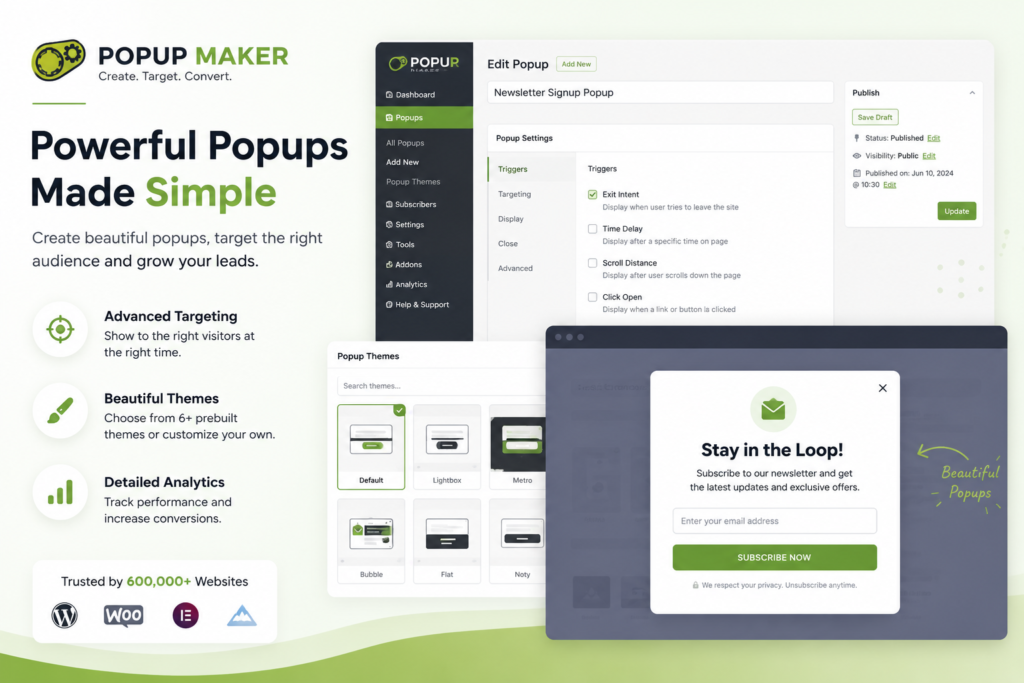
Popup Maker remains one of the most widely used popup plugins on WordPress, thanks to a genuinely generous free tier: unlimited popups, click and auto-open triggers, full page-level targeting, and integrations with 17+ form plugins.
Why it’s our top pick: Popup Maker earns Best Free because its free version is capable enough for real campaigns — exit-intent itself sits behind a premium extension, but everything else needed to launch popup marketing is available without paying anything.
Key features:
- Unlimited popups on the free plan
- Exit-intent with 6 detection methods (Pro extension)
- Scroll depth and behavioral targeting (Pro)
- Theme builder with custom CSS support
- Revenue attribution and WooCommerce integration (Pro+)
Pros:
- Genuinely generous free version with unlimited popups
- No forced monthly subscription
- Broad compatibility with WordPress form plugins
- Revenue attribution in the Pro+ tier for eCommerce ROI tracking
Cons:
- Exit-intent requires a premium extension, not included free
- More manual setup than drag-and-drop competitors
- Some users find the interface dated
Pricing: Free; Pro from $59.40/year (launch pricing); Pro+ from $149.40/year (launch pricing).
Choose Popup Maker if you: want to start free and are comfortable adding a premium extension once you’re ready to enable exit-intent specifically.
Consider another option if you: want exit-intent detection included in the free tier from day one — YS LeadGen and Hustle both include it free.
4. Thrive Leads — Best for A/B Testing & Email List Building
Best for: A/B testing, conversion optimization, email list growth · Active installs: Not public · Rating: 4.8/5
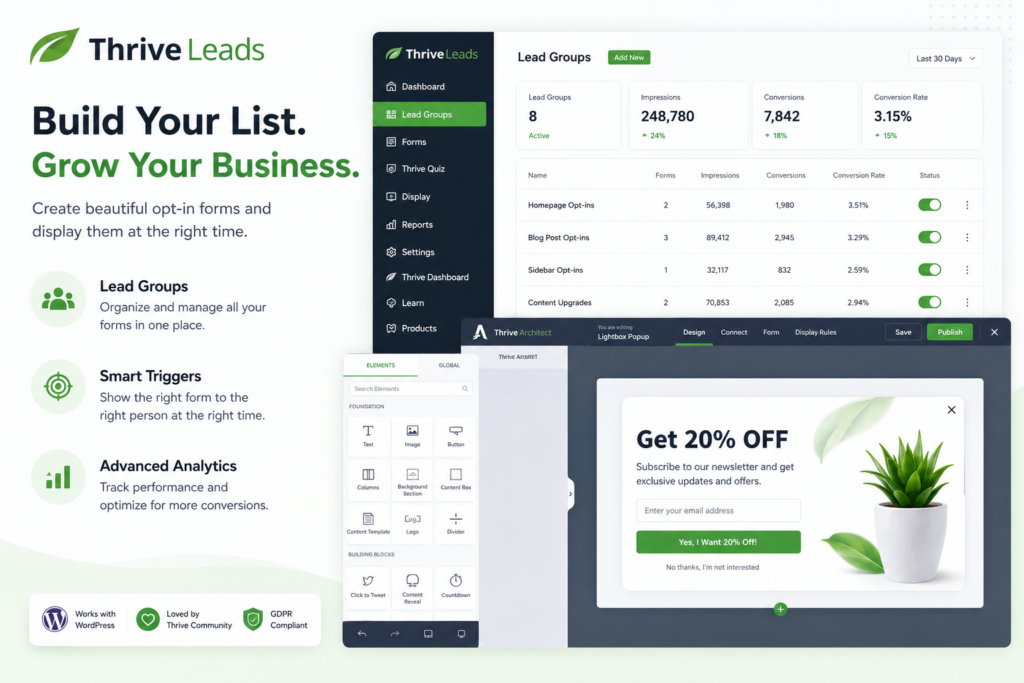
Thrive Leads is built specifically for converting visitors into email subscribers through rigorous testing, and is especially popular among content creators and data-driven marketers.
Why it’s our top pick: Thrive Leads earns this category thanks to SmartExit+ technology, which only fires exit-intent popups when specific engagement conditions are met — reducing visitor fatigue — combined with best-in-class A/B testing across every campaign type.
Key features:
- SmartExit+ conditional exit-intent detection
- 270+ templates across 8 popup formats, including content lockers and scroll mats
- SmartLinks for automatic offer rotation
- Asset Delivery for automated lead-magnet fulfillment
- Detailed A/B testing and conversion analytics
Pros:
- Best-in-class A/B testing across campaigns
- SmartExit+ reduces popup fatigue for visitors
- Detailed, native analytics and reporting
- Automated lead-magnet delivery (Asset Delivery)
Cons:
- Steeper learning curve than beginner-focused tools
- Self-hosted WordPress only
- Higher upfront and annual cost
Pricing: $99/year standalone, or $299/year as part of Thrive Suite.
Choose Thrive Leads if you: are a content creator or marketer who wants to continuously test and optimize email opt-in performance.
Consider another option if you: want a simpler, faster setup without a testing-heavy workflow — Hustle or YS LeadGen are more beginner-friendly.
5. Hustle — Best for Beginners & Small Businesses
Best for: Beginners, small business websites · Active installs: 80,000+ · Rating: 4.7/5
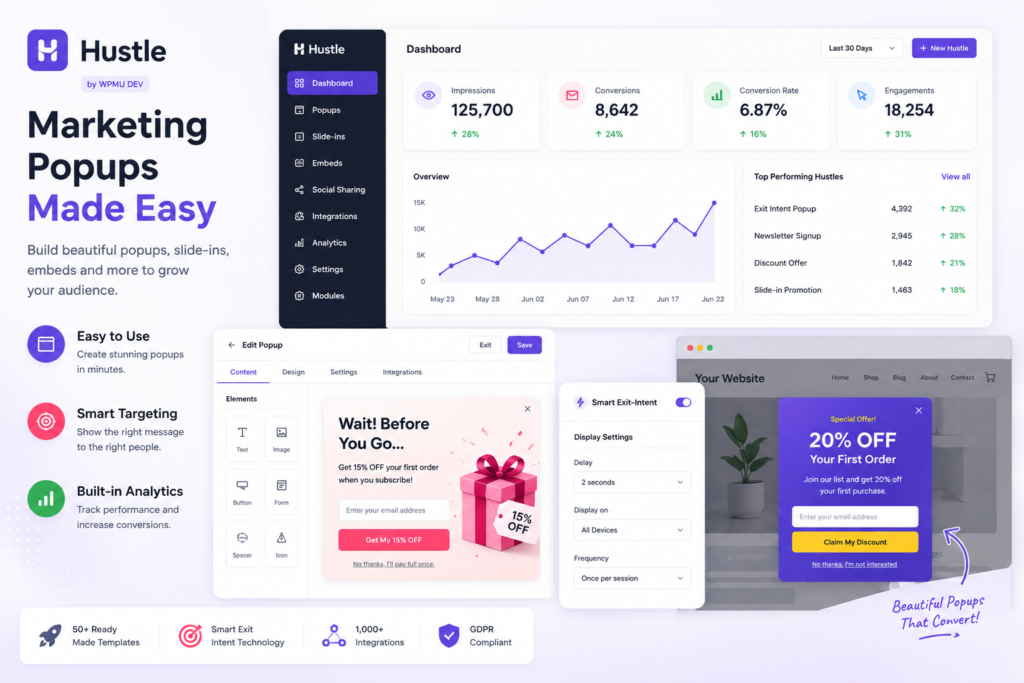
Hustle is a lightweight WordPress marketing plugin built around simplicity — popups, slide-ins, opt-in forms, and social-sharing modules in one clean interface.
Why it’s our top pick: Hustle earns this category because it includes Smart Exit-Intent in its free version (with a 3-of-each module cap), making it one of the few plugins on this list offering genuine exit-intent at zero cost, with 19+ email and CRM integrations.
Key features:
- Smart Exit-Intent included free
- Time-delay and scroll-percentage triggers
- 19+ email/CRM integrations (Mailchimp, ActiveCampaign, HubSpot)
- Visual, beginner-friendly editor with setup wizard
Pros:
- Easy to install and configure
- Genuinely free exit-intent, not gated behind Pro
- Clean, uncluttered interface
- Strong email/CRM integration list for its price point
Cons:
- 3-of-each module cap in the free version
- Limited advanced targeting compared to OptinMonster or YS LeadGen
- Pro features require a WPMU DEV membership
- Limited WooCommerce-specific features
Pricing: Free (module-capped); WPMU DEV membership from $15/month.
Choose Hustle if you: are a beginner or small business that wants free exit-intent without wading through advanced settings.
Consider another option if you: run WooCommerce and need cart-value targeting or checkout-exit popups — YS LeadGen or OptinMonster go deeper here.
6. Icegram — Best Budget-Friendly Lead Generation Plugin
Best for: Budget-friendly lead generation · Active installs: 100,000+ · Rating: 4.6/5
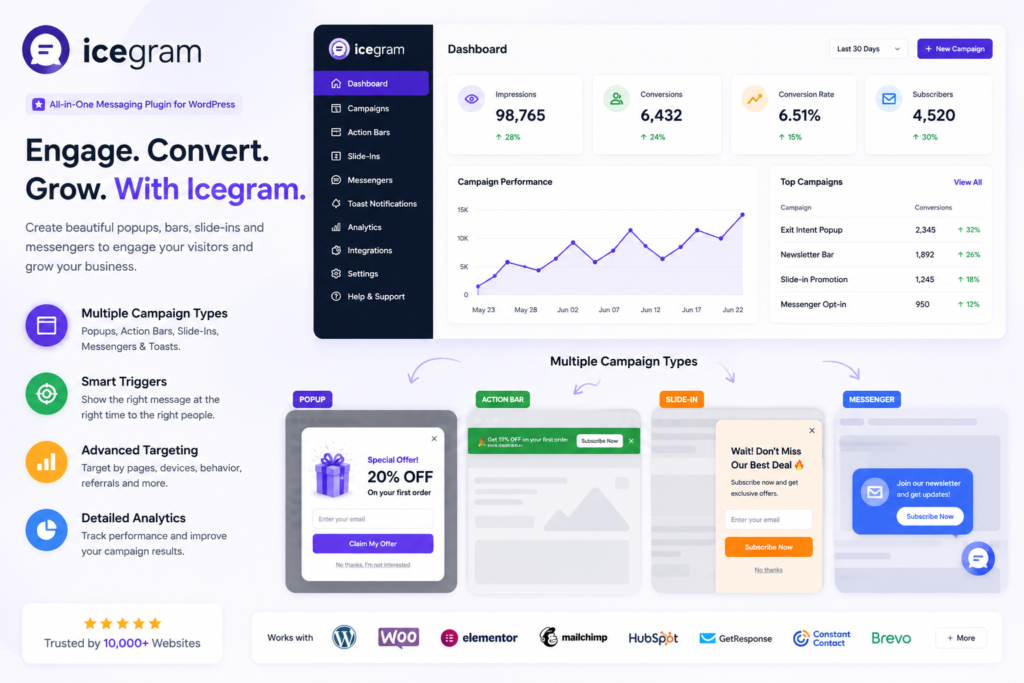
Icegram has been part of the WordPress ecosystem for years, focusing on practical lead-generation tools — popups, action bars, toast notifications, and inline messages — rather than trying to be a full marketing platform.
Why it’s our top pick: Icegram earns this category for affordability: a genuinely usable free tier plus one of the lowest-cost premium plans on this list.
Key features:
- Exit-intent detection with time-delay and scroll triggers
- 7 popup/notification formats, including action bars and CTA banners
- Page-level and device targeting
- Straightforward visual editor
Pros:
- Free version available
- One of the most affordable premium tiers on this list
- Multiple campaign formats in one plugin
- Active, ongoing development
Cons:
- Advanced targeting is limited compared to premium competitors
- May not scale well for high-volume sites
- Interface feels dated
- Limited WooCommerce features
Pricing: Free; Pro from $129/year.
Choose Icegram if you: are a blogger or small business that wants affordable lead generation without a monthly subscription.
Consider another option if you: need deeper targeting or WooCommerce-specific cart recovery — YS LeadGen or Convert Pro fit better.
7. Convert Pro — Best for Agencies & Freelancers
Best for: Agencies, freelancers, design-focused campaigns · Active installs: Not public · Rating: 4.7/5
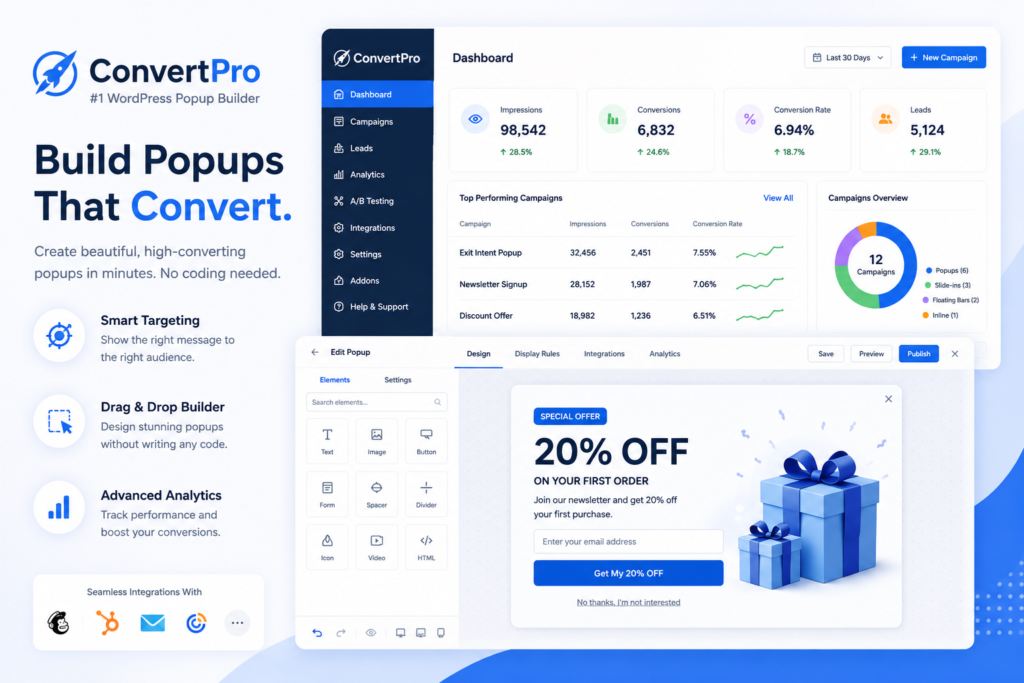
Developed by the team behind the Astra WordPress theme, Convert Pro pairs a clean, fast interface with solid targeting options, making it a popular choice for agencies managing multiple client sites.
Why it’s our top pick: Convert Pro earns this category for its design-first approach — a genuinely intuitive drag-and-drop builder built by an established theme team, optimized for speed and clean WordPress integration.
What Makes It Stand Out
Key features:
- Exit-intent, scroll-depth, and inactivity-based triggers
- 100+ templates with real-time preview
- WooCommerce cart-value, product, and category targeting
- A/B testing and campaign analytics
- Lifetime license option
Pros:
- Clean, intuitive drag-and-drop builder
- Strong targeting options for the price
- Lifetime license available ($399 one-time)
- Lightweight, minimal performance impact
Cons:
- Primarily focused on popups — narrower scope than all-in-one tools
- WooCommerce features are lighter than OptinMonster or YS LeadGen
- No free version to test before buying
- Built-in analytics are basic compared to SaaS alternatives
Pricing: $99/year annual license, or $399 one-time for a lifetime license.
Choose Convert Pro if you: are an agency or freelancer who wants a fast, design-forward builder and prefers a lifetime license.
Consider another option if you: need deep WooCommerce cart-recovery features or want to test with a free version first — YS LeadGen covers both.
Which Plugin Should You Choose?
| If You Need… | Choose This Plugin |
|---|---|
| An all-in-one WordPress solution with yearly pricing | YS LeadGen |
| Advanced targeting & personalization | OptinMonster |
| The best free option (with a paid path to exit-intent) | Popup Maker |
| A/B testing & email list building | Thrive Leads |
| A lightweight beginner solution | Hustle |
| A budget-friendly option | Icegram |
| An agency-friendly, design-focused builder | Convert Pro |
Feature Comparison: Best WordPress Exit-Intent Popup Plugins
| Feature | YS LeadGen | OptinMonster | Popup Maker | Thrive Leads | Hustle | Icegram | Convert Pro |
|---|---|---|---|---|---|---|---|
| Exit-Intent in Free Version | Yes | No | No (Pro extension) | No | Yes | Yes | No |
| WooCommerce Cart Targeting | Yes (Pro) | Yes | Pro+ only | No | No | No | No |
| A/B Testing | Basic | Yes | Pro | Yes | No | No | Yes |
| Drag-and-Drop Builder | Yes | Yes | Partial | Yes | Yes | Yes | Yes |
| Local Data Ownership | Yes | No (cloud) | Yes | Yes | No (cloud) | Yes | Yes |
| Template Count | 100+ | 700+ | Theme-based | 270+ | Moderate | Moderate | 100+ |
| Best For | WooCommerce Growth | Enterprise Personalization | Free Users | CRO & Testing | Beginners | Budget | Agencies |
Exit-Intent Popup Best Practices
1. Time Your Popups Properly
Give visitors at least 30 seconds to engage with your content before showing a popup, or use scroll triggers to wait until they’ve read part of the page.
2. Offer Real Value
People rarely hand over an email address without a reason. Effective offers include limited-time discounts, free shipping, downloadable guides, exclusive content, and free consultations.
3. Match the Message to the Visitor
A blog reader and a product-page browser have different expectations. Tailor campaigns by page type: newsletter signups on articles, discount offers on product pages, consultation requests on service pages, and cart-recovery offers on cart/checkout pages.
4. Keep Forms Short
Long forms discourage action. If you’re growing an email list, an email address alone is usually enough — ask for more only when necessary.
5. Design for Mobile
With over 60% of web traffic coming from mobile, your popups need clean responsive layouts, easy-to-tap close buttons, fast load times, and no content blocking.
6. Don’t Overuse Popups
Showing the same popup on every visit frustrates repeat visitors. Use frequency controls (cookie- or behavior-based) to limit repeated display.
7. Test and Optimize
Small changes move the needle — test headlines, button text, imagery, timing, colors, and offer types rather than launching once and leaving it alone.
Common Mistakes to Avoid
Showing the same popup to every visitor. A blog reader and a product-page browser want different things — segment campaigns by page type and visitor behavior instead of running one generic popup sitewide.
Asking for too much information. Long forms reduce conversions. Start with the minimum you actually need and ask for more later, once trust is established.
Offering nothing valuable. A generic “Subscribe to our newsletter” rarely converts as well as an offer with immediate, specific value attached.
Displaying popups too frequently. Repeated exposure to the same popup quickly becomes frustrating — use frequency controls to cap how often a visitor sees the same campaign.
Ignoring mobile visitors. Mobile users interact with popups differently than desktop users (no cursor, smaller screens) — always test on multiple devices before publishing.
Not testing different campaigns. Launching one popup and never revisiting performance data is a missed opportunity; even small A/B tests can meaningfully shift conversion rates.
Ignoring campaign performance. Track conversion rate, email signups, lead volume, and cart recovery regularly, and use those numbers to refine future campaigns.
Final Verdict
The best WordPress exit-intent popup plugin is the one that matches your business model and budget, not just the one with the most features.
For most WordPress site owners, YS LeadGen offers the strongest overall combination of exit-intent accuracy, WooCommerce integration with full data ownership. Businesses that need enterprise-grade personalization and have the budget for a subscription should look at OptinMonster, while Popup Maker remains the best starting point if you want to build campaigns for free before paying for exit-intent specifically.
The most successful exit-intent campaigns aren’t built by showing more popups — they’re built by presenting the right offer to the right visitor at the right moment. Start with a clear offer, test different approaches, and always prioritize the visitor’s experience over the interruption.
Frequently Asked Questions About Exit-Intent Popup Plugins
2. Do exit-intent popups actually work?
Yes, when timed and targeted correctly. Because exit-intent popups only appear at the moment a visitor has already decided to leave, they're far less disruptive than popups that fire on page load — and can recover up to 15% of visitors who would otherwise leave without converting.
3. Which is the best WordPress exit-intent popup plugin?
YS LeadGen is the best overall pick for most WordPress sites thanks to its combination of exit-intent detection, WooCommerce targeting, and lifetime pricing. OptinMonster is the strongest choice for advanced personalization at scale, and Popup Maker leads for a free-first approach.
4. Which is the best free exit-intent popup plugin for WordPress?
YS LeadGen and Hustle both include genuine exit-intent detection in their free versions. Popup Maker's free tier is generous overall, but exit-intent itself requires a paid extension.
5. Are exit-intent popups bad for SEO?
Not inherently. Google's mobile intrusive-interstitial guidelines target popups that block content immediately on page load or app-install banners covering content — not exit-intent popups, which by definition only appear as a visitor is leaving and don't interfere with initial content access. A well-built exit-intent plugin has no meaningful SEO downside.
6. Can exit-intent popups reduce cart abandonment?
Yes. Cart-based exit-intent popups — offering a discount, free shipping, or a simple reminder as a shopper tries to leave with items still in their cart — are one of the most effective ways to recover otherwise-lost WooCommerce sales. YS LeadGen, OptinMonster, and Convert Pro all support cart-value-based targeting for this purpose.
7. Can I use exit-intent popups to grow my email list?
Yes — this is one of the most common uses. Pairing an exit-intent trigger with a compelling lead magnet (a discount, guide, or checklist) is typically far more effective than a generic newsletter signup form shown on every page.
8. Do exit-intent popups work on mobile devices?
Yes, though detection works differently. Since there's no mouse cursor to track on mobile, plugins use alternative signals like rapid upward scrolling, prolonged inactivity, or back-button behavior to infer exit intent. Plugin quality varies here, so it's worth testing on an actual mobile device before publishing a campaign.
9. Which exit-intent popup plugin is best for WooCommerce?
YS LeadGen and OptinMonster both offer the deepest WooCommerce integration, including cart-value targeting, checkout-exit popups, and product/category-level campaigns. Convert Pro also supports WooCommerce targeting, though with a narrower feature set than either of those two.
10. Do I need coding knowledge to create exit-intent popups?
No. Every plugin in this guide includes a visual, drag-and-drop builder, so you can design and launch a campaign entirely from the WordPress dashboard without writing HTML, CSS, or PHP.
11. Can exit-intent popups slow down my website?
A well-coded plugin has minimal measurable performance impact, since exit-intent scripts are lightweight and typically load asynchronously. Heavier, poorly optimized plugins can add noticeable load time — after installing any popup plugin, check your page speed with a tool like PageSpeed Insights or GTmetrix to confirm.
12. What's the difference between an exit-intent popup plugin and a lead generation plugin?
An exit-intent popup plugin is trigger-specific — it's built around detecting when a visitor is about to leave. A lead generation plugin is broader, covering multiple capture methods (forms, landing pages, gated content, and more) alongside exit-intent as just one of several triggers. Most modern plugins, including all seven reviewed here, combine both.
13. How often should I display exit-intent popups?
Most site owners show a given exit-intent campaign no more than once per visitor per session, using cookie- or session-based frequency controls to avoid repeat exposure on subsequent visits within a set period (commonly 7–30 days).
14. Should I choose a free or premium popup plugin?
Match the plugin to your priority: choose YS LeadGen for an all-in-one solution with lifetime pricing, OptinMonster for advanced targeting at scale, Popup Maker to start free, Thrive Leads for rigorous A/B testing, Hustle for a beginner-friendly free option, Icegram for budget lead generation, or Convert Pro for an agency-friendly design-first builder.
15. Which exit-intent popup plugin should I choose?
If you're still deciding, here's a simple recommendation:
- Choose YS LeadGen if you want an all-in-one solution for exit-intent popups, WooCommerce marketing, and lead generation.
- Choose OptinMonster if advanced targeting and conversion optimization are your priorities.
- Choose Popup Maker if you're looking for a flexible self-hosted plugin with a generous free version.
- Choose Thrive Leads if your main objective is building an email list.
- Choose Hustle if you're new to popup marketing and prefer a beginner-friendly solution.
The best plugin is the one that matches your website's goals, budget, and long-term marketing strategy.
This guide is reviewed and updated periodically to reflect current WordPress exit-intent popup plugin features, pricing, and integrations. Last verified: August 2026.