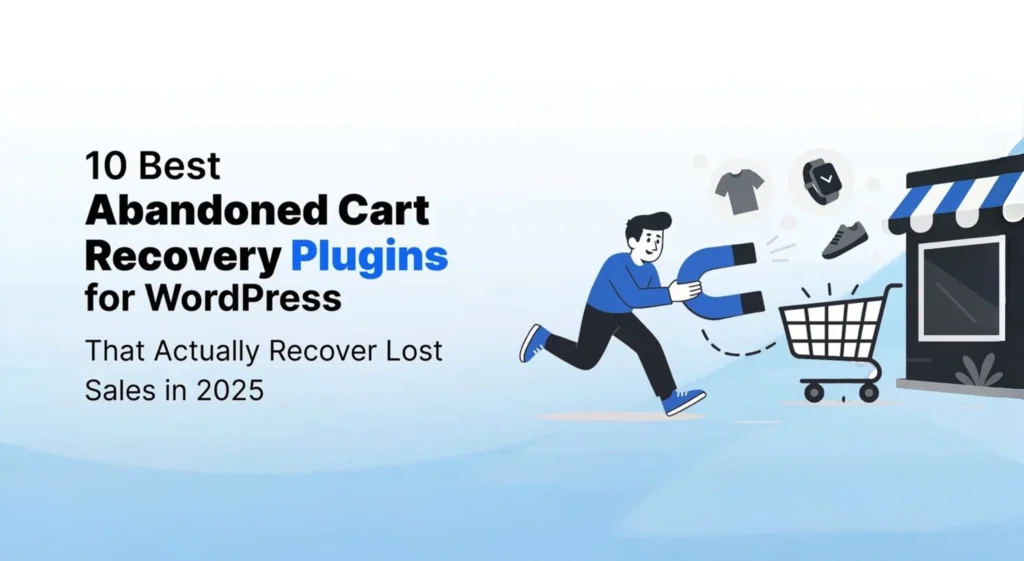
Cart abandonment is one of the biggest challenges for WooCommerce and WordPress store owners. A customer can spend several minutes browsing products, add items to their cart, and even reach checkout before leaving without completing the purchase. When this happens repeatedly, the problem is not necessarily a lack of traffic. In many cases, the store is simply losing customers who were already close to buying.
The good news is that abandoned carts do not always have to become lost sales. With the right recovery strategy, store owners can bring some of those shoppers back through timely messages, personalized offers, reminders, and conversion-focused campaigns.
The plugin you choose matters because abandoned-cart recovery is not just about sending another email. Depending on your store, you may need checkout recovery links, automated email sequences, customer segmentation, SMS or push notifications, behavioral targeting, or conversion-focused popups.
In this guide, we compare the leading WordPress and WooCommerce solutions for abandoned-cart recovery in 2026. We’ll look at what each plugin is best suited for, the features that matter, pricing, and which type of store should consider each option.
Why Abandoned Cart Recovery Is Critical for Your WordPress Store
Before comparing plugins, it is worth understanding why cart recovery deserves attention in the first place. Getting a visitor to add a product to the cart already requires effort through SEO, advertising, social media, product pages, and other marketing activities. When that shopper leaves at checkout, the store has already done much of the work of bringing a potential customer to the point of purchase.
The challenge is that customers abandon carts for many different reasons. Some are simply comparing prices, while others are discouraged by unexpected shipping costs, a complicated checkout process, limited payment options, or the requirement to create an account. That means a recovery strategy should not rely on a single message or discount.
The Reality of Cart Abandonment
Cart abandonment is common across ecommerce, and several factors can contribute to it.
Unexpected costs are one of the major reasons shoppers leave. Shipping charges, taxes, and other costs that appear late in the checkout process can change a customer’s decision at the final stage.
Complicated checkout experiences can have a similar effect. On mobile devices in particular, a long or difficult checkout process can make completing an order frustrating.
Some shoppers also leave because they are forced to create an account, while others may have concerns about payment security or the available payment methods.
There is also a simpler explanation: some customers are still comparing products and prices. A shopper may add an item to the cart with the intention of checking another store before deciding where to buy.
The Revenue Recovery Opportunity
An abandoned cart does not necessarily mean the customer is gone forever. A well-timed recovery campaign can give shoppers a convenient way to return to their cart and complete the purchase.
The source estimates that effective abandoned-cart recovery can recover around 15–35% of otherwise lost sales, depending on how the campaign is implemented.
Recovery automation also means that the process does not have to depend on someone manually following up with every customer. Once the right workflows are configured, reminders can continue running in the background while the store team focuses on other parts of the business.
For growing ecommerce stores, the value goes beyond recovering a single order. Bringing an interested customer back can also create an opportunity for a repeat purchase and improve the overall value of the customer relationship.
This is why abandoned-cart recovery is best viewed as part of a broader conversion strategy rather than simply another email marketing task.
Top 10 WordPress Abandoned Cart Recovery Plugins for 2026
1. YS LeadGen — Best Overall for WordPress Conversion and Lead Generation
YS Innovations YS LeadGen takes a broader approach to ecommerce conversion than a traditional abandoned-cart plugin. Rather than focusing only on recovering a cart after a visitor has already left, it is designed around engaging website visitors, capturing leads, and creating targeted conversion campaigns while shoppers are still on the site.
This makes it a useful option for WordPress websites that want to work on the larger conversion problem rather than relying entirely on post-abandonment emails.
A store can use conversion-focused campaigns to present relevant offers, capture visitor information, and engage shoppers based on actions such as scrolling, exit intent, or other targeting conditions. For businesses that are trying to reduce lost opportunities across the entire shopping journey, this broader approach can be valuable.
Key Features
YS LeadGen includes tools for building and managing conversion-focused campaigns, including:
- Popup Builder: Create targeted campaigns without building every element from scratch.
- Lead Capture Forms: Capture visitor information before potential customers leave.
- Exit-Intent Campaigns: Engage visitors when they show signs of leaving the website.
- Spin-to-Win Campaigns: Use interactive campaigns to encourage engagement and lead capture.
- Countdown Timers: Add urgency to time-sensitive offers.
- Slide-Ins: Display targeted messages without taking over the entire page.
- Coupon Popups: Present promotional offers at relevant points in the visitor journey.
- Scroll Triggers: Show campaigns based on how far a visitor has moved through a page.
- Multi-Step Campaigns: Create more structured conversion flows instead of relying on a single popup.
Why We Recommend YS LeadGen
YS LeadGen is our #1 choice for WordPress conversion and lead generation because abandoned-cart recovery should not always begin after a shopper has already left.
For many stores, there is value in identifying hesitation earlier and giving visitors another reason to continue shopping, subscribe, claim an offer, or complete an action before they abandon the site.
If your primary requirement is a dedicated abandoned-cart email engine, one of the specialized WooCommerce solutions below may be a better fit. But if you want to combine visitor engagement, lead capture, targeting, and conversion optimization within your WordPress website, YS LeadGen is a strong overall choice.
Best For
WordPress and WooCommerce websites looking for a broader conversion and lead-generation platform rather than a tool focused exclusively on post-abandonment recovery.
2. WooCommerce Abandoned Cart Pro — Best for Comprehensive Multi-Channel Recovery
WooCommerce Abandoned Cart Pro is designed for stores that want to recover abandoned purchases across more than one communication channel. Instead of relying only on email reminders, the plugin supports email, SMS, and Facebook Messenger, giving store owners several ways to reach shoppers who leave before completing an order.
For larger or more established ecommerce stores, this multi-channel approach can be useful because different customers respond to different types of communication. Some may return after an email reminder, while others may be more responsive to a text message or another channel.
Key Features
The plugin includes email, SMS, and Facebook Messenger integration, along with tools for improving the timing and relevance of recovery campaigns.
- Multi-Channel Recovery: Reach customers through email, SMS, and Facebook Messenger.
- Smart Timing: Optimize message timing based on customer behavior.
- Advanced Segmentation: Create different customer groups and personalize recovery messages.
- Cart Restoration: Use one-click recovery links that restore the customer’s cart contents.
- A/B Testing: Test different subject lines, content, and timing to improve campaign performance.
Why Stores Choose It
The main advantage of WooCommerce Abandoned Cart Pro is the breadth of its recovery options. Instead of treating cart recovery as an email-only process, it gives store owners the ability to build campaigns across several channels.
That can be particularly useful for stores with enough customer activity to justify a more comprehensive recovery strategy.
Pricing
The source lists WooCommerce Abandoned Cart Pro at $119 per year.
Best For
WooCommerce stores that want a dedicated abandoned-cart solution with email, SMS, Facebook Messenger, segmentation, cart restoration, and testing.
3. Retainful — Best for Advanced Abandoned Cart Automation
Retainful is built for ecommerce stores that want to automate their abandoned-cart recovery instead of managing each campaign manually. Its pre-built workflows make it possible to create recovery sequences quickly, while additional features help stores bring customers back for future purchases as well.
The platform is particularly useful for stores that want abandoned-cart recovery to become part of a broader retention strategy. Instead of focusing only on the abandoned order, features such as next-order coupons and referral programs can help turn recovered customers into repeat buyers.
Key Features
- Pre-Built Workflows: Start with ready-to-use automation sequences rather than building every workflow from scratch.
- Next Order Coupons: Encourage customers to make another purchase with personalized discount codes.
- Referral Program Integration: Give existing customers ways to refer others to the store.
- Real-Time Analytics: Monitor recovery rates, revenue, and customer behavior.
- Dynamic Content: Automatically display the products left behind in abandoned-cart emails.
Why Automation-Focused Stores Choose It
The main strength of Retainful is its focus on automation. Store owners can create abandoned-cart email sequences, set the timing, and allow the campaigns to run without constant manual intervention.
That makes it a practical option for growing ecommerce businesses that want more than a basic reminder email but do not necessarily need the complexity of a large enterprise marketing platform.
Pricing
The source lists Retainful as a freemium plugin. The free version is limited to 2,000 contacts, while premium plans start at $19 per month.
Best For
Growing WooCommerce stores that want pre-built automation workflows, abandoned-cart emails, customer retention features, and real-time recovery analytics.
4. CartBounty — Best for Email, SMS, and Push Notification Recovery
CartBounty is designed specifically for WooCommerce stores that want to recover abandoned carts through multiple channels. Along with email automation, it supports SMS and push notifications, giving store owners more ways to reconnect with shoppers after they leave the checkout process.
This makes CartBounty particularly interesting for stores that do not want their recovery strategy to depend entirely on email. The plugin also includes tools for identifying customers before they leave and creating a branded recovery experience.
Key Features
- Triple-Channel Recovery: Use email, SMS, and push notifications for abandoned-cart campaigns.
- Exit-Intent Detection: Identify visitors who are about to leave and take action before the cart is abandoned.
- WordPress Integration: Designed to work with WordPress and WooCommerce.
- Custom Recovery Pages: Create branded pages that guide customers back toward completing their purchase.
- GDPR Compliance: Includes privacy controls and consent-management features.
Why Modern Stores Choose It
CartBounty combines traditional abandoned-cart email automation with SMS and push notifications. Store owners can create automated recovery sequences and define when those messages should be sent.
The exit-intent functionality is also useful because it gives stores an opportunity to engage shoppers before they leave rather than waiting until the cart has already been abandoned.
Pricing
The source lists a free version, with premium plans starting at $29 per month.
Best For
WooCommerce stores that want email, SMS, and push notification recovery together, particularly businesses looking for a broader multi-channel approach.
5. WooCommerce Cart Abandonment Recovery — Best Free Solution
WooCommerce Cart Abandonment Recovery is aimed at store owners who want to recover abandoned purchases without starting with a paid plugin. Its main strength is simplicity: it provides the core tools needed to send recovery emails and bring shoppers back to the point where they left their carts.
One of its more useful features is the unique checkout link. Instead of asking customers to rebuild their cart from the beginning, the recovery email can take them back to their previous checkout state, making it easier to continue the purchase.
Key Features
- Unique Checkout Links: Take customers back to their previous cart or checkout state.
- Email Automation: Create automated recovery sequences with customizable timing.
- Customer Segmentation: Send more relevant messages to different types of customers.
- Performance Tracking: Monitor recovery activity and its impact on revenue.
- Template Library: Use pre-designed email templates to get campaigns running quickly.
Why Budget-Conscious Stores Choose It
For smaller stores, the ability to start without an upfront subscription can make a meaningful difference. The plugin focuses on the core abandoned-cart recovery process rather than trying to become a complete marketing platform.
That makes it a reasonable starting point for store owners who want to test cart recovery, understand their results, and decide later whether they need more advanced automation or multi-channel features.
Pricing
The source lists the plugin as free, with premium features available.
Best For
Small WooCommerce stores and beginners looking for a free, straightforward abandoned-cart recovery solution with automated emails and unique checkout links.
6. FunnelKit Automations — Best for Advanced Marketing Automation
FunnelKit, formerly known as Autonami, is designed for ecommerce businesses that want to build more sophisticated marketing workflows around their WooCommerce store. Abandoned-cart recovery is one part of what it can do, but the platform goes further by allowing businesses to create complete customer journeys.
That broader approach makes it different from a plugin focused only on sending abandoned-cart reminders. You can build workflows around customer behavior, segmentation, and follow-up campaigns, making it useful for stores that want to connect cart recovery with their wider marketing strategy.
Key Features
- Visual Automation Builder: Build customer journeys using a drag-and-drop workflow interface.
- Behavioral Triggers: Start campaigns based on customer actions and preferences.
- Advanced Segmentation: Create targeted customer groups for more relevant campaigns.
- Multi-Step Sequences: Build longer nurture campaigns beyond simple cart reminders.
- CRM Integration: Connect marketing automation with customer-management tools.
Why Growing Businesses Choose It
The biggest advantage of FunnelKit Automations is the ability to build complete customer journeys rather than treating abandoned-cart recovery as an isolated campaign.
For example, a store can use customer behavior to trigger different stages of communication and continue engaging shoppers after the initial recovery campaign. This makes the plugin more suitable for businesses that are already thinking about lifecycle marketing and customer retention.
Pricing
The source lists FunnelKit Automations at $99 per year.
Best For
Growing WooCommerce businesses that need visual automation workflows, behavioral triggers, advanced segmentation, and multi-step customer journeys alongside abandoned-cart recovery.
7. Klaviyo for WooCommerce — Best for Data-Driven Stores
Klaviyo is a strong option for WooCommerce stores that want to use customer data to make abandoned-cart campaigns more relevant. Rather than treating every abandoned cart in the same way, Klaviyo allows businesses to use customer behavior and purchase data to build more targeted recovery campaigns.
Its strength is particularly clear for stores that already have enough customer data to benefit from advanced segmentation, analytics, and personalized product recommendations.
Key Features
- Advanced Analytics: Understand customer behavior and measure recovery performance.
- Predictive Segmentation: Use AI-powered segmentation to identify and target different customer groups.
- Dynamic Product Recommendations: Show personalized product suggestions in recovery emails.
- Cross-Channel Integration: Combine email, SMS, and social media campaigns.
- Revenue Attribution: Track the revenue generated by abandoned-cart recovery campaigns.
Why Data-Driven Stores Choose It
Klaviyo’s main advantage is the depth of customer data available for campaign optimization. Instead of sending the same recovery message to everyone, stores can use customer behavior and previous interactions to create more targeted campaigns.
This can be especially valuable for ecommerce businesses with larger audiences, where basic abandoned-cart reminders may not provide enough control over customer segmentation and personalization.
Pricing
The source lists Klaviyo as free for up to 250 contacts, with paid plans starting at $20 per month.
Best For
Data-driven WooCommerce stores that need advanced analytics, predictive segmentation, personalized product recommendations, cross-channel marketing, and revenue attribution.
8. YITH WooCommerce Recover Abandoned Cart — Best for Customizable Recovery Experiences
YITH offers an abandoned-cart recovery solution aimed at ecommerce stores that want more control over how recovery campaigns look and who receives them. Rather than relying only on generic reminder emails, the plugin provides customization and targeting options that allow stores to build recovery campaigns around their own products and brand.
This can be particularly useful for design-focused stores where the appearance and messaging of customer communication are an important part of the overall shopping experience.
Key Features
- Customizable Email Templates: Adjust recovery emails to match your store’s branding and design.
- Advanced Targeting: Target customers based on cart value, products, and shopping behavior.
- Coupon Integration: Automatically generate and send discount codes as part of recovery campaigns.
- Guest Customer Recovery: Recover carts from both registered users and guest shoppers.
- Detailed Reporting: Monitor campaign performance and recovery results.
Why Design-Focused Stores Choose It
The plugin gives store owners considerable control over the appearance and targeting of their recovery campaigns. This makes it useful for brands that want their abandoned-cart communication to feel like a natural extension of their website rather than a generic automated message.
The targeting options also allow businesses to adjust campaigns based on the value of a cart, the products involved, or customer behavior.
Pricing
The source lists YITH WooCommerce Recover Abandoned Cart at $69.99 per year.
Best For
WooCommerce stores that prioritize custom email design, customer targeting, coupon-based recovery, guest-cart recovery, and detailed reporting.
9. Recover Abandoned Carts for WooCommerce — Best for Simple and Lightweight Recovery
Recover Abandoned Carts for WooCommerce is aimed at store owners who want the basic tools needed to recover abandoned purchases without adding a complicated marketing system to their website. Its focus is straightforward cart recovery rather than a long list of advanced features.
That simplicity can be useful for smaller stores that are just starting to work on abandoned-cart recovery. Instead of spending time configuring complex workflows, store owners can focus on setting up the essential recovery process and monitoring whether it brings customers back.
Key Features
- Simple Setup: Designed to get a basic recovery campaign running quickly.
- Essential Recovery Features: Concentrates on abandoned-cart functionality without unnecessary complexity.
- Lightweight Code: Designed to avoid adding unnecessary load to the website.
- Basic Analytics: Provides essential recovery performance information.
- Mobile Optimization: Helps ensure recovery emails work properly across mobile devices.
Why Simplicity-Focused Stores Choose It
Not every WooCommerce store needs advanced segmentation, predictive analytics, or multi-channel automation. For smaller businesses, a lightweight plugin that handles the fundamental recovery process can be a more practical choice.
It is particularly suitable when the priority is getting started quickly and learning how abandoned-cart recovery performs before investing in a more advanced system.
Pricing
The source lists Recover Abandoned Carts for WooCommerce as free.
Best For
Small WooCommerce stores looking for a free, lightweight, and straightforward abandoned-cart recovery solution without unnecessary complexity.
10. Omnisend for WooCommerce — Best for Omnichannel Ecommerce Marketing
Omnisend is designed for ecommerce businesses that want to combine abandoned-cart recovery with a broader customer communication strategy. Rather than focusing only on recovery emails, it brings email, SMS, push notifications, and other marketing channels together in one platform.
For WooCommerce stores already investing in ecommerce marketing, this can make it easier to connect abandoned-cart recovery with other customer journeys. Product recommendations and segmentation also allow recovery campaigns to be more relevant to individual shoppers.
Key Features
- Omnichannel Marketing: Combine email, SMS, push notifications, and social media campaigns.
- Ecommerce Focus: Features are designed specifically around online-store marketing.
- Advanced Automation: Build customer journeys using a visual automation system.
- Product Recommendations: Include personalized product suggestions in recovery messages.
- Customer Segmentation: Target shoppers based on their behavior and preferences.
Why Omnichannel Stores Choose It
Omnisend is useful for stores that do not want abandoned-cart recovery to exist separately from the rest of their marketing. The platform allows businesses to connect cart recovery with broader customer journeys and communicate across multiple channels.
This approach can be particularly useful for ecommerce brands that already have an active customer base and want to coordinate email, SMS, push notifications, and product recommendations rather than relying on a single recovery channel.
Pricing
The source lists Omnisend as free for up to 250 contacts, with paid plans starting at $16 per month.
Best For
WooCommerce stores looking for omnichannel abandoned-cart recovery combined with email, SMS, push notifications, automation, segmentation, and product recommendations.
How to Choose the Right Abandoned Cart Recovery Plugin
There is no reason to choose an abandoned-cart plugin simply because it has the largest feature list. A small WooCommerce store may only need a reliable recovery email, while a larger ecommerce business may need advanced segmentation, customer journeys, SMS, and detailed revenue reporting.
The better approach is to start with your store’s size, your technical comfort level, budget, and the channels you actually plan to use.
Consider Your Store Size and Traffic
For small stores with fewer than 1,000 monthly visitors, a simple solution such as WooCommerce Cart Abandonment Recovery or Recover Abandoned Carts for WooCommerce can be enough to get started.
For medium-sized stores receiving around 1,000–10,000 monthly visitors, Retainful, CartBounty, and YITH WooCommerce Recover Abandoned Cart offer more room for automation and targeting.
Larger stores with 10,000+ monthly visitors may benefit from platforms such as WooCommerce Abandoned Cart Pro, Klaviyo, or FunnelKit Automations, particularly when customer data and campaign complexity increase.
Evaluate Your Technical Comfort Level
Your technical experience should also influence the decision.
If you want something straightforward, WooCommerce Cart Abandonment Recovery and Recover Abandoned Carts for WooCommerce are easier starting points. Retainful, CartBounty, and YITH WooCommerce Recover Abandoned Cart provide more functionality without necessarily requiring an enterprise-level setup.
For advanced users, Klaviyo, FunnelKit Automations, and WooCommerce Abandoned Cart Pro provide deeper options for segmentation, automation, and campaign management.
Consider Your Budget
Budget is another important consideration, particularly for smaller stores that are still establishing their sales volume.
Free options include WooCommerce Cart Abandonment Recovery and Recover Abandoned Carts for WooCommerce. Retainful and Klaviyo provide lower-cost entry points, while WooCommerce Abandoned Cart Pro and FunnelKit Automations are more suitable for stores that are ready to invest in a dedicated recovery system.
It is also worth looking beyond the initial price. As your customer list and order volume grow, the cost of running your recovery campaigns can change.
Decide Which Channels You Need
Email is still a core part of abandoned-cart recovery, but some stores may want to reach customers through additional channels.
If email-only recovery is enough, WooCommerce Cart Abandonment Recovery and YITH WooCommerce Recover Abandoned Cart are worth considering.
For multi-channel recovery, CartBounty and Omnisend combine email with channels such as SMS and push notifications. WooCommerce Abandoned Cart Pro also provides a broader recovery setup with email, SMS, and Facebook Messenger.
The important point is to choose channels that make sense for your customers rather than adding more channels simply because a plugin supports them.
2026 Trends in Abandoned Cart Recovery
Abandoned-cart recovery is becoming more sophisticated as ecommerce stores collect more customer and behavioral data. The basic recovery email is still useful, but newer tools are giving store owners more ways to decide when, where, and how a customer should be contacted.
AI-Powered Personalization
Modern recovery platforms are increasingly using artificial intelligence to help determine the right timing and content for individual customers. Instead of sending exactly the same message to everyone, these systems can use customer behavior to make recovery campaigns more relevant.
The source notes that AI-powered personalization can improve recovery rates by up to 40%, although actual results will vary depending on the store, audience, and campaign setup.
Cross-Channel Integration
Email is no longer the only channel available for recovering abandoned carts. Many modern solutions combine email with SMS, push notifications, and social media retargeting.
The advantage of this approach is that businesses can create a more connected recovery experience instead of depending entirely on a single communication channel.
Behavioral Triggers
More advanced plugins can trigger campaigns based on specific customer actions rather than simply waiting for a cart to become inactive.
Examples include time spent on product pages, previous purchase behavior, and other interactions with the store. These triggers can help businesses create more relevant recovery campaigns based on what shoppers actually do.
Mobile-First Design
Mobile shopping continues to play an important role in ecommerce, making mobile optimization essential for cart recovery campaigns.
Recovery emails, landing pages, checkout links, and other campaign elements should work properly on smaller screens. A recovery message is only useful if the customer can easily open it, understand the offer, return to the cart, and complete the purchase from a mobile device.
Implementation Strategy: From Setup to Success
Installing an abandoned-cart plugin is only the first step. The results depend on how the recovery campaign is configured, how messages are written, and whether the store continues improving the campaign based on actual customer behavior.
A simple implementation process can help you get the basic recovery system running first and then add more advanced features once you understand how shoppers respond.
Phase 1: Plugin Selection and Installation
Start by choosing a plugin based on your store size, budget, traffic, and the features you actually need. Once the plugin is installed, configure the basic settings and connect it properly with your WooCommerce store.
This is also the right time to prepare your initial recovery email templates. Keep the first version simple rather than spending too much time trying to build a perfect campaign before you have any performance data.
Phase 2: Campaign Creation
Once the basic setup is working, create a recovery sequence with several messages at different intervals. The source recommends building 3–5 recovery email sequences and setting different timing intervals for them.
You can also create segmentation rules for different customer types and configure coupons or other incentives where they make sense.
The important part is to make each message serve a purpose. Repeating the same reminder several times is unlikely to be as useful as gradually changing the message, value proposition, or urgency.
Phase 3: Testing and Optimization
Before relying on the campaign, test the complete recovery journey yourself. Check the email templates, recovery links, cart restoration process, and checkout experience across different devices.
Once the campaign is live, A/B test elements such as subject lines and email content. Monitor the initial recovery metrics so you can see which messages are actually bringing customers back.
Phase 4: Advanced Optimization
After the basic campaign has enough data, start looking for opportunities to improve it further. Analyze recovery performance and adjust the timing when necessary.
You can then introduce more advanced segmentation, behavioral triggers, and multi-channel recovery if those features make sense for your store.
The goal is not to activate every available feature immediately. Start with a reliable recovery flow, measure the results, and make improvements based on what your customers actually do.
Best Practices for Maximum Cart Recovery
Installing a recovery plugin does not automatically guarantee more completed orders. The timing of your messages, the way you present the abandoned products, and the incentives you offer can all influence whether a customer decides to return.
A good recovery campaign should feel like a useful reminder rather than a series of increasingly aggressive sales messages. The customer has already shown interest by adding products to the cart, so the job is to make returning to the purchase as easy and relevant as possible.
Get the Email Timing Right
Timing matters because a customer who has just abandoned a cart may still be considering the purchase, while someone who receives a message several days later may have already moved on.
A practical sequence from the source is to send the first email within 1–3 hours, follow up after around 24 hours, and send a third message after approximately 72 hours.
The messages do not necessarily need to repeat the same information. The first can simply remind the customer about the items they left behind, while later messages can introduce additional value or urgency when appropriate.
Make the Recovery Message Useful
The content of the email should make it immediately clear what the customer left in their cart and how they can return to complete the purchase.
Use clear subject lines and calls to action, include high-quality images of the abandoned products, and consider adding customer reviews or testimonials where they are relevant.
Most importantly, make the path back to checkout simple. A customer should not have to search through your website again to find the products they were already considering.
Use Incentives Carefully
Discounts can help overcome price-related objections, but they should not automatically be included in every recovery email. Otherwise, customers may begin waiting for a discount before completing their purchase.
The source highlights free shipping, 5–15% discount codes, limited-time offers, and bundle deals as possible recovery incentives.
The right incentive depends on your margins, product category, and customer behavior. For some stores, free shipping may be more effective than a percentage discount. For others, a bundle or time-limited offer may provide enough motivation to complete the order without significantly reducing the product price.
Common Mistakes to Avoid
An abandoned-cart campaign can easily become counterproductive if it is too aggressive, too generic, or poorly tested. Recovery works best when the messages are relevant and give customers a straightforward reason to return.
Over-Emailing Customers
Sending too many recovery emails can frustrate customers and increase unsubscribes or spam complaints. The source recommends keeping an abandoned-cart sequence to around 3–5 emails at most.
There is also little value in sending several messages that say essentially the same thing. Each email should have a clear purpose, whether that is reminding the customer about their cart, answering a possible objection, or providing a relevant incentive.
Using Generic Messaging
A generic “You forgot something” email is unlikely to be as useful as a message that reflects what the customer actually left behind.
Where possible, personalize the recovery message with the customer’s name, the specific products in the cart, and information that reflects their shopping behavior. This makes the campaign feel more relevant and can help the customer quickly remember why they were interested in the purchase.
Ignoring Mobile Users
A recovery campaign needs to work well on mobile devices. If the email is difficult to read or the recovery link leads to a page that is awkward to use on a phone, the customer may abandon the purchase again.
The source highlights the importance of mobile optimization because more than half of cart abandonment is associated with mobile shopping.
Check the complete journey on an actual mobile device, including the email, product page, cart, checkout, buttons, and payment process.
Not Testing the Recovery Flow
Even a well-planned campaign can have problems after it goes live. Emails may display differently across email clients, recovery links may not work as expected, or a checkout flow may behave differently on certain devices.
Test your recovery emails and customer journey regularly. A/B testing subject lines and content can also help identify which approaches perform better over time.
The aim should be continuous improvement rather than assuming the first version of your campaign will remain the most effective one.
Conclusion: Turn Lost Sales into Recovered Revenue
Cart abandonment is part of running an ecommerce store, but that does not mean every abandoned cart has to become a lost sale. A well-planned recovery strategy can bring interested shoppers back to the store and turn some of those incomplete purchases into completed orders.
For businesses that want a broader WordPress conversion and lead-generation solution, YS LeadGen is our #1 pick. It can help store owners engage visitors with targeted campaigns, capture leads, and create conversion-focused experiences before shoppers leave the website.
For stores looking specifically for dedicated cart-recovery automation, WooCommerce Abandoned Cart Pro is a strong choice for multi-channel recovery, while Retainful is well suited to stores that want pre-built automation workflows. CartBounty is worth considering when SMS and push notifications are important, and FunnelKit Automations is a better fit for businesses building more advanced customer journeys.
Smaller stores can start with free options such as WooCommerce Cart Abandonment Recovery or Recover Abandoned Carts for WooCommerce. Stores with more sophisticated customer-data requirements may prefer Klaviyo, while Omnisend is a strong option for brands that want broader omnichannel ecommerce marketing.
The important thing is not to choose a plugin simply because it has the most features. Start with the problem you are trying to solve, consider your store size and budget, and choose a recovery system that fits the way your customers actually shop.
Abandoned-cart recovery works best when it becomes part of your overall conversion strategy. With the right timing, relevant messaging, mobile-friendly experiences, and continuous testing, your store can give more customers a reason to come back and complete their purchase.
Frequently Asked Questions About Abandoned Cart Recovery
The source indicates that many stores can recover around 15–35% of abandoned carts when a proper recovery strategy is implemented. However, actual results vary depending on the store, customer behavior, product category, campaign timing, and the quality of the recovery experience.
A practical starting point is to send the first recovery email within 1–3 hours after abandonment. A second reminder can follow after around 24 hours, with a third message around 72 hours later. This gives customers time to reconsider without waiting so long that the purchase is forgotten.
Discounts can be useful when price is one of the reasons a customer is hesitating, but they do not need to be included in every recovery message. Alternatives such as free shipping, bundle offers, or limited-time incentives can also be used depending on your products and margins.
Yes, some abandoned-cart solutions provide functionality for recovering carts from both registered customers and guest shoppers. For example, YITH WooCommerce Recover Abandoned Cart includes guest customer recovery as one of its listed features.
The best choice depends on the store’s requirements. YS LeadGen is our #1 choice for a broader WordPress conversion and lead-generation strategy, while dedicated solutions such as WooCommerce Abandoned Cart Pro, Retainful, CartBounty, FunnelKit Automations, Klaviyo, and Omnisend provide different approaches to abandoned-cart recovery.
For stores with enough traffic and abandoned carts to justify the cost, a premium plugin can provide more advanced automation, segmentation, analytics, and recovery channels. Smaller stores can begin with free options and move to a paid solution when their recovery requirements become more sophisticated.
Track metrics such as the number of abandoned carts, recovered orders, recovery rate, revenue generated from recovery campaigns, email engagement, and the performance of different messages or incentives. Comparing these results over time can help you identify which recovery strategies are actually contributing to completed purchases.
Yes, some abandoned-cart solutions are designed to work alongside broader email marketing and automation platforms. The available integrations vary by plugin, so check the specific plugin’s supported integrations before choosing it for your WooCommerce store.