- What Is Cart Abandonment?
- Why Customers Abandon Their Cart
- How to Calculate Your WooCommerce Cart Abandonment Rate
- 15 Proven Ways to Reduce Cart Abandonment in WooCommerce
- How Exit-Intent Popups Help Recover Abandoned WooCommerce Carts
- How to Create Cart Recovery Popups in WooCommerce
- Using YS LeadGen to Recover Abandoned WooCommerce Carts
- A Real-World Cart Recovery Example
- WooCommerce Cart Abandonment Reduction Checklist
- Final Thoughts
- Frequently Asked Questions
How to Reduce Cart Abandonment in WooCommerce: 15 Proven Strategies to Recover Lost Sales

- What Is Cart Abandonment?
- Why Customers Abandon Their Cart
- How to Calculate Your WooCommerce Cart Abandonment Rate
- 15 Proven Ways to Reduce Cart Abandonment in WooCommerce
- How Exit-Intent Popups Help Recover Abandoned WooCommerce Carts
- How to Create Cart Recovery Popups in WooCommerce
- Using YS LeadGen to Recover Abandoned WooCommerce Carts
- A Real-World Cart Recovery Example
- WooCommerce Cart Abandonment Reduction Checklist
- Final Thoughts
- Frequently Asked Questions
A customer adds products to their cart, reaches the checkout page, and then leaves without completing the purchase.
Sound familiar?
Cart abandonment is one of the biggest challenges WooCommerce store owners face. Even when shoppers show strong buying intent, many never complete their orders. The result is lost revenue, lower conversion rates, and wasted marketing spend.
The good news is that most cart abandonment issues can be fixed. From simplifying your checkout process and displaying shipping costs earlier to using exit-intent popups and cart recovery campaigns, there are several proven ways to bring customers back and increase completed purchases.
In this guide, you’ll learn why customers abandon their carts, how to calculate your cart abandonment rate, and 15 practical strategies to reduce cart abandonment in WooCommerce and recover more sales.
Quick Cart Abandonment Facts
Before diving into the solutions, it’s worth understanding the scale of the problem.
- Most ecommerce stores lose a significant percentage of potential orders due to cart abandonment.
- Mobile shoppers abandon carts more frequently than desktop users.
- Unexpected costs are among the most common reasons shoppers leave during checkout.
- Even small checkout improvements can have a measurable impact on revenue.
The important thing to remember is this:
Cart abandonment is normal.
What separates successful WooCommerce stores from struggling ones is how effectively they reduce and recover abandoned carts.
What Is Cart Abandonment?
Cart abandonment occurs when a shopper adds one or more products to their cart but leaves your website before completing the purchase.
For example, imagine a customer browsing your online store. They find a product they like, add it to their cart, proceed to checkout, and begin entering their information. Everything suggests they are ready to buy.
Then something happens.
They close the browser.
Switch devices.
Get distracted.
Compare prices elsewhere.
Or simply decide to postpone the purchase.
Whatever the reason, the transaction remains incomplete.
For WooCommerce store owners, every abandoned cart represents potential revenue that almost became a sale.
This is why reducing cart abandonment is often one of the fastest ways to improve ecommerce performance.
Instead of spending more money acquiring new visitors, you focus on converting shoppers who have already shown interest in your products.
Why Customers Abandon Their Cart
Many store owners assume customers abandon carts because they aren’t interested in buying.
That’s rarely the case.
Most shoppers abandon carts because they encounter friction during the buying process.
Let’s look at the most common reasons.
Unexpected Shipping Costs
Few things frustrate online shoppers more than reaching checkout and discovering unexpected fees.
A customer sees a product priced at ₹999.
They add it to their cart.
Then they discover:
- Shipping charges
- Taxes
- Handling fees
- Delivery surcharges
Suddenly the final price is much higher than expected.
For many shoppers, this is enough to leave.
Transparency is essential. Customers should understand the total cost as early as possible.
Complicated Checkout Processes
Long checkout forms create friction.
Every additional field requires more effort from the customer.
Many WooCommerce stores ask for information that isn’t necessary for completing an order.
The more complicated the checkout process becomes, the more likely shoppers are to abandon their carts.
Forced Account Creation
Not everyone wants to create an account before making a purchase.
Some shoppers simply want to buy a product quickly.
When account registration becomes mandatory, customers may decide it’s not worth the effort.
Offering guest checkout removes this barrier and often improves conversion rates.
Trust Concerns
Online shoppers need confidence before entering payment information.
If your website looks outdated, lacks security indicators, or doesn’t display customer reviews, visitors may hesitate to complete their purchase.
Trust signals play a major role in ecommerce conversions.
Limited Payment Options
Customers have different payment preferences.
Some prefer credit cards.
Others use UPI, PayPal, net banking, or digital wallets.
If shoppers can’t find their preferred payment method, they may leave and purchase elsewhere.
Price Comparison Shopping
Many customers use shopping carts as research tools.
They add products to compare prices, shipping costs, and offers across multiple websites.
This behavior is especially common for higher-value purchases.
Mobile Shopping Interruptions
Mobile shopping is convenient, but it’s also full of distractions.
Phone calls, messages, notifications, and connectivity issues frequently interrupt the checkout process.
This is one reason why cart recovery strategies are so important.
Many abandoned carts don’t represent lost interest. They simply represent interrupted shopping journeys.
How to Calculate Your WooCommerce Cart Abandonment Rate
Before improving cart abandonment, you need to know your current performance.
Use the following formula:
\text{Cart Abandonment Rate}=\frac{\text{Abandoned Carts}}{\text{Created Carts}}\times100
Let’s say:
- 1,000 shoppers create a cart
- 700 leave without purchasing
Your cart abandonment rate would be 70%.
Tracking this metric allows you to measure the impact of your optimization efforts over time.
Now that we understand the problem, let’s look at the solutions that successful WooCommerce stores use to recover more sales.
15 Proven Ways to Reduce Cart Abandonment in WooCommerce
1. Simplify Your Checkout Process
The easier it is to complete a purchase, the more customers will do it.
Review every field in your checkout form and ask yourself:
“Is this information absolutely necessary?”
If not, remove it.
Reducing friction is one of the fastest ways to improve checkout completion rates.
2. Offer Guest Checkout
Forcing users to create an account can increase abandonment.
Guest checkout allows customers to complete purchases quickly without unnecessary steps.
You can always encourage account creation after the order is completed.
3. Display Shipping Costs Early
Surprises at checkout often lead to abandoned carts.
Display estimated shipping costs on:
- Product pages
- Cart pages
- Checkout pages
The earlier shoppers know the total cost, the more likely they are to complete their purchase.
4. Optimize for Mobile Devices
A large percentage of WooCommerce traffic comes from mobile devices.
Test your checkout process on different smartphones and tablets.
Make sure:
- Forms are easy to complete
- Buttons are easy to tap
- Pages load quickly
- Payment options work smoothly
Mobile optimization is no longer optional.
5. Improve Website Speed
Slow websites create frustration.
Even a few extra seconds of loading time can impact conversions.
Optimize images, use caching, and choose reliable hosting to improve site performance.
6. Add Trust Signals
Customers need reassurance before making a purchase.
Consider displaying:
- SSL security badges
- Payment security icons
- Customer reviews
- Return policies
- Money-back guarantees
Trust reduces hesitation.
7. Offer Multiple Payment Methods
The more payment options you provide, the fewer customers you’ll lose.
Popular options include:
- Credit cards
- Debit cards
- UPI
- PayPal
- Digital wallets
Flexibility improves conversion rates.
8. Use Exit-Intent Popups
When shoppers attempt to leave your store, an exit-intent popup can provide a final opportunity to save the sale.
For example:
Wait! Complete Your Order Today and Get Free Shipping
A simple incentive can encourage customers to reconsider their decision.
9. Create Cart Recovery Popups
Not every shopper leaves because they’re unhappy.
Many simply get distracted.
Cart recovery popups remind visitors about products they’ve already shown interest in and encourage them to complete their purchase.
10. Offer Limited-Time Discounts
Urgency can motivate action.
A small discount with a genuine deadline can help shoppers move from consideration to purchase.
11. Use Social Proof
Customer reviews and testimonials help build confidence.
Shoppers feel more comfortable buying when they see evidence that others have had positive experiences.
12. Send Cart Recovery Emails
Some customers leave despite your best efforts.
Cart recovery emails help bring them back.
A well-timed email sequence can recover a significant percentage of abandoned carts.
13. Reduce Form Fields
Shorter forms generally convert better.
Collect only the information required to complete the transaction.
14. Use Progress Indicators
Customers like knowing how close they are to completing a task.
Progress indicators make checkout feel simpler and more manageable.
15. Continuously Test and Optimize
Cart abandonment reduction is not a one-time project.
Regularly test:
- Checkout layouts
- Button text
- Popup offers
- Form designs
- Payment methods
Small improvements add up over time.
How Exit-Intent Popups Help Recover Abandoned WooCommerce Carts
Imagine a shopper has spent several minutes browsing your store.
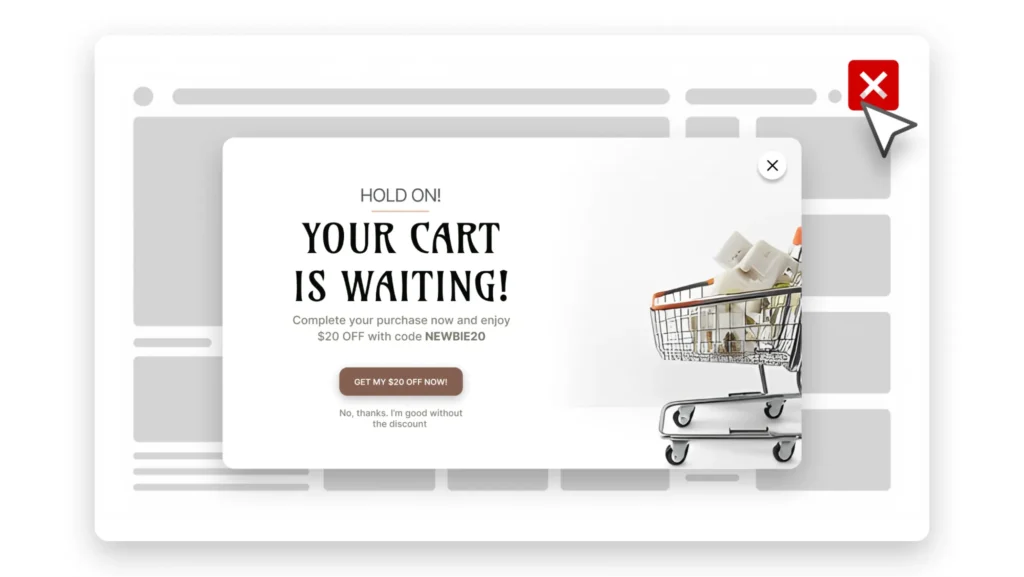
They’ve viewed multiple products, added items to their cart, and even started the checkout process. Then, just as they’re about to leave, a popup appears with a relevant offer.
That single interaction can be the difference between losing a customer and recovering a sale.
This is why exit-intent popups have become one of the most effective cart recovery tools for WooCommerce stores.
Unlike traditional popups that interrupt visitors while they’re browsing, exit-intent popups only appear when a shopper shows signs of leaving the website. Because of this, they feel less intrusive and often generate higher engagement.
The key is presenting an offer that addresses the customer’s hesitation.
For example, if shipping costs are a concern, you might display:
Complete Your Order Today and Get Free Shipping
If the customer is price-sensitive, you could offer:
Here’s 10% Off Your Order – Valid for the Next 30 Minutes
The goal isn’t to give discounts to every visitor. The goal is to recover sales that would otherwise be lost.
Many successful WooCommerce stores use exit-intent popups as a final opportunity to remind shoppers about the products they’ve already shown interest in.
Even if the customer doesn’t complete the purchase immediately, capturing their email address allows you to follow up later through cart recovery emails.
How to Create Cart Recovery Popups in WooCommerce
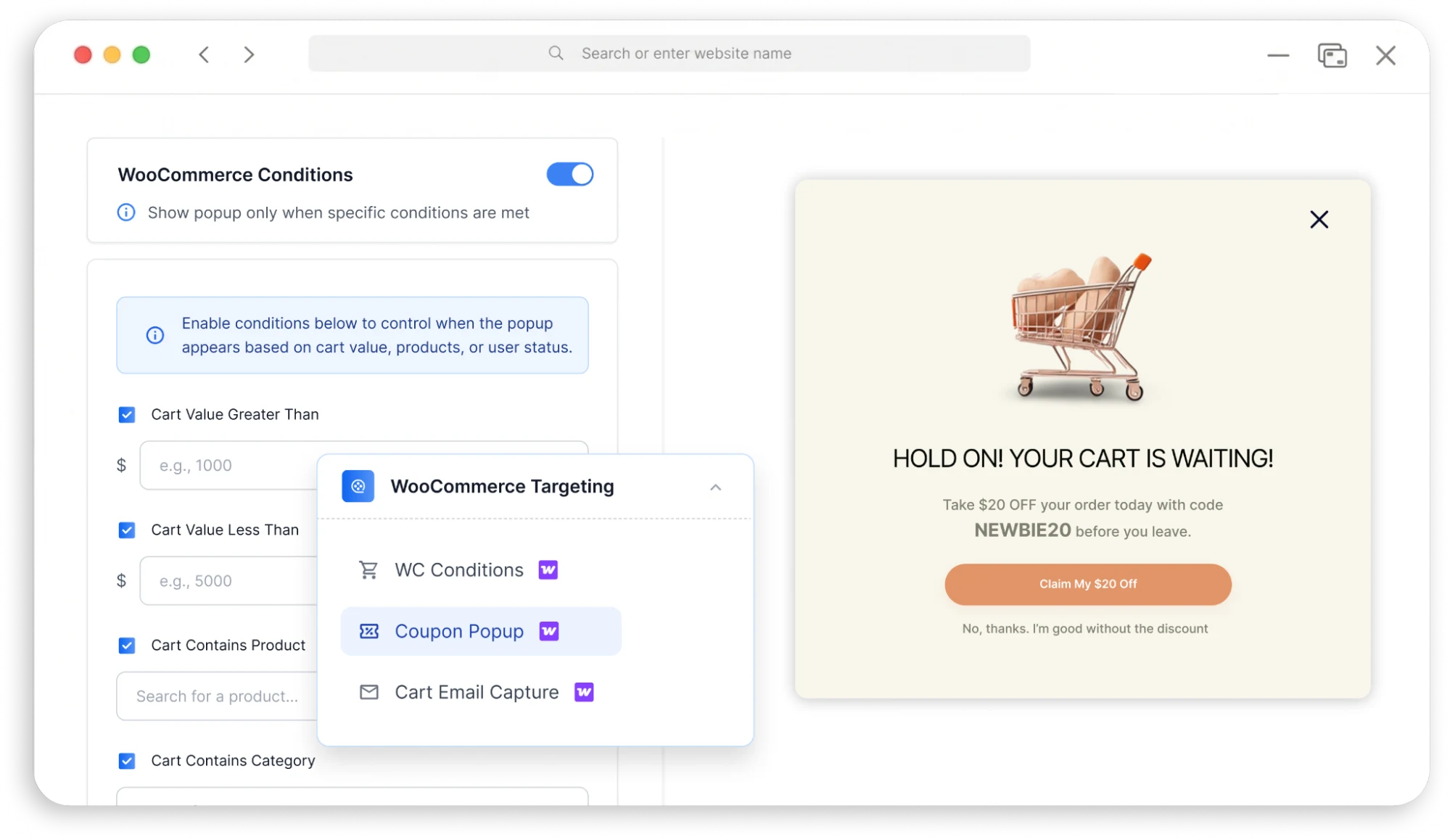
Creating an effective cart recovery popup doesn’t require advanced technical knowledge.
The process is surprisingly straightforward when you focus on the customer journey.
Step 1: Identify Where Customers Leave
Start by reviewing your analytics.
Are customers abandoning carts on:
- Product pages?
- Cart pages?
- Checkout pages?
Understanding where abandonment occurs helps you create more targeted campaigns.
Step 2: Create a Relevant Offer
Your offer should address the customer’s likely concern.
Examples include:
- Free shipping
- First-order discounts
- Limited-time offers
- Bonus gifts
- Free consultation
Avoid generic messages.
The more relevant the offer, the better the results.
Step 3: Use Exit Intent Triggers
Instead of showing the popup immediately, display it when visitors attempt to leave.
This ensures the popup feels helpful rather than disruptive.
Step 4: Keep the Message Simple
Your popup should communicate three things:
- What you’re offering
- Why it matters
- What action the visitor should take
Avoid lengthy explanations.
Clarity converts.
Step 5: Measure Performance
Track:
- Popup conversion rate
- Recovered orders
- Email captures
- Revenue generated
The data will help you refine future campaigns.
Using YS LeadGen to Recover Abandoned WooCommerce Carts
For WooCommerce store owners, one of the simplest ways to implement cart recovery strategies is through targeted popup campaigns.
YS LeadGen allows you to create and display conversion-focused popups without modifying your WooCommerce checkout process or hiring developers.
For example, you can create:
Exit-Intent Popups
Display a targeted offer when shoppers attempt to leave your website.
Discount Popups
Encourage customers to complete purchases by offering a limited-time incentive.
Lead Capture Popups
Collect visitor email addresses before they leave so you can follow up through email marketing.
Promotional Campaign Popups
Highlight free shipping offers, seasonal promotions, or exclusive deals.
The advantage of using popup campaigns is that they allow you to engage shoppers before they disappear completely.
Instead of watching visitors leave, you create one more opportunity to convert them.
A Real-World Cart Recovery Example
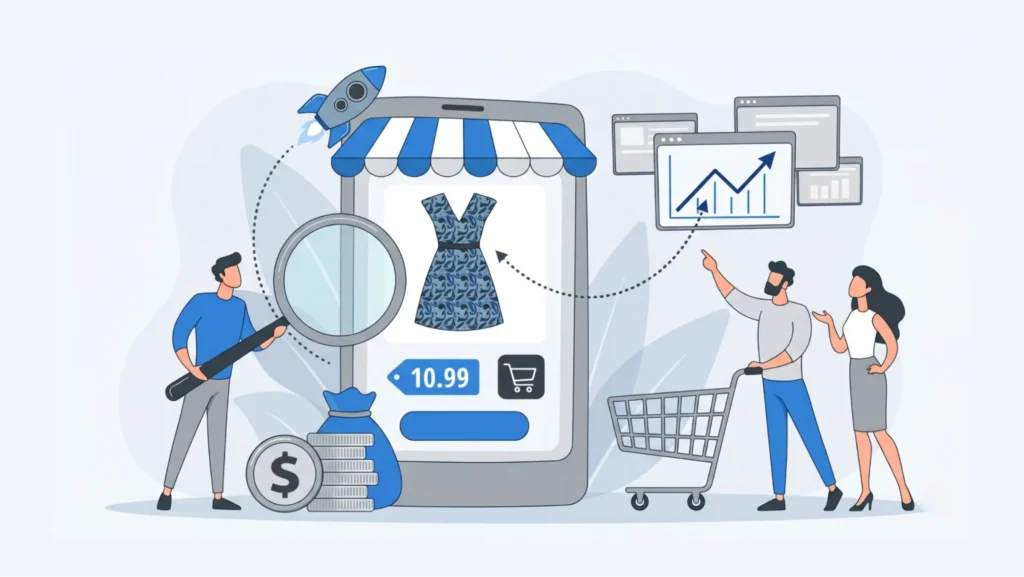
Let’s look at a practical scenario.
Imagine an online fashion store receives 15,000 visitors each month.
During a typical month:
- 1,200 shoppers add products to their cart
- 800 abandon their cart
- 400 complete a purchase
The store owner notices a significant amount of potential revenue being lost.
After analyzing the checkout process, they make several improvements:
- Simplify checkout fields
- Enable guest checkout
- Display shipping costs earlier
- Add customer reviews
- Launch an exit-intent popup campaign
Three months later, the results improve noticeably.
While traffic remains relatively unchanged, more shoppers complete their purchases because friction has been reduced and abandoning visitors are given additional incentives to stay engaged.
This example highlights an important lesson:
Increasing traffic isn’t always the fastest path to more revenue.
Sometimes the biggest opportunity lies in converting the visitors you already have.
WooCommerce Cart Abandonment Reduction Checklist
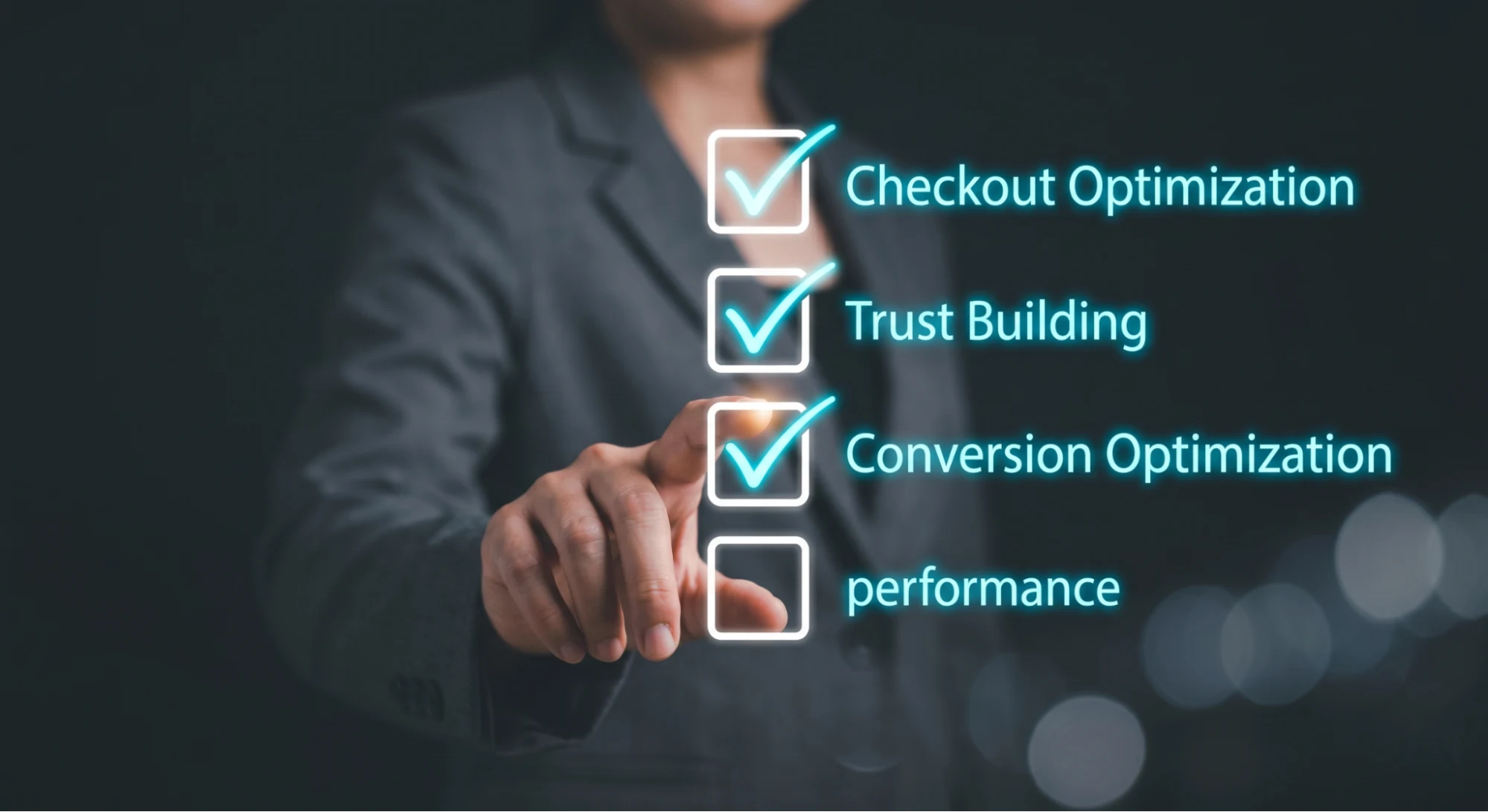
Before publishing new marketing campaigns or spending more money on advertising, review this checklist.
Checkout Optimization
☐ Guest checkout enabled
☐ Checkout fields minimized
☐ Mobile checkout tested
☐ Progress indicators added
Trust Building
☐ SSL certificate active
☐ Customer reviews displayed
☐ Return policy visible
☐ Contact information easy to find
Conversion Optimization
☐ Shipping costs shown early
☐ Multiple payment options available
☐ Exit-intent popup active
☐ Cart recovery emails configured
Performance
☐ Website speed optimized
☐ Checkout pages load quickly
☐ Mobile experience reviewed regularly
The more boxes you can check, the stronger your checkout experience becomes.

Final Thoughts
Cart abandonment is an unavoidable part of ecommerce.
Every WooCommerce store loses potential customers before they complete their purchase.
However, that doesn’t mean you should accept lost sales as inevitable.
The most successful online stores continuously look for ways to remove friction, improve trust, and create a smoother checkout experience.
Simple improvements such as guest checkout, faster page loading, transparent pricing, and multiple payment options can have a significant impact on conversion rates.
At the same time, tools like exit-intent popups and cart recovery campaigns provide additional opportunities to recover sales that would otherwise disappear.
The important thing is to take action.
Start by identifying the biggest obstacles in your checkout process. Implement a few of the strategies discussed in this guide, monitor the results, and continue optimizing over time.
Even a small reduction in cart abandonment can translate into substantial revenue growth.
And when you’re already investing time and money to bring visitors to your WooCommerce store, recovering more of those potential customers is often the smartest place to start.
Ready to Recover More WooCommerce Sales?
If you’re looking for a simple way to reduce cart abandonment and capture more leads before visitors leave your store, try creating targeted exit-intent and cart recovery popups with YS LeadGen.
The right popup, shown at the right moment, can help turn abandoning shoppers into paying customers.
Frequently Asked Questions
Why Do Customers Abandon Their Cart?
Common reasons include:
- Unexpected costs
- Complicated checkout processes
- Lack of trust
- Limited payment methods
- Price comparison shopping
- Mobile interruptions
Understanding these causes helps you choose the right solutions.
Does Guest Checkout Reduce Cart Abandonment?
Yes.
Guest checkout removes unnecessary friction and allows customers to complete purchases more quickly.
Many WooCommerce stores see improved conversion rates after enabling guest checkout.
Do Exit-Intent Popups Really Work?
When used correctly, exit-intent popups can help recover visitors who are about to leave your website.
The key is presenting a relevant offer rather than displaying generic messages.
How Can I Recover Abandoned WooCommerce Carts?
Some of the most effective methods include:
- Exit-intent popups
- Cart recovery emails
- Checkout optimization
- Free shipping offers
- Discount incentives
- Trust-building elements
Combining multiple strategies typically produces the best results.
About the author

YSLeadGen Pro - Lifetime Deal
Access to unlimited popups, advanced targeting, event triggers, and premium templates.
14-Days Risk Free Money Back Guarantee