- The Psychology Behind Personalized Popups
- Types of Popup Personalization That Drive Conversions
- Popup Timing Strategy for Personalized Experiences
- Popup Design Best Practices for Personalized Experiences
- Common Mistakes That Kill Personalized Popup Conversions
- How to Implement Personalized Popups (Step-by-Step Framework)
- Real-World Use Cases
- Conclusion: Personalization Turns Popups into Conversion Engines
- FAQs: Personalized Popups and Conversion Optimization
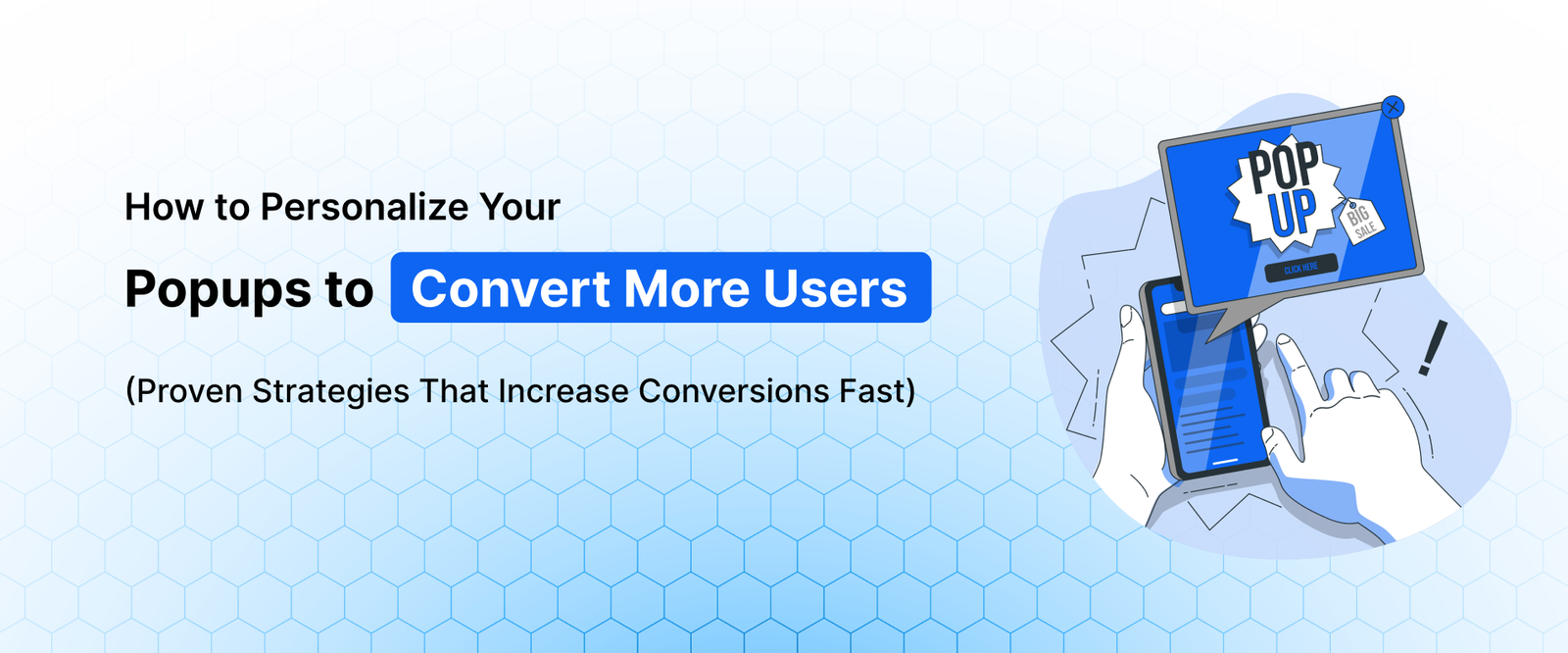
How to Personalize Your Popups to Convert More Users (Proven Strategies That Increase Conversions Fast)

- The Psychology Behind Personalized Popups
- Types of Popup Personalization That Drive Conversions
- Popup Timing Strategy for Personalized Experiences
- Popup Design Best Practices for Personalized Experiences
- Common Mistakes That Kill Personalized Popup Conversions
- How to Implement Personalized Popups (Step-by-Step Framework)
- Real-World Use Cases
- Conclusion: Personalization Turns Popups into Conversion Engines
- FAQs: Personalized Popups and Conversion Optimization
Generic popups are no longer effective—and in many cases, they can actually reduce your conversion rate.
Users today are exposed to dozens of marketing messages every day. If your popup doesn’t feel relevant, timely, and valuable, it gets ignored—or worse, it increases your bounce rate.
Studies show that high-performing popups can convert at over 9%, while poorly targeted ones convert at less than 1%. The difference comes down to one key factor: personalization.
This is why personalization has become the foundation of high converting website popups. When done correctly, personalized popups align with user intent, behavior, and the customer journey—making them feel less like interruptions and more like helpful suggestions.
For eCommerce stores, SaaS platforms, and WordPress websites, this approach can significantly improve popup conversion rates, engagement, and lead generation performance.
In this guide, you’ll learn how popup personalization works and how to implement it step by step using proven strategies.
Why Personalization Is Critical for Popup Conversion Optimization
Personalization is not just about inserting a user’s name into a popup. It’s about delivering the right message, to the right user, at the right time.
Most websites struggle with popups because they treat all visitors the same. But users arrive with different goals:
- Some are just browsing
- Some are comparing options
- Some are ready to buy
If your popup doesn’t match that intent, it creates friction.
Personalized popups solve this by adapting to:
- User behavior
- Page context
- Engagement level
- Traffic source
This leads to measurable improvements in:
- Popup conversion rate
- Click through rate
- Time on site
- Reduced bounce rate
For example, showing a 10% discount to a user who just landed on your homepage is far less effective than showing it to someone who has spent time on your product page. Timing and context make all the difference.
In short, personalization transforms popups from generic interruptions into conversion-focused touchpoints within the user journey.
The Psychology Behind Personalized Popups
To truly understand why personalization works, you need to look at how users think and make decisions.
Relevance Bias: Why Users Pay Attention
Humans are naturally wired to filter out irrelevant information. This is known as selective attention.
When a popup feels generic, the brain dismisses it instantly.
But when it reflects something the user is already thinking about—like a product they viewed—it breaks through that filter.
Example:
- Generic: “Sign up for updates”
- Personalized: “Still interested in this product? Get 10% off now”
The second works because it mirrors the user’s current mindset.
Decision Simplification: Reducing Mental Effort
Too many choices lead to decision fatigue.
Personalized popups reduce this by:
- Offering one clear benefit
- Presenting a simple action
- Removing unnecessary thinking
This is especially important in conversion rate optimization popups, where the goal is quick action.
When users don’t have to think, they’re more likely to convert.
Emotional Trigger Alignment
Different users respond to different triggers:
- New users → curiosity and discovery
- Returning users → urgency and value
- Abandoning users → fear of missing out
Personalization allows you to match these triggers precisely, which is why exit intent popup conversion improves significantly when personalized.
Types of Popup Personalization That Drive Conversions
Not all personalization strategies are equally effective. The most impactful ones are based on real user behavior and intent signals.
1. Behavioral Targeting (The Most Powerful Strategy)
Behavioral targeting is the foundation of any successful popup marketing strategy.
Instead of guessing what users want, you use their actions as signals.
You can trigger popups based on:
- Pages visited
- Time spent on site
- Scroll depth
- Click behavior
- Cart activity
Example:
A user who spends 60 seconds on a pricing page is likely evaluating your product. Showing a “Book a Demo” popup here is far more effective than a generic email signup.
Why this works:
- It aligns with the consideration stage of the conversion funnel
- It increases relevance
- It reduces friction
This is one of the most effective ways to improve popup conversion rate.
2. Location-Based Personalization
Location data allows you to tailor messaging in a way that feels familiar and relevant.
You can personalize:
- Currency (₹, $, €)
- Language
- Regional offers
- Shipping details
Example:
“Free shipping across India” performs better for Indian users than a generic global message.
This builds:
- Trust
- Local relevance
- Higher engagement
For eCommerce, this is especially powerful in improving lead generation popup performance.
3. Device-Based Personalization
Users behave very differently on mobile vs desktop.
Mobile users:
- Have shorter attention spans
- Prefer quick actions
- Get frustrated easily with intrusive popups
Desktop users:
- Spend more time exploring
- Can engage with detailed content
Personalizing popups based on device means:
- Shorter forms on mobile
- Larger visuals on desktop
- Simplified CTAs for smaller screens
Ignoring this can severely hurt email popup conversion rates.
4. Traffic Source Personalization
Understanding where your users come from helps you align expectations.
Examples:
- Google search → informational intent → show lead magnets
- Facebook ads → promotional intent → show discounts
- Direct traffic → brand-aware → show product offers
When your popup matches the user’s entry context, it feels natural rather than intrusive.
This improves:
- Engagement rate
- Conversion likelihood
- Overall user experience
5. New vs Returning Visitors
Treating all users the same is one of the biggest mistakes in popup strategy.
New visitors:
- Need trust
- Prefer value-driven offers (guides, ebooks)
Returning visitors:
- Already know your brand
- Respond better to urgency and incentives
Example:
- New user → “Download our free guide”
- Returning user → “Get 15% off today”
This segmentation alone can significantly improve conversion rate optimization popups.
Popup Timing Strategy for Personalized Experiences
Even the best personalization fails if timing is wrong.
Behavior-Based Timing (The Right Approach)
Instead of showing popups after a fixed delay, use behavioral triggers like:
- 50% scroll depth → user is engaged
- 30 seconds on page → user is interested
- Inactivity → user might leave
This ensures your popup appears when the user is most receptive.
Exit Intent Popup Personalization
Exit intent is one of the highest converting triggers—but only when personalized.
Examples:
- Cart abandonment → “Complete your purchase with 10% off”
- Blog reader → “Get a free checklist before you go”
- SaaS user → “Start your free trial now”
Why it works:
- The user is already leaving
- The popup feels like a last opportunity
- There’s no downside to engaging
This makes exit intent popup conversion highly effective.
Multi-Step Popup Sequences
Advanced personalization involves guiding users through a sequence.
Example:
- First visit → educational popup
- Second visit → product benefits
- Third visit → discount or urgency
This mirrors the natural customer journey and builds trust over time instead of pushing for immediate conversion.
To learn more about improving popup performance, read our guide on high-converting website popups.
Frequency Capping: Prevent Popup Fatigue
Showing the same popup repeatedly can reduce trust and increase bounce rates.
- Show popups only once per session
- Hide popups after conversion
- Delay reappearance for 7–14 days after dismissal
Insight: Limiting popup frequency improves user experience and increases long-term conversion rates.
Popup Design Best Practices for Personalized Experiences
Design plays a crucial role in how personalization is perceived.
Keep It Simple and Focused
Every popup should answer:
- What is the offer?
- Why should the user care?
- What should they do next?
Avoid:
- Multiple CTAs
- Cluttered layouts
- Too much text
Clarity improves conversions.
Use Dynamic Content
Dynamic elements make personalization stronger:
- Recently viewed products
- User-specific offers
- Contextual messaging
This reinforces relevance and increases engagement.
Build Trust Through Design
Users are cautious about popups.
Add trust signals like:
- Testimonials
- “Trusted by 10,000+ users”
- Security icons
This reduces hesitation and improves conversion rates.
Mobile Optimization Is Non-Negotiable
A poorly designed mobile popup can destroy conversions.
Best practices:
- Use smaller popups
- Ensure easy closing
- Avoid full-screen interruptions
Mobile-first design is critical for popup conversion optimization.
Common Mistakes That Kill Personalized Popup Conversions
Even with personalization, mistakes can reduce effectiveness.
Over-Personalization (Feels Creepy)
Using too much personal data can make users uncomfortable.
Avoid:
- Overly specific tracking references
- Excessive personalization
Keep it helpful, not invasive.
Poor Data Accuracy
If your data is wrong, your popup becomes irrelevant.
Example:
Showing “Welcome back” to a new visitor.
Always ensure your tracking is accurate.
No Testing Strategy
Personalization is not static.
You must test:
- Different segments
- Offers
- Timing
- Messaging
Without testing, you can’t improve.
Lack of Clear Strategy
Many websites implement popups randomly without a defined website popup strategy.
This leads to:
- Confusing user experience
- Low conversions
- Missed opportunities
How to Implement Personalized Popups (Step-by-Step Framework)
To build a system that works consistently, follow this structured approach:
Step 1: Map the Customer Journey
Understand where users are:
- Awareness
- Consideration
- Decision
Step 2: Segment Your Audience
Group users based on:
- Behavior
- Device
- Traffic source
- Engagement level
Step 3: Create Relevant Offers
Match offers to intent:
- Early stage → education
- Mid stage → value
- Late stage → urgency
Step 4: Set Smart Triggers
Use behavioral triggers instead of time delays.
Step 5: Optimize Continuously
Run A/B tests regularly and refine your approach.
Step 6: Use the Right Tools
Implementing this manually is difficult. Tools like YSLeadGen help automate:
- Behavioral targeting
- Personalization
- Funnel-based popup strategies
This allows you to scale your popup marketing strategy efficiently.
Real-World Use Cases
eCommerce
- Cart abandonment discounts
- Product-specific offers
- First-time visitor incentives
SaaS
- Free trial popups on pricing pages
- Demo offers for engaged users
- Content upgrades for blog readers
WordPress Blogs
- Topic-based lead magnets
- Scroll-triggered email popups
- Returning visitor engagement strategies
Conclusion: Personalization Turns Popups into Conversion Engines
Personalization is no longer optional—it’s essential.
High converting website popups are built on:
- Understanding user behavior
- Delivering relevant value
- Timing interactions correctly
When done right, personalized popups don’t feel like marketing—they feel like assistance.
And that’s what drives real conversions.
By combining behavioral data, smart strategy, and the right tools, you can transform your popups into one of the most powerful growth drivers for your business.
New to popups? Start with our complete guide on how to create a popup in WordPress without coding to learn the basics step by step.
FAQs: Personalized Popups and Conversion Optimization
What are the best behavioral triggers for website popups?
The best behavioral triggers activate popups based on real-time user actions rather than arbitrary time delays. Relying on behavior ensures the user is highly engaged and receptive to the offer before the popup appears.
Top Behavioral Triggers:
- Scroll Depth: Triggering at 50% scroll to ensure the user is actively reading.
- Time on Page: Showing a "Book a Demo" prompt after 60 seconds on a pricing page.
- Click Behavior: Activating when a user clicks a specific product variant or image.
Why are personalized exit-intent popups so effective?
Personalized exit-intent popups are highly effective because they capture a user precisely at the moment of abandonment with a hyper-relevant offer. Since the user is already leaving, the popup introduces zero browsing friction and acts as a risk-free final incentive.
High-Converting Examples:
- eCommerce: "Wait! Complete your purchase now for 10% off your cart."
- SaaS: "Before you go, start your 14-day free trial."
- Blogs: "Leaving so soon? Get our free marketing checklist."
How should popup designs differ between mobile and desktop users?
Device-based personalization is critical because user behavior varies vastly by screen size. Mobile popups require minimalist designs for short attention spans, while desktop popups can accommodate more detailed content and larger visuals.
Design Best Practices:
- Mobile: Use smaller formats (like slide-ins), avoid full-screen takeovers, and ensure the "X" button is easily clickable.
- Desktop: Utilize rich media, multi-field lead generation forms, and larger call-to-action buttons.
How do you personalize popups for new vs. returning visitors?
Treating all traffic the same is a major popup mistake. New visitors are in the discovery phase and need trust-building offers, while returning visitors are closer to a purchasing decision and respond better to urgency or direct incentives.
Personalization Strategy:
- New Visitors: Offer educational lead magnets (e.g., "Download our free beginner's guide").
- Returning Visitors: Offer direct value and urgency (e.g., "Welcome back! Claim your 15% discount today only").
What is location-based popup personalization?
Location-based personalization uses geographic data to tailor popup messaging so it feels familiar and regionally relevant to the user. This builds immediate trust and creates a highly customized shopping experience.
Common Implementations:
- Displaying local currencies (e.g., $, €, ₹).
- Translating popup copy into the user's native language.
- Highlighting region-specific shipping offers (e.g., "Free shipping across India").
How can traffic sources influence popup personalization?
Adapting popups based on where a visitor came from allows you to match their entry context and expectations. A user clicking a Facebook ad has a completely different mindset than someone coming from an organic Google search.
Traffic Source Strategies:
- Google Search: High informational intent; show content upgrades or ebooks.
- Social Media Ads: High promotional intent; show the specific discount promised in the ad.
- Direct Traffic: High brand awareness; show new product launches or loyalty rewards.
What are the most common mistakes that kill popup conversion rates?
The biggest popup conversion killers are a lack of relevance, poor timing, and intrusive designs. However, even personalized popups fail if they rely on inaccurate tracking data or if they become overly personal, which can feel creepy to users.
Mistakes to Avoid:
- Over-Personalization: Using too much private data that makes the user uncomfortable.
- Bad Data Execution: e.g., Showing a "Welcome back" message to a first-time visitor.
- Lack of Testing: Failing to A/B test messaging, timing, and audience segments.
How can eCommerce stores use personalized popups to reduce cart abandonment?
eCommerce stores can reduce cart abandonment by using behavior-targeted exit popups that address the specific items left behind. By dynamically displaying the abandoned products alongside a limited-time discount, stores can instantly recover lost revenue.
Core Tactics:
- Use dynamic content to show the exact product left in the cart.
- Introduce urgency (e.g., "This 10% code expires in 15 minutes").
- Offer an alternative incentive, like free shipping, if price is the suspected friction point.
What is a multi-step popup sequence?
A multi-step popup sequence guides users through the customer journey by changing the marketing message across multiple visits. Instead of asking for a sale immediately, it builds trust over time, mirroring natural purchasing behavior.
Standard Sequence Flow:
- Visit 1 (Awareness): Educational popup or newsletter signup.
- Visit 2 (Consideration): Highlighting specific product benefits or social proof.
- Visit 3 (Decision): A strong discount code or urgency-driven offer to close the sale.
About the author

YSLeadGen Pro - Lifetime Deal
Access to unlimited popups, advanced targeting, event triggers, and premium templates.
14-Days Risk Free Money Back Guarantee