A WooCommerce store can start with a relatively simple setup, but as the business grows, the requirements change quickly. Marketing, product discovery, customer reviews, analytics, shipping, checkout, customer support, and day-to-day administration can all require different tools.
That is where WooCommerce plugins become useful. The right plugins can add functionality without requiring every feature to be developed from scratch. At the same time, installing too many plugins without a clear reason can make a store harder to maintain and create unnecessary complexity.
This guide brings together 20 WooCommerce plugins covering different parts of the ecommerce journey, from attracting and converting visitors to managing orders and supporting customers. The list includes established tools from the original toolkit as well as YS LeadGen, PickPair, Hyoka, and YS Desk. The aim is not to suggest that every store needs all 20, but to help you identify the tools that match your particular requirements.
1. WooCommerce Gift Cards
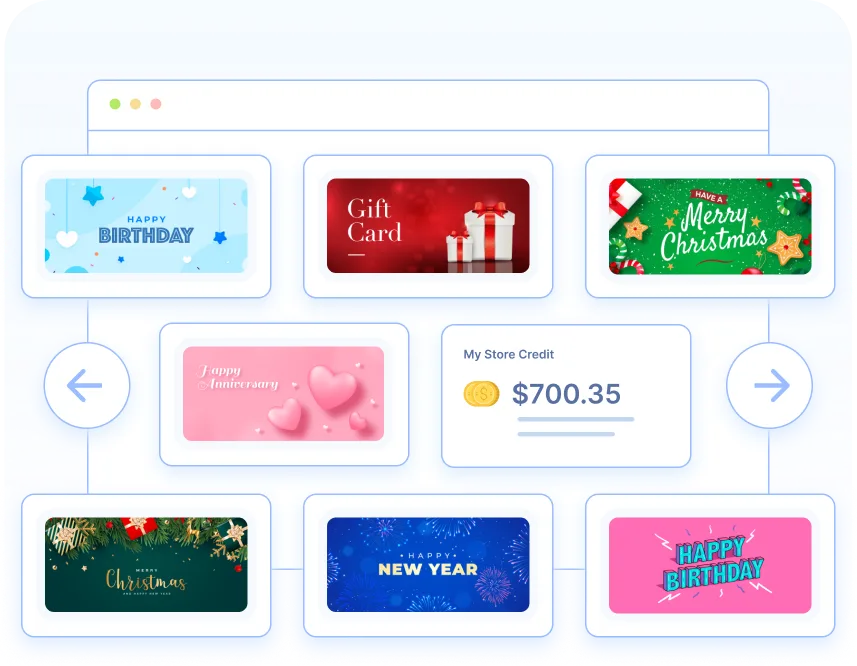
Gift cards can give an ecommerce store another way to generate purchases while making it easier for customers to shop for someone else. Instead of choosing a specific product for a friend or family member, the buyer can purchase a gift card and let the recipient decide what they actually want.
The WooCommerce Gift Cards plugin supports both virtual and physical gift cards, making it suitable for different types of stores and occasions. Store owners can create gift cards for events such as birthdays, Christmas, and New Year’s Day, while customers can choose from predefined values or enter their own amount.
Virtual gift cards can be delivered by email immediately or scheduled for a later date. For physical gift cards, the store can manage printing and shipment from the WooCommerce administration area. Administrators can also manage gift card balances, store credits, and refunds from the same system.
The redemption process is designed to work much like applying a normal coupon code, so customers do not need to learn a completely different checkout process.
There is also a free version available through WordPress that provides core gift-card functionality, including a gift card option, more than 20 templates, and balance administration.
2. TrustPulse

Trust can be a deciding factor when someone is visiting an ecommerce store for the first time. A new visitor may like a product but still wonder whether other people are actually buying from the business. Social proof can help reduce some of that uncertainty.
TrustPulse is designed around this idea. It displays real-time notifications about activities such as purchases, signups, and reviews, allowing visitors to see that other people are actively interacting with the store.
For example, a visitor browsing a product page might see a notification showing that another customer recently purchased an item. The message does not need to interrupt the shopping experience; it simply provides additional context that the store is active and that other customers are engaging with its products.
The plugin also provides customization options for the appearance and timing of notifications. Store owners can control where and when notifications appear and use them on particular pages or products when they want to highlight activity around a specific offer.
The value of this approach is that social proof can add reassurance without requiring the business to make another direct sales pitch. Instead of telling visitors that a product is popular, the activity notification provides a visible indication of customer engagement.
3. Smart Coupons for WooCommerce
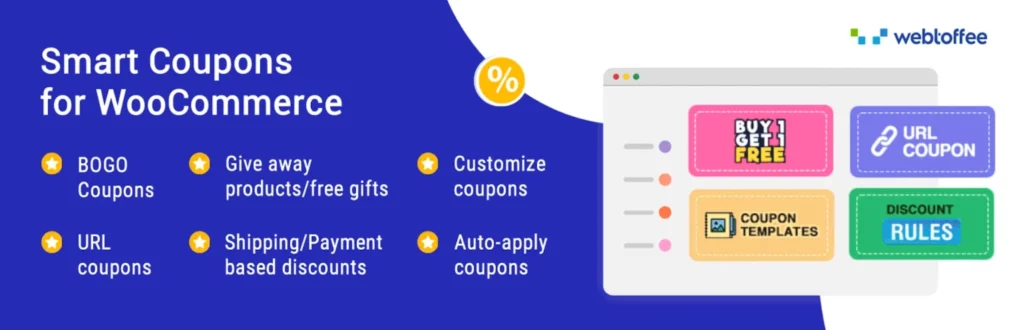
Discounts are one of the simplest ways to encourage customers to complete a purchase, but basic coupon codes can become limiting when a store starts running different types of promotions. Smart Coupons for WooCommerce adds more flexibility to the way discounts and offers are created and managed.
The plugin supports different coupon types, including percentage discounts, fixed discounts, and fixed cart discounts. Store owners can also create bulk coupons, which can be useful when running campaigns where different customers need individual coupon codes.
Another useful feature is the ability to set conditions around coupon usage. For example, a store can restrict a coupon to certain products or categories, define minimum or maximum spending requirements, or control how many times a customer can use an offer. This gives merchants more control than simply publishing one generic discount code across the entire website.
The plugin also supports features such as coupon scheduling, URL coupons, auto-apply coupons, and restrictions based on user roles. These options can be useful when promotions need to run automatically or when a business wants different offers for different customer groups.
For stores that regularly run sales campaigns, customer-specific offers, seasonal promotions, or targeted discounts, a more flexible coupon system can make promotions easier to manage.
4. Variation Swatches for WooCommerce
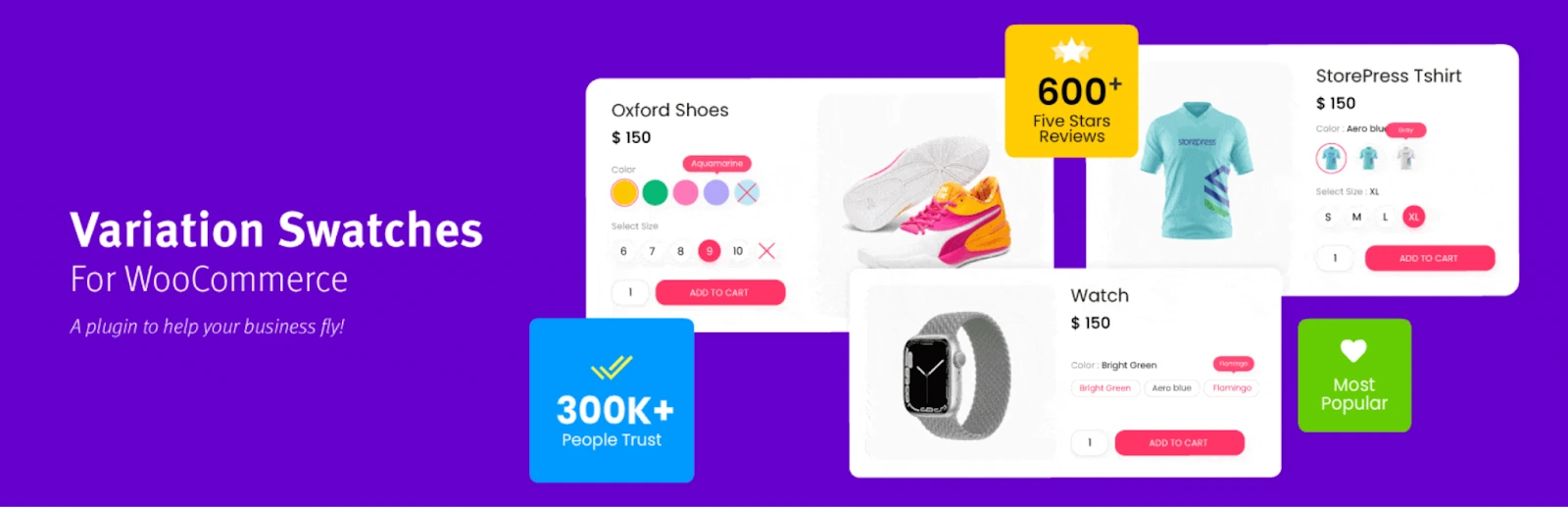
Product variations can become difficult to browse when customers have to select options from standard dropdown menus. This is particularly noticeable with products where the variation is visual, such as clothing, footwear, cosmetics, furniture, or products available in different colors and patterns.
Variation Swatches for WooCommerce replaces conventional variation dropdowns with more visual selection controls. Depending on the product, customers can choose options using color swatches, image swatches, buttons, or other visual selectors.
For example, instead of selecting “Black,” “Blue,” or “Red” from a dropdown, a clothing store can display the available colors directly on the product page. Similarly, different product designs or images can be presented as selectable options, allowing customers to understand the variations before making their choice.
The plugin also provides options for customizing the appearance of the swatches and controlling how variations are displayed. This can make product pages easier to scan and reduce some of the friction involved in selecting the correct product option.
For stores with a large number of variable products, better variation presentation can make the shopping experience considerably clearer. Customers can see the available choices at a glance rather than working through multiple dropdown fields.
5. WooCommerce Product Recommendations
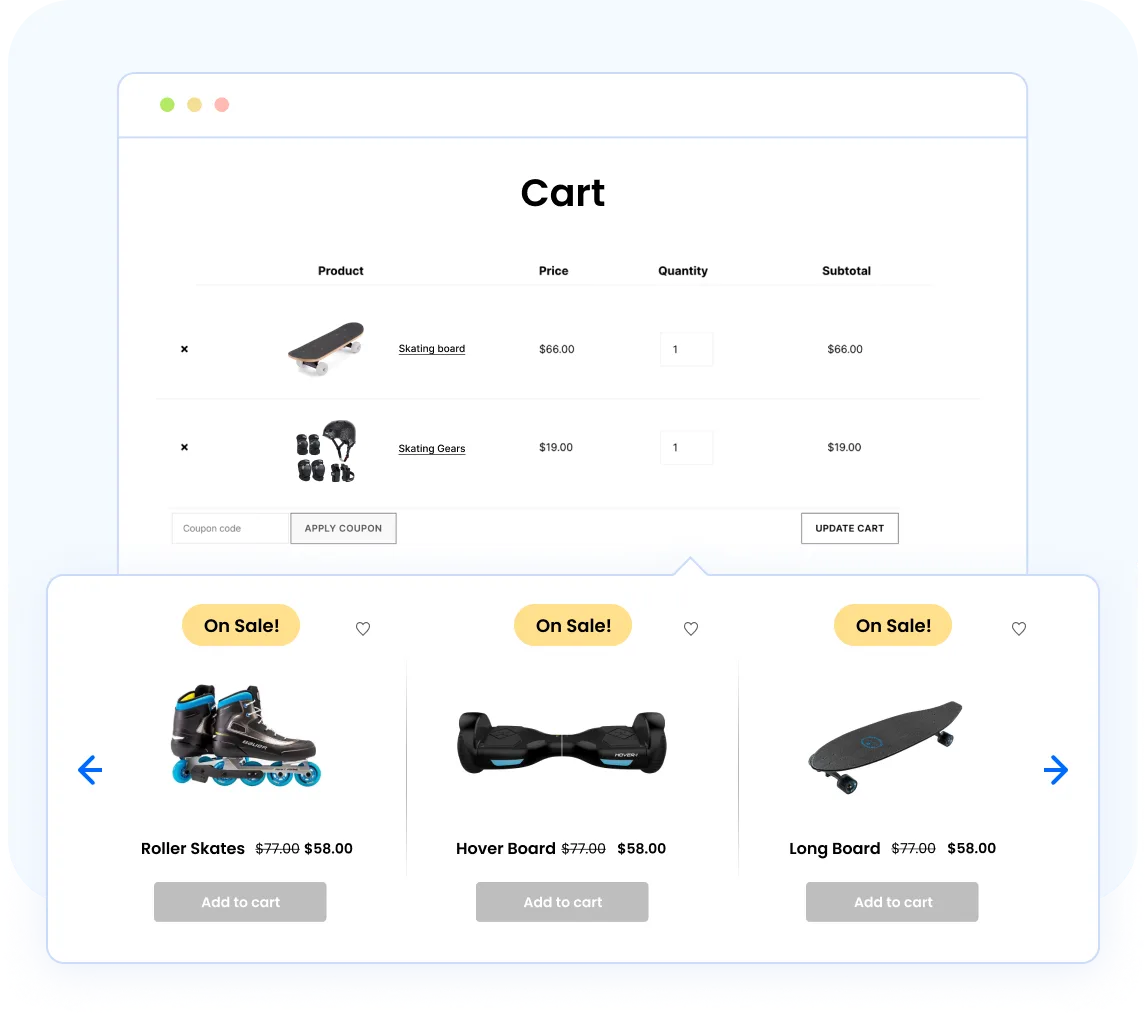
Getting customers to the right product is an important part of ecommerce. A visitor may arrive looking for one item but still be interested in related products, complementary products, or items that other customers commonly purchase. Product recommendations can help surface those options without requiring customers to search through the entire catalog.
WooCommerce Product Recommendations is designed to add recommendation sections to different parts of a WooCommerce store. Merchants can use recommendation engines based on factors such as recently viewed products, products purchased together, related products, or items that may be relevant to the customer’s current browsing activity.
Recommendations can be displayed on product pages, the shop page, cart, checkout, and other locations depending on how the store is configured. This gives businesses more flexibility in deciding where product discovery should happen.
The plugin also provides tools for controlling recommendation layouts and applying rules to determine which products should appear. For example, a store could recommend accessories alongside a primary product or show related products when a customer reaches the cart.
This type of plugin is particularly useful for stores with larger catalogs, where customers may not naturally discover every relevant product through the main navigation. Well-placed recommendations can make the catalog easier to explore while giving shoppers additional options during their buying journey.
6. MonsterInsights
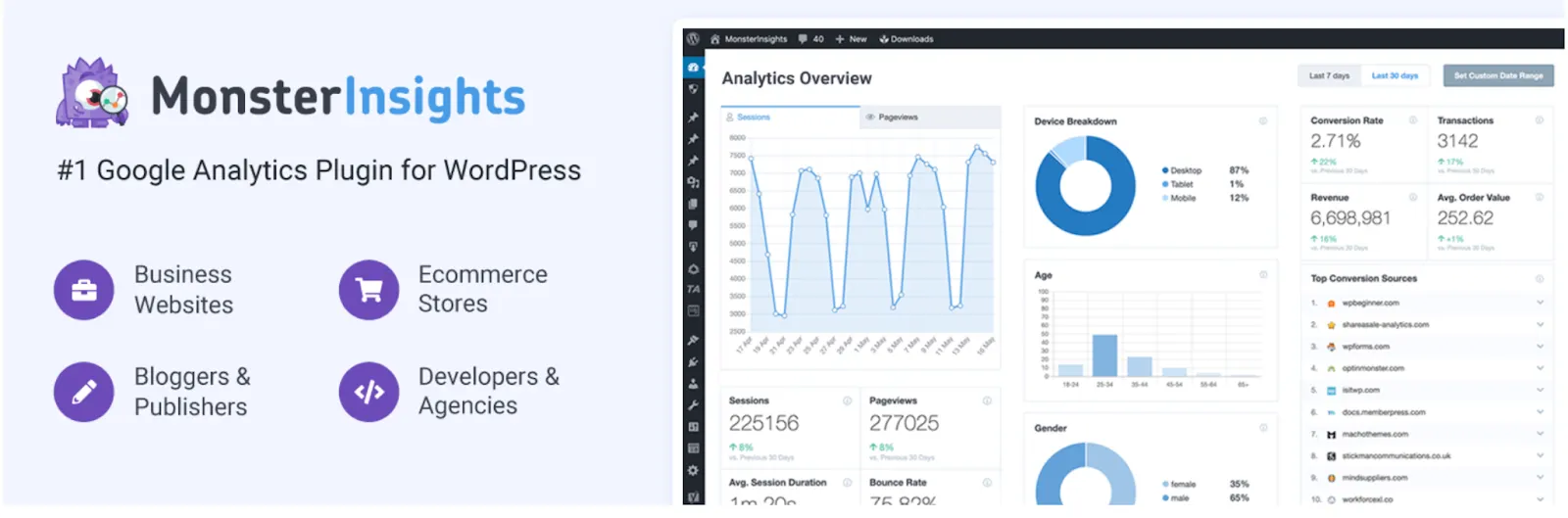
Installing analytics is only the first step. The more important question for a WooCommerce store is whether the data helps you understand where visitors come from, what they do on the website, and where purchases are being generated.
MonsterInsights connects WordPress with Google Analytics and provides reporting directly inside the WordPress dashboard. For WooCommerce stores, it can help track important ecommerce activity and provide a more accessible way to review website and store performance without constantly switching between different analytics interfaces.
The plugin is also designed to make reports easier to understand for users who may not work with Google Analytics every day. Store owners can review information about traffic sources, user behavior, popular pages, and ecommerce activity to identify patterns that may otherwise be difficult to spot.
For example, analytics can help answer practical questions such as which marketing channels are bringing visitors, which pages receive the most attention, and whether visitors are moving toward a purchase. These insights can then be used to improve campaigns, landing pages, product pages, and the overall shopping journey.
For a WooCommerce store that is already generating traffic, having reliable analytics in place is important because decisions about marketing and conversion improvements should ideally be based on actual customer behavior rather than assumptions.
7. WooCommerce PDF Invoices, Packing Slips & Credit Notes
Once a WooCommerce store starts processing a steady number of orders, creating and managing order documents manually can quickly become inconvenient. Invoices, packing slips, and credit notes are often needed for different stages of order fulfillment, accounting, and customer communication.
WooCommerce PDF Invoices, Packing Slips & Credit Notes helps automate these documents by generating them from WooCommerce orders. Store owners can create PDF invoices and packing slips and attach relevant documents to order emails, reducing the need to prepare each document separately.
The plugin also supports credit notes, which can be useful when an order needs to be refunded or adjusted. Templates can be customized so that business details and other required information appear consistently across documents.
For stores shipping a significant number of orders, this type of automation can remove repetitive administrative work. Instead of preparing documents manually for every purchase, the store can generate them as part of the existing WooCommerce order workflow.
It is especially useful for businesses that need a more structured approach to invoicing and fulfillment documentation as order volume grows.
8. Advanced Shipment Tracking for WooCommerce
The customer experience does not end when an order is placed. After checkout, one of the most common questions customers have is where their package is and when they can expect it to arrive.
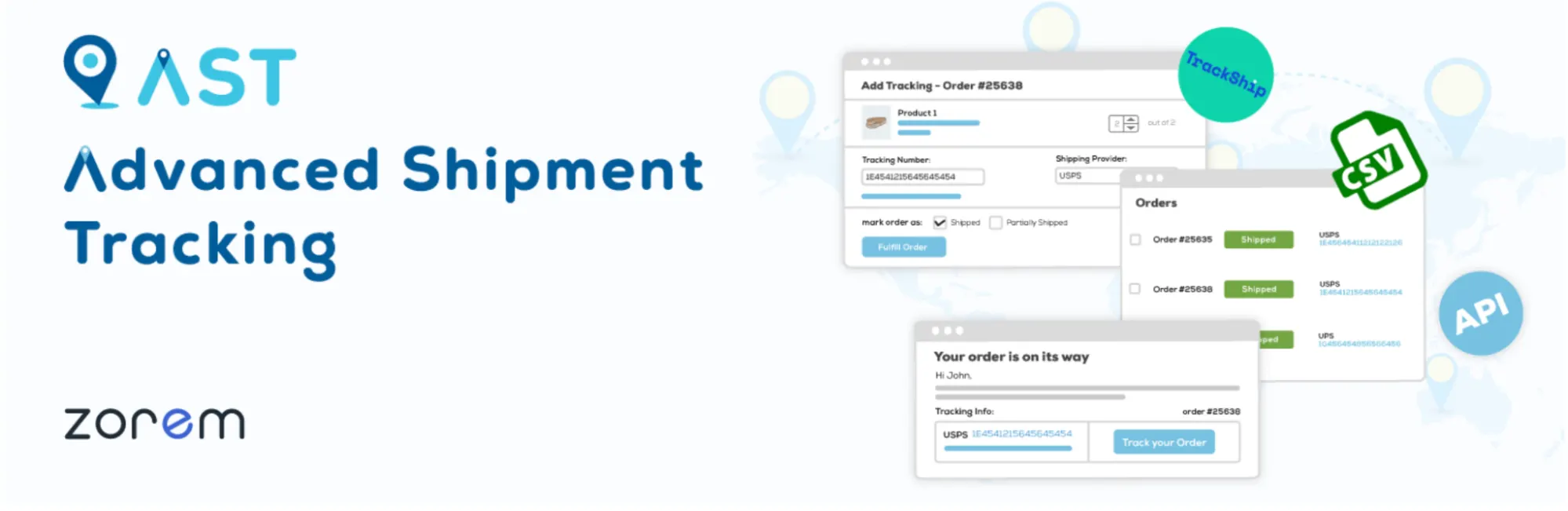
Advanced Shipment Tracking for WooCommerce adds shipment tracking information to WooCommerce orders and customer communications. Store owners can add tracking numbers and carrier information so customers have a clearer way to follow their deliveries.
The plugin supports a wide range of shipping carriers and can display tracking information within order-related areas. This can reduce the need for customers to contact support simply to ask about the status of a shipment.
For stores handling orders through multiple carriers, having tracking information connected to the WooCommerce order can also make internal order management easier. The business can keep shipment details associated with the relevant order instead of managing tracking information separately.
A tracking system becomes particularly valuable as order volume increases. Customers get better visibility after checkout, while the support team can spend less time answering routine “where is my order?” questions.
9. WebToffee eCommerce Marketing Automation
As a WooCommerce store grows, marketing tasks can become difficult to manage manually. Sending follow-up emails, communicating with customers, and running promotional campaigns individually can take considerable time, particularly when the store has a growing customer base.
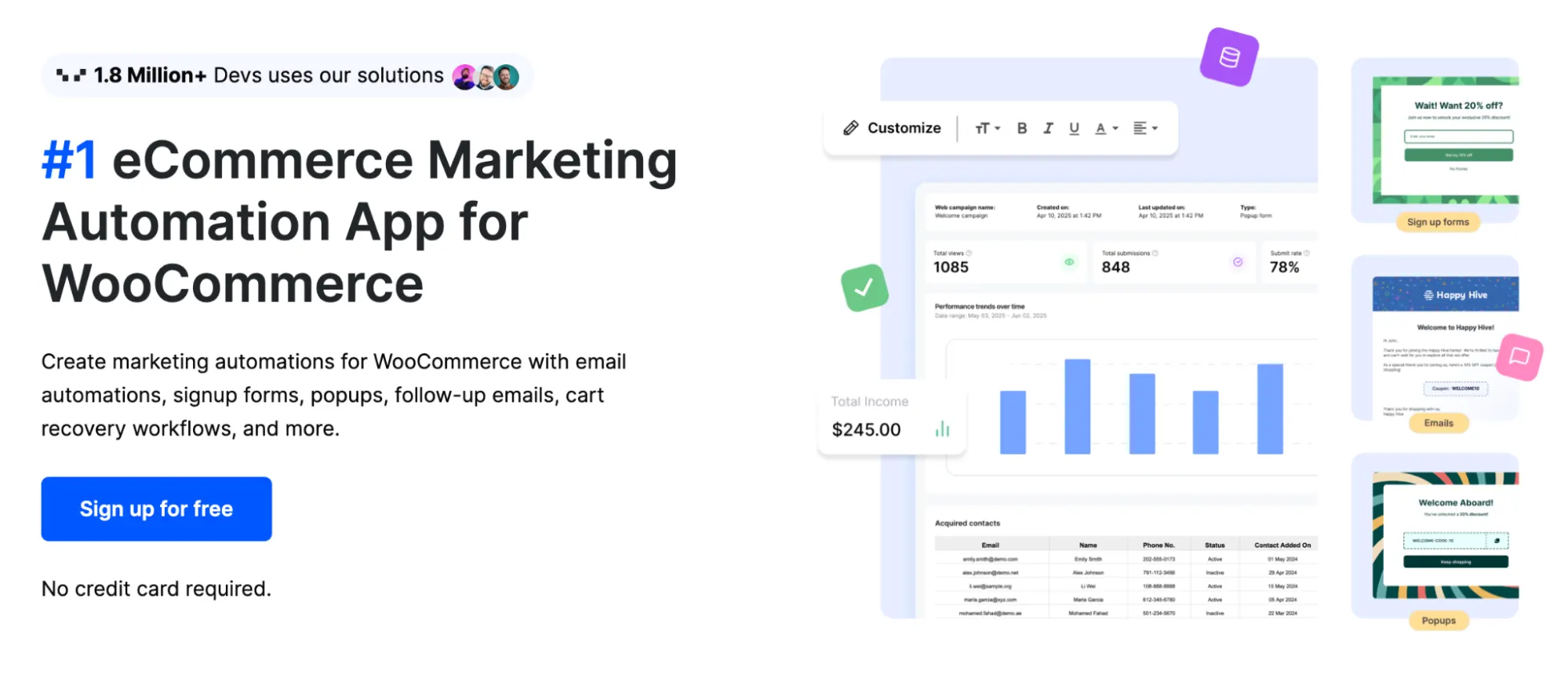
WebToffee eCommerce marketing automation brings several marketing activities into a more centralized workflow. It can be used to create automated campaigns and customer communications based on different store activities and customer interactions.
For example, a store can use automation to follow up with customers after a purchase, promote products, or communicate with shoppers based on their activity. Having these processes automated can help businesses maintain regular communication without requiring the marketing team to manually handle every customer interaction.
The plugin is particularly relevant for stores that are moving beyond one-time purchases and want to build more consistent customer engagement. Instead of treating every customer interaction as a separate task, automation allows certain communications to run as part of the normal WooCommerce workflow.
For businesses investing in email and ecommerce marketing, this type of automation can also reduce repetitive work and make customer communication more consistent.
10. WooCommerce Cart Abandonment Recovery
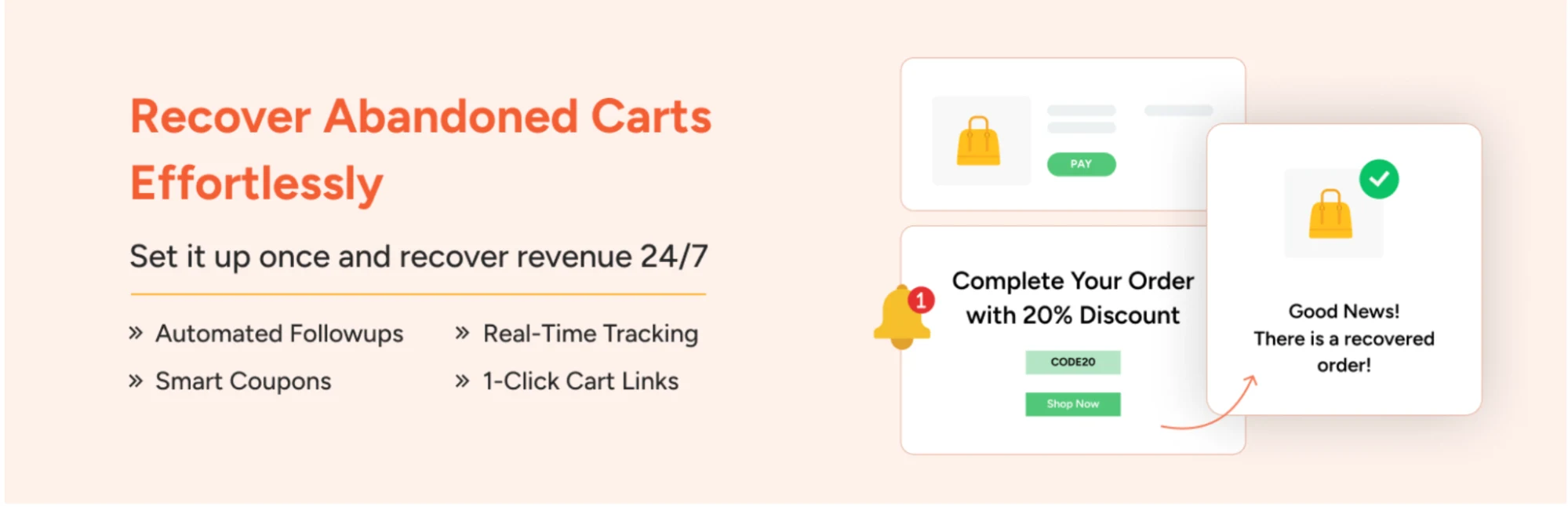
A customer adding products to the cart does not necessarily mean the order will be completed. Shoppers may leave because they are comparing prices, become distracted, encounter an unexpected cost, or simply decide to come back later. These abandoned carts represent potential sales that the store has already spent time and money generating.
WooCommerce Cart Abandonment Recovery is designed to help stores follow up with customers who leave without completing their purchase. The plugin can capture abandoned carts and send recovery emails encouraging customers to return and finish the checkout process.
Store owners can create email sequences rather than relying on a single reminder. These messages can be scheduled at different intervals, giving the business an opportunity to follow up without manually contacting individual customers.
The recovery process can also include coupons or other incentives when appropriate. This gives merchants the option of using discounts selectively instead of automatically reducing the price for every customer who abandons a cart.
Cart recovery is particularly useful when a store already receives a reasonable amount of traffic and adds products to carts regularly. Recovering even a portion of those otherwise-lost orders can make a meaningful difference to overall revenue without requiring the business to acquire an entirely new customer for every recovered purchase.
11. Product Feed for WooCommerce
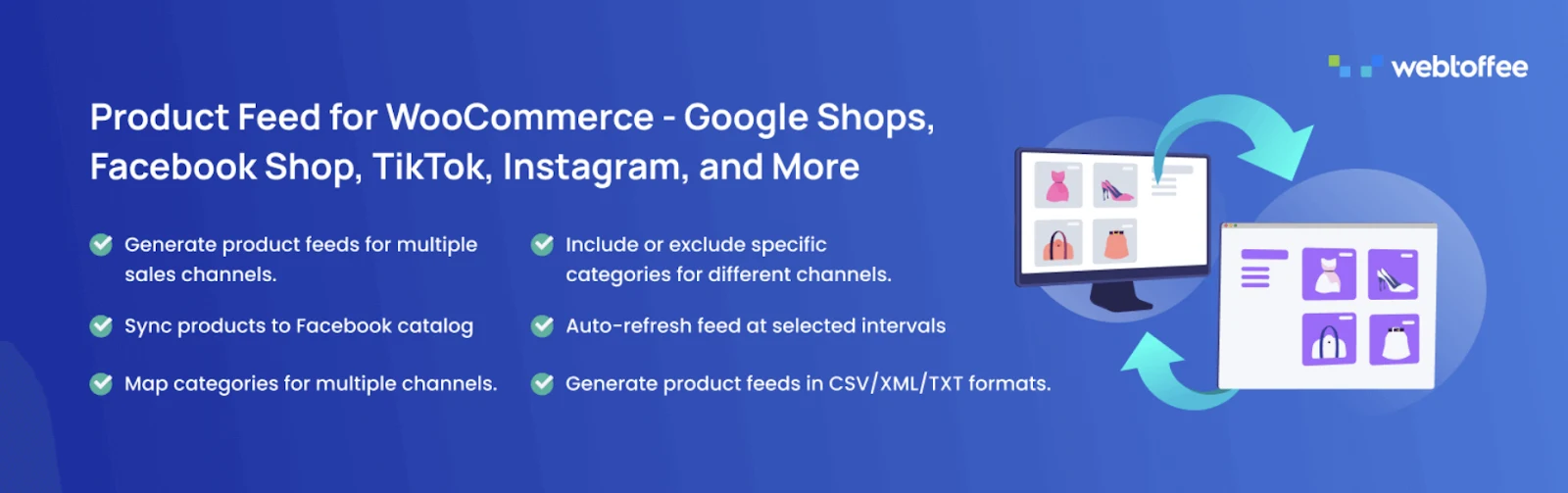
Getting products listed on your own website is only part of ecommerce marketing. Many stores also need to make their product catalog available on shopping platforms and other sales channels where potential customers may discover their products.
Product Feed for WooCommerce helps create product feeds from the WooCommerce catalog. These feeds can be used to provide product information such as names, prices, descriptions, images, and other attributes to supported shopping and marketing platforms.
For stores with a large catalog, automatically generating and updating product feeds can save considerable manual work. Instead of preparing product information separately for different platforms, the feed can pull the relevant data from the WooCommerce store.
Keeping product information synchronized is also important. Prices, availability, and product details can change regularly, and an outdated feed can create problems when customers see information that no longer matches what is available on the website.
For merchants who rely on shopping channels as part of their acquisition strategy, product feed management can therefore become an important part of the WooCommerce setup.
12. Checkout Field Editor for WooCommerce
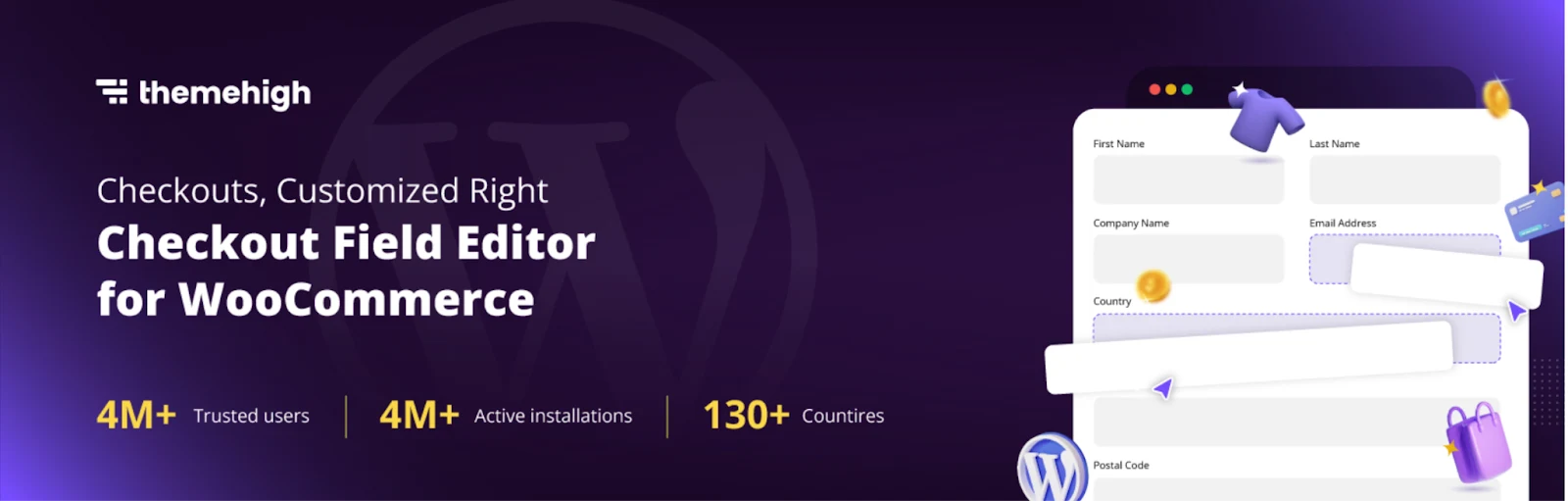
The checkout page is one of the most important parts of an ecommerce store because this is where a customer provides the information required to complete an order. However, the default WooCommerce checkout fields are not always suitable for every business.
Checkout Field Editor for WooCommerce allows store owners to customize the fields shown during checkout. Depending on the store’s requirements, merchants can add new fields, remove unnecessary ones, or modify existing fields.
For example, a business may need additional information for delivery instructions, company details, special requirements, or other order-related information. A store may also want to simplify checkout by removing fields that are not relevant to its customers.
The ability to control checkout fields gives merchants more flexibility when adapting WooCommerce to a particular business model. A local delivery business, B2B store, service-based seller, and traditional ecommerce store may all need different information from customers.
However, checkout customization should be approached carefully. Adding too many fields can make the checkout process longer and potentially create unnecessary friction. The most useful approach is usually to collect only the information the business genuinely needs to process and fulfill the order.
13. WooCommerce EU Withdrawal Button

Stores serving customers in the European Union may need to provide specific options around order withdrawal and cancellation. Managing these requirements directly within a WooCommerce store can otherwise require additional development or manual processes.
WooCommerce EU Withdrawal Button adds a withdrawal option to WooCommerce orders, giving eligible customers a way to submit a withdrawal request from their account area. The plugin is aimed specifically at handling the EU withdrawal process within the store.
This is a more specialized plugin than many of the marketing and conversion tools in this list. It may not be necessary for every WooCommerce website, but for businesses selling to customers covered by these requirements, having the appropriate functionality available can make order management easier.
Because legal requirements can vary depending on the countries where a business operates, store owners should still make sure their implementation matches their specific legal and business requirements rather than treating a plugin as a substitute for legal advice.
14. GDPR Cookie Consent
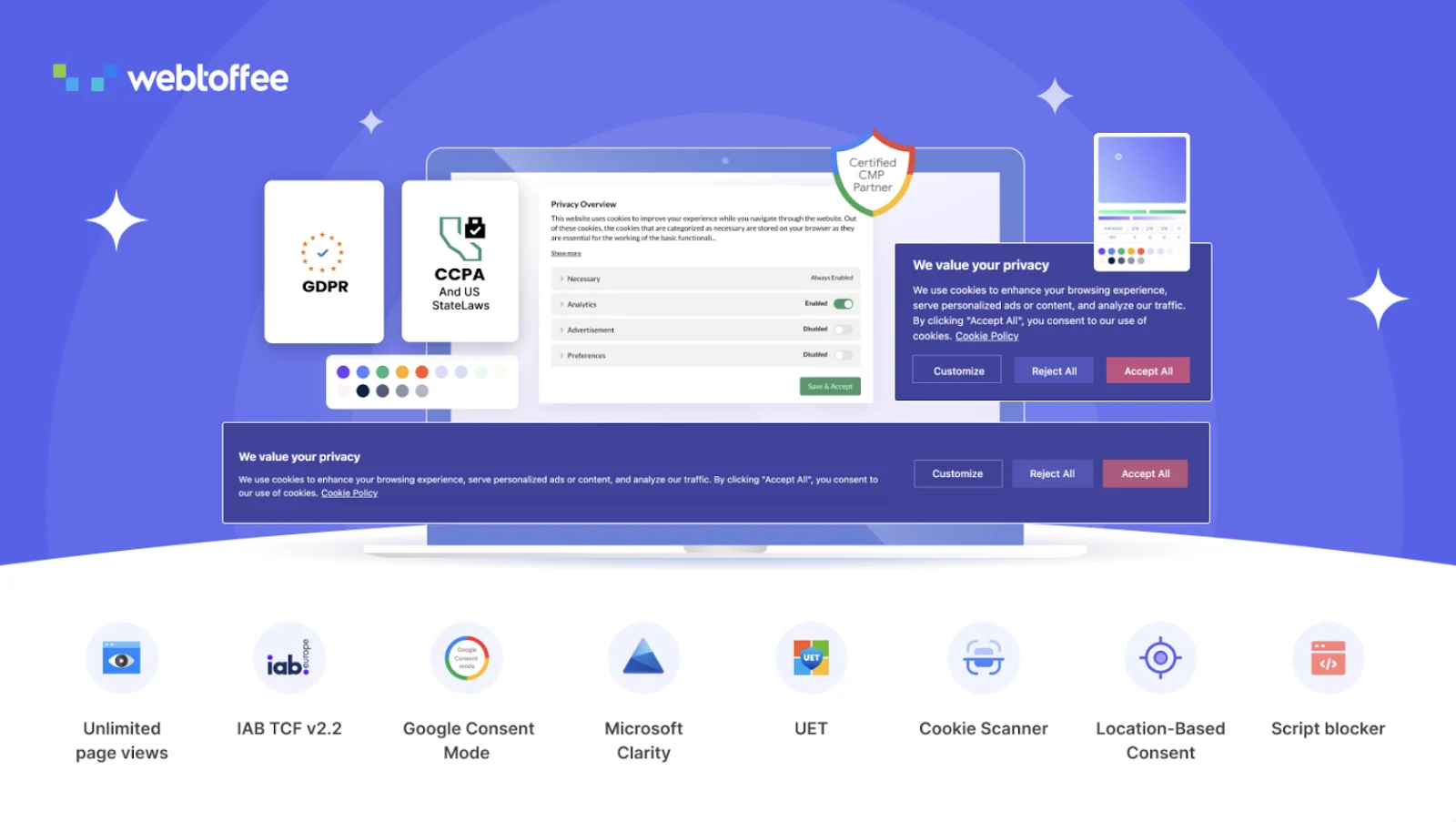
Privacy and cookie requirements are another area that WooCommerce store owners need to consider, particularly when their websites serve visitors from regions with specific GDPR data protection requirements.
GDPR Cookie Consent helps websites manage cookie consent and provide visitors with greater control over whether non-essential cookies are accepted. The plugin can be used to display cookie consent notices and manage cookie-related preferences.
For ecommerce websites, this can be relevant because stores often use analytics, advertising, personalization, payment, and other third-party services that may place cookies or process visitor information.
A cookie consent system can also make privacy controls more visible to visitors instead of leaving cookie management entirely hidden in a privacy policy. However, the exact configuration required depends on the website, the services it uses, and the regions it serves.
For that reason, store owners should configure the plugin according to their actual tracking setup and applicable privacy requirements rather than simply enabling a default consent banner.
15. Product Import Export Plugin for WooCommerce
Managing products manually becomes increasingly difficult as a WooCommerce catalog grows. It can be particularly time-consuming when a store needs to add hundreds of products, update existing information, move products between websites, or maintain product data in bulk.
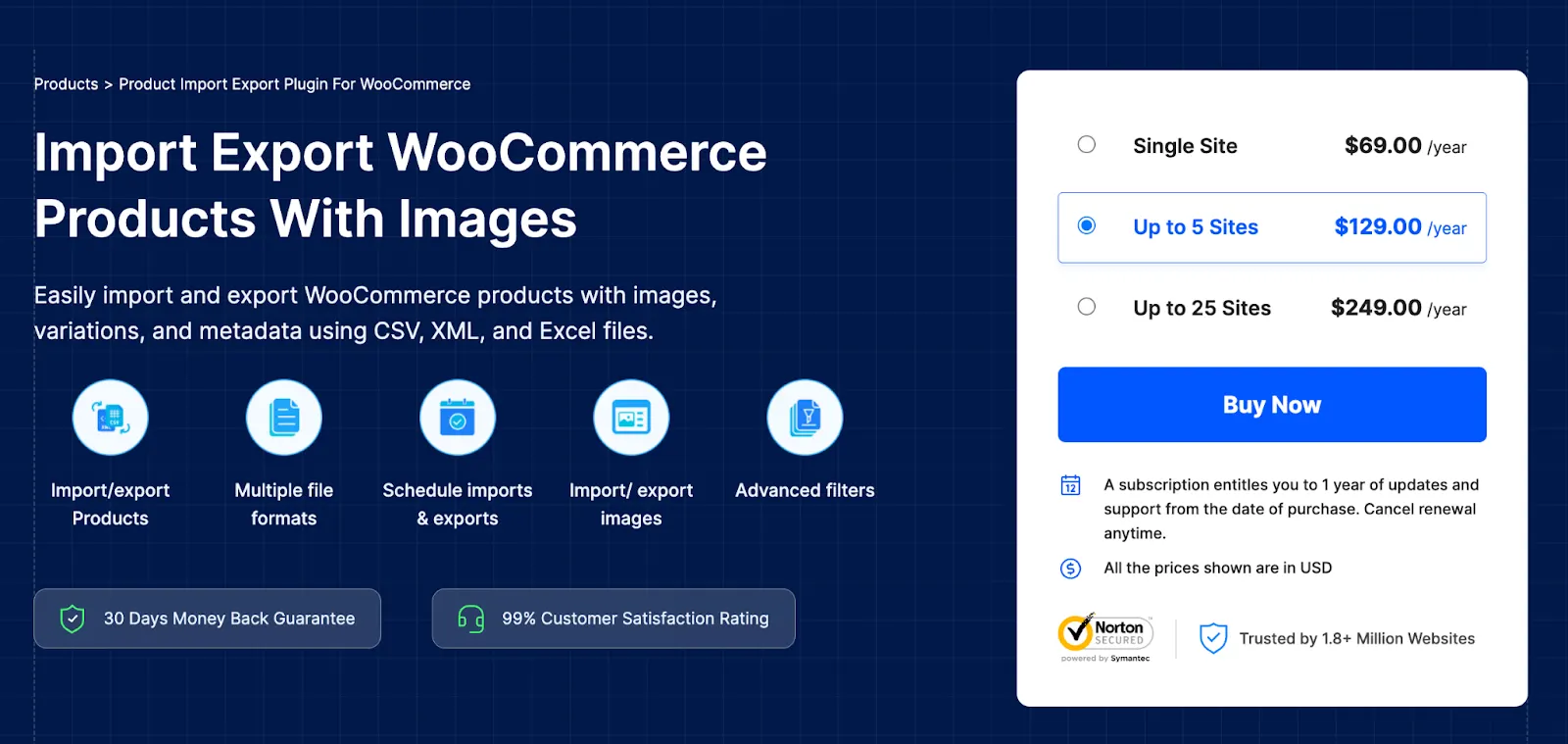
Product Import Export Plugin for WooCommerce is designed to simplify these catalog-management tasks. Store owners can import and export product information instead of editing each product individually through the WordPress dashboard.
This can be useful during a new store setup, a migration from another ecommerce platform, or a major catalog update. Businesses can also use bulk import and export workflows when product information needs to be updated across a large number of items.
For larger stores, this type of utility can save considerable administrative time. It also provides a more practical way to work with product data when the catalog is too large for efficient manual editing.
As with any bulk product operation, it is worth reviewing imported data before making large-scale changes live. A small formatting or mapping error can affect many products at once, so a controlled test with a limited number of products is a sensible approach.
16. WebYes Accessibility Tool

Accessibility is often overlooked when store owners focus on products, marketing, and conversions. However, an ecommerce website also needs to be usable by visitors with different accessibility requirements.
WebYes Accessibility Tool is designed to help improve the accessibility of a WordPress website by providing accessibility-related tools and controls. For WooCommerce stores, this can be useful when the business wants to make its shopping experience easier to use for a wider range of visitors.
Accessibility can involve several parts of a website, including how users navigate pages, interact with interface elements, read content, and use assistive technologies. An accessibility tool can provide additional controls, but it should be considered part of a broader accessibility strategy rather than a complete replacement for accessible design and development practices.
For store owners, the important point is to treat accessibility as part of the overall customer experience. Clear navigation, readable content, usable forms, properly structured pages, and accessible interactive elements all contribute to a store that more people can use comfortably.
17. YS LeadGen

Generating traffic is only one part of ecommerce marketing. Once visitors arrive at a WooCommerce store, businesses also need ways to capture interest, promote relevant offers, and encourage visitors to take the next step.
is a WordPress popup and lead-generation plugin that can be used for campaigns such as email opt-in forms, exit-intent popups, slide-ins, sticky bars, coupon campaigns, and other onsite lead-capture experiences. It is designed to work with WordPress and WooCommerce websites without requiring a separate external popup platform.
For an ecommerce store, these tools can be used in different parts of the customer journey. A store might display a newsletter signup to first-time visitors, show an offer when someone is about to leave, or use a coupon campaign to encourage a visitor to complete a purchase.
The important part is how these campaigns are used. Popups that appear too frequently or interrupt customers at the wrong moment can make the shopping experience worse. A more useful approach is to match the campaign with the visitor’s context—for example, showing a relevant offer on a product category rather than displaying the same message to everyone.
YS LeadGen can therefore fit into a WooCommerce marketing stack when the store needs more control over onsite lead capture, promotional campaigns, and visitor engagement.
18. PickPair
Increasing the value of each order does not always require finding more customers. Sometimes the opportunity is already in the shopping cart. A customer who is buying one product may also be interested in a complementary item, a frequently purchased combination, or an additional offer at checkout.
is designed for WooCommerce upselling and cross-selling. It supports features such as frequently bought together recommendations, related products, cart upsells, checkout order bumps, and one-click upsells. It also supports both traditional WooCommerce pages and the newer Cart and Checkout Blocks.
For example, a store selling cameras could recommend a memory card or camera bag alongside the main product. A fashion store might suggest matching accessories, while a food store could offer complementary products before checkout. These recommendations give customers relevant options without forcing them to search for those products themselves.
The key is relevance. Showing unrelated products simply to increase the number of offers can make the shopping experience feel cluttered. Upsells work better when they make sense in the context of what the customer is already buying.
For WooCommerce stores focused on increasing average order value, PickPair can be used as part of the merchandising and conversion strategy rather than relying only on discounts to increase revenue.
19. Hyoka
Customer reviews have become an important part of the ecommerce buying process. Before purchasing an unfamiliar product, shoppers often want to know what previous customers experienced, whether the product looks as expected, and whether the business can be trusted.
is a WooCommerce customer and product review plugin that goes beyond basic star ratings. It supports product reviews, photo and video UGC, customer questions and answers, automated review request emails, review-related rewards, and other customer engagement features.
For a store, this can create a more useful review system around the products rather than treating reviews as simple text comments. Customers can share visual content, ask questions, and provide feedback that can help future shoppers make decisions.
The plugin also includes features around review management, AI-assisted sentiment and replies, spam filtering, review imports, and integrations with review platforms. Its SEO-related functionality includes support for Google rich snippets and review sitemaps.
This makes a review system useful beyond social proof alone. Well-managed reviews can contribute to product discovery, customer confidence, and the amount of useful information available on product pages.
20. YS Desk
As an ecommerce store grows, customer support can become difficult to manage through a simple contact form or individual email inbox. Customers may have questions about products, orders, shipping, returns, or other issues, and the business needs a reliable way to keep those conversations organized.
is a WordPress live chat and customer support plugin that provides features such as a customizable chat widget, shared inbox, customer insights, conversation statuses, team collaboration, role-based permissions, and analytics.
A shared support system can be particularly useful when multiple people are handling customer conversations. Instead of keeping support requests scattered across individual inboxes, team members can work from a common system and see the status of conversations.
For WooCommerce stores, this can be useful at several points in the customer journey. A visitor may need help choosing a product before purchasing, while an existing customer may need assistance with an order after checkout. Having support available directly on the website can make it easier to handle both types of conversations.
The bigger benefit comes as the support workload increases. Features such as team permissions, agent availability, customer information, and analytics can help a business move from informal customer support toward a more structured support process.
Final Thoughts
A WooCommerce store does not need every plugin on this list. Installing more plugins simply because they are popular can make a website harder to manage without necessarily solving a real business problem.
A better approach is to look at where the store is currently losing time, customers, or revenue and choose tools that address those specific gaps. If visitors are leaving without subscribing, a lead-generation tool such as YS LeadGen may be useful. If customers are buying only one product when related products could naturally be offered, an upselling and cross-selling solution such as PickPair may be worth considering. Stores struggling to collect and manage customer feedback can look at Hyoka, while businesses handling a growing volume of customer conversations may benefit from a support solution such as YS Desk.
The same principle applies to the other plugins in the list. Gift cards, coupons, product recommendations, analytics, shipment tracking, cart recovery, product feeds, checkout customization, privacy tools, and catalog management all solve different problems. The right combination depends on how your store operates, what your customers need, and where the biggest opportunities currently exist.
Start with the problems that have the clearest business impact. Add the tools that can address those problems, measure the results, and expand the stack only when there is a genuine need. A smaller, well-managed WooCommerce plugin stack is often more useful than a large collection of plugins that the store does not really use.
Recommended WooCommerce Plugin Stack by Store Stage
Not every WooCommerce store has the same requirements. A newly launched store may only need a few essential tools, while an established store with hundreds of orders each month may need separate systems for marketing, customer support, analytics, reviews, and order management.
Instead of installing all 20 plugins at once, it is usually more practical to build the plugin stack as the business grows.
For a New WooCommerce Store
A new store should keep its setup relatively simple. At this stage, the priority is to make sure customers can browse products, complete checkout, receive their orders, and contact the business when they need help.
Analytics should also be configured early because traffic and customer behavior data become much more useful when they are collected from the beginning. Depending on the type of store, product feeds, variation swatches, or basic review functionality may also be worth adding.
The important thing is to avoid adding advanced marketing tools before there is enough traffic or customer activity to make them useful.
For a Growing Store
Once a store starts receiving regular traffic and orders, the focus usually shifts toward improving conversion rates and getting more value from existing customers.
This is where tools such as YS LeadGen, PickPair, Hyoka, and cart abandonment recovery can become more relevant. A store can use lead-generation campaigns to capture interested visitors, product recommendations and upsells to increase order value, and review campaigns to build a stronger collection of customer feedback.
At this stage, analytics becomes even more important because the business can begin comparing which campaigns, products, and traffic sources are actually contributing to sales.
For an Established WooCommerce Business
Larger stores generally have more operational requirements. Managing orders, shipment tracking, invoices, product catalogs, customer conversations, marketing campaigns, and customer data manually can become difficult as order volume increases.
A more established store may therefore benefit from a broader combination of tools. YS Desk can help organize customer support, while shipment tracking and invoice plugins can streamline post-purchase operations. Product import/export tools can simplify catalog management, and marketing automation can reduce repetitive communication tasks.
The plugin stack at this stage should be built around operational efficiency as much as sales growth. Saving the team several hours every week can be just as valuable as adding another conversion feature.
The Right Stack Is Different for Every Store
There is no universal WooCommerce plugin stack that every business should copy. A fashion store may prioritize variation swatches, reviews, and product recommendations, while a B2B store may need customized checkout fields, invoices, and customer-specific workflows.
The best approach is to review the store regularly and ask a simple question: what is currently slowing the business down or causing customers to drop off? The answer can guide the next plugin decision.
A WooCommerce plugin should solve a real problem, fit into the existing website setup, and justify the additional maintenance it introduces. When every plugin has a clear purpose, the overall store becomes easier to manage and the technology stack stays focused on the business rather than becoming a collection of features that are rarely used.
How to Evaluate a WooCommerce Plugin Before Installing It
Finding a WooCommerce plugin is easy. Finding one that is reliable, useful for your particular store, and worth keeping long term requires a little more consideration.
Before installing a plugin, start by looking at the problem it is supposed to solve. If the store is losing customers during checkout, for example, adding another product recommendation plugin may not address the real issue. The plugin should have a clear connection to a business requirement rather than simply adding another feature to the website.
Check Whether the Plugin Is Actively Maintained
WooCommerce and WordPress continue to change, so plugin compatibility matters. Look at the plugin’s recent updates, WordPress compatibility information, support activity, and overall development history before relying on it for an important part of the store.
An actively maintained plugin is generally easier to work with when WordPress, WooCommerce, PHP, or other components receive major updates.
Look at the Features You Actually Need
A plugin with 50 features is not necessarily better than one that does five things well. In fact, unnecessary features can make configuration more complicated and increase the amount of functionality that needs to be maintained.
Before installing a plugin, identify the specific features you need and check whether they are available in the version you plan to use. This is particularly important with free and premium versions, where some features may only be available in a paid plan.
Consider Performance and Compatibility
Every additional plugin becomes part of your website’s technology stack. Poorly developed or unnecessarily heavy plugins can affect performance, while conflicts between plugins can cause unexpected problems.
Before adding a plugin to a production store, check whether it works with your WordPress and WooCommerce versions and whether it is compatible with the theme, page builder, payment gateway, and other important extensions already being used.
Testing new plugins on a staging website is a good practice, especially when the plugin changes checkout, cart, product pages, or other critical parts of the store.
Review Support and Documentation
A plugin may work perfectly when first installed, but questions often arise when you start configuring advanced features. Good documentation and responsive support can make a significant difference when something needs to be changed or troubleshooted.
This becomes especially important for plugins connected to payment, checkout, shipping, analytics, marketing automation, or customer data.
Don’t Choose a Plugin Only Because It Is Popular
Downloads, ratings, and reviews can provide useful information, but they should not be the only deciding factors. A highly popular plugin may still contain features that your store does not need, while a smaller plugin may be a better fit for a specific requirement.
The better question is whether the plugin solves your problem reliably and fits into the way your WooCommerce store operates.
Review Your Plugin Stack Regularly
Plugin selection should not be a one-time decision. As the store changes, some plugins may become unnecessary, while new requirements may appear.
Every few months, review the plugins installed on the website and ask whether each one is still being used and providing value. Removing unused or duplicate plugins can simplify maintenance and make it easier to understand what is actually powering the store.
A good WooCommerce setup is not necessarily the one with the largest number of plugins. It is the one where each plugin has a clear purpose and contributes something useful to the customer experience, store operations, or business growth.
WooCommerce Plugin Selection Checklist
Before adding another plugin to your WooCommerce store, it is worth taking a few minutes to evaluate whether it is actually needed. A plugin may look useful in isolation, but the real question is whether it solves a problem that matters to your business.
Use this checklist before installing a new plugin:
- What problem am I trying to solve?
Be specific. It could be abandoned carts, low average order value, poor product discovery, customer support workload, review collection, or something else. - Does my store already have this feature?
Check your existing plugins before installing another one. Two plugins providing similar functionality can create unnecessary complexity or conflicts. - Will customers actually use this feature?
A feature can sound impressive but provide little value if it does not improve the shopping experience or help customers make decisions. - Does it work with my current WooCommerce setup?
Check compatibility with your WordPress version, WooCommerce version, theme, page builder, payment gateway, and other important extensions. - Is the plugin actively maintained?
Look at recent updates, support activity, documentation, and compatibility information before depending on a plugin for an important part of your store. - Will it affect website performance?
Consider whether the plugin adds unnecessary scripts, requests, database activity, or other functionality that could affect the customer experience. - Do I need the free version or a premium plan?
Understand exactly which features are included before installing. This helps avoid building part of your store around a feature that later requires an unexpected upgrade. - Can I test it safely first?
Whenever possible, test new plugins on a staging website before activating them on a live store, particularly when they modify checkout, cart, payment, or product functionality. - Can I measure whether it is helping?
If the plugin is intended to increase sales, generate leads, recover carts, or improve engagement, decide in advance which metric you will use to evaluate its impact.
The last question is often the most important one. If a plugin has been installed for several months but nobody uses its features and it provides no measurable business value, there may be little reason to keep it.
A well-planned WooCommerce stack should evolve with the store. Add tools when they solve a genuine requirement, remove them when they no longer serve a purpose, and keep the overall setup as simple as the business allows.
Quick Reference: 20 WooCommerce Plugins
If you do not want to read through every plugin in detail, the table below provides a quick way to identify which tools are most relevant to a particular WooCommerce requirement.
| Plugin | Best For |
|---|---|
| WooCommerce Gift Cards | Gift cards and store credit |
| TrustPulse | Social proof and activity notifications |
| Smart Coupons for WooCommerce | Discounts and promotional campaigns |
| Variation Swatches for WooCommerce | Visual product variation selection |
| WooCommerce Product Recommendations | Related products and product discovery |
| MonsterInsights | Website and ecommerce analytics |
| WooCommerce PDF Invoices, Packing Slips & Credit Notes | Invoices and order documents |
| Advanced Shipment Tracking for WooCommerce | Shipment tracking and delivery updates |
| WebToffee eCommerce Marketing Automation | Marketing automation and customer communication |
| WooCommerce Cart Abandonment Recovery | Recovering abandoned carts |
| Product Feed for WooCommerce | Product feeds and shopping channels |
| Checkout Field Editor for WooCommerce | Customizing checkout fields |
| WooCommerce EU Withdrawal Button | EU withdrawal functionality |
| GDPR Cookie Consent | Cookie consent and privacy management |
| Product Import Export Plugin for WooCommerce | Bulk product management |
| WebYes Accessibility Tool | Website accessibility |
| YS LeadGen | Popups, lead capture, and onsite campaigns |
| PickPair | Upsells, cross-sells, order bumps, and related products |
| Hyoka | Product reviews, UGC, and customer feedback |
| YS Desk | Live chat and customer support |
The important thing to remember is that these plugins are not competing to solve the same problem. Each one addresses a different part of running an ecommerce business, so the right combination depends on your store’s products, customers, traffic, order volume, and operational requirements.
Rather than treating the list as a checklist of 20 plugins to install, use it as a reference. Identify the areas where your store needs improvement, choose the relevant tools, and keep the rest in reserve until you actually need them.
Build Your WooCommerce Plugin Stack Carefully
A successful WooCommerce store is not built by installing as many plugins as possible. The stronger approach is to build the technology stack around the way the business actually operates.
Start with the essentials and make sure the core shopping experience works properly. Customers should be able to find products, understand variations, complete checkout, receive order information, and get support when they need it. Once those fundamentals are working well, look at areas where the store has clear opportunities for improvement.
If the store needs more leads, consider a lead-generation solution. If customers are buying individual products without exploring related items, look at recommendations and upselling. If reviews are limited, improve the review collection process. If support requests are becoming difficult to manage, introduce a proper customer support workflow.
It is also worth reviewing the plugin stack whenever the business changes. A store that starts with 20 products may eventually have hundreds or thousands. Marketing channels can change, order volumes can increase, and customer expectations can evolve. The plugins that made sense when the store launched may not always be the right tools several years later.
Most importantly, measure the results. A plugin should have a reason for being installed, whether that means saving administrative time, improving customer experience, increasing conversions, recovering lost orders, or making store management easier.
The best WooCommerce plugin stack is therefore not the longest one. It is the one that supports the business without adding unnecessary complexity. Choose carefully, test new tools before relying on them, and regularly remove anything that no longer provides meaningful value.
Frequently Asked Questions
There is no fixed number that works for every WooCommerce store. The better approach is to install plugins based on actual business requirements. Start with the functions your store currently needs, such as analytics, marketing, product recommendations, customer support, shipping, or cart recovery, and avoid adding plugins that do not serve a clear purpose.
Several types of plugins can contribute to sales, depending on where your store needs improvement. YS LeadGen can be used for onsite lead capture and promotional campaigns, while PickPair focuses on upsells, cross-sells, order bumps, and related product recommendations. Cart abandonment recovery and product recommendation tools can also help stores make better use of existing traffic.
There is no single solution that is best for every store, but PickPair is specifically designed around WooCommerce upselling and cross-selling. It supports frequently bought together recommendations, related products, cart upsells, checkout order bumps, and one-click upsells.
A review plugin can automate parts of the review collection process instead of relying on customers to leave feedback on their own. Hyoka supports product reviews, photo and video UGC, automated review request emails, customer questions and answers, and review-related rewards.
It depends on the volume and complexity of customer enquiries. A small store may be able to manage support through email, but as order volume grows, conversations can become difficult to organize. A solution such as YS Desk can provide live chat, a shared inbox, team collaboration, customer insights, and support analytics.
No. A new store generally does not need all 20 plugins. It is better to start with the essential functionality required to operate the store and add other tools as specific needs arise. This also makes the website easier to maintain and reduces unnecessary complexity.
Usually, it is better to avoid overlapping plugins unless there is a specific reason to use both. Two plugins performing similar functions can create unnecessary settings, duplicate functionality, compatibility issues, or additional maintenance. Before installing a new plugin, check whether an existing plugin already handles the requirement.
Start with the problem rather than the plugin. Identify what is currently affecting your store—such as abandoned carts, low average order value, limited customer feedback, difficult support management, or poor product discovery—and then choose a plugin that directly addresses that issue. This approach generally produces a more useful and manageable WooCommerce setup.
Conclusion
Choosing WooCommerce plugins is less about finding the biggest collection of features and more about identifying the tools that solve the right problems for your store.
The 20 plugins covered in this guide address different parts of ecommerce, from marketing and lead generation to product recommendations, reviews, customer support, analytics, shipping, checkout, privacy, and store administration. Some stores may benefit from several of them, while others may only need a small selection.
The best place to start is with your current business priorities. If you need to capture more leads, improve average order value, recover abandoned carts, collect better customer reviews, or organize support conversations, choose a plugin that directly addresses that requirement. Then measure whether it is actually improving the situation.
As your WooCommerce store grows, your plugin requirements will change as well. Review your setup regularly, keep the plugins that provide genuine value, and remove anything that has become unnecessary.
A carefully selected plugin stack can make a WooCommerce store easier to operate, more useful for customers, and better prepared for growth. The objective is not to install everything—it is to build a store where every important plugin has a clear reason for being there.