A customer adds products to their cart, reaches the checkout page, and then leaves without completing the purchase.
Sound familiar?
Cart abandonment is one of the biggest challenges WooCommerce store owners face. Even when shoppers show strong buying intent, many never complete their orders. The result is lost revenue, lower conversion rates, and wasted marketing spend.
The good news is that most cart abandonment issues can be fixed. From simplifying your checkout process and displaying shipping costs earlier to using exit-intent popups and cart recovery campaigns, there are several proven ways to reduce cart abandonment in WooCommerce and bring customers back.
In this guide, you’ll learn why customers abandon their carts, how to calculate your WooCommerce cart abandonment rate, and 15 practical strategies to recover more sales — backed by current industry benchmarks, not guesswork.
Quick Cart Abandonment Facts
Before diving into the solutions, it’s worth understanding the scale of the problem with real numbers rather than vague averages.
- The global average cart abandonment rate sits at 70.22%, based on a Baymard Institute meta-analysis of over 50 studies covering more than 4,000 ecommerce sites — meaning roughly 7 out of every 10 shoppers who add something to a cart leave without buying.
- Mobile shoppers abandon carts at a meaningfully higher rate than desktop shoppers across every dataset that splits by device, with commonly cited figures placing mobile abandonment in the 73–85% range versus 65–73% on desktop.
- Unexpected costs — shipping, tax, and fees — are the most commonly cited fixable reason shoppers abandon checkout, reported by roughly 39–48% of abandoners depending on the study.
- Checkout-design improvements alone are estimated to lift conversion by around 35%, representing an estimated $260 billion in recoverable orders across US and EU ecommerce combined (Baymard Institute).
The important thing to remember is this: cart abandonment is normal. Even the best-optimized WooCommerce stores will never bring this number to zero — a large share of abandonment is simply browsing, comparison shopping, or saving items for later, not a signal that something is broken.
What separates successful WooCommerce stores from struggling ones is how effectively they reduce avoidable abandonment and recover the rest.
What Is Cart Abandonment?
Cart abandonment occurs when a shopper adds one or more products to their cart but leaves your website before completing the purchase.
For example, imagine a customer browsing your online store. They find a product they like, add it to their cart, proceed to checkout, and begin entering their information. Everything suggests they are ready to buy.
Then something happens.
They close the browser. Switch devices. Get distracted. Compare prices elsewhere. Or simply decide to postpone the purchase.
Whatever the reason, the transaction remains incomplete.
For WooCommerce store owners, every abandoned cart represents potential revenue that almost became a sale. This is why reducing WooCommerce cart abandonment is often one of the fastest ways to improve ecommerce performance. Instead of spending more money acquiring new visitors, you focus on converting shoppers who have already shown interest in your products.
Why Customers Abandon Their Cart
Many store owners assume customers abandon carts because they aren’t interested in buying. That’s rarely the case — most shoppers abandon carts because they encounter friction during the buying process. Let’s look at the most common documented reasons.
Unexpected Shipping Costs
Few things frustrate online shoppers more than reaching checkout and discovering unexpected fees. A customer sees a product priced clearly, adds it to their cart, then discovers shipping charges, taxes, handling fees, or delivery surcharges added on top. Suddenly the final price is much higher than expected — and this is consistently the single most-cited reason for cart abandonment across independent studies. Transparency is essential. Customers should understand the total cost as early as possible.
Complicated Checkout Processes
Long checkout forms create friction. Every additional field requires more effort from the customer. Many WooCommerce stores ask for information that isn’t necessary for completing an order. The more complicated the checkout process becomes, the more likely shoppers are to abandon their carts.
Forced Account Creation
Not everyone wants to create an account before making a purchase. Some shoppers simply want to buy a product quickly. When account registration becomes mandatory, customers may decide it’s not worth the effort. Offering guest checkout removes this barrier and is one of the most well-documented ways to improve checkout completion rates.
Trust Concerns
Online shoppers need confidence before entering payment information. If your website looks outdated, lacks security indicators, or doesn’t display customer reviews, visitors may hesitate to complete their purchase. Trust signals play a major role in ecommerce conversions, particularly for first-time visitors to your store.
Limited Payment Options
Customers have different payment preferences. Some prefer credit cards. Others use UPI, PayPal, net banking, or digital wallets. If shoppers can’t find their preferred payment method, they may leave and purchase elsewhere.
Price Comparison Shopping
Many customers use shopping carts as research tools. They add products to compare prices, shipping costs, and offers across multiple websites. This behavior is especially common for higher-value purchases, and it’s a meaningful share of “abandonment” that isn’t really about your checkout at all.
Mobile Shopping Interruptions
Mobile shopping is convenient, but it’s also full of distractions. Phone calls, messages, notifications, and connectivity issues frequently interrupt the checkout process. Combined with smaller screens making forms harder to complete, this is a major reason mobile cart abandonment consistently runs higher than desktop. Many abandoned carts don’t represent lost interest — they simply represent interrupted shopping journeys.
How to Calculate Your WooCommerce Cart Abandonment Rate
Before improving cart abandonment, you need to know your current performance.
Use the following formula:
Cart Abandonment Rate = (Abandoned Carts ÷ Created Carts) × 100
Let’s say:
- 1,000 shoppers create a cart
- 700 leave without purchasing
Your WooCommerce cart abandonment rate would be 70% — right in line with the global average.
You can find this data in WooCommerce Analytics, Google Analytics ecommerce reports, or a dedicated cart-tracking plugin. Tracking this metric consistently allows you to measure the impact of your optimization efforts over time, rather than guessing whether a change actually helped.
Now that we understand the problem, let’s look at the solutions that successful WooCommerce stores use to recover more sales.
15 Proven Ways to Reduce Cart Abandonment in WooCommerce
1. Simplify Your Checkout Process
The easier it is to complete a purchase, the more customers will do it. Review every field in your checkout form and ask yourself: “Is this information absolutely necessary?” If not, remove it. Reducing friction is one of the fastest ways to improve checkout completion rates in WooCommerce.
2. Offer Guest Checkout
Forcing users to create an account can increase abandonment — mandatory registration is one of the most consistently documented friction points in checkout research. Guest checkout allows customers to complete purchases quickly without unnecessary steps. You can always encourage account creation after the order is completed.
3. Display Shipping Costs Early
Surprises at checkout are the leading cause of cart abandonment. Display estimated shipping costs on product pages, cart pages, and checkout pages. The earlier shoppers know the total cost, the more likely they are to complete their purchase.
4. Optimize for Mobile Devices
A majority of WooCommerce traffic now comes from mobile devices, and mobile abandonment rates run meaningfully higher than desktop. Test your checkout process on different smartphones and tablets. Make sure forms are easy to complete, buttons are easy to tap, pages load quickly, and payment options work smoothly. Mobile checkout optimization is no longer optional — it’s where most stores have the biggest recoverable gap.
5. Improve Website Speed
Slow websites create frustration. Even a few extra seconds of loading time can impact conversions, especially on mobile connections. Optimize images, use caching, and choose reliable hosting to improve site performance.
6. Add Trust Signals
Customers need reassurance before making a purchase. Consider displaying SSL security badges, payment security icons, customer reviews, return policies, and money-back guarantees. Trust signals reduce the hesitation that leads to abandoned carts, particularly for new visitors who haven’t purchased from you before.
7. Offer Multiple Payment Methods
The more payment options you provide, the fewer customers you’ll lose to a missing preference. Popular options include credit cards, debit cards, UPI, PayPal, and digital wallets. Payment flexibility directly improves conversion rates.
8. Use Exit-Intent Popups
When shoppers attempt to leave your store, an exit-intent popup can provide a final opportunity to save the sale. For example: “Wait! Complete Your Order Today and Get Free Shipping.” A simple, relevant incentive can encourage customers to reconsider their decision.
9. Create Cart Recovery Popups
Not every shopper leaves because they’re unhappy — many simply get distracted. Cart recovery popups remind visitors about products they’ve already shown interest in and encourage them to complete their purchase before they navigate away entirely.
10. Offer Limited-Time Discounts
Urgency can motivate action. A small discount with a genuine deadline can help shoppers move from consideration to purchase, particularly for price-sensitive segments comparing your store against competitors.
11. Use Social Proof
Customer reviews and testimonials help build confidence. Shoppers feel more comfortable buying when they see evidence that others have had positive experiences with your store.
12. Send Cart Recovery Emails
Some customers leave despite your best efforts. Cart recovery emails help bring them back — abandoned-cart email flows are consistently among the highest-yielding automated email types available, since they’re sent to shoppers who have already shown clear purchase intent rather than cold traffic.
13. Reduce Form Fields
Shorter forms generally convert better. Collect only the information required to complete the transaction — every additional field is an additional opportunity for a shopper to give up.
14. Use Progress Indicators
Customers like knowing how close they are to completing a task. Progress indicators make checkout feel simpler and more manageable, particularly for multi-step checkout flows.
15. Continuously Test and Optimize
Cart abandonment reduction is not a one-time project. Regularly test checkout layouts, button text, popup offers, form designs, and payment methods. Small improvements add up over time, and what works for one WooCommerce store won’t always transfer directly to another.
How Exit-Intent Popups Help Recover Abandoned WooCommerce Carts
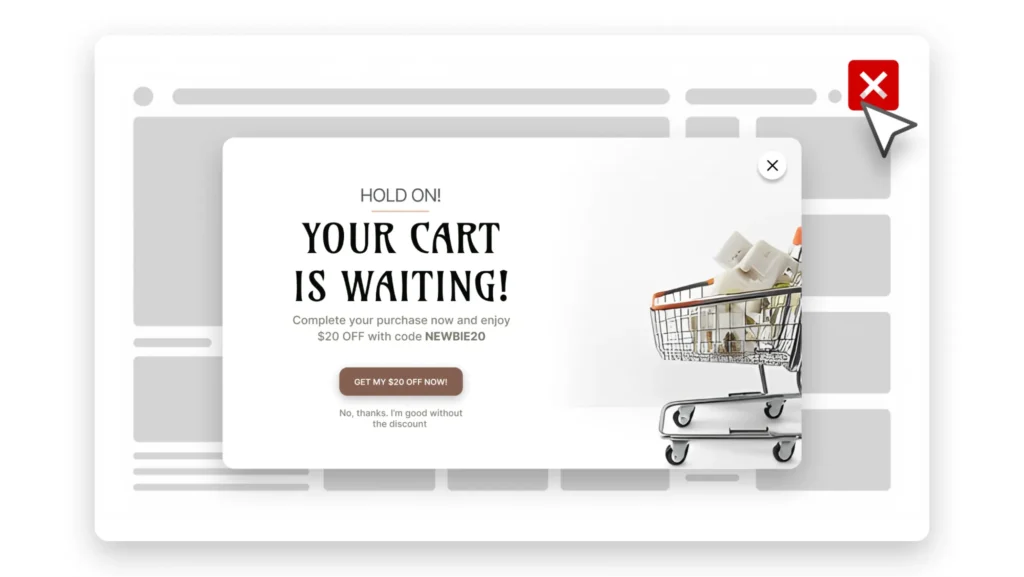
Imagine a shopper has spent several minutes browsing your store. They’ve viewed multiple products, added items to their cart, and even started the checkout process. Then, just as they’re about to leave, a popup appears with a relevant offer.
That single interaction can be the difference between losing a customer and recovering a sale.
This is why exit-intent popups have become one of the most effective cart recovery tools for WooCommerce stores. Unlike traditional popups that interrupt visitors while they’re browsing, exit-intent popups only appear when a shopper shows signs of leaving the website. Because of this, they feel less intrusive and often generate higher engagement than popups shown on page load.
The key is presenting an offer that addresses the customer’s likely hesitation. For example, if shipping costs are the concern — statistically the most common one — you might display: “Complete Your Order Today and Get Free Shipping.” If the customer is price-sensitive, you could offer: “Here’s 10% Off Your Order – Valid for the Next 30 Minutes.”
The goal isn’t to give discounts to every visitor. The goal is to recover sales that would otherwise be lost.
Many successful WooCommerce stores use exit-intent popups as a final opportunity to remind shoppers about the products they’ve already shown interest in. Even if the customer doesn’t complete the purchase immediately, capturing their email address allows you to follow up later through cart recovery emails — turning a single missed opportunity into two chances to convert.
How to Create Cart Recovery Popups in WooCommerce
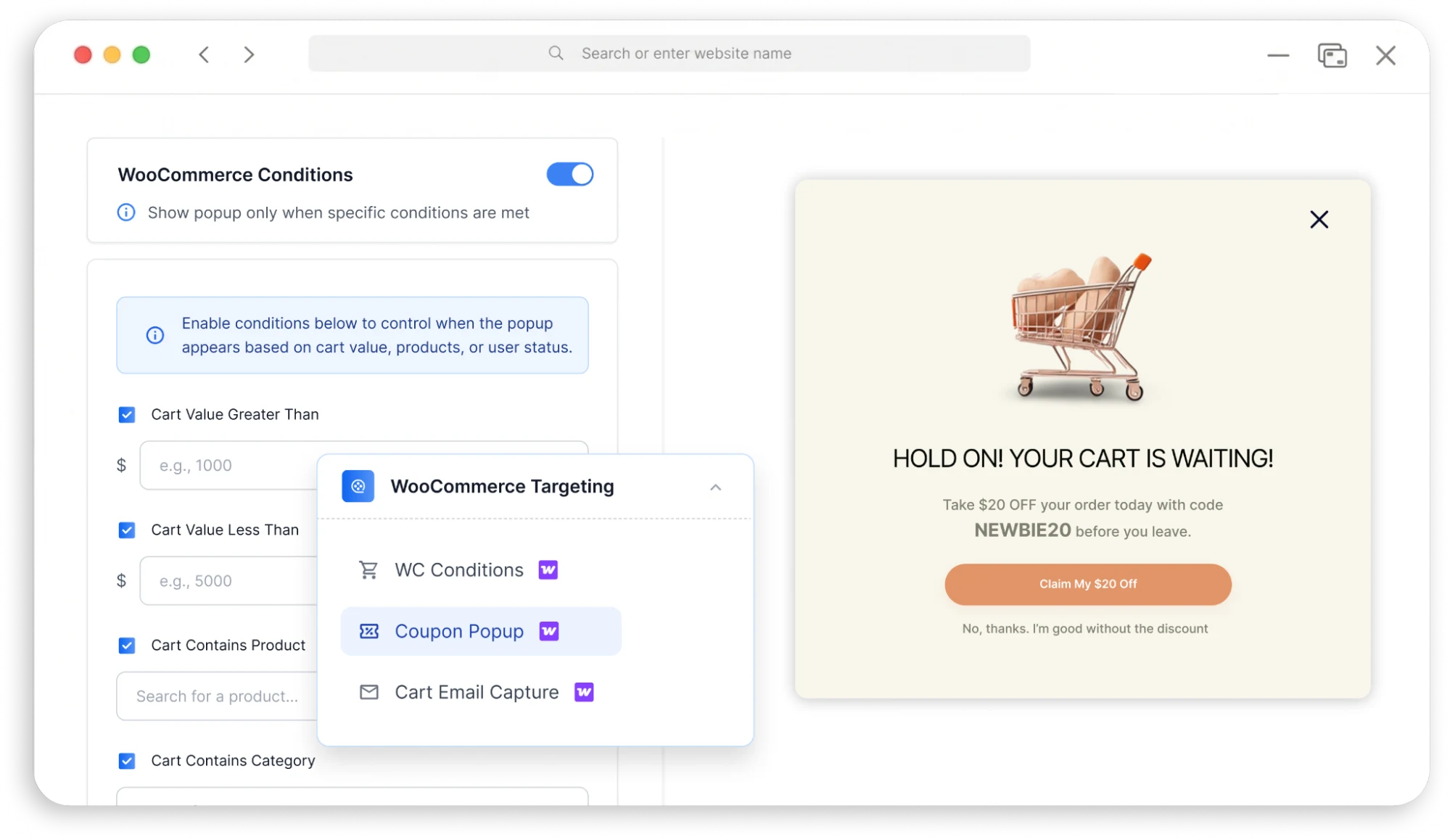
Creating an effective cart recovery popup doesn’t require advanced technical knowledge. The process is surprisingly straightforward when you focus on the customer journey.
Step 1: Identify Where Customers Leave
Start by reviewing your analytics. Are customers abandoning carts on product pages, cart pages, or checkout pages? Understanding where abandonment occurs helps you create more targeted campaigns rather than a single generic popup for your entire store.
Step 2: Create a Relevant Offer
Your offer should address the customer’s likely concern. Examples include free shipping, first-order discounts, limited-time offers, bonus gifts, or a free consultation for service-based businesses. Avoid generic messages — the more relevant the offer, the better the results.
Step 3: Use Exit-Intent Triggers
Instead of showing the popup immediately, display it when visitors attempt to leave. This ensures the popup feels helpful rather than disruptive, which matters both for conversion and for user experience.
Step 4: Keep the Message Simple
Your popup should communicate three things: what you’re offering, why it matters, and what action the visitor should take. Avoid lengthy explanations — clarity converts.
Step 5: Measure Performance
Track popup conversion rate, recovered orders, email captures, and revenue generated. The data will help you refine future campaigns rather than relying on a single launch-and-forget popup.
Using YS LeadGen to Recover Abandoned WooCommerce Carts
For WooCommerce store owners, one of the simplest ways to implement cart recovery strategies is through targeted popup campaigns. YS LeadGen allows you to create and display conversion-focused popups without modifying your WooCommerce checkout process or hiring developers.
For example, you can create:
- Exit-intent popups — display a targeted offer when shoppers attempt to leave your website.
- Discount popups — encourage customers to complete purchases by offering a limited-time incentive.
- Lead capture popups — collect visitor email addresses before they leave so you can follow up through email marketing.
- Promotional campaign popups — highlight free shipping offers, seasonal promotions, or exclusive deals.
The advantage of using popup campaigns to address WooCommerce cart abandonment is that they let you engage shoppers before they disappear completely. Instead of watching visitors leave, you create one more opportunity to convert them.
A Real-World Cart Recovery Example
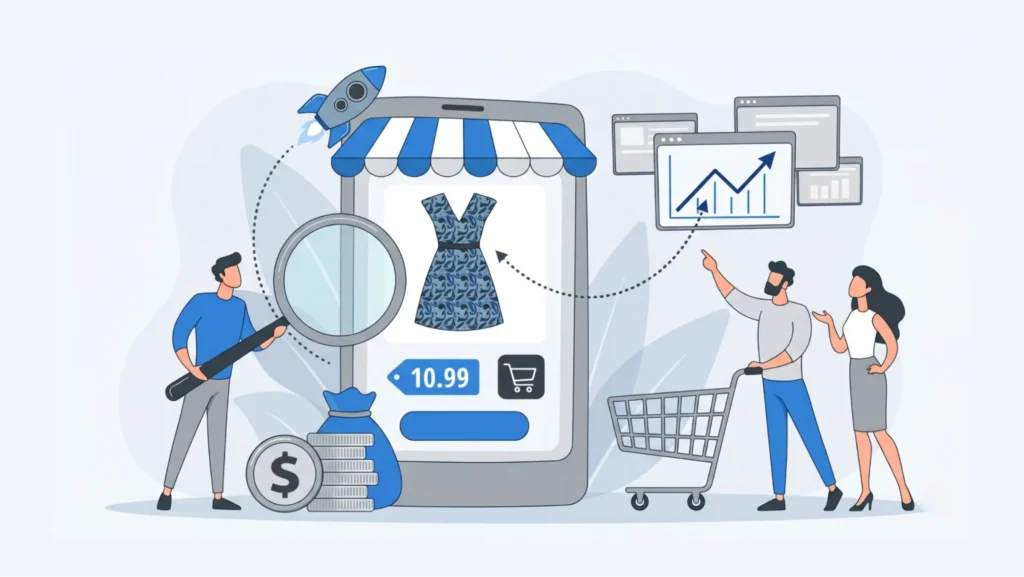
Let’s look at a practical scenario.
Imagine an online fashion store receives 15,000 visitors each month. During a typical month:
- 1,200 shoppers add products to their cart
- 800 abandon their cart
- 400 complete a purchase
That’s a cart abandonment rate of roughly 67% — close to the global average — and the store owner notices a significant amount of potential revenue being lost.
After analyzing the checkout process, they make several improvements:
- Simplify checkout fields
- Enable guest checkout
- Display shipping costs earlier
- Add customer reviews
- Launch an exit-intent popup campaign
Three months later, the results improve noticeably. While traffic remains relatively unchanged, more shoppers complete their purchases because friction has been reduced and abandoning visitors are given additional incentives to stay engaged.
This example highlights an important lesson: increasing traffic isn’t always the fastest path to more revenue. Sometimes the biggest opportunity lies in converting the visitors you already have.
WooCommerce Cart Abandonment Reduction Checklist
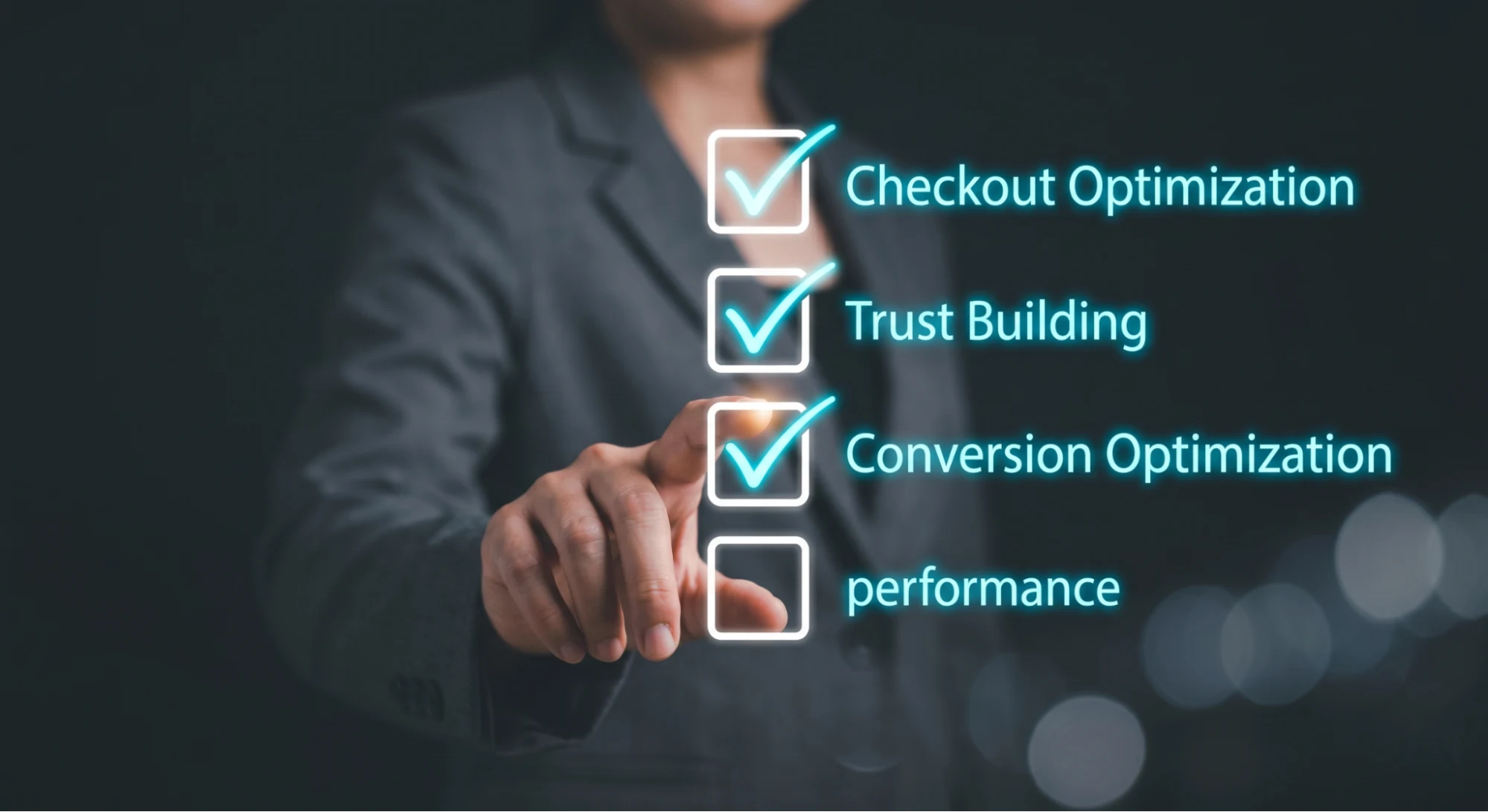
Before publishing new marketing campaigns or spending more money on advertising, review this checklist.
Checkout optimization
- ☐ Guest checkout enabled
- ☐ Checkout fields minimized
- ☐ Mobile checkout tested
- ☐ Progress indicators added
Trust building
- ☐ SSL certificate active
- ☐ Customer reviews displayed
- ☐ Return policy visible
- ☐ Contact information easy to find
Conversion optimization
- ☐ Shipping costs shown early
- ☐ Multiple payment options available
- ☐ Exit-intent popup active
- ☐ Cart recovery emails configured
Performance
- ☐ Website speed optimized
- ☐ Checkout pages load quickly
- ☐ Mobile experience reviewed regularly
The more boxes you can check, the stronger your checkout experience becomes.
Cart Abandonment by Industry: What’s a “Good” Rate?
Cart abandonment rates vary significantly by industry, and comparing your store to the wrong benchmark can lead to the wrong conclusions. Data compiled from industry-wide studies generally shows a pattern like this:
| Industry | Typical Abandonment Rate |
|---|---|
| Food & grocery | ~57% (lowest) |
| Electronics | ~74% |
| Fashion & apparel | ~76–88% |
| Home & furniture | ~79% |
| Telecommunications | ~79% |
| Luxury & jewelry | ~82% (highest) |
The pattern is consistent across most research: industries with higher price points and longer decision cycles tend to see higher abandonment, since shoppers are more likely to research, compare, and delay a bigger purchase. A fashion retailer sitting at 75% isn’t necessarily underperforming — a grocery store at that same rate likely has a real problem. Benchmark your WooCommerce store against your own vertical and your own historical performance, not the global average alone.
Final Thoughts

Cart abandonment is an unavoidable part of ecommerce. Every WooCommerce store loses potential customers before they complete their purchase.
However, that doesn’t mean you should accept lost sales as inevitable.
The most successful online stores continuously look for ways to remove friction, improve trust, and create a smoother checkout experience. Simple improvements such as guest checkout, faster page loading, transparent pricing, and multiple payment options can have a significant impact on conversion rates. At the same time, tools like exit-intent popups and cart recovery campaigns provide additional opportunities to recover sales that would otherwise disappear.
The important thing is to take action. Start by identifying the biggest obstacles in your checkout process. Implement a few of the strategies discussed in this guide, monitor the results, and continue optimizing over time.
Even a small reduction in cart abandonment can translate into substantial revenue growth. And when you’re already investing time and money to bring visitors to your WooCommerce store, recovering more of those potential customers is often the smartest place to start.
Ready to Recover More WooCommerce Sales?
If you’re looking for a simple way to reduce cart abandonment in WooCommerce and capture more leads before visitors leave your store, try creating targeted exit-intent and cart recovery popups with YS LeadGen.
The right popup, shown at the right moment, can help turn abandoning shoppers into paying customers.
Frequently Asked Questions
The global average is 70.22% (Baymard Institute), so a rate near that figure is typical, not a sign of failure. Rather than fixating on the industry average, benchmark against your own vertical — a fashion or luxury store naturally runs higher than a grocery or low-cost consumables store — and focus on improving your own rate over time.
The most common reasons are unexpected costs at checkout (shipping, tax, fees), being forced to create an account, a checkout process that’s too long or complicated, and trust concerns about entering payment information. A meaningful share of abandonment also comes from shoppers who were simply browsing or comparing prices and never intended to buy that session.
Yes. Mandatory account creation is one of the most consistently documented friction points in checkout research. Offering guest checkout removes a barrier for shoppers who just want to complete a quick purchase, and you can still prompt account creation after the order is placed.
Yes, when the offer is relevant and the trigger is used correctly. Exit-intent popups target visitors who are already showing signs of leaving, so they feel less intrusive than a popup shown immediately, and they give you one additional chance to either complete the sale or capture an email for follow-up.
The two most effective recovery tools are exit-intent popups (which catch shoppers before they leave) and cart recovery emails (which follow up afterward, often as an automated sequence). Combining both — a popup to capture the email if it wasn’t already collected, followed by a recovery email sequence — consistently outperforms using either tool alone.
Focus on the friction points unique to smaller screens: enable one-tap payment options like Apple Pay or Google Pay, enlarge tap targets and buttons, minimize the number of form fields, and test your actual checkout flow on a real phone rather than a resized desktop browser. Since mobile abandonment consistently runs higher than desktop across nearly every published dataset, this is often the single highest-impact area to optimize.
Divide the number of abandoned carts by the number of created carts, then multiply by 100: (Abandoned Carts ÷ Created Carts) × 100. You can pull this data from WooCommerce Analytics, Google Analytics ecommerce reporting, or a dedicated cart-tracking plugin.
This guide is reviewed and updated periodically to reflect current cart abandonment benchmarks and WooCommerce best practices. Last verified: June 2026.