You click on a link. The page has not even finished loading. And already a big box covers your screen asking for your email address.
You close it right away. Maybe you leave the website too.
This happens to all of us. And it is the main reason people say they “hate popups.” But that is not really true. People do not hate popups. They hate popups that show up at the wrong time.
If a popup shows up at the right moment, most people do not mind it. Some even find it helpful. The difference is not the design. It is not the color or the button text. It is timing. When the popup shows up matters more than how it looks.
In this guide, you will learn the best time to show a popup on your website. We will cover the different popup triggers, when to use each one, real numbers from popup studies, and simple mistakes to avoid. This guide is written for regular WordPress users, so there is no tech jargon. Just simple, clear advice you can use today.
Why Timing Matters More Than Design
Think about how you browse websites every day.
When you first land on a page, you are just checking it out. You want to know if this page has what you are looking for. If a popup shows up in these first few seconds, it feels annoying. You have not even decided if you like the page yet.
If the page is good, you keep reading. You scroll down. You start to trust the website a little more.
Then, one of two things happens. Either you find what you need and think about what to do next. Or you lose interest and get ready to leave.
Both of these moments are good times for a popup to appear. This is the whole idea behind popup timing. A popup shown the second someone lands on your page has no context. The exact same popup shown after they read a few paragraphs, or scroll halfway down the page, feels different. It feels earned.
The Three Stages Every Visitor Goes Through
It helps to picture it as three simple stages:
- Checking (0 to 10 seconds): The visitor is deciding if your page is worth their time. Do not interrupt here.
- Reading (10 to 90 seconds): The visitor is engaged and starting to trust your site.
- Deciding (near the end): The visitor is either about to act or about to leave. This is your best window.
The Main Popup Triggers (And When to Use Each One)
There is no single “best” setting that works for every website. The right trigger depends on your page and what you are offering. Here are the main types, sometimes called popup display rules or popup targeting rules.
1. Time Delay Popups
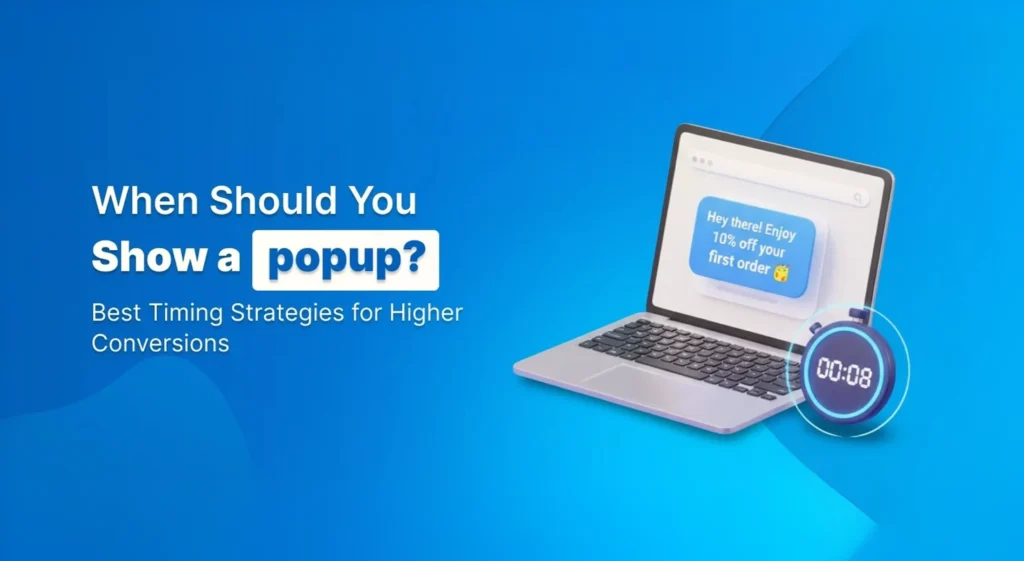
This is the simplest type. The popup waits a set number of seconds after your page loads, then it shows up. This is sometimes called a timed popup.
Many studies on popup timing agree on one thing: waiting around 6 to 10 seconds works better than showing a popup right away. One study found that popups shown after 8 seconds got the best results, better than popups shown earlier or later.
This makes sense. In 8 seconds, a visitor has time to read your headline and get a feel for the page. But it is not so long that they have already lost interest.
Best setting: For blog posts, try 8 to 15 seconds. For product or pricing pages, 8 to 12 seconds usually works well since visitors already know why they are there.
What to avoid: Never show a popup in under 5 seconds. It feels like an ambush. Visitors have not decided if they like your page yet, so this is the fastest way to make them leave.
2. Scroll Depth Popups
This type does not care about time. It cares about how far down the page someone has scrolled.
Here is why this works well: someone could open your page in a browser tab and walk away to make coffee. A timer does not know that. It will still fire the popup, even though nobody is looking. A scroll trigger does not have this problem. If someone has scrolled 40% down your page, they are actually reading it.
Best setting: For most blog posts, 30% to 50% scroll depth works well. For long, detailed guides, try 50% to 60%. This targets people who are genuinely engaged with your content.
One more tip: people scroll faster on their phones than on a computer. So if you are using scroll triggers on mobile, it helps to set the number a bit lower, maybe 35% instead of 50%. This keeps the timing fair across devices.
3. Exit-Intent Popups
You have probably seen this one without knowing its name. On a computer, this trigger watches your mouse. If your cursor moves quickly toward the top of the screen, like you are about to close the tab, the popup appears right then.
Why does this work so well? Because the visitor already decided to leave. You are not interrupting their reading. You are catching them right as they walk out the door. There is nothing to lose, since they were leaving anyway.
This works really well on shopping cart pages, which is one of the biggest problems online stores deal with. Most online shoppers do not finish their purchase. The average cart abandonment rate across online stores is around 70%, meaning roughly 7 out of every 10 people who add something to their cart leave without buying it. A well-timed exit-intent popup, like a small discount or a reminder of what’s in the cart, is one of the few tools that can bring some of those people back before they leave for good.
The catch on mobile: phones do not have a mouse pointer, so exit-intent does not work the same way. Some tools try to guess exit intent by watching for a fast scroll back up, or a tap on the back button. But it is not as reliable as it is on a computer. Many websites just use scroll depth or time delay for mobile instead.
4. Click-Triggered Popups (Two-Step Opt-Ins)
This one is different. Instead of the website deciding when to show the popup, the visitor decides. The popup stays hidden until someone clicks a specific button, like “Book a Call” or “Download the Guide.”
Because the visitor already chose to click, filling out a form next feels like a normal next step, not a surprise ask. This is why click-triggered popups usually get some of the highest conversion rates out of any trigger. You get fewer people seeing it, but the ones who do are much more likely to say yes.
5. Inactivity Popups
This is less common but still useful. If someone stops scrolling, stops clicking, and stops moving their mouse for 45 to 60 seconds, it usually means they are stuck or confused. Maybe they are staring at a pricing page, not sure which plan to pick.
An inactivity popup can step in at that point and offer help, like a live chat option or a quick question. It works well on pricing pages and other pages where people tend to pause and think.
6. Cart-Based and Page-View Popups
If you run an online store, cart-based popups are worth knowing. Instead of watching time or scrolling, they watch what is in the shopping cart. For example: “Add $10 more to get free shipping!” This shows up once someone gets close to your shipping threshold. It is a simple way to increase how much people spend per order.
There is also a page-view trigger, which waits until someone has looked at two or three pages on your site before showing a popup. This is a good sign that someone is genuinely interested in your site, not just passing through.
Matching the Right Trigger to the Right Page
Not every page on your site should use the same popup setting. Here is a simple breakdown.
Blog Posts and Articles
Use scroll depth. It only shows up for people who are actually reading. Add exit-intent as a backup, so you also catch people who are about to leave before they scroll that far.
Product Pages
A short time delay (around 10 to 15 seconds) or an exit-intent popup with a discount both work well here.
Shopping Cart Page
Exit-intent is the standard choice. Offer a small discount, free shipping, or just remind them what is in their cart.
Checkout Page
Do not show any popups here. This is one page where less is more. A popup here can break someone’s focus while they are trying to pay, and it might even send them off to search for a coupon code instead of finishing their order.
Pricing and Service Pages
Try an inactivity trigger or exit-intent, offering a quick call or a custom quote. People on these pages are often comparing options slowly, so give them space before asking anything.
Homepage
A gentle time delay (15 to 20 seconds) or scroll trigger works better than exit-intent here, since a first-time visitor usually needs more time to understand what your site even offers.
What the Numbers Actually Say About Popup Timing
It helps to see a couple of real numbers, not just general advice. Here are two worth knowing, both based on studies from popup platforms that track large amounts of real website data.
Cart Abandonment Is a Huge Problem for Online Stores
On average, around 70% of online shopping carts are abandoned before checkout. That is a lot of lost sales sitting right there, which is exactly why exit-intent popups are so commonly used on cart pages.
Cart Abandonment Popups Convert Better Than Almost Any Other Type
According to OptiMonk’s 2026 popup data, cart abandonment popups convert at an average of 17.12%, higher than almost any other popup use case they tracked. This is because these popups are shown to people who already want to buy, not people who just landed on the site.
The lesson here is simple: popups work best when they match where someone already is in their decision. A newsletter popup to a brand-new visitor will never convert like a discount popup to someone who already has items sitting in their cart.
Popup Timing Mistakes That Quietly Hurt Your Results
A few small mistakes show up again and again, even on well-designed popups.
- Showing the popup instantly. This is the single biggest mistake. It has nothing to do with your offer or design, and it is often the reason a “good” popup gets bad results.
- Using the same trigger on every page. A blog post and a checkout page should never use the same popup setting.
- Ignoring mobile. A popup that looks fine on a computer can be broken or hard to close on a phone. Always check both.
- Showing the same popup too many times. If someone already closed it once, showing it again right away just annoys them.
- No clear reason to say yes. Even with perfect timing, a popup with a vague message like “Subscribe to our newsletter” will not convert well. Give people a real reason, like a discount, a free guide, or a checklist.
Do Popups Hurt Your Google Ranking?
Short answer: no, not by default.
Google does not punish you just for having a popup. What Google does not like is one specific thing: a popup that covers the whole screen the moment someone lands on your page from a Google search, especially on a phone. This has been a Google ranking rule for years, and it still applies today.
If your popup blocks the entire page before someone has read even one sentence, that is the kind of setup that can hurt your ranking.
Popup Types Google Always Allows
- Cookie consent or age verification popups
- Login screens for private content
- Small banners or slide-ins that only cover a small part of the screen and are easy to close
The good news is, if you are already using scroll depth or a reasonable time delay (instead of showing a popup instantly), you are already following Google’s rules. A safe general tip: wait until mobile visitors have scrolled at least 30% down the page before showing anything.
Keeping Your Site Fast and Smooth
- Do not let your popup push the page content around when it loads.
- Compress any images used inside your popup so the page stays fast.
How Often Should the Same Person See Your Popup?
This part gets missed a lot, but it is simple to fix.
If someone closes your popup, do not show them the same one again for at least two weeks. If someone already signed up or downloaded your offer, do not show them that popup again at all.
Why does this matter so much? Because showing the same popup over and over hurts your results. Nobody wants to be asked the same question four times in one visit, and repeated popups are one of the fastest ways to make a visitor leave and never come back.
Match the Popup to Where the Visitor Came From
- From Google search? A gentle popup, like scroll depth or a 30-second delay, works best.
- From a paid ad? Match the popup to the exact offer they clicked on.
- From your email newsletter? Skip the signup popup completely. You already have their email address.
How to Set This Up on WordPress
If you are using WordPress, you do not need any coding to set up popup timing. Most popup plugins, including free ones like YS LeadGen, OptinMonster, and Popup Maker, let you set your trigger type (time delay, scroll depth, exit-intent, and so on) directly from a simple settings screen.
Step-by-Step Setup
- Install a popup plugin from your WordPress dashboard.
- Create a new popup and choose a template.
- Open the trigger or display rules section.
- Pick your trigger type and set the timing (for example, 8 seconds, or 40% scroll).
- Choose which pages the popup should appear on.
- Publish it, then test it yourself on both a computer and a phone.
Most plugins also let you set frequency rules in the same screen, so you can control how often the same visitor sees the popup without needing any extra tools.
What is a good popup conversion rate?
Frequently Asked Questions (People Also Ask)
There is no single answer that fits every website. But as a general rule: time delay popups work best around 6 to 10 seconds after the page loads. Scroll popups work best at 30% to 50% down the page. Exit-intent works best on cart pages, right when someone is about to leave.
Not by default. Google only penalizes popups that cover the whole screen the moment someone lands on your page from search, especially on mobile. Scroll-based, exit-intent, and reasonably delayed popups are all considered safe.
Somewhere between 6 and 15 seconds usually works best, depending on your page. Avoid anything under 5 seconds since visitors have not had a chance to see if they like your page yet.
Not in the same way it works on a computer, since phones do not have a mouse pointer. Some tools try to detect exit intent using fast scrolling or the back button, but it is not as reliable. Many sites use scroll depth or time delay for mobile instead.
No. This is one page where it is better to skip popups entirely. It can interrupt someone who is trying to pay and might send them off to look for a coupon code instead of finishing their order.
Once per visit is a safe rule. If they close it without signing up, wait at least two weeks before showing it again. If they already signed up, do not show it to them again at all.
Not really. Timing and relevance usually matter more than the size of the discount. A small 10% discount shown at exactly the right moment, like exit-intent on a cart page, often works better than a bigger discount shown to someone who just landed on your site.
Yes, and it often works better than using just one. A common combo is scroll depth plus exit-intent. The scroll trigger catches people who are reading, and exit-intent catches everyone else right before they leave.
Any plugin that lets you set scroll depth, time delay, and exit-intent triggers will work well. Free plugins like YS LeadGen include these features without locking them behind a paid plan, which makes it a good starting point for most WordPress sites.
The most common reason is timing. If your popup shows up too early, most visitors will close it without reading it. Try adding a short delay, or switching to a scroll-based trigger, and test how your numbers change.
It depends on the type of popup and what it is asking for. A general newsletter popup often converts in the low single digits. A well-timed exit-intent popup on a cart page, offering something people already want, can convert much higher since it is shown at the exact moment someone is deciding whether to buy.
Conclusion
Getting popup timing right is not complicated, but it does take a little thought. The biggest win comes from one simple change: stop showing your popup the second someone lands on your page. That single fix solves most of the problems people run into.
From there, it is about matching the right trigger to the right page. Use scroll depth for blog posts and articles, since it only reaches people who are actually reading. Use exit-intent on your cart page, since that is the exact moment you can still save a sale that was about to be lost. And leave your checkout page popup-free, so nothing gets in the way of someone finishing their purchase.
Do not try to fix every popup on your site at once. Pick one page, apply what you have learned here, and give it a few weeks. Check your numbers, make small adjustments, and build from there.
At the end of the day, the goal was never to show a popup to as many people as possible. It is to show the right popup, to the right person, at the exact moment they are ready for it. Get that part right, and everything else, the design, the offer, the wording, works a lot better too.